Post-apocalyptic AI Videos

Direct dust-orange dread in your browser with Morphic's post-apocalyptic AI video generator. Generate a rusted gas pump on a cracked highway or a road-warrior on a derelict overpass, add a synth drone with the Music tool, and stitch a short in the Canvas.

Post-apocalyptic characters you can create

Post-apocalyptic scenes you can direct

Rusted gas pump on a cracked highway

Wide static shot of a derelict roadside gas station with a single rusted pump leaning, paint peeling off the canopy, cracked asphalt running to a horizon-line of dust-orange dusk, no living thing in frame.

Edit prompt
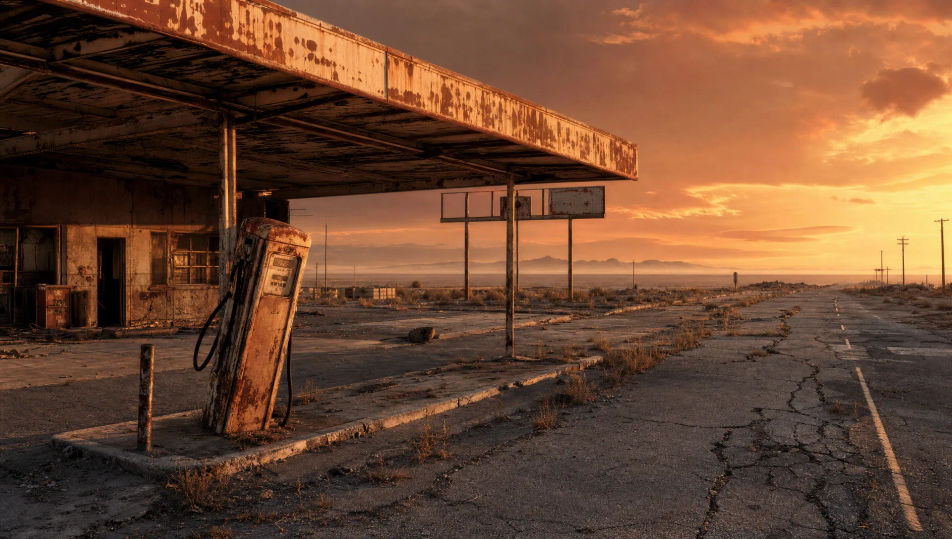
Rusted gas pump on a cracked highway

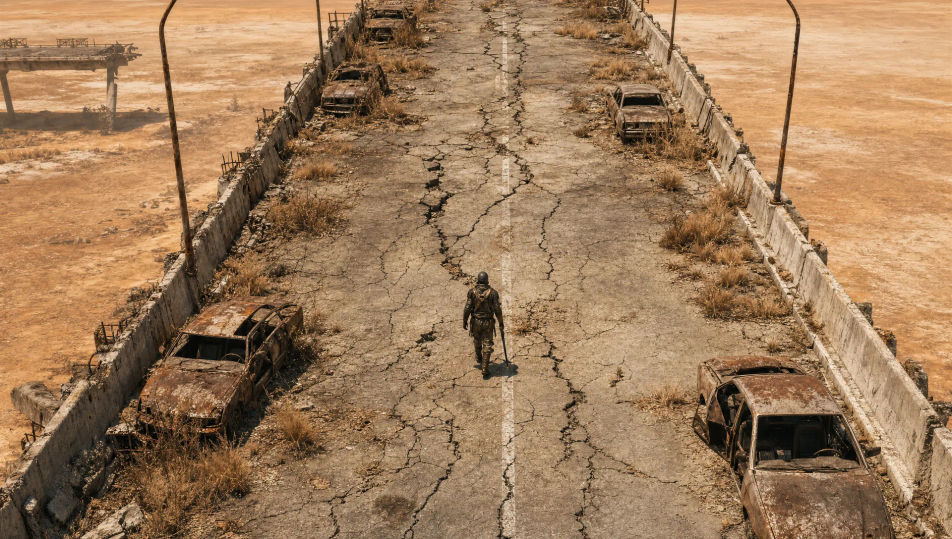
Lone road-warrior on a derelict overpass

High-angle of a sun-bleached concrete overpass split by long cracks, single figure in patched leather walking the centre line with a sawn-off shotgun, abandoned sedans rusting on the shoulder.

Edit prompt
Lone road-warrior on a derelict overpass

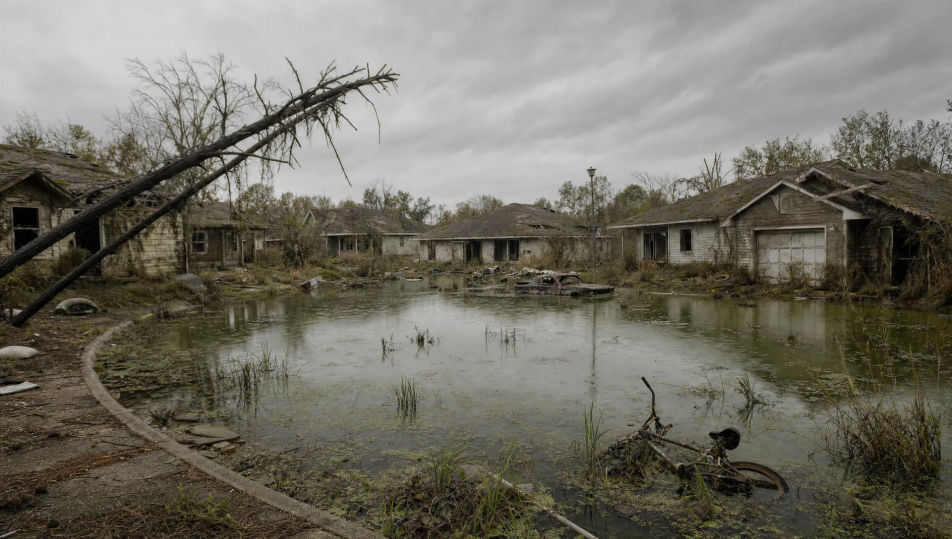
Flooded suburban cul-de-sac

Wide shot of a postwar American cul-de-sac knee-deep in stagnant green water, weeds shouldering through the asphalt, a child's bicycle half-submerged, mossed siding on the houses, overcast sky.

Edit prompt
Flooded suburban cul-de-sac

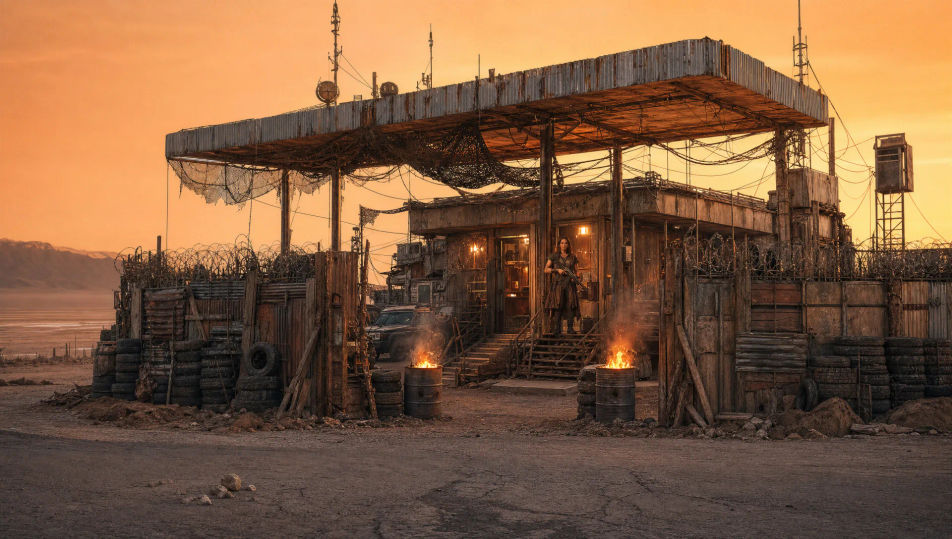
Fortified gas-station settlement at dusk

Wide street-level shot of a gas station ringed with scrap-metal palisade and tyre-stack ramparts, oil-drum braziers burning at the gate, settlement matriarch on the porch with a lever-action rifle.

Edit prompt
Fortified gas-station settlement at dusk

Make post-apocalyptic videos in three steps

  1. 01

    Describe your post-apocalyptic scene

    Write the post-apocalyptic scene you want, in plain words.

  2. 02

    Generate the video

    Morphic generates a cinematic, frame-ready clip on your canvas in seconds.

  3. 03

    Refine your post-apocalyptic video

    Tweak the prompt, regenerate variations, then download or share the shot.

Related workflows

You might also like

Simple pricing

Get started for free today, with the option to upgrade or cancel anytime.

Basic

$0/ month
billed as $0 per year

900 monthly credits

1 user only

All models

Workflows

Standard

$0/ month
billed as $0 per year

3200 monthly credits

1 user only

All models

Workflows

Pro

$0/ month
billed as $0 per year

6200 shared monthly credits

1 user

+ up to 4 more at extra cost

All models

Workflows

Pro Max

$0/ month
billed as $0 per year

24000 shared monthly credits

1 user

+ up to 9 more at extra cost

All models

Workflows

Enterprise

For higher limits

Custom

pricing and billing terms

Unlimited credits
Custom seat limits
All models
Workflows
Pricing Gradient

Free

For playing around

$0

forever free

Up to 20 credits
1 user only
Limited models
Workflows

FAQs

Where can I make post-apocalyptic videos with AI?
You can create post-apocalyptic scenes directly in your browser on Morphic. Open the Text to Video tool, describe the palette, the salvage prop, and the wardrobe, and Morphic produces the clip. No installs and no specialist software needed.
What defines the post-apocalyptic register at the prompt level?
Three things define post-apocalyptic in a Morphic prompt: a degraded palette (dust-orange highway dusk, mossed-green flooded suburb, blinding white salt flat), a salvage prop (rusted gas pump, hand-cranked shortwave, scrap-metal palisade, oil-drum brazier), and patched-functional wardrobe (patched leather, wax-canvas duster, army-surplus parka). Name all three and Morphic stops defaulting to generic ruined-city stock footage.
How do I stay clear of the named-franchise IP gotchas?
Prompt for archetypes and surfaces, never for named characters or branded factions. Write "lone road-warrior in patched leather with a sawn-off shotgun" rather than naming a film protagonist. Write "concrete vault corridor with a flickering battery lantern" rather than naming a game vault series. The page is written this way on purpose so the prompts stay clean and reusable.
How do I keep my wasteland cast consistent across scenes?
Use the Character Lineup workflow to lock in the road-warrior, settlement matriarch, vault doctor, and wandering preacher with their specific patched fabrics and signature weapons, then reference those character cards in every shot prompt. Morphic preserves the patched leather, the wax-canvas duster, and the long black duster across the post-apocalyptic series so the visual continuity holds.
Can I add a synth-drone and steel-string acoustic score?
Yes. The Music tool produces an original soundtrack, and a slow synth drone under steel-string acoustic sits cleanly under highway and salt-flat beats. The Speech tool generates first-person survivor voiceover and crackling shortwave broadcasts in the voice you choose, layered onto the generated video to publish a complete post-apocalyptic short.
Do I need worldbuilding experience to direct a post-apocalyptic short with Morphic?
No. Morphic runs in your browser and you direct it with plain-language prompts. If you can describe a dust-orange highway, a rusted gas pump, and a figure in patched leather, you can produce a post-apocalyptic scene. The prompts on this page are written so anyone can paste and run.