Tentacle reach, slow motion
Slow-motion mid shot of a procedural tentacle uncoiling toward the lens, the trailing wave rippling down its length and suckers flexing, soft rim light tracing every segment.
Edit prompt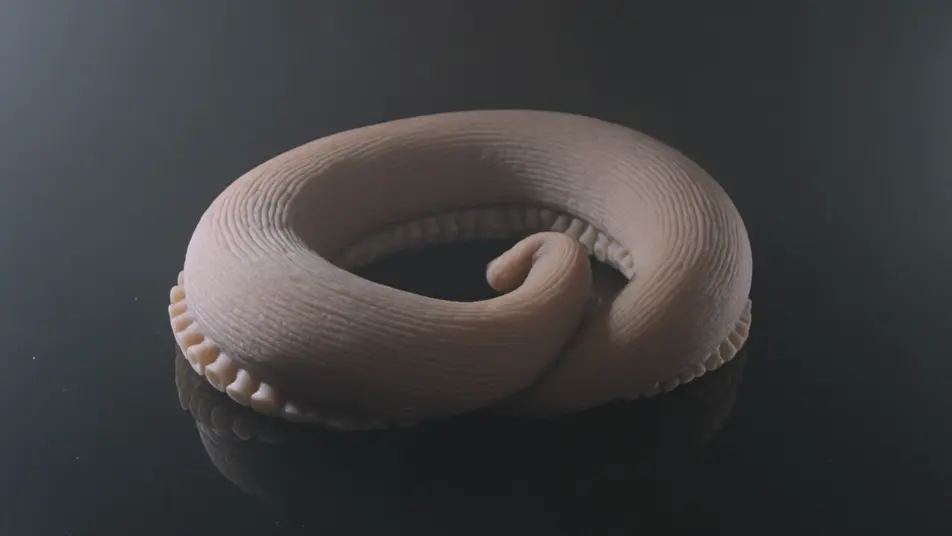
Drive algorithmic motion in your browser with Morphic's Procedural animation AI video generator. Generate a tentacle rig coiling on its own, vines racing across a wall, or a swarm gathering into a shape. Score it with Speech and Music, then stitch the shots into a full effects reel on the Canvas.
Slow-motion mid shot of a procedural tentacle uncoiling toward the lens, the trailing wave rippling down its length and suckers flexing, soft rim light tracing every segment.
Edit promptMacro time-lapse-style shot of vines racing across a stone wall, tendrils branching and spiralling into gaps while leaves unfurl behind the tips in crisp shallow-focus detail.
Edit prompt
Locked-off wide shot in the dark as a swarm of particles gathers and resolves into a slowly rotating shape, points streaming in from the edges and settling into place, then drifting apart.
Edit prompt
Aerial push-in over an empty plane as generative terrain rises and carves itself, ridges and valleys forming and rivers threading through, low sun raking across the finished landscape.
Edit prompt
Write the Procedural Animation scene you want, in plain words.
Morphic generates a cinematic, frame-ready clip on your canvas in seconds.
Tweak the prompt, regenerate variations, then download or share the shot.

Share a scene description with character references. Get a full storyboard with shot angles and mood.

Feed in a single image. Get 9 cinematic beats laid out as a 3x3 storyboard grid.
Drop in a photo of yourself. Get a 12-second cinematic movie with animation and a matched soundtrack.

Take any character image and generate 6 distinct facial expressions on a single reference sheet.

Generate a professional film title card from scratch, with optional cinematic animation.

Turn any photo or description into an animated chibi sprite. Dance, jump, wave, attack, and more.
AI VFX videos
Generate AI VFX videos with Morphic. Explosions, energy effects, sci-fi destruction, particles, and creature shots from a prompt. No green screen, no compositing.
Low Poly 3D AI Videos
Generate low poly 3D videos on Morphic. Faceted geometry, flat shading, and clean stylized 3D scenes and characters from plain-language prompts.
Photoreal 3D AI Videos
Generate photoreal 3D videos on Morphic. Physically based materials, soft global lighting, and cinematic CG characters and scenes from plain-language prompts.
3D animation AI videos
Generate 3D animation videos on Morphic. CGI characters, rendered worlds, dynamic camera moves, and animated scenes from plain-language prompts.
Get started for free today, with the option to upgrade or cancel anytime.
Basic
2400 monthly credits
1 user only
All models
Workflows
Standard
3625 monthly credits
1 user only
All models
Workflows
Pro
6350 shared monthly credits
1 user
All models
Workflows
Max
24650 shared monthly credits
1 user
All models
Workflows
Enterprise
For higher limits
Custom
pricing and billing terms

Free
For playing around
$0
forever free