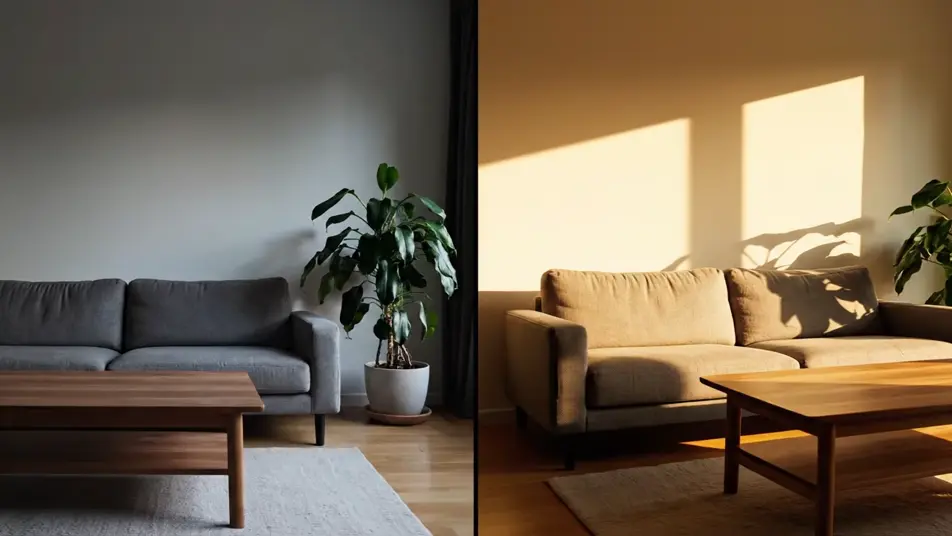
AI Before and after videos

Direct a before and after video in your browser with Morphic's before and after video AI generator and let the change sell itself. Generate a dull room warming into sunlight, a wilted plant reviving, or tarnished metal sweeping to a polish. Cut the reveals together on Compose or lay both states side by side on the Canvas.

Reveal styles you can direct

Before and after sequences you can stage

A sunrise room reveal

A wide steady frame of a dim cluttered living room that a vertical wipe crosses slowly, leaving the same room sunlit, tidy, and warm in its wake.

编辑提示词

A polished metal light sweep

A macro shot of a tarnished copper kettle on a dark surface as a warm band of light sweeps across it, tarnish dissolving into a mirror shine behind the beam.

编辑提示词

A garden revival morph

A close hold on a dry wilted flower bed that lifts into full color and bloom over a slow dissolve, soft morning light rising with the change.

编辑提示词

A workspace reset split

A locked-off split frame holding a chaotic paper-strewn desk beside the same desk cleared and ordered, identical angle and light so only the state differs.

编辑提示词

三步制作before and after video视频

  1. 描述你的before and after video场景

    用简单的话写下你想要的before and after video场景。

  2. 生成视频

    Morphic 在几秒内于画布上生成电影级片段。

  3. 优化你的before and after video视频

    调整提示词,重新生成,满意后即可下载或分享。

简单定价

今天就免费开始,随时可以升级或取消。

Basic

$9/
账单金额为 $0 每年

900 每月 信用

1 个用户

所有模型

工作流

Standard

$24/
账单金额为 $0 每年

3200 每月 信用

1 个用户

所有模型

工作流

Pro

$45/
账单金额为 $0 每年

6200 共享 每月 信用

1 用户

+ 最多 4 人额外付费可增加

所有模型

工作流

Pro Max

$170/
账单金额为 $0 每年

24000 共享 每月 信用

1 用户

+ 最多 9 人额外付费可增加

所有模型

工作流

Enterprise

更高的限制

自定义

定价和账单条款

大容量信用
自定义席位限制
所有模型
工作流

Pricing Gradient

Free

供随意体验

$0

永久免费

最多 20 积分
仅1个用户
部分模型
工作流

常见问题

Where can I make before and after videos with AI?
You can create before and after videos directly in your browser on Morphic. Open the Text to Video tool, describe the subject, both states, and the reveal style, and the clip generates in minutes. On the Canvas you can compare reveal styles side by side and keep the strongest.
What makes a before and after video convincing?
One subject, one angle, one light setup, with only the state changing between halves. Wipes, morphs, and split holds all work, but the identical framing is what does the persuading. If the camera or lighting shifts, the comparison stops feeling honest.
How do I write a good prompt for a before and after video?
Describe the subject once, then both states, then the transition. Say "the same room" or "the same plant" explicitly so the model holds the subject constant. Naming the reveal, a wipe, a dissolve, or a light sweep, gives the clip its structure.
Do I need labels or arrows to show which side is which?
No, and it is better without them. Generated text renders as gibberish, so let the states speak: dull to bright, messy to tidy, worn to restored. A clear visual contrast reads faster than any label, and it travels across languages without translation.
Can I add music and narration to a before and after video?
Yes. The Music tool scores an original bed that can swell right on the reveal, which is where these clips earn their replay. The Speech tool adds narration if the story needs setup, and Compose is where you time the audio to the moment of change.