Krampus AI Videos

Direct Alpine Krampusnacht folklore in your browser with Morphic's Krampus AI video generator. Generate Krampus video scenes like a torch-lit Krampus run down a snowy village street, a horned silhouette at a frosted cottage window, or a parade of carved-mask Perchten through the square, and pair them with the Music tool to score them with rusty bells and a low chant. Stitch the set pieces into a folklore-grade Krampus short inside the Canvas.

Krampus characters you can create

Krampus scenes you can direct

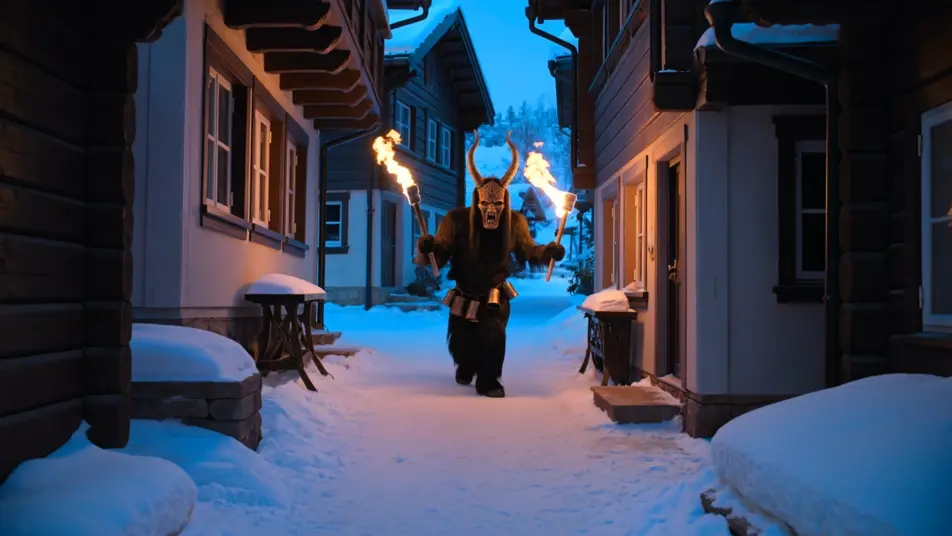
Torch-lit Krampus run down a snowy street

A horned Krampus charging down a narrow snowbound alpine street at night, torch flames streaking ember orange across timber facades, rusty bells blurring, villagers scattering into the cold blue dark.

Edit prompt

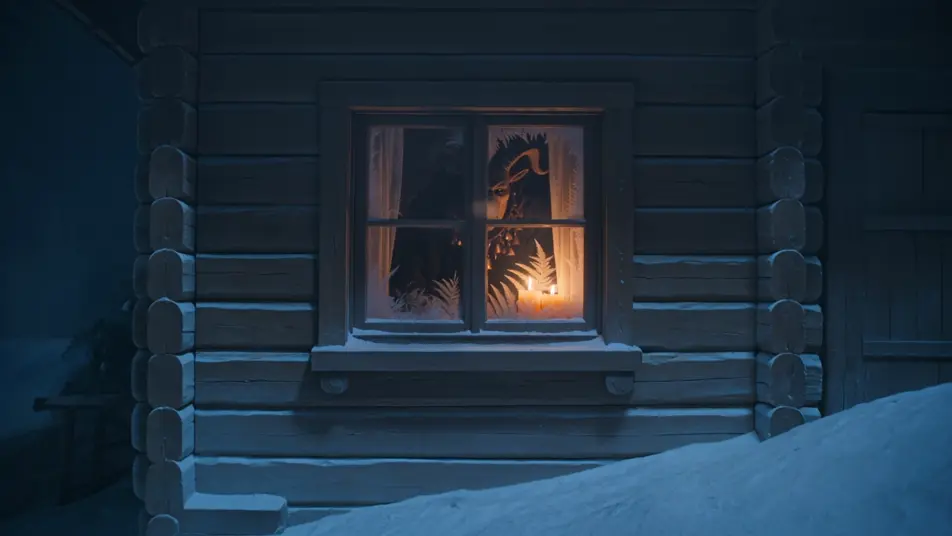
Horned silhouette at a frosted window

A goat-horned silhouette pressing against the frosted glass of a candlelit cottage window from outside, frost ferns on the pane, warm interior tungsten light against the cold blue night beyond.

Edit prompt

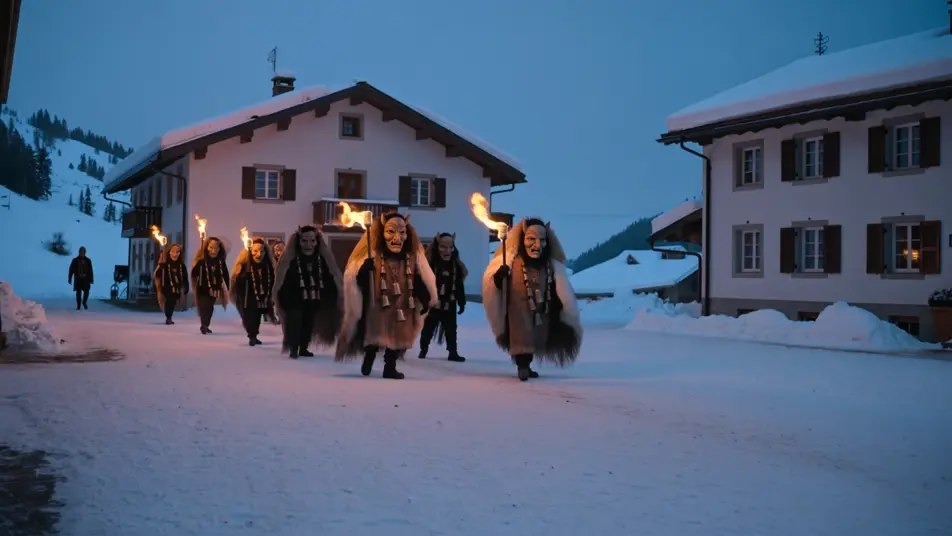
Perchten parade through the square

A slow procession of carved-mask Perchten crossing a snow-covered village square, torchlight raking the wooden devil faces and shaggy pelts, bells swaying, falling snow caught in the ember glow.

Edit prompt

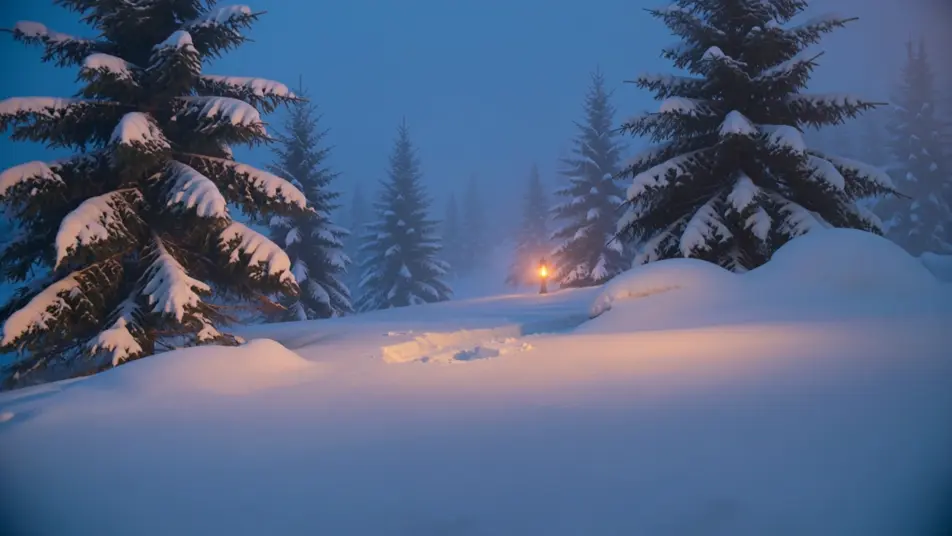
Sack-and-chains figure in the pine forest

A chained Krampus with a sack and basket emerging from a snow-laden pine forest at dusk, the last cold blue light behind the trees, a single torch flickering ember orange between the trunks.

Edit prompt

Make Krampus videos in three steps

  1. 01

    Describe your Krampus scene

    Write the Krampus scene you want, including the moment, location, and camera direction.

  2. 02

    Generate the video

    Morphic generates a cinematic, frame-ready clip on your canvas in seconds, no editing software required.

  3. 03

    Refine your Krampus video

    Tweak the prompt, regenerate variations, then download or share the moment the shot lands.

Related workflows

你可能也喜欢

FAQs

Where can I make Krampus videos with AI?
You can create Krampus scenes directly in your browser on Morphic. Open the Text to Video tool, describe the torchlight, the snowbound village, and the horned figure, and Morphic produces the clip. No installs and no specialist software needed.
What defines Krampus at the prompt level?
Three things define Krampus for a prompt: the goat-horned devil silhouette with a long tongue and rusted bells, the snowbound alpine Krampusnacht setting at night, and the warm-against-cold light split of ember-orange torchlight against cold blue snow. Name all three and add a folklore prop like the birch switch or wicker basket so Morphic does not default to a generic holiday scene.
How do I prompt for the torch-lit Krampusnacht look?
Specify the light source and its direction. For the street run: "ember-orange torch flames raking the timber facades from frame left, cold blue ambient snow light filling the shadows." For the window beat: "warm tungsten interior light, frosted glass, horned silhouette pressed against the pane from the cold blue night outside." Naming where the warm light comes from is what cues the Krampusnacht contrast.
Can I add bells and a low chant score to my Krampus videos?
Yes. The Music tool produces an original soundtrack, and a folk-horror register of rusty hand bells, a droning low brass note, and a unison village chant sits cleanly under the torch-run beats. The Speech tool generates whispered or shouted voiceover in the voice you choose, layered onto the generated video to publish a complete Krampus short.
Do I need any folklore background to make Krampus videos?
No. Morphic runs in your browser and you direct it with plain-language prompts. If you can describe a horned figure, a torch, and a snowy street, you can produce a Krampus scene. Krampus is European public-domain folklore, so naming the figure and its props is fully safe. The prompts on this page are written so anyone can paste and run.



