AI Material close-up videos

Direct a material close up video in your browser with Morphic's material close up video generator. Render macro passes over woven fabric, brushed metal, full-grain leather, and a slow liquid pour so the texture reads before a word is spoken. Score it with Music, then assemble the passes into one tactile sequence on Compose.

Material passes you can direct

Texture sequences you can stage

A raking-light fabric weave

A macro frame where a tight cloth weave fills the screen and slow raking light travels across it, lifting each thread into relief as the fabric shifts a fraction, the focus holding shallow and precise

编辑提示词

A rotating brushed-metal edge

A cool studio frame where a brushed metal edge turns slowly and a soft highlight sweeps down the machined grain, the surface flaring and dimming as it rotates under clean even light

编辑提示词

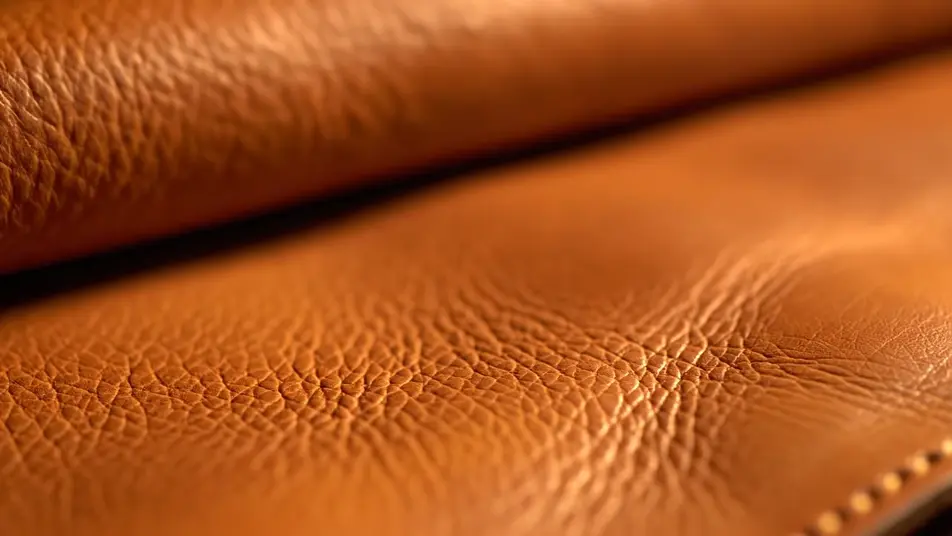
A leather grain in warm light

A warm macro frame drifting over supple full-grain leather, pores and creases catching a low golden side light while the shallow focus rolls softly across the hide, holding a rich premium feel

编辑提示词

A slow liquid pour

A bright frame where a clear stream pours onto a smooth surface and breaks into slow beading droplets, a crisp rim light tracing each bead as the liquid spreads and settles under high-speed motion

编辑提示词

三步制作material close up video视频

  1. 描述你的material close up video场景

    用简单的话写下你想要的material close up video场景。

  2. 生成视频

    Morphic 在几秒内于画布上生成电影级片段。

  3. 优化你的material close up video视频

    调整提示词,重新生成,满意后即可下载或分享。

简单定价

今天就免费开始,随时可以升级或取消。

Basic

$9/
账单金额为 $0 每年

900 每月 信用

1 个用户

所有模型

工作流

Standard

$24/
账单金额为 $0 每年

3200 每月 信用

1 个用户

所有模型

工作流

Pro

$45/
账单金额为 $0 每年

6200 共享 每月 信用

1 用户

+ 最多 4 人额外付费可增加

所有模型

工作流

Pro Max

$170/
账单金额为 $0 每年

24000 共享 每月 信用

1 用户

+ 最多 9 人额外付费可增加

所有模型

工作流

Enterprise

更高的限制

自定义

定价和账单条款

大容量信用
自定义席位限制
所有模型
工作流

Pricing Gradient

Free

供随意体验

$0

永久免费

最多 20 积分
仅1个用户
部分模型
工作流

常见问题

Where can I make material close-up videos with AI?
You can create material close-up videos directly in your browser on Morphic. Open the Text to Video tool, describe the surface, the light, and the camera move you want, and Morphic renders the macro pass. On Compose you order several passes into one continuous texture sequence with no macro lens or shoot day needed.
What kinds of material passes work best with AI video?
Single-surface passes read cleanest, a fabric weave, a brushed metal edge, a leather grain, or a liquid pour. The strongest close-ups hold one material and one light per clip so the texture stays the subject, then group into a sequence that moves the viewer across the whole product feel.
How do I write a good prompt for a material close-up?
Name the material, the light direction, and the camera move in one line, then describe how the surface should react to that light. Raking light lifts a weave, a low side light warms leather, a bright rim light traces liquid. Keeping the description to one surface at a time is what makes the macro read as touchable texture.
How do I keep a material video looking consistent?
Reuse the same light style, palette, and shallow-focus descriptors across every prompt so no pass breaks the look. On Compose you can order the passes and time each transition so the sequence drifts smoothly from one material to the next as a single tactile piece.
Can I add music to my material close-up videos?
Yes. The Music tool generates a light original bed that suits a slow tactile pass, and close-ups land best when the track stays subtle so the texture and motion stay in focus. You add and time the track alongside the clips on Compose before you export.