Einzelpanel mit Kamera- und Action-Notizen
Ein gerahmtes Panel mit sauberem Rand, Platz darunter für Kamera- und Action-Notizen, die Einstellung komponiert und bereit zum Annotieren.
Prompt bearbeiten
Boarden Sie Ihre Einstellungen direkt im Browser mit dem KI-Bildgenerator von Morphic. Generieren Sie eine weite Establishing-Einstellung, eine enge Nahaufnahme mit klarer Betonung oder einen Action-Frame mit dynamischem Winkel. Animieren Sie ein Board mit Image to Video und halten Sie eine Figur mit Character Lineup.
Ein gerahmtes Panel mit sauberem Rand, Platz darunter für Kamera- und Action-Notizen, die Einstellung komponiert und bereit zum Annotieren.
Prompt bearbeitenEin horizontaler Streifen aus drei gerahmten Panels, von links nach rechts lesbar, jedes ein Beat in der Sequenz, durchgängige Rahmung über die Reihe.
Prompt bearbeiten
Eine vollständige Storyboard-Seite, angelegt als Raster aus sechs gerahmten Panels, jedes eine nummerierte Einstellung, die Sequenz von oben nach unten lesbar.
Prompt bearbeiten
Ein einzelnes Widescreen-Panel in einem cinematischen Seitenverhältnis mit einer markierten Safe-Area-Führung, die Komposition innerhalb der Action-Safe-Linien gesetzt.
Prompt bearbeiten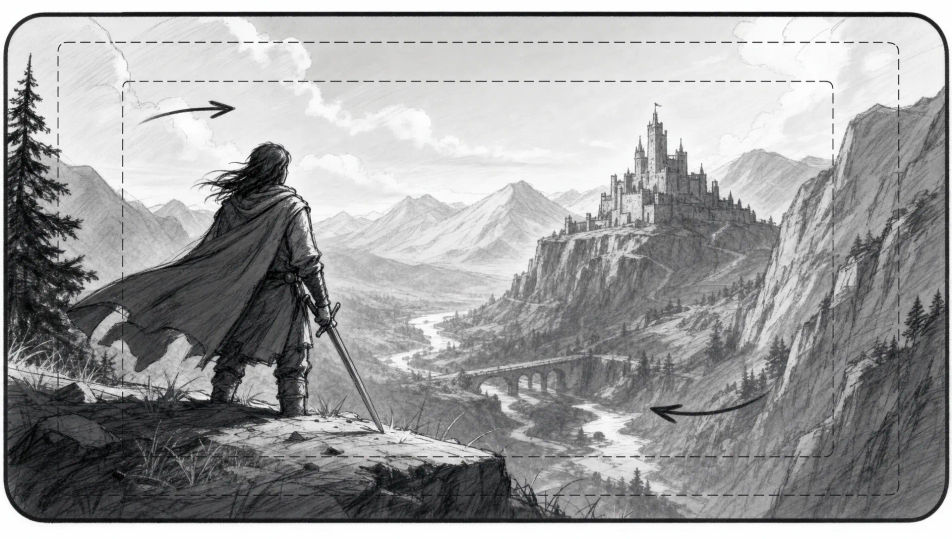
Beschreiben Sie das Storyboard-Frame, das Sie möchten, in einfachen Worten.
Morphic generiert in Sekunden ein sauberes, veröffentlichungsfertiges Bild auf Ihrer Canvas.
Passen Sie den Prompt an, generieren Sie Varianten und laden Sie das Bild herunter oder teilen Sie es.
Convert any image to a new aspect ratio. Smart crop or extend the edges to fit.
Pick a reference image, apply its visual style to your own photo or artwork.

Turn any sketch or drawing into a finished render.
Restyle any video in a completely new visual style. Every frame transforms, all motion stays intact.

Share a scene description with character references. Get a full storyboard with shot angles and mood.
Provide first frame and last frame and generate a video from uploaded keyframes.
Mood-Board-KI-Bilder
Erstellen Sie Mood-Board-KI-Bilder mit Morphic. Generieren Sie Mood-Board-Collagen, Paletten und Referenz-Layouts für jedes Projekt in Sekunden.
Konzeptkunst-KI-Bilder
Erstellen Sie KI-Konzeptkunst-Bilder mit Morphic. Generieren Sie Konzeptkunst-Charaktere, Umgebungen, Requisiten und Key-Art für jedes Projekt in Sekunden.
Comic-Panel-KI-Bilder
Erstellen Sie KI-Comic-Panel-Bilder mit Morphic. Generieren Sie Comic-Panel-Artwork, Layouts und redaktionelle Visuals für jedes Projekt in Sekunden.
Filmposter-KI-Bilder
Erstellen Sie KI-Filmposter-Bilder mit Morphic. Generieren Sie Filmposter-Artwork, Layouts und redaktionelle Visuals für jedes Projekt in Sekunden.
Starten Sie noch heute kostenlos, mit der Option, jederzeit zu upgraden oder zu kündigen.
Basic
2400 monatliche Credits
1 Nutzer
Alle Modelle
Workflows
Standard
3625 monatliche Credits
1 Nutzer
Alle Modelle
Workflows
Pro
6350 gemeinsame monatliche Credits
1 Nutzer
Alle Modelle
Workflows
Max
24650 gemeinsame monatliche Credits
1 Nutzer
Alle Modelle
Workflows
Enterprise
Für höhere Limits
Individuell
Preis- und Abrechnungsbedingungen

Free
Zum Ausprobieren
$0
dauerhaft kostenlos