Studio Portrait AI Images

Create Studio Portrait images in your browser with Morphic's AI image generator. Generate studio portraits like a Rembrandt-lit bust on a grey seamless backdrop, a high-key beauty look on pure white, or a gel-lit duo of magenta and teal, and keep one subject consistent across the whole set with the Character Lineup workflow. Animate any frame with the Image to Video tool.

Studio portrait looks you can generate

Studio setups you can stage

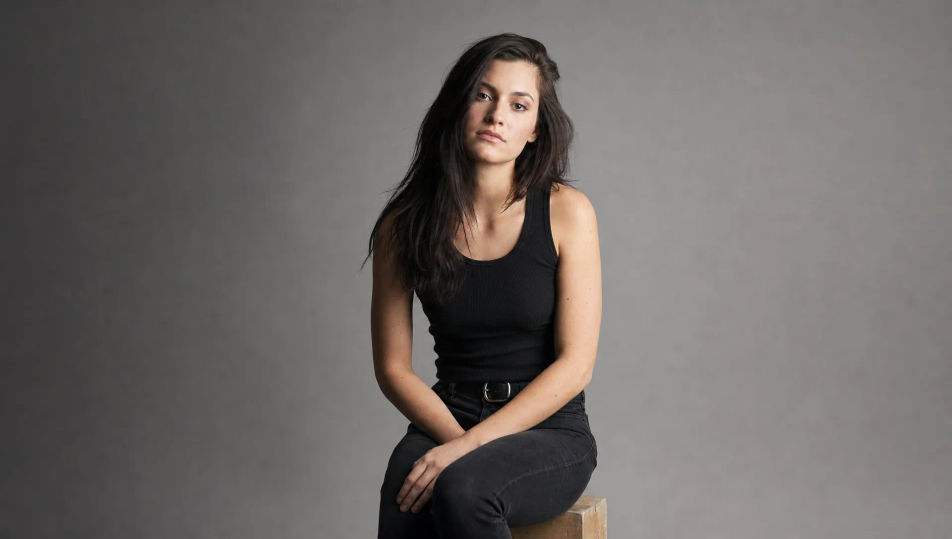
Grey seamless one-light

A pared-back studio frame: a single large octabox at 45 degrees, mid-grey seamless paper sweeping behind, soft shadow gradient on the backdrop, the subject seated on an apple box.

Prompt bearbeiten
Grey seamless one-light

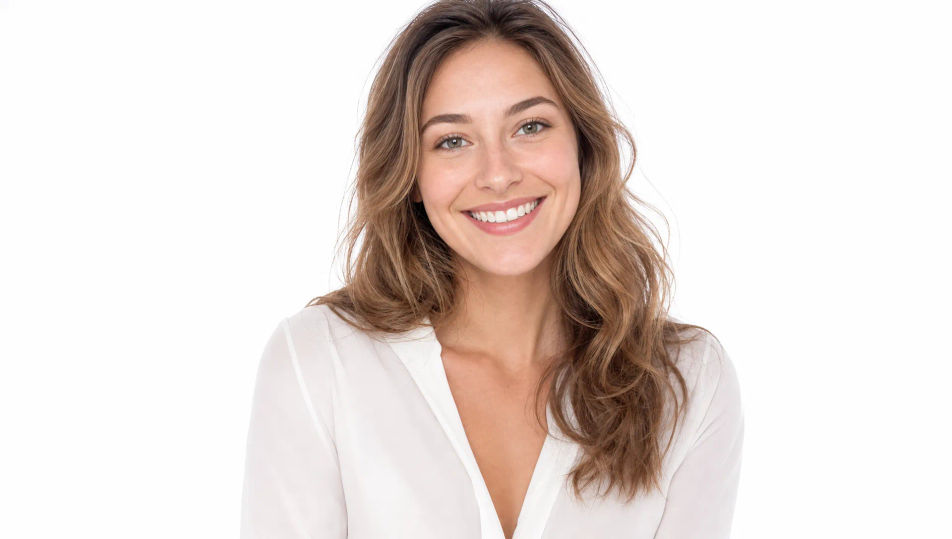
White high-key sweep

A bright high-key studio: pure white cyclorama sweep, two backdrop lights blowing the background to clean white, soft frontal fill on the subject, airy and shadowless.

Prompt bearbeiten
White high-key sweep

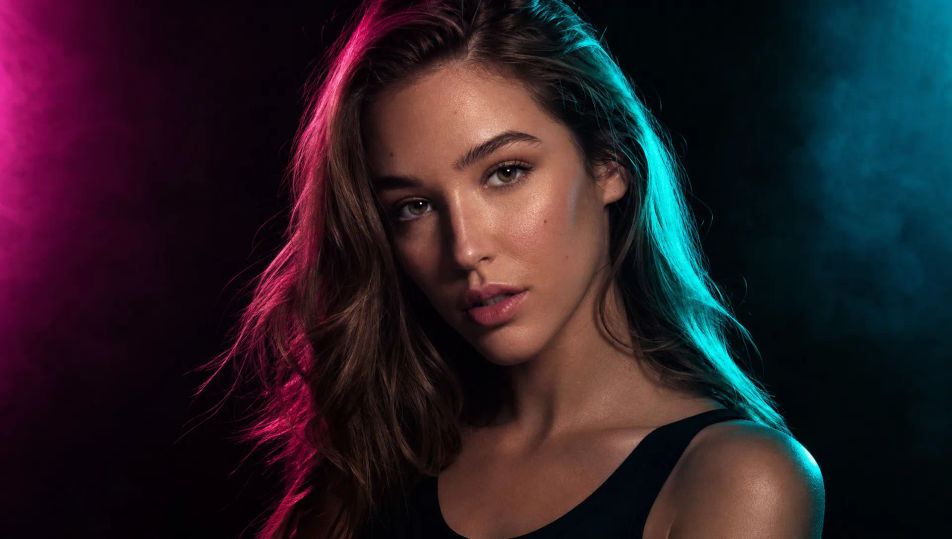
Colored gel duo

A moody studio lit by two colored gels, magenta from camera left and teal from camera right, faint atmospheric haze catching the beams, deep black background, glossy rim light.

Prompt bearbeiten
Colored gel duo

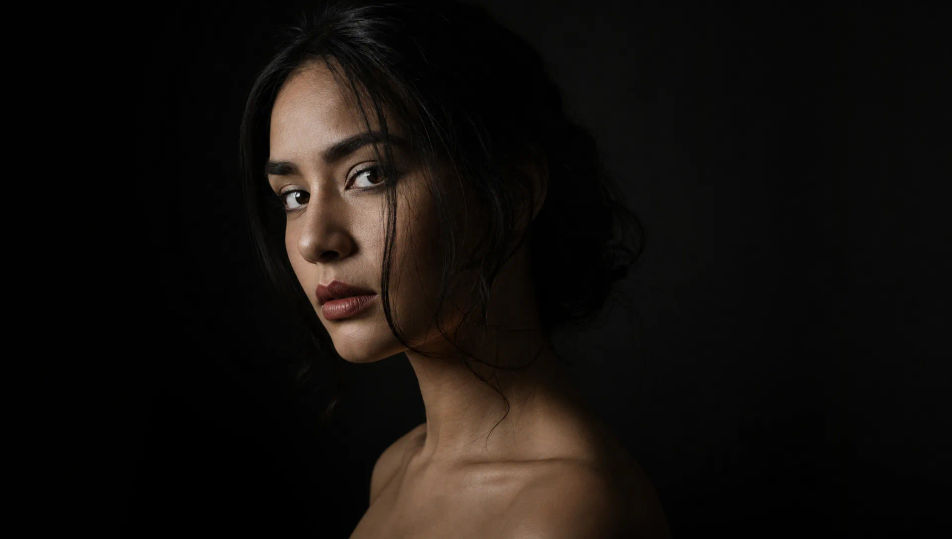
Black backdrop low-key

A low-key studio: black seamless paper, a single gridded source feathered across the subject, deep shadow swallowing the edges, fine highlight texture, quiet and dramatic.

Prompt bearbeiten
Black backdrop low-key

Studio Portrait in drei Schritten erstellen

  1. 01

    Beschreiben Sie Ihr Studio Portrait

    Beschreiben Sie das Studio Portrait, das Sie möchten, in einfachen Worten.

  2. 02

    Bild generieren

    Morphic generiert in Sekunden ein sauberes, veröffentlichungsfertiges Bild auf Ihrer Canvas.

  3. 03

    Studio Portrait verfeinern

    Passen Sie den Prompt an, generieren Sie Varianten und laden Sie das Bild herunter oder teilen Sie es.

Verwandte Workflows

Das könnte Ihnen auch gefallen

Einfache Preise

Starten Sie noch heute kostenlos, mit der Option, jederzeit zu upgraden oder zu kündigen.

Basic

$0/ Monat
abgerechnet als $0 pro Jahr

900 monatliche Credits

1 Nutzer

Alle Modelle

Workflows

Standard

$0/ Monat
abgerechnet als $0 pro Jahr

3200 monatliche Credits

1 Nutzer

Alle Modelle

Workflows

Pro

$0/ Monat
abgerechnet als $0 pro Jahr

6200 gemeinsame monatliche Credits

1 Nutzer

+ bis zu 4 weitere gegen Aufpreis

Alle Modelle

Workflows

Pro Max

$0/ Monat
abgerechnet als $0 pro Jahr

24000 gemeinsame monatliche Credits

1 Nutzer

+ bis zu 9 weitere gegen Aufpreis

Alle Modelle

Workflows

Enterprise

Für höhere Limits

Individuell

Preis- und Abrechnungsbedingungen

Unbegrenzte Credits
Individuelle Platzlimits
Alle Modelle
Workflows
Pricing Gradient

Free

Zum Ausprobieren

$0

dauerhaft kostenlos

Bis zu 20 Credits
Nur 1 Nutzer
Eingeschränkte Modelle
Workflows

Häufig gestellte Fragen

Where can I make studio portrait images with AI?
You can create studio portrait images directly in your browser on Morphic. Open the Image tool, name the lighting pattern, the backdrop, and the mood, and Morphic produces the portrait. No studio rental, no lighting kit, and no installs needed.
Can I control the studio lighting pattern?
Yes. Name the pattern in your prompt and Morphic places the light accordingly. Rembrandt gives you the triangle on the shadow cheek, butterfly gives a symmetrical beauty look, split light divides the face down the middle, and broad light turns the lit side toward camera.
Does Morphic generate original studio portraits or edit a photo?
Morphic generates original studio portraits from a written prompt, not edits of an uploaded photo. Describe the subject, the lighting, and the backdrop and the Image tool produces a brand-new portrait with no upload step.
How do I keep the same subject across lighting setups?
Use the Character Lineup workflow to lock the subject first, then reference that character while you vary the lighting. Morphic preserves the face so a Rembrandt, a high-key, and a gel-lit version all read as the same person.
How do I write a good studio portrait prompt?
Name the lighting pattern, the key-light position, the backdrop color, and any gels. For example: "Butterfly-lit beauty portrait, key light directly above the lens, clamshell fill, pure white sweep, glossy skin." Naming the pattern is what makes the result read as a real studio shot.
Can I turn a studio portrait into video?
Yes. The Image to Video tool animates any portrait you generate, so a still becomes a slow turn toward the light or a subtle blink. Pair it with the Music tool to score a campaign teaser.