AI 3D scene generator and editor

A luminous 3D set of light planes and a lone figure on a black stage, the cover for the Morphic 3D scene generator

Copilot builds the shot in 3D for you. Then direct every detail by hand.

What is 3D Scene in Morphic?

3D Scene is Morphic's 3D blocking editor. It sits on the Canvas next to your script and reference sheets, and it is where a shot gets planned before anything is generated: the set, the people in it, where they move, and where the camera goes. Describe the shot and Copilot builds it, or place every piece by hand, and switch between the two whenever you like.

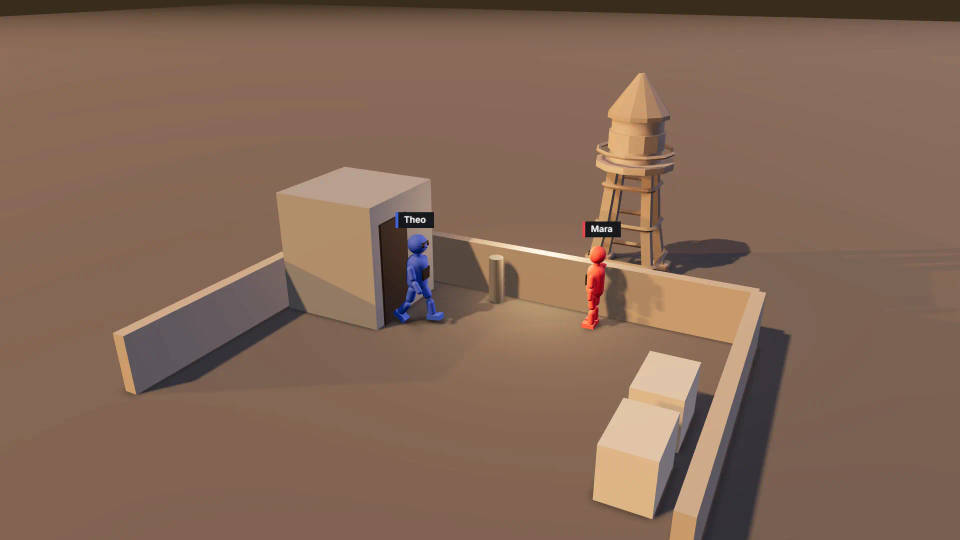
The point is the shot that comes after. The scene below was blocked in 3D Scene: a rooftop at dusk, a woman at the parapet, a man at the stairwell door, a wide camera and a closer one over his shoulder. Each finished frame was then generated from its blocking frame, with every figure named by its colour in the prompt. The camera angle, the staging and the screen direction were decided in 3D, so the generation had a plan to follow. The 3D Scene product page has the full tour.

Finished dusk shot from the same wide camera: a woman at a rooftop ledge turns as a man steps out of the stairwell doorGenerated shot
3D Scene blocking of a rooftop at dusk: a red figure at the ledge and a blue figure stepping out of a stairwell door, seen from a wide camera3D Scene blocking
Finished over-the-shoulder shot at dusk: the woman at the ledge faces the man, city lights behind herGenerated shot
3D Scene blocking of a closer camera over the blue figure's shoulder onto the red figure at the ledge3D Scene blocking

Make a 3D scene in three steps

  1. 01

    Describe the shot

    Tell Copilot the location, the cast, the action and the camera, or start from Quick start and place the pieces yourself.

  2. 02

    Direct every detail

    Move anyone, pose any joint, swap the lens, add cameras and cuts, and set the light.

  3. 03

    Render and generate

    Render the blocking video and add it to the Canvas, or save a still, then generate the shot.

Two ways to work in the 3D scene generator

Describe it: Copilot builds the 3D scene

Brief it like a crew: a rooftop at dusk, a woman at the ledge, a man in the stairwell door, a wide camera that cuts closer at four seconds. Copilot builds the location, cast, movement and cameras, then checks its work on preview frames. Ask from the 3D tab or any chat; scene edits cost no credits, Copilot's replies do.

Direct it: exact control by hand

Change anything Copilot built. Set a camera's position, aim, lens, sensor and roll at an exact frame, on a timeline that zooms to single frames. Drag a figure, redraw a path, or record a camera move live by orbiting the view.

Set, cast, action and light in one 3D scene editor

Build the set from a model library or your own files

Search the model library for people, vehicles, furniture, props and whole locations, or upload your own .glb, .gltf or .obj models with their textures. Change any material's colour, roughness or opacity, and use linked copies so a row of chairs changes together.
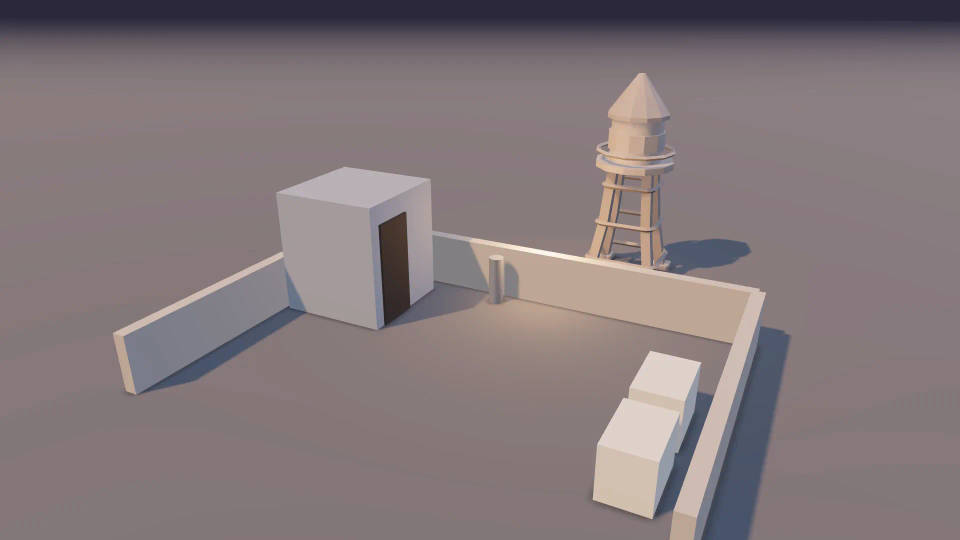
3D Scene set of a dusk rooftop with a stairwell hut, a water tower and a low parapet, built from basic shapes and a library model

Direct performers in the 3D scene

Figures come with faces, a colour and a name label. Give each one a path to walk or run, pick a pose preset or pose each body part, and set height and body width to match the cast. Save a motion as a clip and reuse it on someone else.
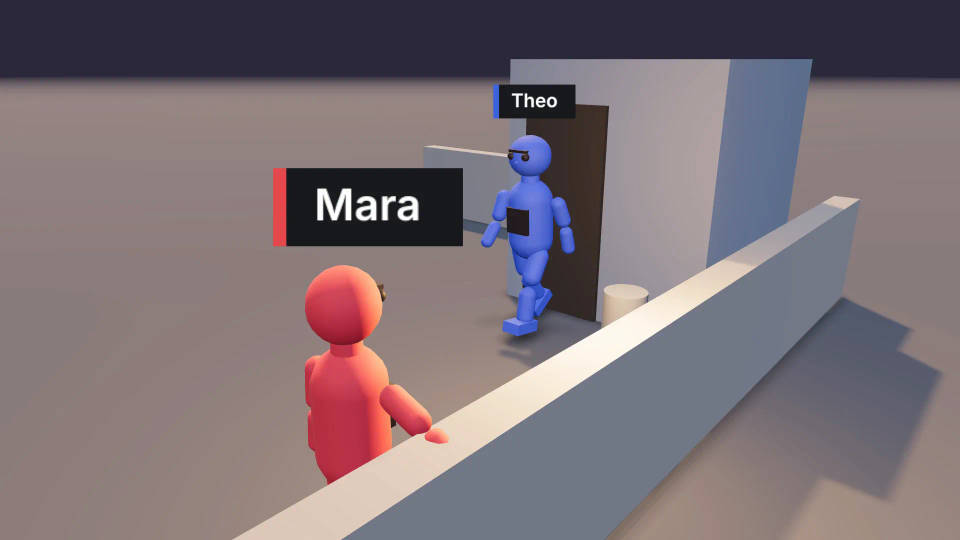
Two colour-coded figures on the 3D rooftop set, one posed at the ledge and one mid-step through a doorway

Stage crowds, fights and dances

Group action adds a whole cast with ready-made dance or fight movement in one step, and every performer stays editable. Formations save an arrangement of people so you can place it again and keep a recurring set-up identical.
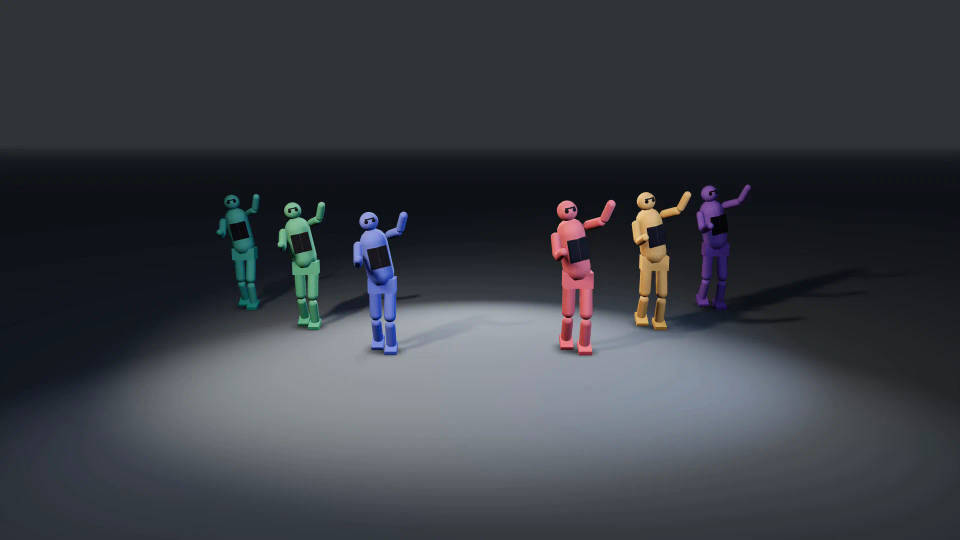
A group of colour-coded figures mid-dance on an open 3D stage, staged with Group action

Light the 3D scene before you generate

Start from a Light setup and a Mood, then edit point, spot and directional lights, ambient light, the sun angle and fog. The lighting in the blocking guides where light falls in the generated shot.
The 3D rooftop set under low warm sun with light haze, lit with a Light setup and a golden hour Mood

Check the blocking, then turn it into the shot

Continuity warnings on the timeline

The editor flags a camera that crosses the 180-degree line between two characters, and performers moving at speeds that will read as wrong, while they are still cheap to fix.

Render a still or a blocking video

Export a Video or a Still frame at 720p or 1080p in five aspect ratios, or a Scene file. Render video runs in your browser at no credit cost, then add the MP4 to the Canvas or download it.

Cast by colour in the prompt

Attach the blocking video or a snapshot as a reference and name each figure by colour: the red figure is the woman in the grey coat. The blocking guides who stands where and which way they face. The step-by-step guide walks through it.

Edit one 3D scene together

A team works in the same scene at once, with live markers, autosave and recovery. The blocking is where a director and a DP agree, and the previz is what the project builds on. Runs in a desktop browser.

All on Morphic

From the plan to the shot

Simple pricing

Get started for free today, with the option to upgrade or cancel anytime.

Basic

$19/ month
billed as $228 per year

2400 monthly credits

1 user only

All models

Workflows

Standard

$24/ month
billed as $288 per year

3625 monthly credits

1 user only

All models

Workflows

Pro

$45/ month
billed as $540 per year

6350 shared monthly credits

1 user

+ up to 4 more at extra cost

All models

Workflows

Max

$170/ month
billed as $2040 per year

24650 shared monthly credits

1 user

+ up to 9 more at extra cost

All models

Workflows

Enterprise

For higher limits

Custom

pricing and billing terms

High-volume credits
Custom seat limits
All models
Workflows
Pricing Gradient

Free

For playing around

$0

forever free

Up to 20 credits
1 user only
Limited models
Workflows

FAQs

Do I need 3D experience to use the 3D scene generator?
No. You can describe the shot in plain words and Copilot builds the set, the cast, the action and the camera for you. Every part of the scene stays editable, so you learn the controls by adjusting what Copilot made. If you already work in Blender or Maya, switch the view navigation to the keys you know.
Can Copilot build a whole 3D scene from a description?
Yes. Describe the location, who is in it, what they do and where the camera sits, from the 3D tab or from any Copilot chat. Hand it a shot list and it builds the cameras and cuts as well. After each change it checks for overlaps, a camera inside an object and props below the floor.
Can I undo what Copilot did to my scene?
Yes. Ask Copilot to undo or change its last edit, because its scene edits run on Morphic's servers, outside your browser tab's undo history. Your own edits use undo and redo as usual. Ask mode is there too: Copilot proposes each change and waits for you before it touches the scene.
Can I bring my own 3D models into a scene?
Yes. Upload a .glb, .gltf or .obj file with its textures, as a single file, a folder or a .zip. A short set-up step fixes units, axes, pivot and real-world size, and any animations in the file become clips you can play. FBX, .blend and USD files need converting to one of those formats first.
Can I save or import a scene file?
Yes. Export a scene as a scene file to keep a copy or hand it to a colleague, and bring one back in with Import scene file under Quick start. A scene card on the Canvas can also download the video, a thumbnail or the scene file without opening the editor.
Does rendering the blocking video cost credits?
No, when you export from the editor: the MP4 or still frame renders in your browser at no credit cost, at 720p or 1080p in five aspect ratios. Copilot can also render the video on Morphic servers on paid plans, which is billed by render time. Credits go on the generated shots.
Which browsers can render a 3D scene video?
Render video encodes the MP4 in your browser, so it needs one that can encode H.264 video: a current Chrome, Edge or Safari on a desktop works. If a browser cannot encode it, the editor tells you, and on paid plans Copilot can render the video on Morphic servers instead.
Can several people edit one 3D scene at once?
Yes. Everyone in the scene sees each other's edits as they happen, with live markers showing who is working where. Changes save automatically, with recovery if a tab closes. That lets a director, a DP and an editor block the same shot together.
Is the 3D scene generator a replacement for Blender?
No. 3D Scene is a blocking editor for planning shots before you generate them, so it has no modelling, sculpting, rigging or final rendering. Blender stays the tool for that work, and the free Morphic for Blender add-on brings Copilot and generation into Blender itself.

You might also like
