Focal length comparison tool

Nested rings of soft light receding into a black ground like a lens barrel, the cover for the Morphic focal length comparison tool

Block the shot once in 3D. Compare every lens before you generate.

What a lens simulator is for

A lens simulator shows how a focal length frames a shot before you rent the lens or generate the footage. A focal length comparison puts several lenses on one subject. The glossary covers focal length itself.

In Morphic, the comparison runs on the scene you will make. Below is one market street at dusk: the camera moves back as the lens gets longer, so the woman stays the same size and the street changes.
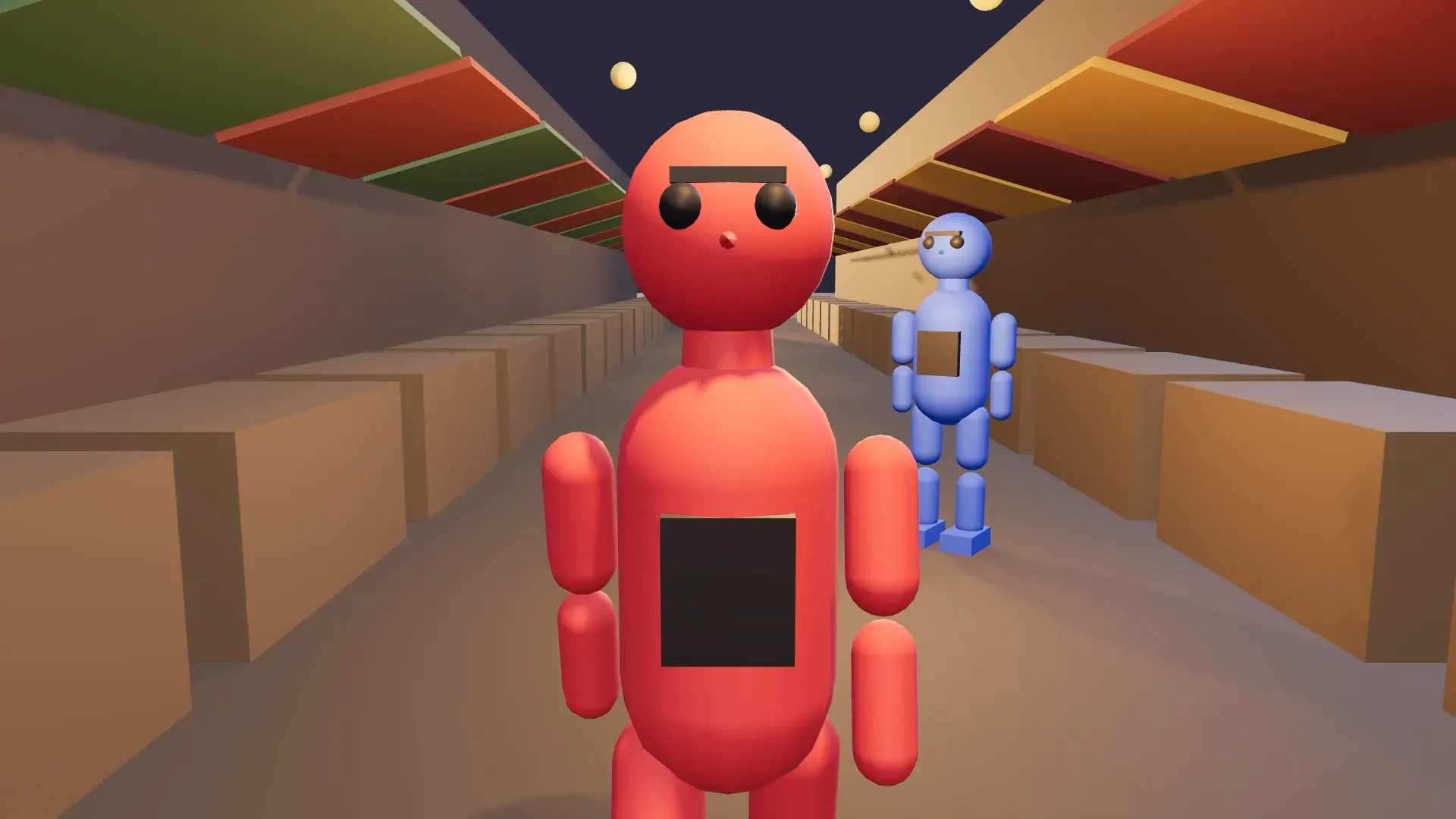
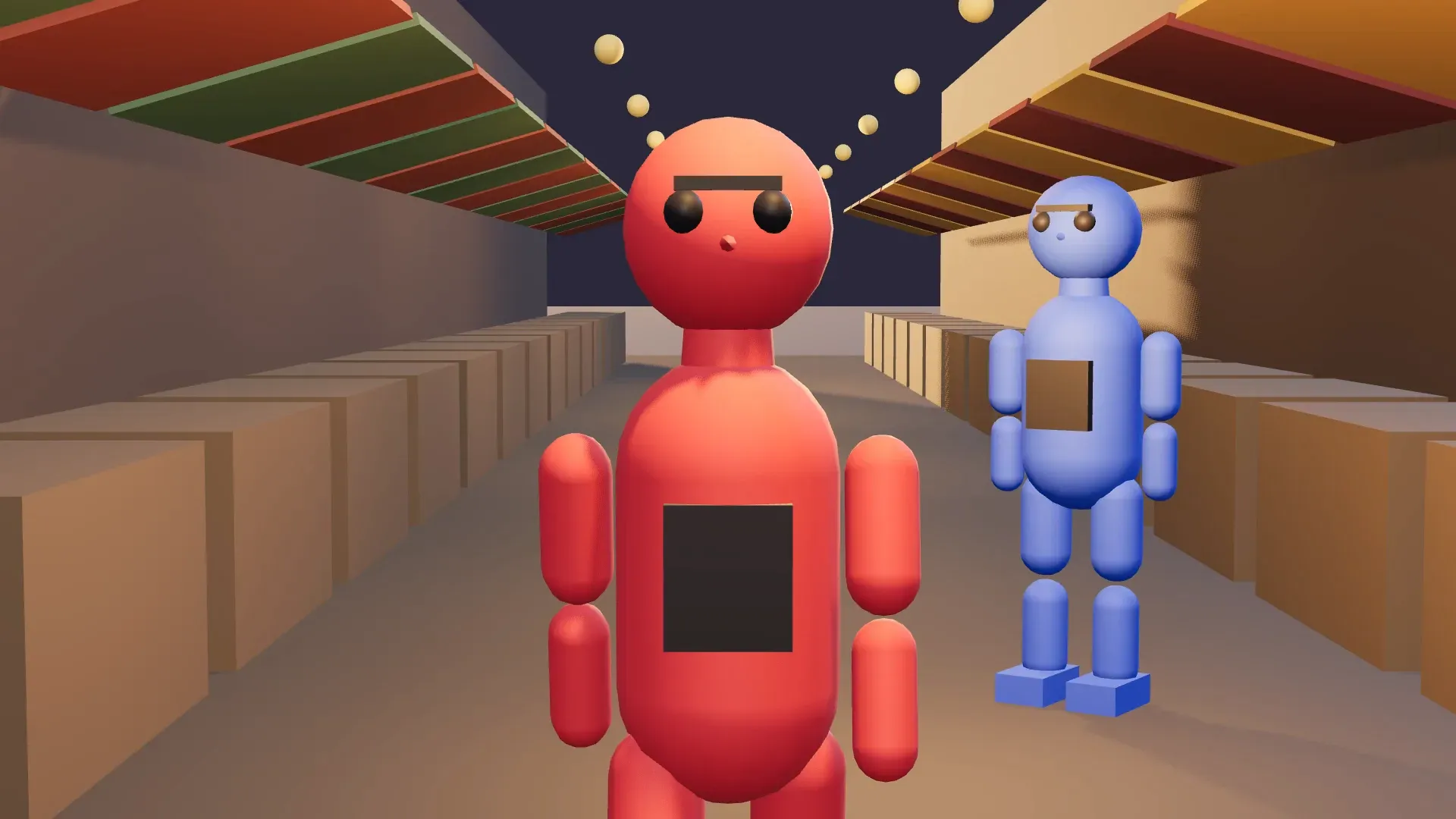
3D Scene market street at dusk on a 24mm lens from close in: the red figure faces the camera, stalls stretch away behind her and the street looks long
24mm
The same 3D Scene market street on a 50mm lens from further back: the red figure at the same size, the stalls and the blue figure behind her look closer
50mm
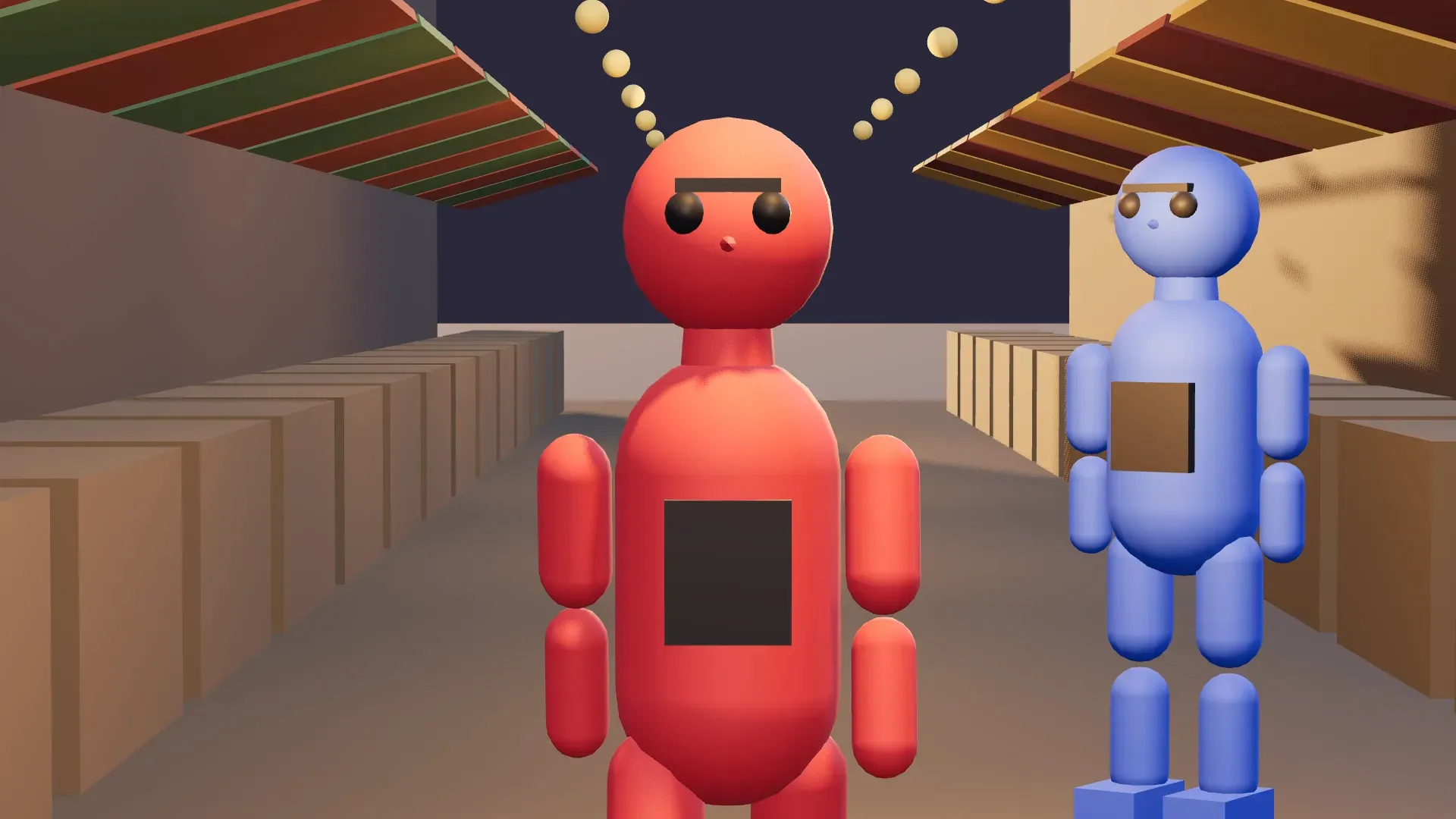
The same 3D Scene market street on an 85mm lens: the red figure at the same size, the background narrower and the stall awnings stacked closer together
85mm
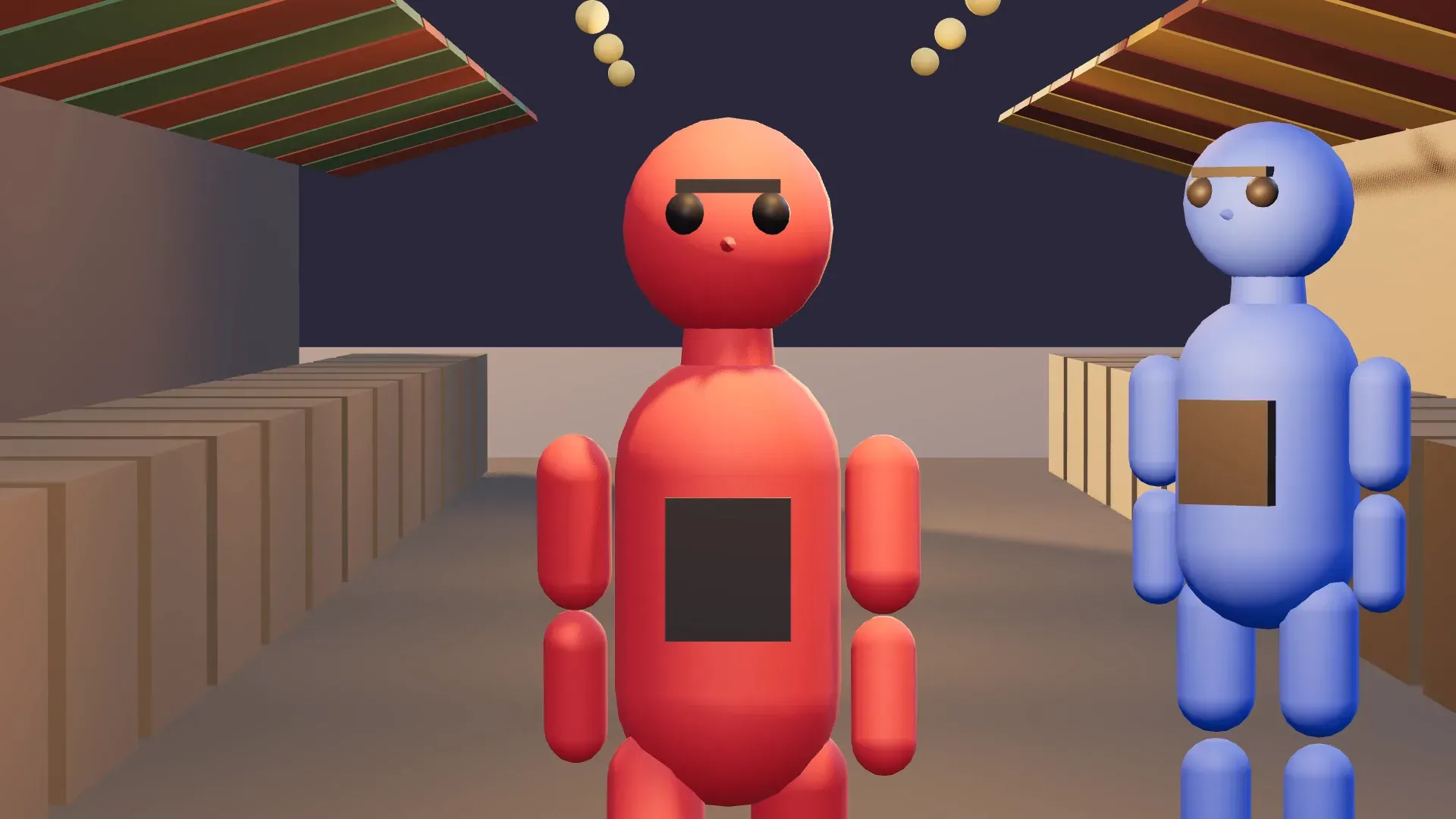
The same 3D Scene market street on a 135mm lens from far back: the red figure at the same size with the stall rows and hanging lamps pulled close behind her
135mm

Lens focal length, sensor and field of view in 3D Scene

Each camera in 3D Scene has its own lens, sensor, field of view and roll. The camera angles guide covers the height and angle that go with them.

  • LensPick a lens preset, or set the field of view directly for any framing in between.
  • Sensor sizeSet it in millimetres to match a real camera. On the same lens, a smaller sensor sees less.
  • FollowKeep a camera on a moving figure to test lenses on the move.
  • One-click anglesFrame the subject for you, then refine the lens by hand.

Compare focal lengths on several cameras

  1. 01

    Add a camera at the same spot

    Match the first camera's position and aim, then change only the lens.

  2. 02

    Keep the subject's size

    Move the new camera back along the same line until the subject fills the same space.

  3. 03

    Compare the lenses

    Cut between the cameras on the timeline, or download a still frame from each and lay them side by side on the Canvas.

Wide vs normal vs long: what changes in the frame

As the focal length grows, the frame takes in less, depth flattens, and shapes stretch less near the edges. Figures assume a full-frame sensor.

LensWhat the frame takes inDepth and movementA face up close
Wide, 24mm and widerMore of the setStretched: the background looks far away, moves toward the lens feel fastThe nose pushes forward, shapes stretch near the edges
Normal, 35mm to 50mmClose to how the eye expectsNatural, the usual range for dialogue coverageNatural proportions
Long, 85mm and longerA narrow sliceCompressed: the background looks closer, a crowd stacks into a wall, moves feel slowFlattering from a distance

Strictly, perspective comes from camera distance: a longer lens lets you stand further back, and that distance flattens depth. An ultrawide lens pushes the wide look further. On a real camera the narrow view also makes background blur look stronger, which 3D Scene does not render; describe it in the prompt, as in a bokeh shot.

Use the chosen focal length as the generation reference

Once a lens wins, render that camera's blocking video in the editor, at no credit cost, and add it to the Canvas, or press P to save a snapshot through that camera. Attach it, name each figure by colour, and name the lens feel. The render guides the framing and perspective. Place the cast first with the camera blocking tool, and build the set with the 3D scene maker.

Lens-feel prompt

Long-lens street shot at dusk. The red figure is a woman in a rust-coloured coat walking through a busy market, the blue figure a stallholder behind her. Lamp-lit stalls compressed behind them.

Finished dusk shot on a long lens: a woman in a rust-coloured coat walks through a busy market street, lamp-lit stalls compressed behind herGenerated shot
3D Scene market street on the chosen 85mm camera: the red figure faces the camera with the blue figure just behind her on the rightChosen lens in 3D

All on Morphic

From the lens to the shot

Simple pricing

Get started for free today, with the option to upgrade or cancel anytime.

Basic

$19/ month
billed as $228 per year

2400 monthly credits

1 user only

All models

Workflows

Standard

$24/ month
billed as $288 per year

3625 monthly credits

1 user only

All models

Workflows

Pro

$45/ month
billed as $540 per year

6350 shared monthly credits

1 user

+ up to 4 more at extra cost

All models

Workflows

Max

$170/ month
billed as $2040 per year

24650 shared monthly credits

1 user

+ up to 9 more at extra cost

All models

Workflows

Enterprise

For higher limits

Custom

pricing and billing terms

High-volume credits
Custom seat limits
All models
Workflows
Pricing Gradient

Free

For playing around

$0

forever free

Up to 20 credits
1 user only
Limited models
Workflows

FAQs

Can I set an exact focal length?
Yes, closely. Pick a lens preset, or set the field of view directly for any framing in between, and set the sensor size in millimetres to match a real camera package. Roll sits alongside them, and every camera keeps its own settings, so several lenses can share one setup.
Does the focal length comparison simulate depth of field?
No. 3D Scene has no depth-of-field setting, so every render is sharp from front to back. Compare framing, field of view and perspective in the scene, then describe the focus you want in the prompt, such as a shallow focus on the woman with the market stalls soft behind her.
Can I compare lenses side by side?
Yes. Add a camera at the same spot, change only the lens, and download a still frame from each one, then lay them side by side on the Canvas. You can also cut between the cameras on the timeline and play the scene to see each lens on the same performance in turn.
Does the lens simulator work on my own set?
Yes. Run the comparison on the scene you plan to generate, built by Copilot from a description, by hand from the model library, or from your own .glb, .gltf or .obj models uploaded with their textures. The lens test then shows your real set and cast, at your camera height.
Which lens focal length suits a close-up?
A longer-than-normal lens, around 85mm on a full-frame sensor, is a common choice for a flattering close-up, because it keeps facial proportions natural from a comfortable distance. A wide lens up close makes a face bulge toward the camera, which suits unease or comedy. Test both on your blocked scene and keep the frame that fits.
Will the generated shot keep the lens look?
Not exactly, but the render guides it. Attach the chosen camera's blocking video or a snapshot (press P) as the reference, and the model starts from that framing and perspective. Naming the lens feel in the prompt, such as a long-lens shot with a compressed background, helps. Check the result against the frame you picked and regenerate if it drifts.

You might also like