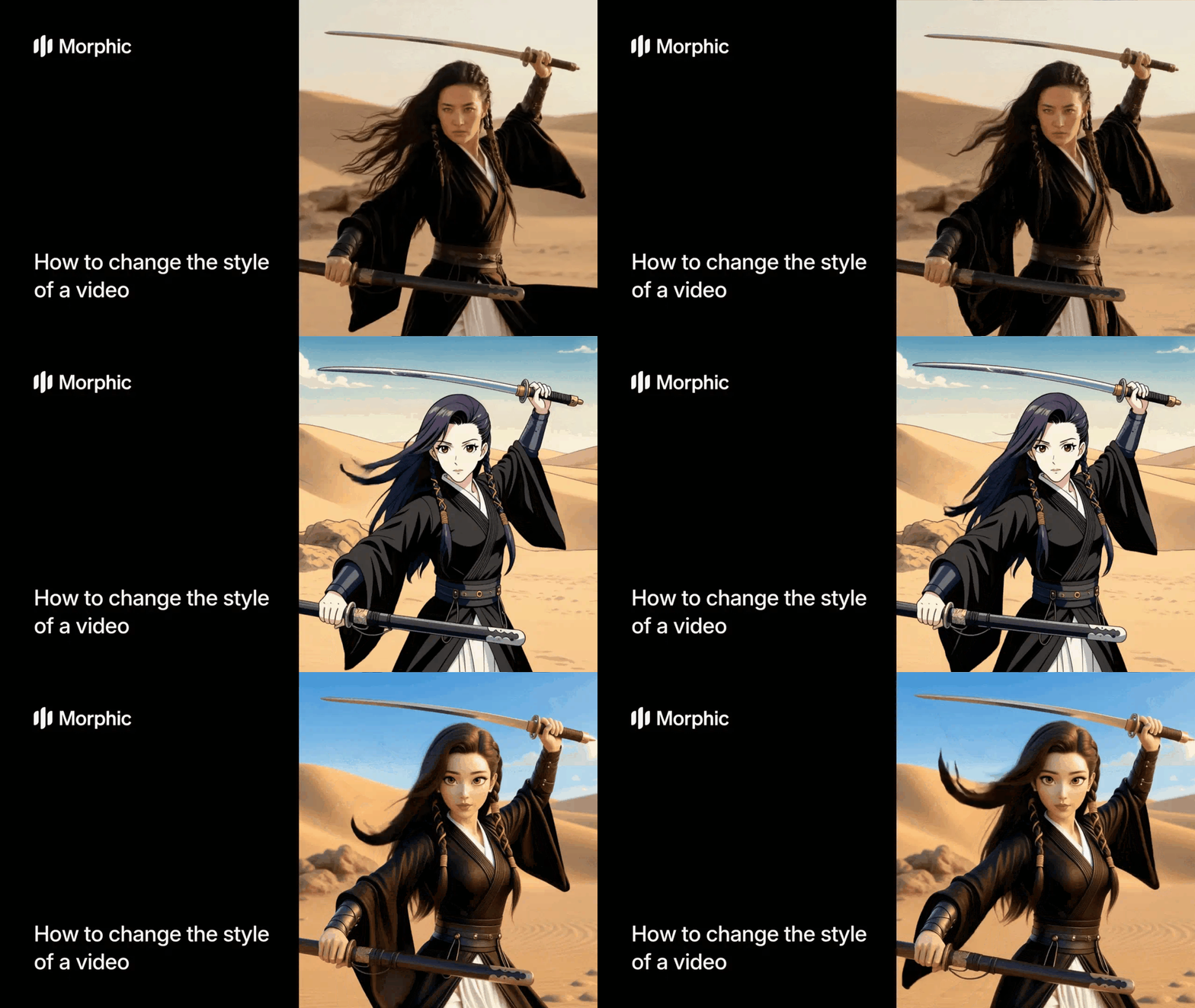
What is video style transfer?
Video style transfer is the process of applying a new visual style to every frame of an existing video while preserving the original motion, timing, and composition. The style transformation affects colors, textures, line work, and rendering approach across the entire clip, creating a unified visual experience in the new aesthetic. The result is a fully restyled video that looks like it was originally created in the target style.
Upload your video, select a visual style, and Morphic generates a fully restyled version with consistent frame-to-frame transformation.
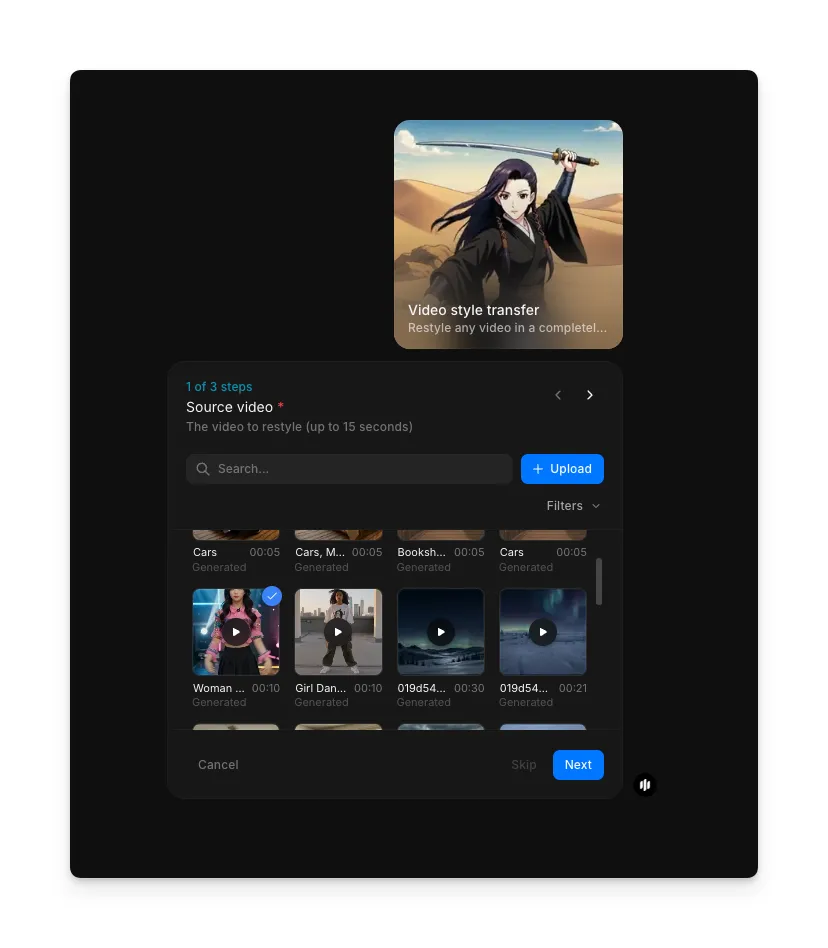
Upload your source video
Open the "Video style transfer" workflow. In the "Source video" step, browse the gallery or upload the video you want to restyle. Screen recordings, phone footage, professional clips, and social media content all work.
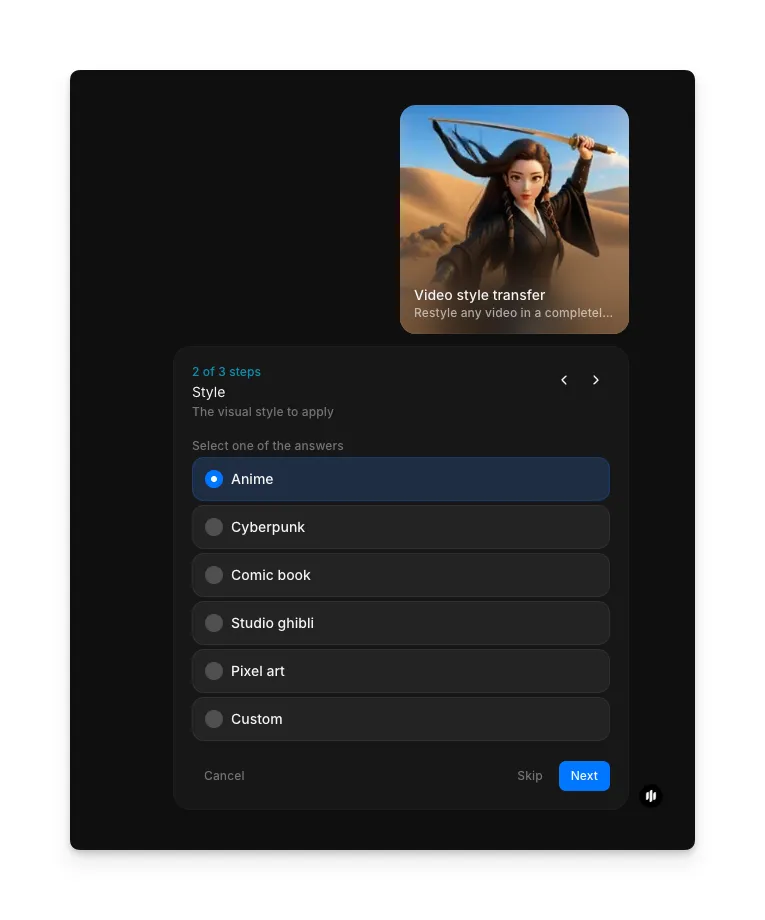
Select your visual style
In the "Style" step, select the visual style you want to apply to your video:
| Style | What it does | Best for |
|---|---|---|
| Anime | Transforms footage into Japanese animation style with clean lines, vibrant colors, and cel-shaded rendering | Character-focused clips, narrative content, and social media videos that benefit from an animated look |
| Cyberpunk | Applies neon-lit, high-contrast futuristic aesthetics with glowing highlights and dark atmospheric tones | Urban footage, nighttime clips, tech content, and music videos seeking a futuristic edge |
| Comic book | Converts video into bold comic panel style with heavy outlines, halftone shading, and saturated colors | Action sequences, storytelling content, and promotional videos that suit a graphic novel feel |
| Studio Ghibli | Renders footage in the soft, painterly style of Studio Ghibli with warm colors and dreamy atmospheric detail | Nature scenes, travel footage, and emotional content that benefits from a whimsical, hand-painted quality |
| Pixel art | Transforms video into retro pixel art style with chunky pixels, limited color palettes, and 8-bit aesthetics | Gaming content, nostalgic themes, and social media clips targeting retro-loving audiences |
| Custom | Lets you describe any visual style for the AI to apply to your video | Specific creative visions, brand-specific aesthetics, or unique style combinations |
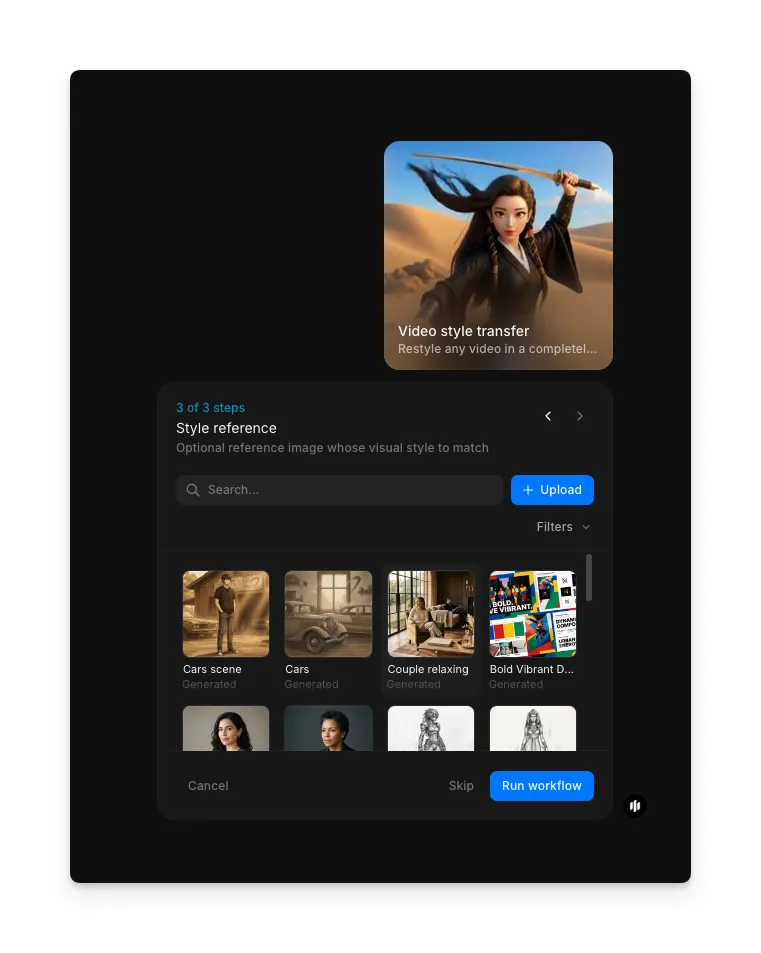
Add a style reference and generate
In the "Style reference" step, browse the gallery or upload an image that represents the visual direction you want. This reference helps guide the style transfer. Click "Run workflow" to generate your restyled video.
Compare your original video with the restyled version to see the full transformation:
Before
After
What makes great video style transfer
| Quality | What it means | Why it matters |
|---|---|---|
| Style consistency | Every frame maintains the same visual style without flickering or inconsistent rendering | Inconsistent styling between frames creates a distracting, unprofessional result that breaks immersion |
| Motion preservation | All original movement, timing, and physics remain smooth and natural after restyling | Losing motion quality defeats the purpose of starting with video rather than restyling individual images |
| Frame coherence | Adjacent frames transition smoothly with no visual artifacts or temporal jitter | Poor frame coherence causes a strobing effect that makes the video unwatchable |
| Visual transformation | The style change is bold and unmistakable, fully committing to the target aesthetic | A subtle or half-applied style makes the video look like a filter rather than a genuine restyle |
The AI handles style application, frame coherence, motion preservation, and temporal consistency automatically, so you only need to upload your video and select a style.
Video style transfer workflow vs. manual frame-by-frame editing
| Morphic's video style transfer | Manual frame-by-frame editing | |
|---|---|---|
| Cost | Available on Morphic | Varies by provider and video complexity |
| Time | Minutes vs days | Days to weeks depending on frame count and style complexity |
| Skill required | No technical skill needed, just upload and select a style | Requires professional motion graphics or animation expertise |
| Temporal consistency | AI ensures automatic frame-to-frame coherence across the entire clip | Maintaining consistency across hundreds of frames is extremely labor-intensive |
| Motion preservation | Original motion is preserved automatically with no manual adjustment | Each frame must be individually edited while tracking motion by hand |
| Iterations | Try multiple styles in minutes and compare results instantly | Each new style requires starting the entire manual process over from scratch |
FAQs
Morphic offers preset styles including Anime, Cyberpunk, Comic book, Studio Ghibli, and Pixel art. You can also use the Custom option to describe any visual style you want applied to your video. The AI interprets your description and applies it consistently across every frame.
Yes. Video style transfer only affects the visual frames of your video. All original audio, including dialogue, music, and sound effects, remains completely unchanged in the output file.
The workflow handles clips of various lengths. Shorter clips under a few minutes produce the fastest results, but longer videos work as well. Processing time scales with video length and resolution.
Yes. Videos generated through Morphic's video style transfer workflow can be used for commercial purposes including social media content, marketing materials, client projects, and monetized video platforms.
Professional frame-by-frame video restyling can be expensive and takes days to weeks. Morphic's video style transfer workflow is available on Morphic and delivers results significantly faster than manual editing.