How Gemini 4 Argon works with Morphic
Gemini 4 Argon is Google's reasoning model. It reads scripts, briefs, images, audio and video, and it writes plans, prompts and tool calls. It makes no media itself. Morphic supplies the image, video and audio models, so the two together take a project from idea to finished assets: idea, script, storyboard, generation, review, edit.
There are two ways in:
- Morphic Copilot. Pick Gemini 4 Argon as the model behind a chat, on any paid plan from Basic up. No setup.
- Morphic MCP. Connect an MCP app that runs Argon, such as Gemini CLI, and it can generate into your Morphic projects from there.
How to use Gemini 4 Argon in Morphic Copilot
Choose Gemini 4 Argon
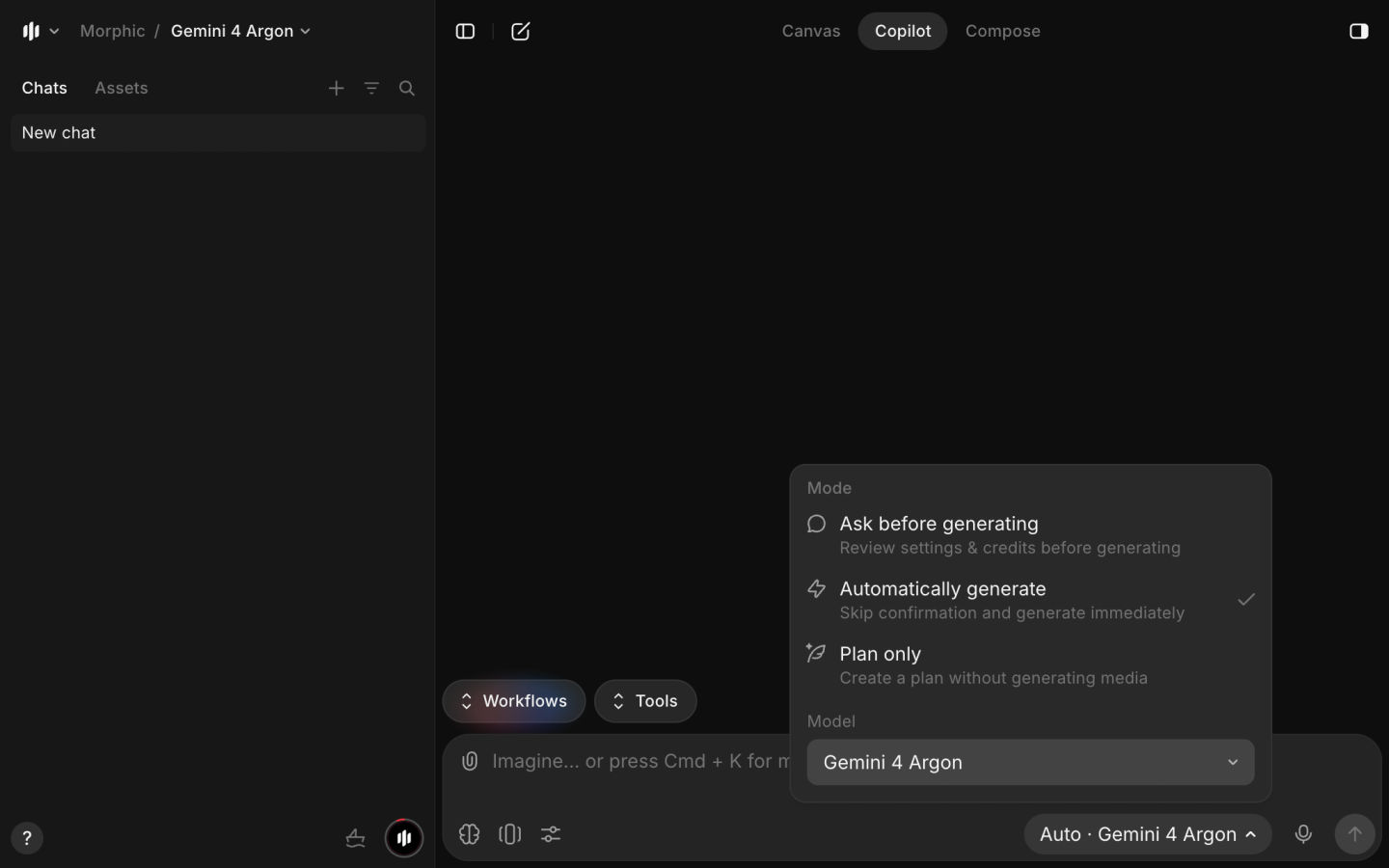
Open a project, start a new Copilot chat, and pick Gemini 4 Argon in the model picker at the bottom right of the prompt bar.
Give it the whole project
Attach what you have (a script, a brief, reference images, a clip) and describe the finished piece: length, format, tone and cast.
Review the plan, then generate
Set the chat to Plan only to see the shot list first, or Ask before generating to approve each step. Results land in the project.
How to connect Gemini 4 Argon to Morphic MCP
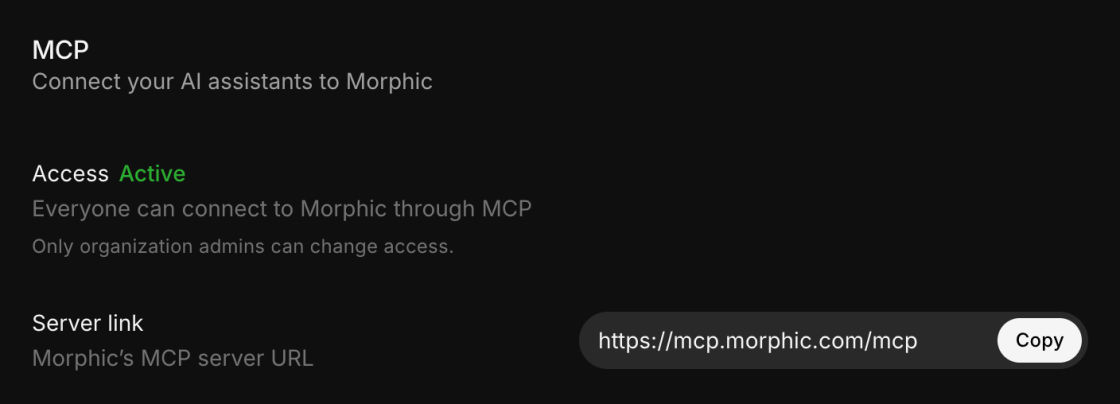
MCP (Model Context Protocol) is the link that lets an AI app discover and call Morphic's tools. The Morphic MCP server is https://mcp.morphic.com/mcp, and the MCP settings page in Morphic has setup steps for each supported app.
Open an MCP app that runs Gemini 4 Argon
Gemini CLI is on Morphic's list of supported MCP apps. A consumer chat app may not let you add your own MCP servers, so check yours first.
Add the Morphic MCP server to Gemini CLI
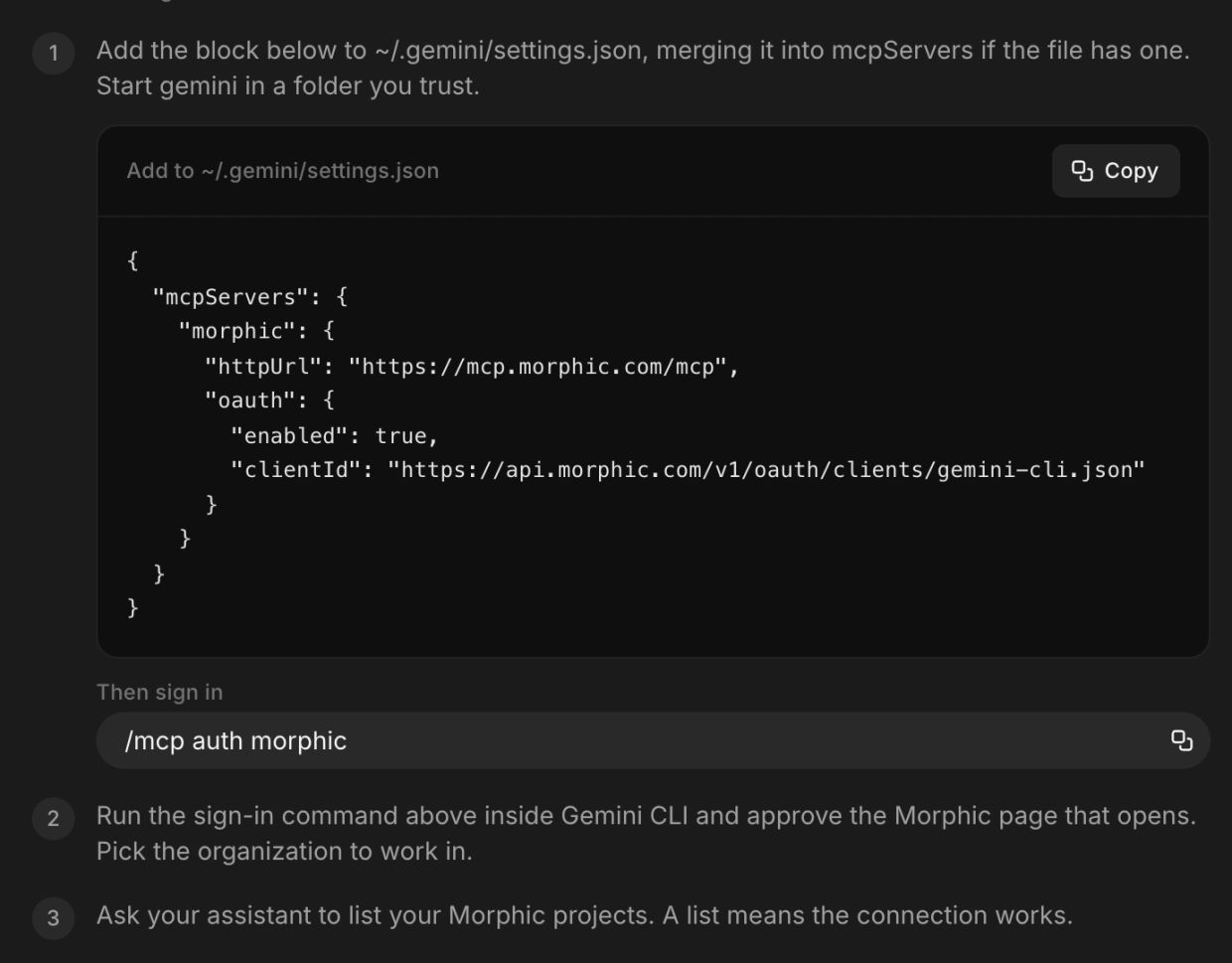
On the MCP settings page, open the Gemini CLI card and copy its block into ~/.gemini/settings.json, merging it into mcpServers if the file already has one. Start Gemini CLI in a folder you trust.
Sign in and approve the connection
Run /mcp auth morphic in Gemini CLI, approve the Morphic page that opens, and pick the organization to work in. Your plan, credit limits and model access rules still apply.
Test it with a small task
Ask it to list your Morphic projects; a list means the connection works. Then run one image before you automate a full production.
More on what the connection can do is on the Morphic MCP page.
What you can create with Gemini 4 Argon and Morphic
AI microdramas
Argon turns a premise into a series bible, episode outlines with hooks and cliffhangers, and a shot list. Copilot then generates each episode's shots from a character sheet per role, so the cast stays the same.

3D-style characters
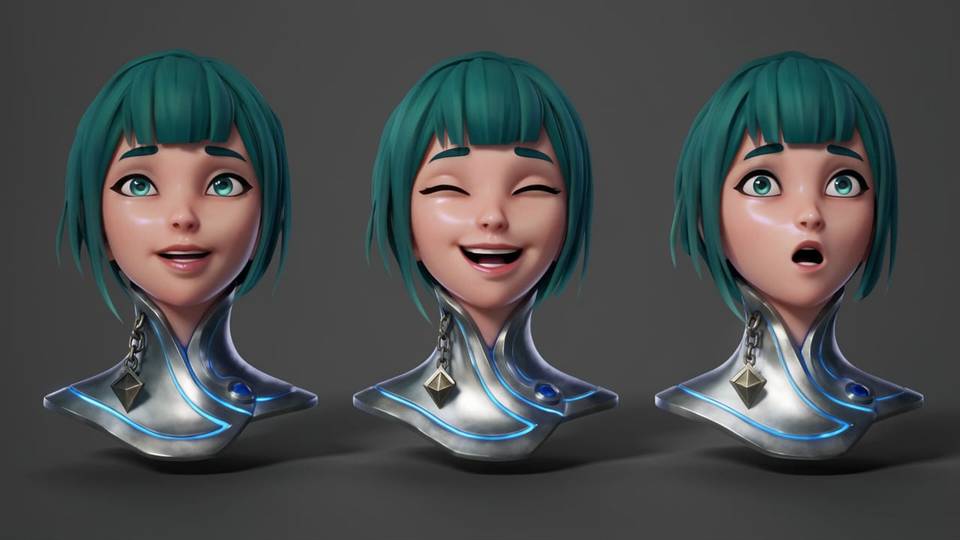
Describe a game hero, mascot or pitch character and Argon fixes the materials, silhouette and lighting. Morphic renders the turnaround views and an expression sheet as images; for a rigged mesh, use a 3D tool.
Cinematic short films
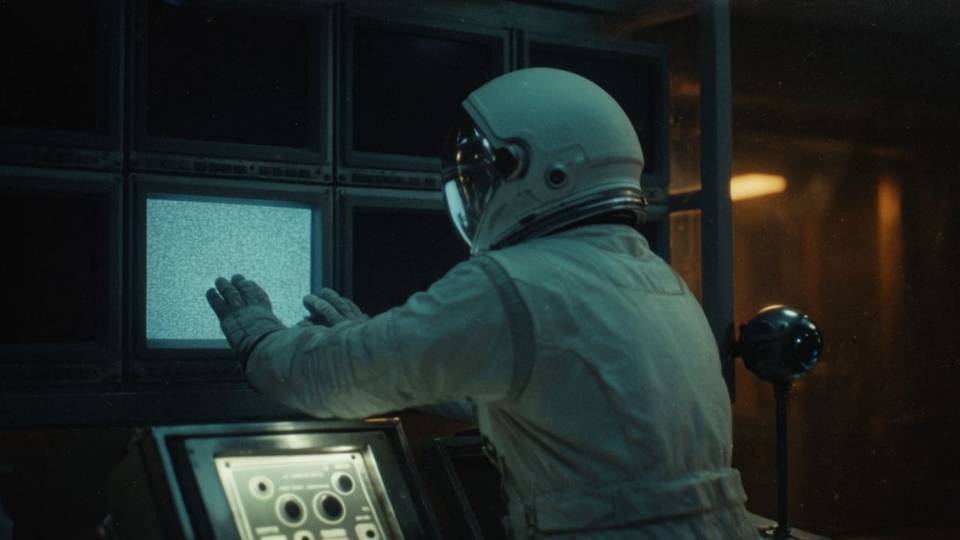
Hand it a screenplay and it splits the scenes, plans the camera moves and writes each shot's prompt. Review the first shots before the rest render.
Ads and product videos
One brief becomes several directions: audience hooks, scripts and storyboard beats for each. Morphic generates the visuals, so you test the angles side by side.

Anime and animated stories
Argon outlines the arc, the relationships and the recurring places. Morphic builds the character references and animates the sequences from them.

Music videos and social content
It reads the lyrics or campaign brief and plans scene changes, motifs and pacing. Morphic makes the clips, music and voiceover, and Copilot can assemble the cut.

Gemini 4 Argon prompts to start with
Each prompt asks for the plan and the first assets in one go. Paste one into a Copilot chat with Gemini 4 Argon selected.
Develop a 10-episode romantic thriller with 60 to 90 second episodes. Write the hooks and cliffhangers, define a character sheet for each lead, and create the opening shots for Episode 1.
Design a 3D-style game character in metallic armor with glowing blue accents. Create front, side and three-quarter views, plus three facial expressions.
Plan a two-minute sci-fi short about an astronaut entering an abandoned space station. Define the look and shot list, then create the first three shots with the same astronaut.
Create three 15-second vertical ads for a luxury perfume: mysterious, minimal, and energetic. Write each concept and generate its visuals.
Create an anime-style action series set in a future city. Define three leads, make their character references, and plan a 20-second opening sequence.
Plan a 30-second electronic music video with neon cityscapes and energetic camera moves. Match the scenes to the beat, generate the clips, and suggest the cut.
Gemini 4 Argon limits
- It plans; the media models render. Argon outputs text. Every image, clip and sound comes from a Morphic model it calls.
- Consistency comes from references. Give each recurring character a character sheet, and check every episode before it ships.
- 3D-style is not 3D geometry. Turnarounds and expression sheets are images, not exportable or rigged meshes.
- Video review is a second pair of eyes. It can check whether a scripted action happens or a moment lands; the final approval stays yours.
- MCP depends on your app. What Argon can do over MCP depends on the app's support and the permissions you approve.
FAQs
Yes, two ways. In Morphic Copilot, pick Gemini 4 Argon in the model picker on any paid plan from Basic up. Or connect an MCP app that runs Argon, such as Gemini CLI, to the Morphic MCP server.
https://mcp.morphic.com/mcp. Add it in your MCP app, sign in to Morphic and approve the connection. The MCP settings page in Morphic has the exact steps for each app, including Gemini CLI.
No. Its output is text. It plans and writes the prompts, and Morphic's video models render the clips, whether you work in Copilot or over MCP.
Yes. Argon writes the outline, hooks, cliffhangers and shot list, and Morphic generates the shots from a character sheet for each role. Check continuity and quality before each episode goes out.
It plans 3D-style characters and scenes, and Morphic renders images that look like 3D, such as turnarounds and expression sheets. Those are not rigged or exportable meshes; production geometry needs a dedicated 3D tool.
Check your app. The supported route is an MCP app such as Gemini CLI; a consumer chat app may not let you add your own MCP servers. In Morphic Copilot, Argon needs no setup.
Use Copilot when you work in Morphic: no setup, and Argon reads the files and clips already in your project. Use MCP when your work lives in another app, such as a terminal with Gemini CLI, and you want Morphic's models from there.