Morphic MCP
Your studio, in your chat
Images, video and sound, saved to your Morphic library.
Paste it into a terminal, from any folder.
claude mcp add --transport http --scope user morphic https://mcp.morphic.com/mcp
Run /mcp, select morphic, choose Authenticate, then pick your organization and click Allow.
Ask your assistant to list your Morphic projects. A list means you are connected.
Live results
Results land in the chat
Make two 16:9 shots of a woman with her morning coffee.
Generating 2 images…
Apps without cards get the same results as links.
What you can make
Make it, then put it together
From first frame to final cut, in one chat.




Image setsFour takes per prompt, ready to edit or upscale.

Video clipsMotion from text, a still, or first and last frames.


Voice and musicVoiceover, dialogue, music and effects, with lip sync.
 Good morning

Edit and captionCuts, transitions, overlays and burned-in captions.
SubjectClip reviewA second look at any clip, checked against your brief.
New


Your libraryEvery file saved to your project, beside the rest of your work.
Use cases
What teams make with it


 Warm interiors



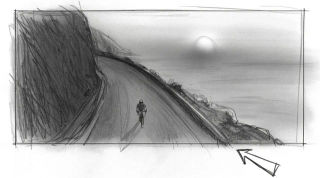


 Shot 1
For admins
You control access and spend
- View your projects
- View your assets
- Add files to your assets library
- Generate images and videos with your credits

One switch for everyone
MCP is on by default. Turn it off and every connection pauses. Each change is logged.

Nothing connects unasked
Each app shows its permissions and picks one organization before anyone approves it.

It adds, never deletes
Apps can view, add and generate. Every result is a new file and originals stay untouched.

Spend stays on your plan
Same credits and member limits as in Morphic, and generations cost the same. No separate budget.

Your model rules apply
On Enterprise, the model access you set in Morphic applies to every app too.

Cut off any app
Members see their connected apps and can revoke one. Access stops right away.
FAQs