
How to write a Kling Image 4.0 prompt: subject, place, light, lens
Start with who is in the frame and what they are doing, then where they are. Add the light, the lens and the camera height, and finish with the look: palette, contrast, grain. Kling Image 4.0 follows each part, and the fixed order makes a prompt easy to edit one part at a time.
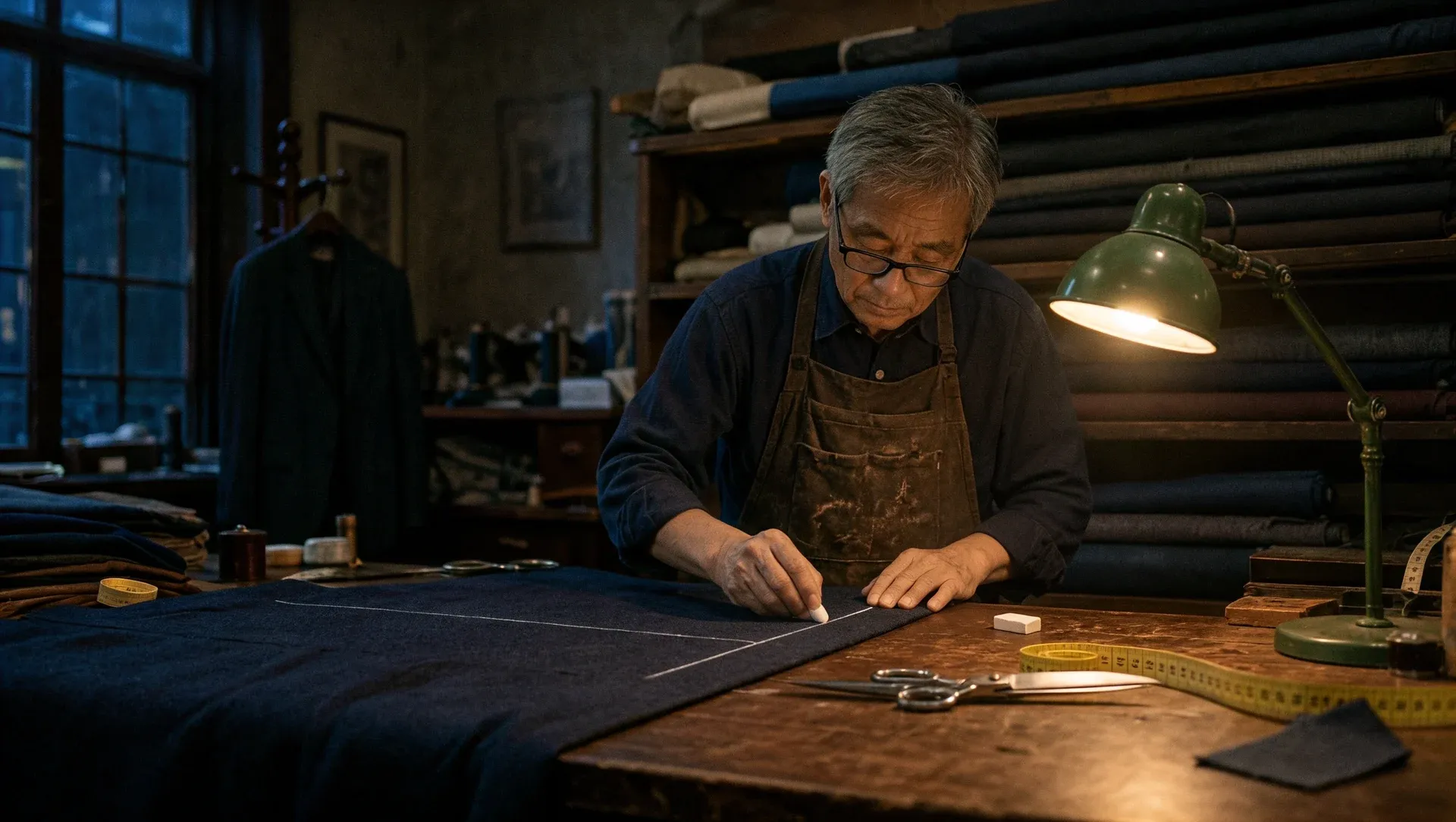
A tailor's workshop at night, an old tailor chalking a line on navy wool under a single green desk lamp, bolts of cloth stacked to the ceiling behind him. Shot on a 35mm lens at eye level, warm tungsten light against cool blue shadows, fine film grain.
Short prompt vs detailed brief in Kling Image 4.0
We ran the same subject twice. The one-line prompt came back as a bright postcard sunset. The detailed brief, which names the frame, the clothes, the light and the lens, came back quiet and specific, with every detail in place: the salt heaps, the stone hut, its one lit window.
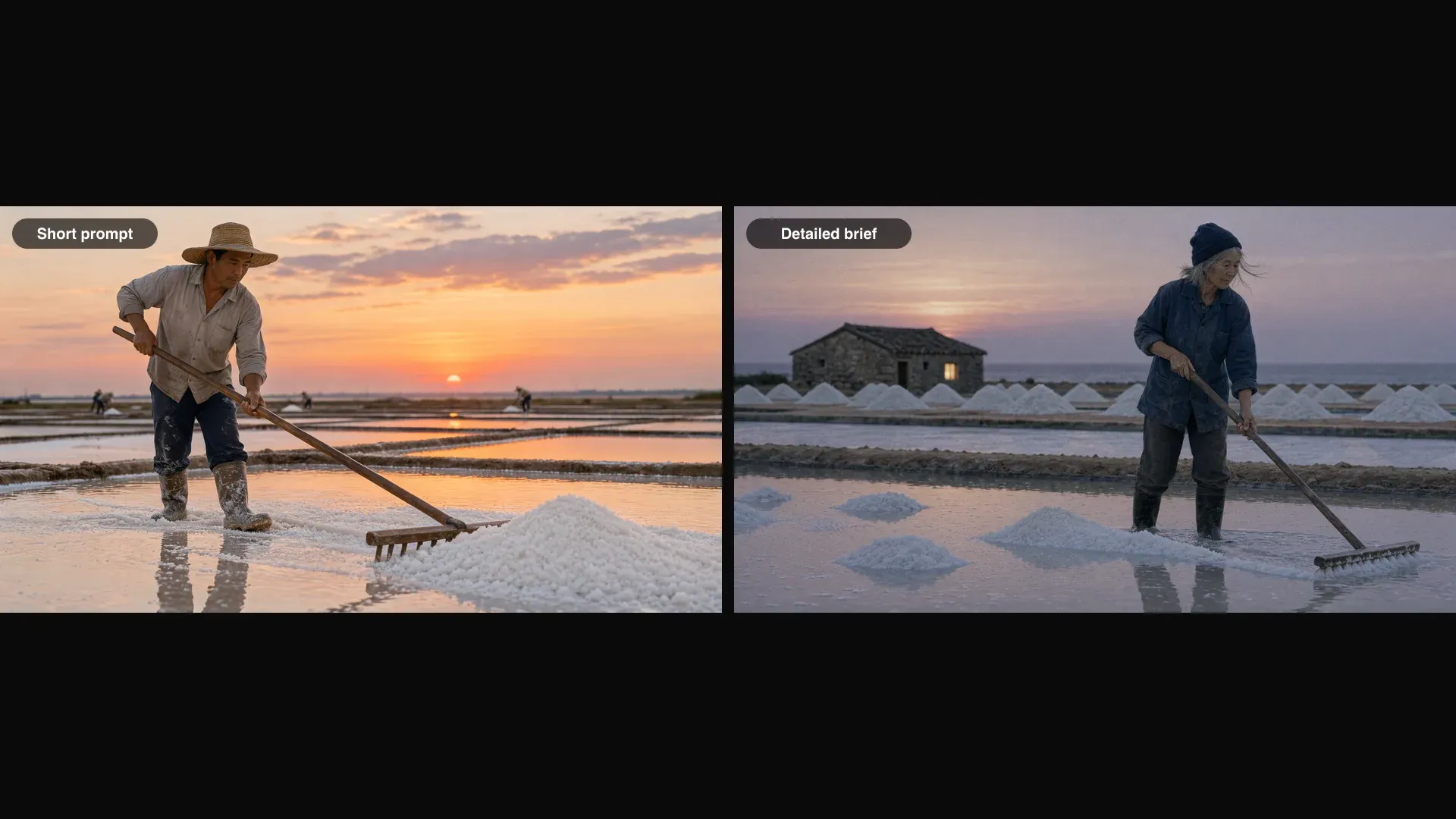
Short: A salt harvester raking a salt pan at dusk.
Detailed: Wide still from an independent film. A salt works on a flat coast at the last minute of dusk. In the foreground, a shallow rectangular salt pan holds a thin sheet of water that mirrors the sky, its surface broken by small islands of white crystals. A woman in her sixties stands mid-frame, rubber boots ankle-deep, pulling a long wooden rake toward her so a low ridge of salt gathers at her feet. She wears a faded indigo work jacket with rolled sleeves and a knitted cap pushed back; loose grey hair moves in the wind. Behind her, conical heaps of harvested salt line a narrow earth bank, and further back a single stone hut with one lit window. The sun has just set behind the hut, leaving a peach band on the horizon fading into violet. 50mm lens, camera at hip height, natural light only, soft contrast, fine film grain, muted colours, no text anywhere.
Placing many objects in one Kling Image 4.0 scene
Describe a busy scene the way a set designer would: left, centre, right, then the person, then the light. Give every object a place and a colour, and Kling Image 4.0 keeps each one where you put it.
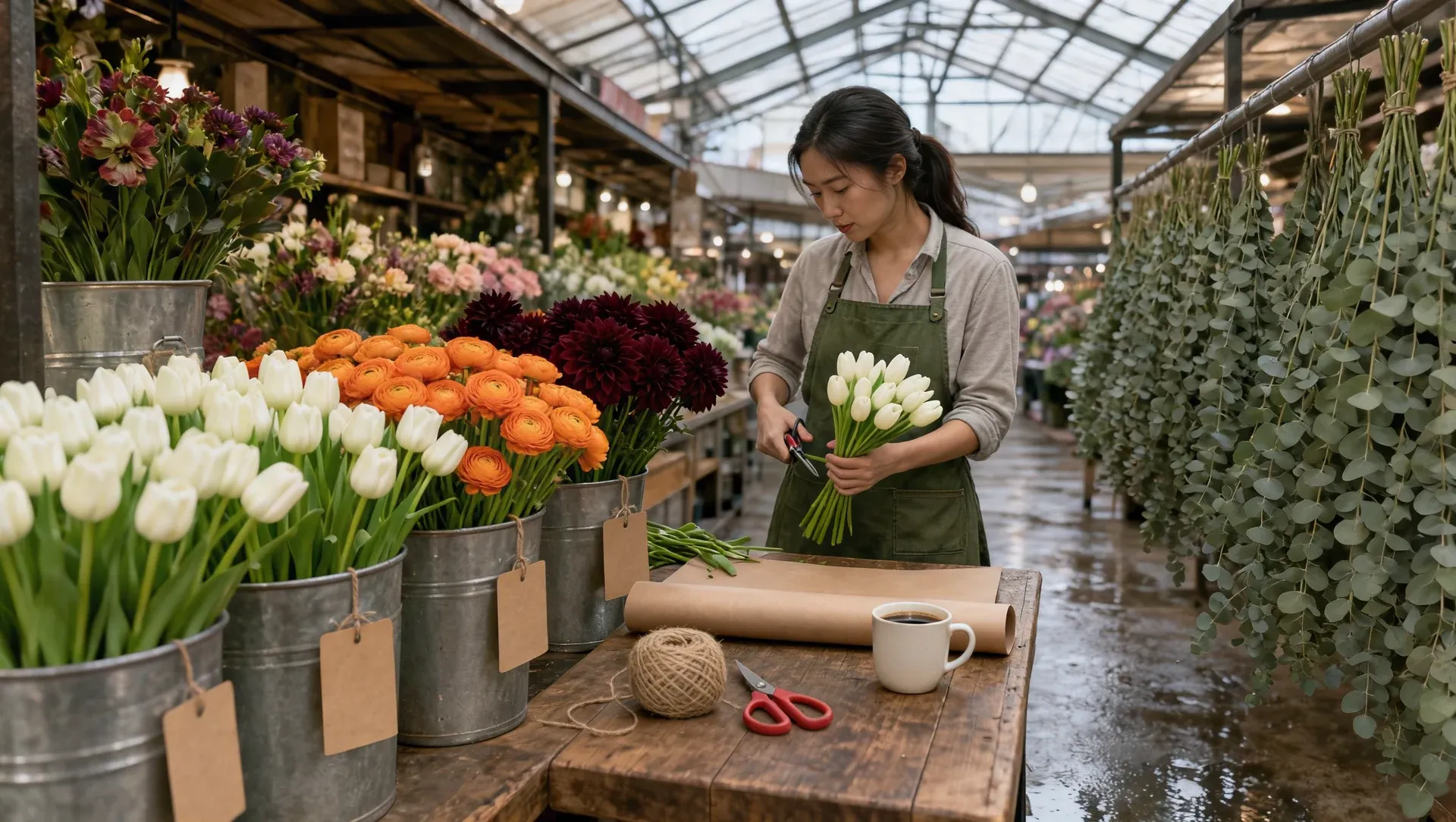
A flower stall at a covered market at six in the morning, seen from the aisle. On the left, steel buckets of white tulips, orange ranunculus and dark red dahlias, each with a blank kraft-paper tag. In the centre, a wooden counter with a roll of brown paper, a ball of twine, a pair of red-handled scissors and a ceramic mug of black coffee. On the right, eucalyptus branches hang upside down from a rail to dry. Behind the counter, a young florist in a green canvas apron trims stems and looks down at her work. Pale daylight falls from a glass roof onto wet concrete. 35mm lens, eye level, soft contrast, natural colours.
Using reference images in Kling Image 4.0: @Image1 to @Image10
Add up to 10 images, then cite each one by the order you added it: @Image1 is the first, @Image2 the second. Say what the image brings, where it goes and what must not change. A product shot on a plain background makes the cleanest reference.
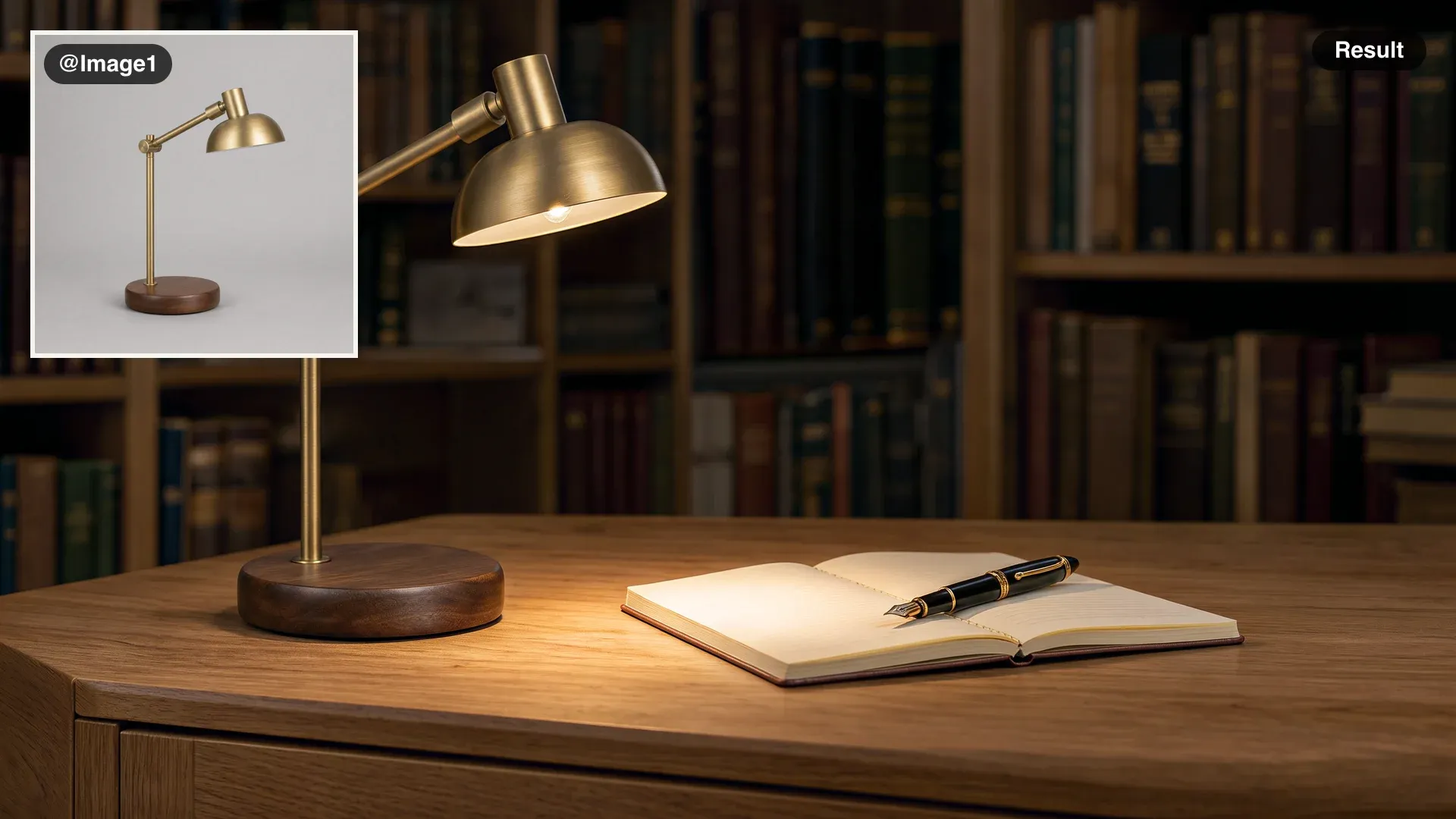
Put the desk lamp from @Image1 on the oak writing desk of a quiet study at night, switched on, its warm light falling on an open notebook and a fountain pen. Keep the lamp's shape, brass finish and walnut base exactly as in @Image1. Bookshelves soft in the background.
Keeping a character the same across Kling Image 4.0 images
Make one clear portrait first: plain wall, even light, the full outfit in view. Add it as @Image1 in every scene after that and list what has to carry over in the same words each time. A portrait reference brings its pose along too, so describe the pose you want: leaning, walking, looking away.
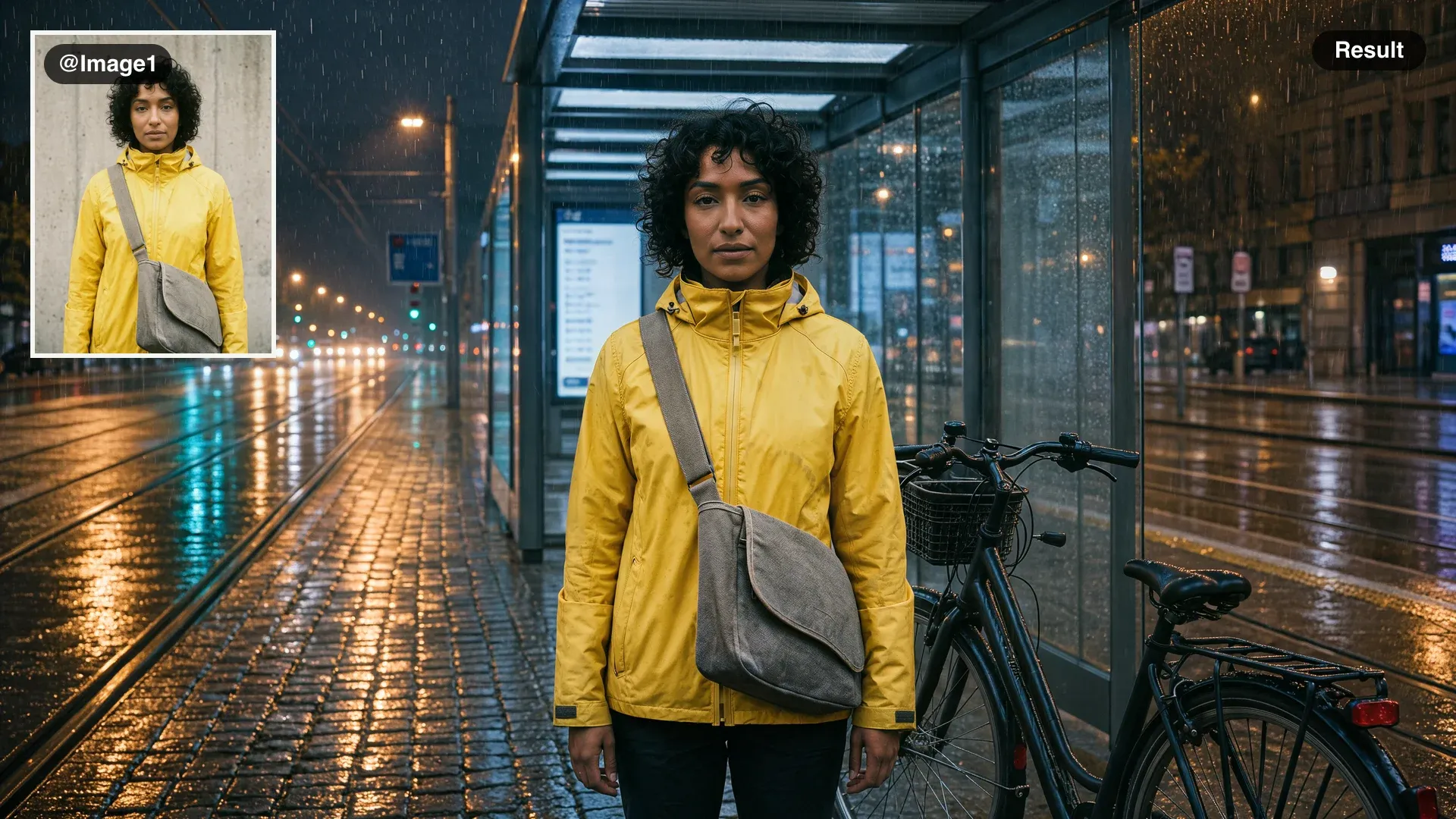
The courier from @Image1 waits at a tram stop at night in the rain, her bike beside her, the street lights reflected on wet cobbles. Keep her face, hair, yellow jacket and grey bag the same as in @Image1. 35mm lens, cinematic colour.
Combining several references in one Kling Image 4.0 image
Give each reference one job: a person, a piece of clothing, a place. Close with a keep list that says which details come from which image, so nothing borrows from the wrong one.
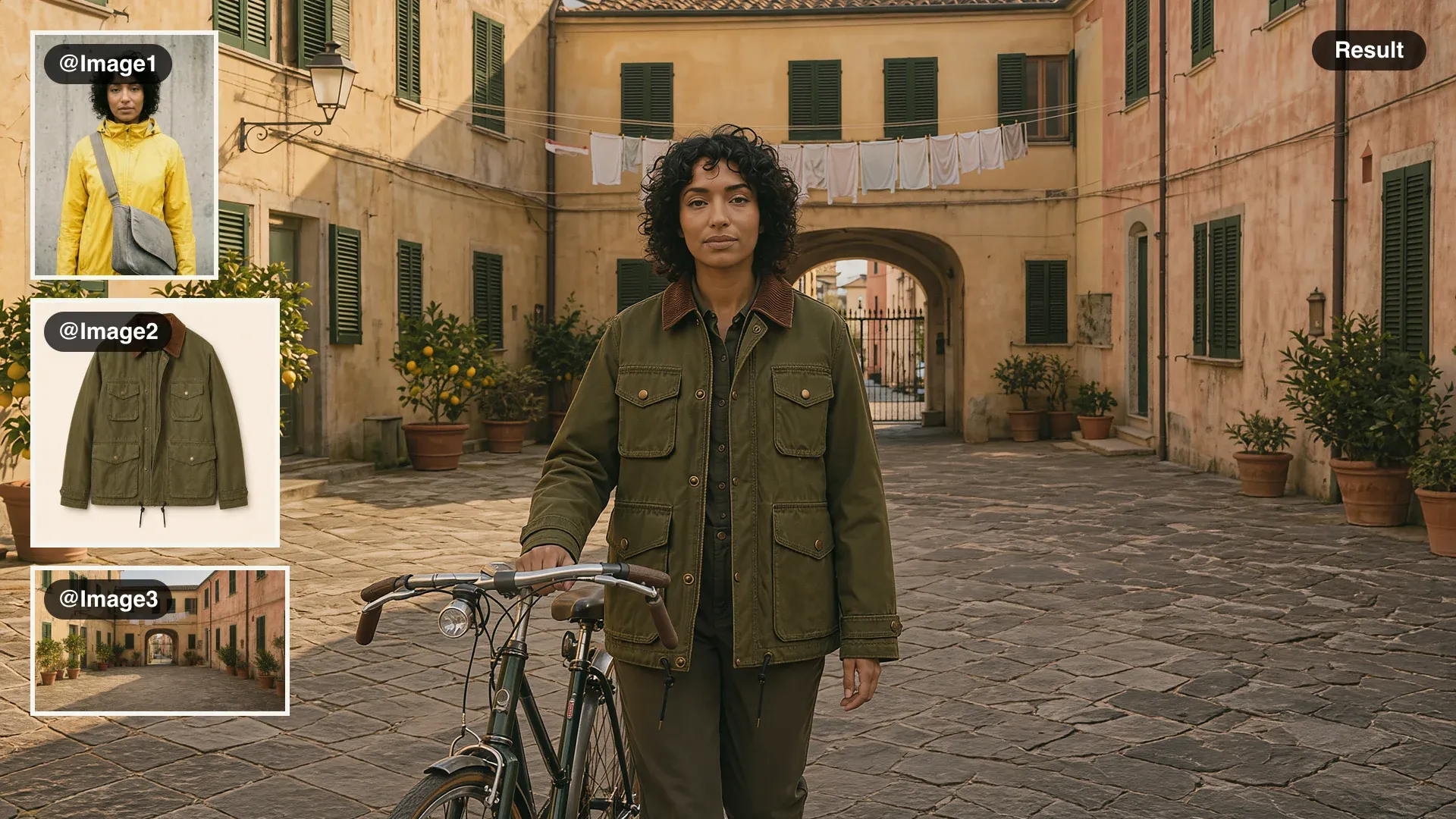
The courier from @Image1 wears the olive field jacket from @Image2 and wheels her bike through the courtyard in @Image3 in the late afternoon. Keep her face and hair from @Image1, the jacket's colour and pockets from @Image2, and the courtyard's walls, lemon trees and light from @Image3.
Choosing a Kling Image 4.0 aspect ratio
Pick the shape for where the image will be seen, and say it in the prompt too ("ultrawide view") so the composition is planned for it. Auto reads the shape from your prompt and your references.
| Aspect ratio | Use it for |
|---|---|
| 9:16, 3:4, 2:3 | Stories, phone wallpapers, posters, portraits |
| 1:1, 4:3, 3:2 | Feeds, product cards, prints |
| 16:9, 21:9 | Thumbnails, decks, storyboards, cinema frames |
| Auto | Matching the shape of a reference photo |
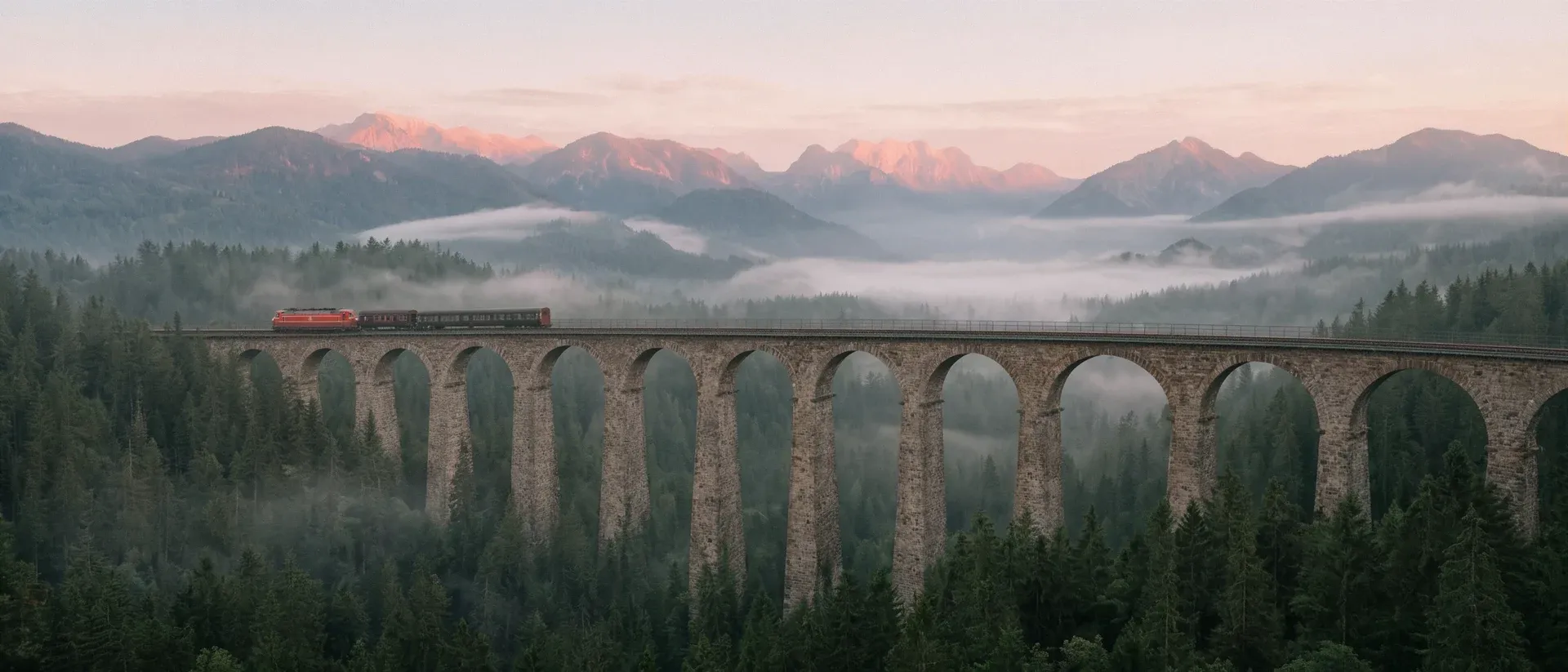
Ultrawide dawn view of a stone railway viaduct crossing a misty mountain valley, a small red train halfway across, pine forest below, soft pink light on the peaks. Still from an independent film, anamorphic lens, natural light only, muted colours, fine film grain.
Getting clean text on Kling Image 4.0 posters
Kling Image 4.0 sets title type crisply, but ask for a "film poster" and it fills the bottom with invented credits, dates and web addresses, because that is what posters carry. Name the only text you want, then rule out the rest. For a single line of type, ask for a title card.
Vertical film poster. A small ferry crosses a black sea at night, one warm lit cabin window, its wake a pale curve; above it, a vast deep blue sky with a thin crescent moon. Elegant, restrained design with a wide margin. The only text on the poster is the title NIGHT FERRY in clean, widely spaced serif capitals near the top. No other words, no credits, no dates, no laurels, no web addresses.
Making first and last frames for Kling 4.0 with Kling Image 4.0
Kling Image 4.0 makes good start and end frames for Kling 4.0 video. Make the first frame, then add it as @Image1 for the last frame so the character, the place and the light stay matched, and change only the moment: the time of day, the pose, where the person stands. Then pick Kling 4.0 on the same Canvas and give it both frames. The Kling 4.0 guide covers the video side.
Kling Image 4.0 settings on Morphic
Kling Image 4.0 makes one image per run, so run a prompt a few times and keep the best.
- Resolution: 2K (1440p) by default, 2720 x 1536 pixels at 16:9; 4K (2160p) renders 5440 x 3072.
- Reference images: up to 10, cited as @Image1 to @Image10 in the order you add them.
- Prompt length: up to 21,000 characters, in English or other languages.
- Reference photos: JPG or PNG, at least 300 px on each side.
- Speed: images with reference photos take longer than prompt-only images, so start an edit batch first.