Payday icon row
A row of money emoji icons, cash stack, money bag, coin stack and piggy bank, on a soft white surface under one warm key light, no text, no numbers.
Edit prompt
Generate a money emoji in Morphic's Image tool by describing the cash icon you want, from a stack of green bills with a band to a face with coin eyes. Choose the finish, the color and the mood, then download a small icon for a payday message, a sale post or a savings goal.
A row of money emoji icons, cash stack, money bag, coin stack and piggy bank, on a soft white surface under one warm key light, no text, no numbers.
Edit promptA sticker sheet of money emoji designs with white die-cut borders, bills, coins, bags and grinning faces, evenly spaced on pale green.
Edit prompt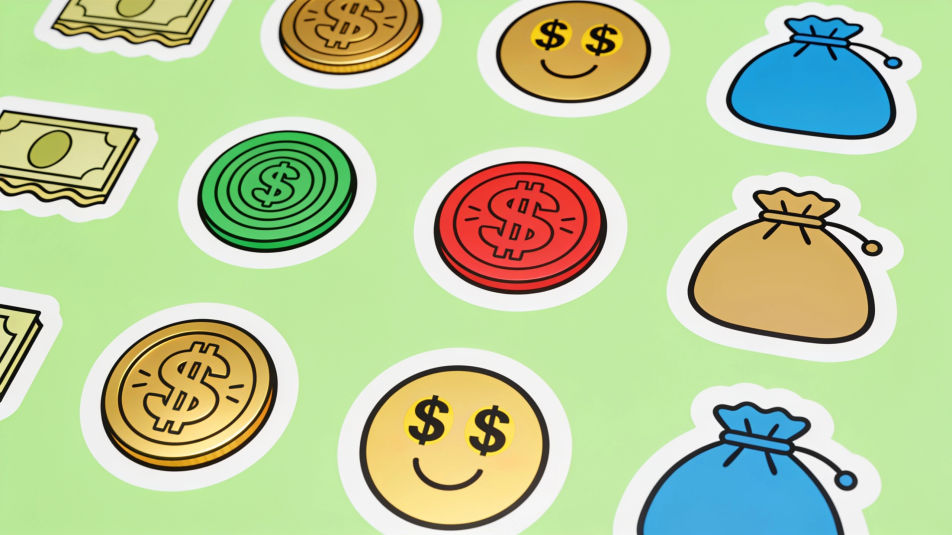
A round yellow emoji face whose eyes are plain gold coins with a star engraving, on a dark backdrop, blank green paper notes drifting around it with no portraits, numbers, seals or lettering.
Edit prompt
A clear glass jar half full of plain gold coins beside a small piggy bank emoji on a wooden shelf, soft window light, no labels, no text.
Edit prompt
Describe the Money emoji you want, in plain words.
Morphic generates a clean, ready-to-publish image on your canvas in seconds.
Tweak the prompt, regenerate variations, then download or share the frame.
Pick a reference image, apply its visual style to your own photo or artwork.
Convert any image to a new aspect ratio. Smart crop or extend the edges to fit.

Turn any sketch or drawing into a finished render.

Take any character image and generate 6 distinct facial expressions on a single reference sheet.
Restyle any video in a completely new visual style. Every frame transforms, all motion stays intact.

Pick any anime illustration as your style guide. Apply its look to any image.
Money AI clipart
Money Clipart to browse and generate. Explore flat minimal, playful cartoon, and soft watercolor money icon clipart, then regenerate in your own style and download transparent PNGs. No design skills needed. Made with Morphic's clipart generator.
Money AI images
Create AI money images with our money image generator. Find original money images for any project in seconds. Generate currency photography, stacked coins, flowing bills, and financial visualizations, build unlimited wealth imagery instantly.
Yay emoji generator
Generate yay emoji images in Morphic. Describe the expression, colour and style you want, generate options, then refine the prompt and download it.
Mesh Gradient AI Images
Turn a brief into mesh gradient instantly. Generate consistent sets rather than one-offs, so a system ships together. Yours to use commercially.
Get started for free today, with the option to upgrade or cancel anytime.
Basic
2400 monthly credits
1 user only
All models
Workflows
Standard
3625 monthly credits
1 user only
All models
Workflows
Pro
6350 shared monthly credits
1 user
All models
Workflows
Max
24650 shared monthly credits
1 user
All models
Workflows
Enterprise
For higher limits
Custom
pricing and billing terms

Free
For playing around
$0
forever free