Design Precisionism art in your browser with Morphic's Precisionism AI image generator. Render clean-edged factories, grain elevators, and skyscrapers in smooth surfaces and cubist-realist geometry, lock the cool clarity with Style Transfer, then animate any still with Image to Video.

Precisionism subjects you can compose

Precisionism compositions you can design

Grain elevators at midday

A Precisionist composition of clean cylindrical grain elevators under flat midday light, smooth untextured concrete in pale grey and warm buff, hard crisp edges, simplified cubist-realist geometry, precise flat shadows, no people and no clutter, the whole still and immaculate.

Edit prompt
Grain elevators at midday

Factory district in cool light

A Precisionist factory district of smooth-walled sheds and tapered smokestacks, ribbons of smoke simplified into clean grey planes, hard-edged cubist-realist geometry, cool even daylight, immaculate untextured surfaces, no figures, the empty composition holding a quiet industrial clarity.

Edit prompt
Factory district in cool light

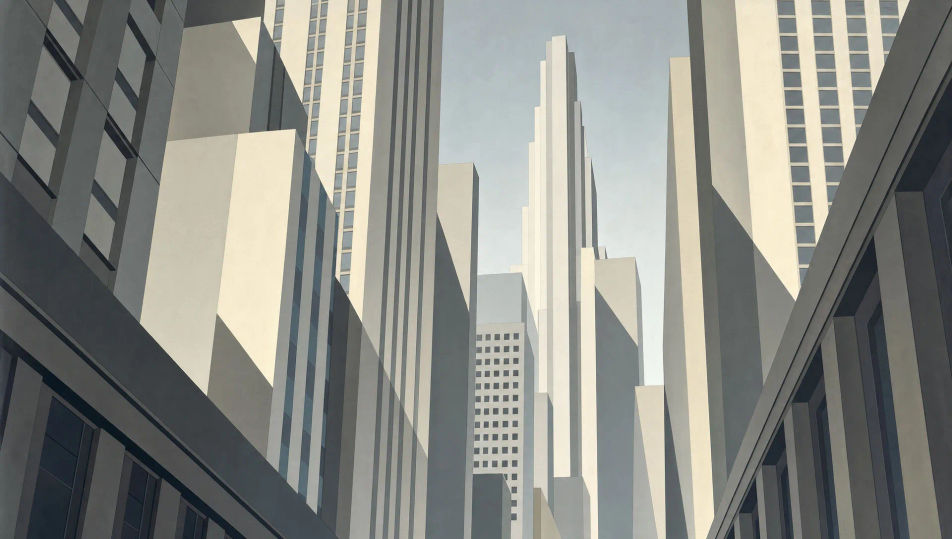
Skyscraper canyon from below

A Precisionist view up a canyon of skyscrapers, towers reduced to clean rectilinear planes with flat window grids, hard crisp edges and smooth untextured surfaces, cool empty daylight slicing precise shadows, cubist-realist faceting, no people, pale grey and cream throughout.

Edit prompt
Skyscraper canyon from below

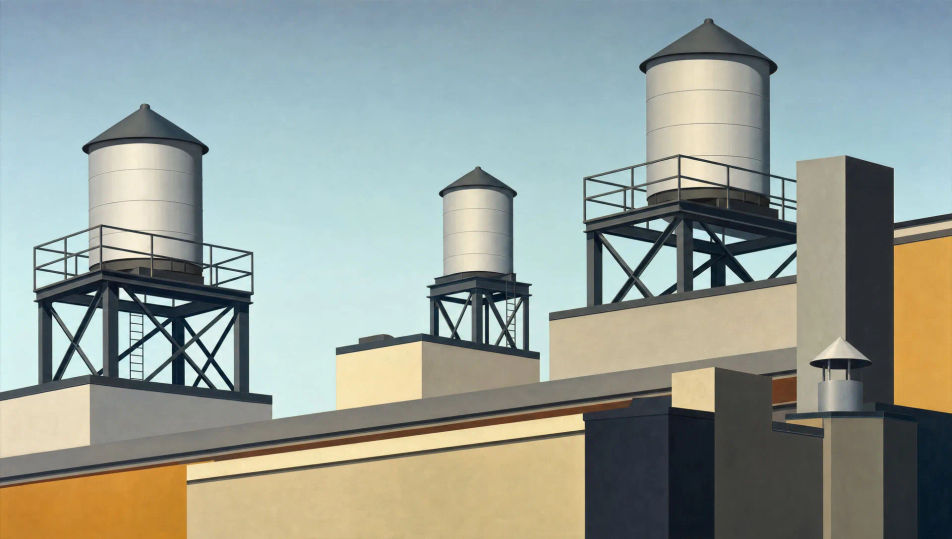
Rooftops with water towers

A Precisionist rooftop scene of clean cylindrical water towers on crisp angular frameworks, smooth flat surfaces with no rust, hard edges, cubist-realist simplification of struts and parapets into immaculate planes, cool flat light, an empty composition with no figures.

Edit prompt
Rooftops with water towers

Make Precisionism in three steps

  1. 01

    Describe your Precisionism

    Describe the Precisionism you want, in plain words.

  2. 02

    Generate the image

    Morphic generates a clean, ready-to-publish image on your canvas in seconds.

  3. 03

    Refine your Precisionism

    Tweak the prompt, regenerate variations, then download or share the frame.

Related workflows

You might also like

Simple pricing

Get started for free today, with the option to upgrade or cancel anytime.

Basic

$0/ month
billed as $0 per year

900 monthly credits

1 user only

All models

Workflows

Standard

$0/ month
billed as $0 per year

3200 monthly credits

1 user only

All models

Workflows

Pro

$0/ month
billed as $0 per year

6200 shared monthly credits

1 user

+ up to 4 more at extra cost

All models

Workflows

Pro Max

$0/ month
billed as $0 per year

24000 shared monthly credits

1 user

+ up to 9 more at extra cost

All models

Workflows

Enterprise

For higher limits

Custom

pricing and billing terms

Unlimited credits
Custom seat limits
All models
Workflows
Pricing Gradient

Free

For playing around

$0

forever free

Up to 20 credits
1 user only
Limited models
Workflows

FAQs

Where can I make Precisionism art with AI?
You can create Precisionism images directly in your browser on Morphic. Open the Image tool, describe the clean-edged industrial subject, the smooth untextured surfaces, and the cool cubist-realist geometry, and Morphic produces the composition. No installs and no specialist software needed.
What defines Precisionism for an AI prompt?
Five locked-in choices: an industrial American subject (factory, grain elevator, smokestack, skyscraper), clean hard edges with smooth untextured surfaces, cubist-realist geometry, cool even light, and no figures. Name them and the look lands as Precisionism rather than a generic cityscape.
What is the difference between Precisionism and Cubism in AI prompts?
Cubism fractures and multiplies viewpoints into abstraction. Precisionism keeps the subject legible and realistic while simplifying it into clean, smooth cubist-influenced planes. Name "recognisable industrial subject, smooth hard-edged surfaces, cool clarity, no figures" for the Precisionist read.
How do I keep a Precisionism series feeling like one collection?
Use the Style Transfer workflow to lock the smooth-surface palette and the cool cubist-realist light before producing more pieces, then reference that style card in every prompt. A factory series or a grain-port series stays consistent in edge and atmosphere across the whole run.
Can I turn Precisionism compositions into animated video?
Yes. The Image to Video tool animates any still you generate, and a slow drift of cool light across the smooth surfaces or a single ribbon of smoke rising suits the still industrial register. Pair with the Music tool for a spare, minimal score.
Do I need any prior painting experience to make Precisionism art?
No. Morphic runs in your browser and you direct it with plain-language prompts. Anyone who can describe clean silos, smooth hard-edged surfaces, and cool empty light can produce a Precisionist composition. Brushes and a studio are not required.