City skyline seen from the seabed
A sweeping view across an underwater kingdom from the dark seabed, coral towers and lit windows rising into the blue, god-rays falling across the whole city.
Edit prompt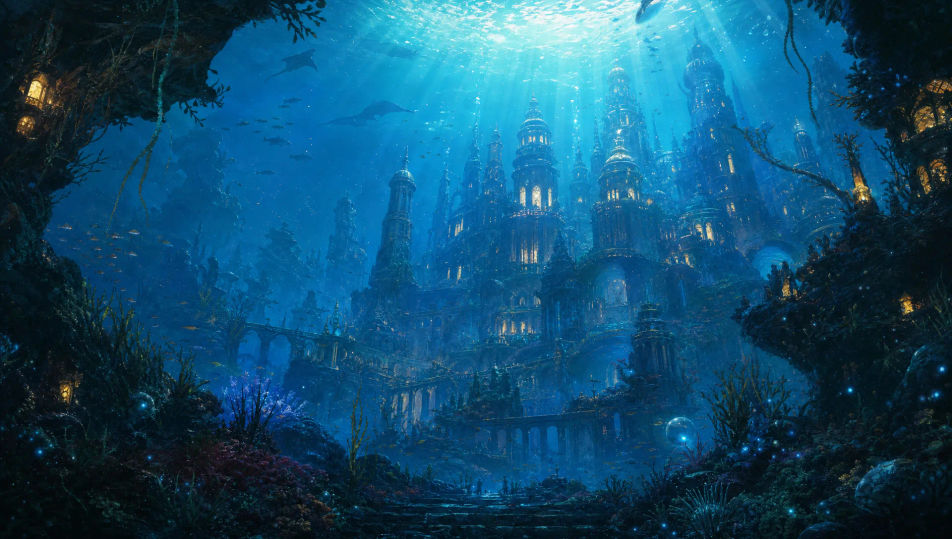
Build submerged underwater kingdoms in your browser with Morphic's AI image generator. Generate a coral palace lit by god-rays, a sunken marble city wreathed in kelp, or a bioluminescent deep-sea citadel. Hold one palette with Style Transfer, then animate with Image to Video.
A sweeping view across an underwater kingdom from the dark seabed, coral towers and lit windows rising into the blue, god-rays falling across the whole city.
Edit promptA towering arched gate into an underwater city flanked by huge carved sea-serpent statues, kelp swaying around the columns, light filtering down from far above.
Edit prompt
The interior of a coral throne hall, shafts of light pouring through high openings onto a pearl throne, small fish drifting through the bright water.
Edit prompt
A collapsed quarter of an underwater city overtaken by coral and anemones, broken arches half-buried in sand, soft blue light and drifting silt throughout.
Edit prompt
Describe the Underwater Kingdom you want, in plain words.
Morphic generates a clean, ready-to-publish image on your canvas in seconds.
Tweak the prompt, regenerate variations, then download or share the frame.
Choose your viewing angles and get precise perspective shifts of any image with full camera control.

Professional 7-panel location reference sheet from a single photo.
Set the look with one reference image. Apply that exact grade to any scene or batch.
Restyle any video in a completely new visual style. Every frame transforms, all motion stays intact.

Take any character image and generate 6 distinct facial expressions on a single reference sheet.
Photo of any real-estate becomes a cinematic renovation timelapse video with construction SFX and music.
Mermaid AI Images
Create AI mermaid images on Morphic. Iridescent tails, sunlit coral reefs, deep-sea sirens, and ocean scenes from prompts, consistent across a full set.
Kraken AI Images
Create AI kraken images on Morphic. Ship-crushing sea beasts, bioluminescent deep-sea variants, and storm-ocean scenes from prompts, consistent across a set.
Floating Islands AI Images
Create AI Floating Islands images with Morphic. Generate Floating Islands scenes, landscapes, and environments for any project in seconds.
Tropical Beach AI Images
Create AI Tropical Beach images with Morphic. Generate Tropical Beach scenes, landscapes, and environments for any project in seconds.
Get started for free today, with the option to upgrade or cancel anytime.
Basic
2400 monthly credits
1 user only
All models
Workflows
Standard
3625 monthly credits
1 user only
All models
Workflows
Pro
6350 shared monthly credits
1 user
All models
Workflows
Max
24650 shared monthly credits
1 user
All models
Workflows
Enterprise
For higher limits
Custom
pricing and billing terms

Free
For playing around
$0
forever free