Every image model
Made with image models on Morphic
Key features
Boxes place every element
Give each element a box on a 0 to 1000 grid plus a short description, and the image is composed around your layout.
Edits that touch one thing
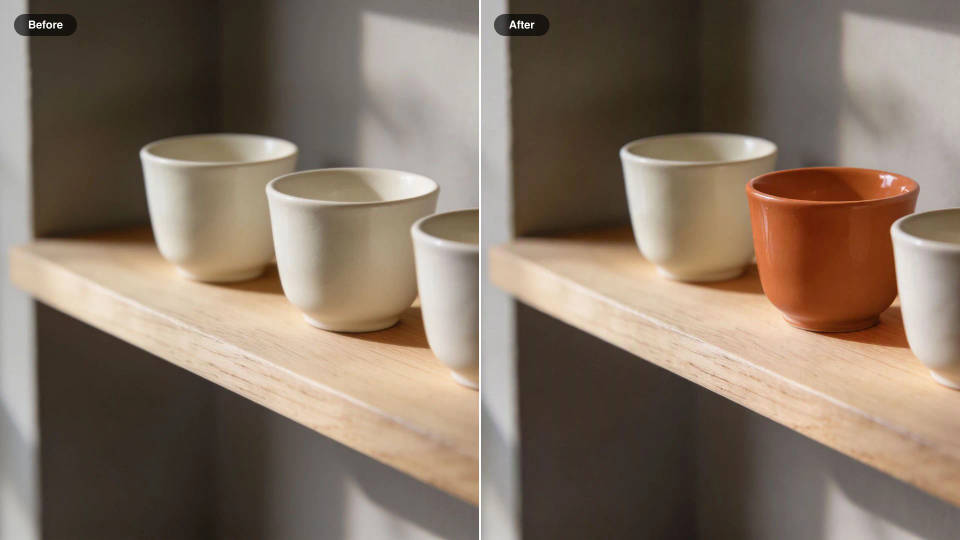
Recolor, move, replace, or remove one element, or several at once, and every pixel you did not touch stays as it was.
Up to 10 references
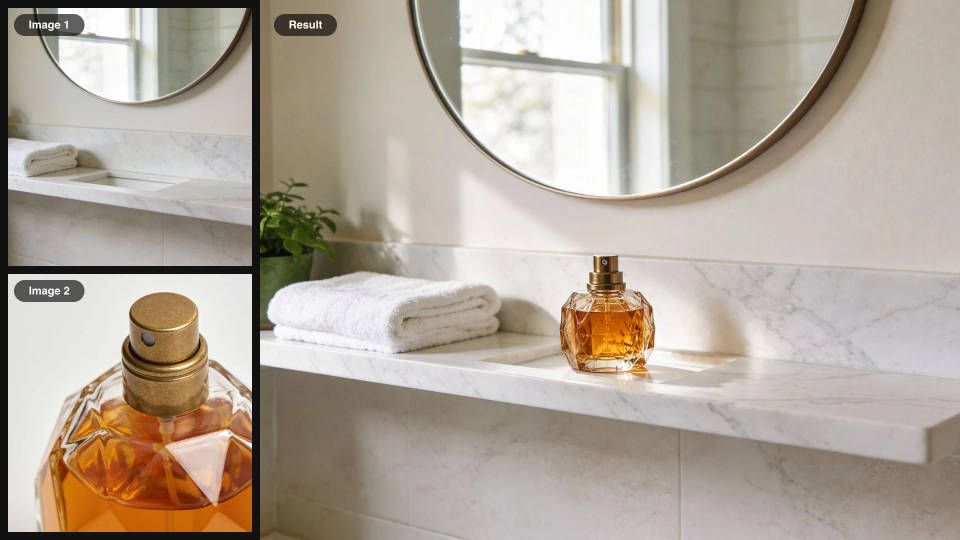
Combine up to ten images in one request, a product, a person, a room, a style, each named by its place in the list.
Native 4K output
Render from quick 768 px drafts up to 4K, about 16.8 megapixels, so textures, faces, and colors hold up in print.
Text set where you put it
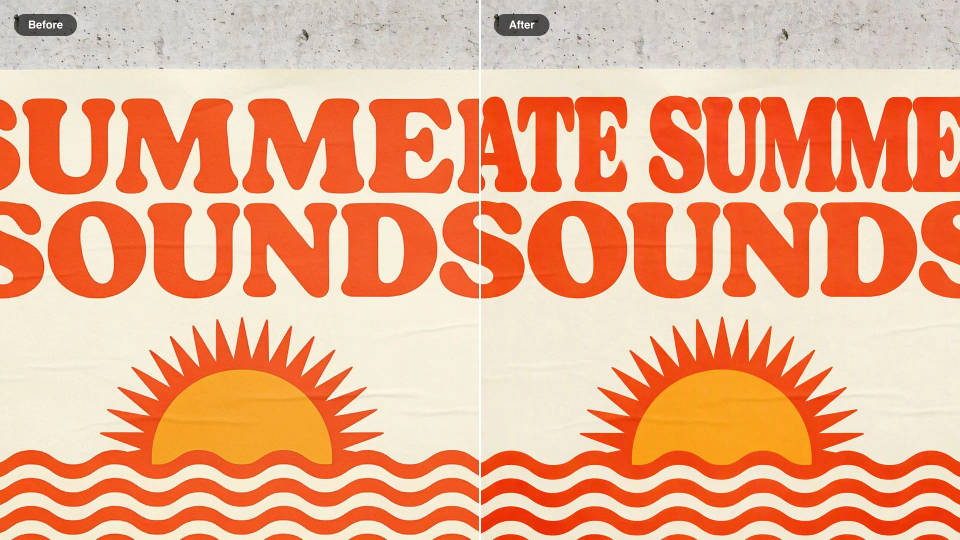
Quote the words and name the case, color, and typeface, then give the text its own box on a poster, cover, or sign.
Checks real things first
By default it runs a web and image search before generating, so real objects come out accurate. Turn it off for speed.
Edit an image with Flux 3 Image in three steps
- 01
Add your images
Drop the photo you want to change onto the Canvas. Add up to nine more as references: a product, a garment, a swatch.
- 02
Write the change
Name the target, say what changes, then list what stays. Quote exact words and give colors as hex codes.
- 03
Refine and compare
Edit the result again, one element at a time, and compare each version side by side to keep the best.
What the Flux 3 image editor changes
One object among many
Change one cup in a row of three, one car on a busy street, one chair at a long table. Naming the position and the color pins the edit to that object alone.
Products dropped into a set
Send the product shot and the scene as two images and say which is which. The product comes through with its shape and finish, lit like the room around it.
Clutter removed cleanly
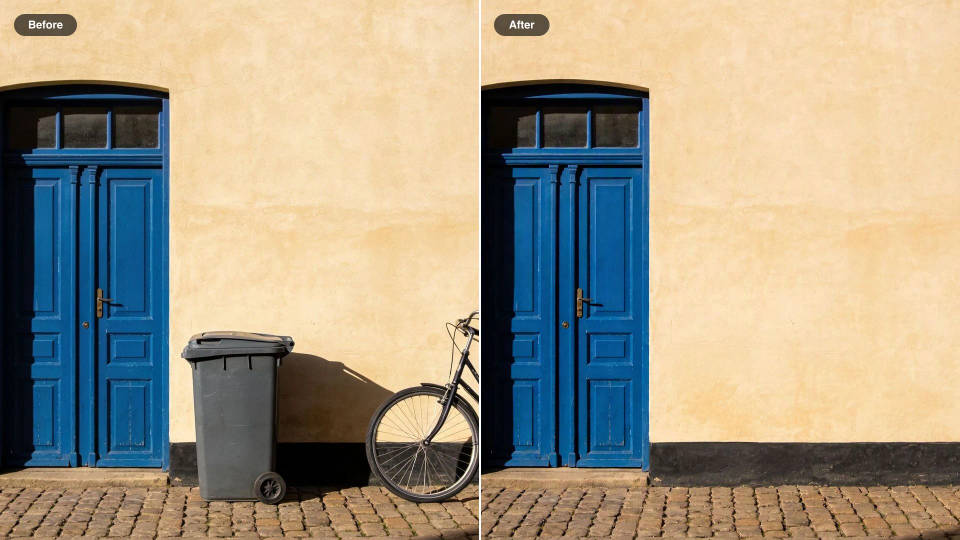
Take out a bicycle, a bin, or a stray cable and the space behind fills in to match the wall, the floor, and the light.
A layout, then a revision
Lay out a poster, then change only the headline or move only the figure. The rest of the design stays where the first version put it.

Jewelry campaign
One product shot becomes a full campaign pack with hero shots, angles, and format variations.

Image reverse engineer
Get a detailed prompt extracted from a reference image, and then a fresh recreation.
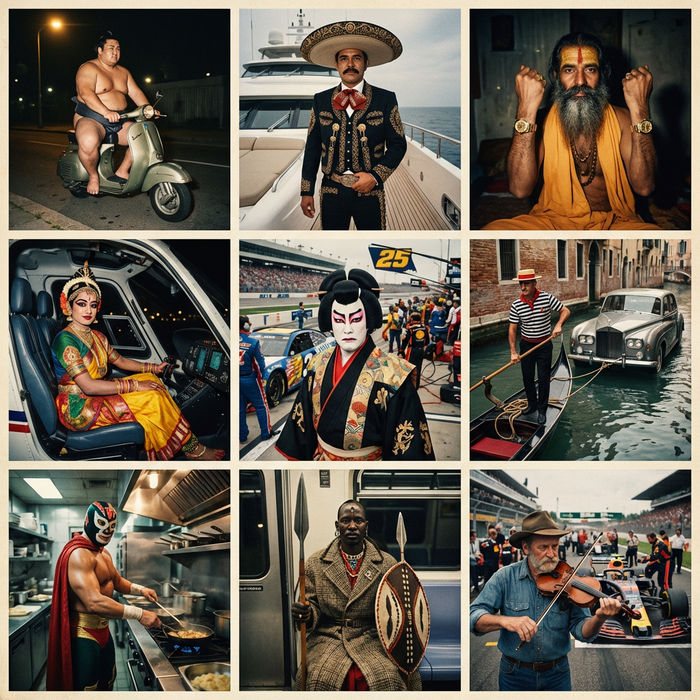
Paradox frames
Flash paradox photographs — any collision, any country
Color grade cinema
Set the look with one reference image. Apply that exact grade to any scene or batch.
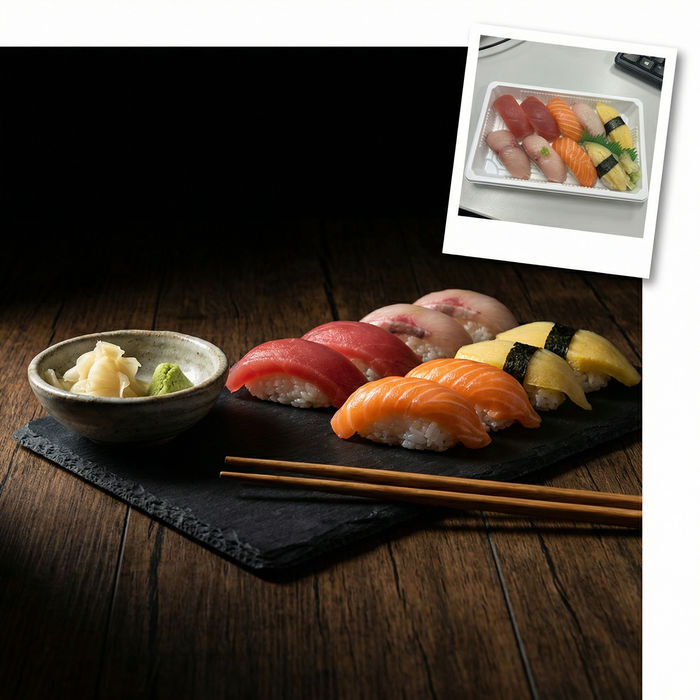
Food photo studio
Turn any dish photo or description into a styled, editorial-quality food photograph.
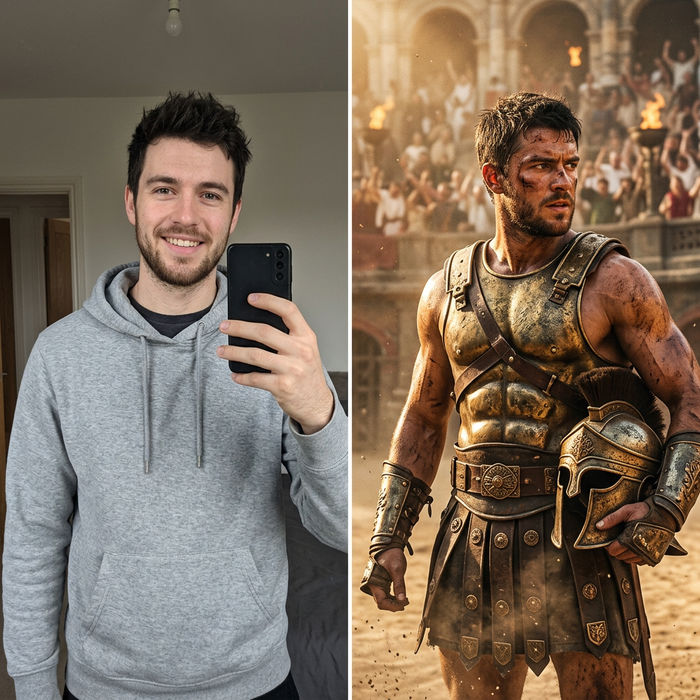
Character look book
Character photo plus costume descriptions. Multiple styled looks across angles and lighting.
Flux 3 Image, all on Morphic
Models
Flux 3 Image, Flux 2 Pro, GPT Image 2.5, Seedream 5.0 Pro, and Nano Banana 2, side by side on one Canvas.
Image editing
Upload a frame and change it with a sentence. Restyle, swap elements, or relight it with image-to-image.
Image to video
Animate the finished edit into a short clip, so the product shot becomes the ad that sells it.
Workflows
Turn an editing sequence into a one-click Workflow. Rerun it on the next product, share it, or favorite it.
