Image generation
Coming soon

Flux 3 Image

by Black Forest Labs

Black Forest Labs' control‑first image model.
Place every element, edit one box at a time.
Flux 3 Image

Key features

Technical specifications

4K

About 5456 × 3072, 16.8 megapixels

Up to 10

256 px to 16 MP per image

15 + auto

From 21:9 wide to 9:21 tall

0 to 1000

Boxes as top, left, bottom, right

Use cases
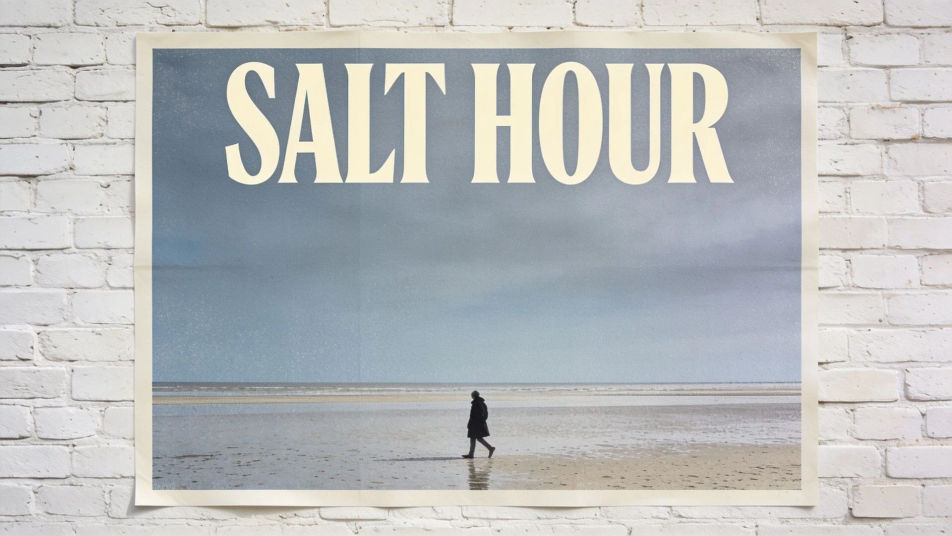
A printed poster on a whitewashed brick wall, the title SALT HOUR in tall cream letters above a lone figure walking a shoreline

Posters and cover layouts

Give the title, the subhead, and the main image a box each, and the type lands exactly where the layout puts it.
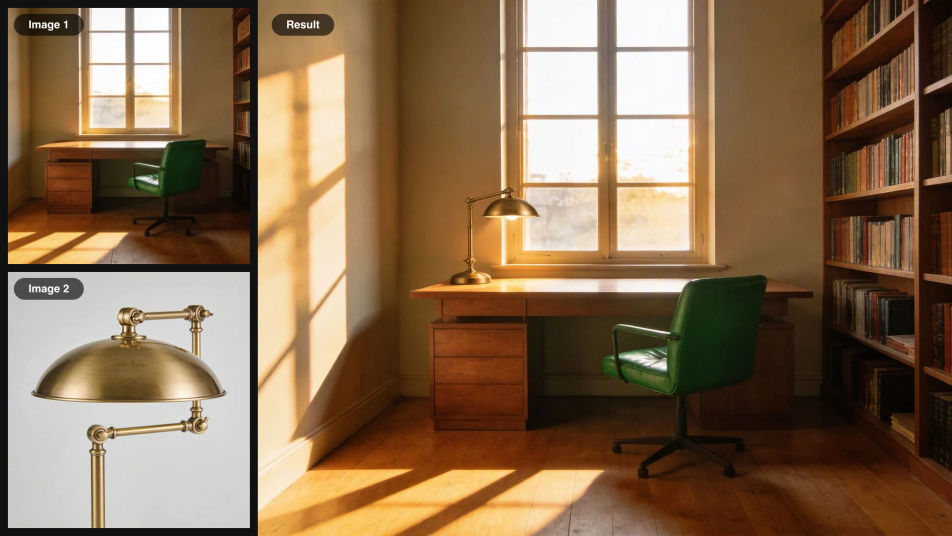
A brass desk lamp photo and an empty study photo as inputs, combined into one image of the lamp lit on the study desk

A product in any scene

Send the product and the room as separate images and say which is which. The product keeps its shape, color, and finish.
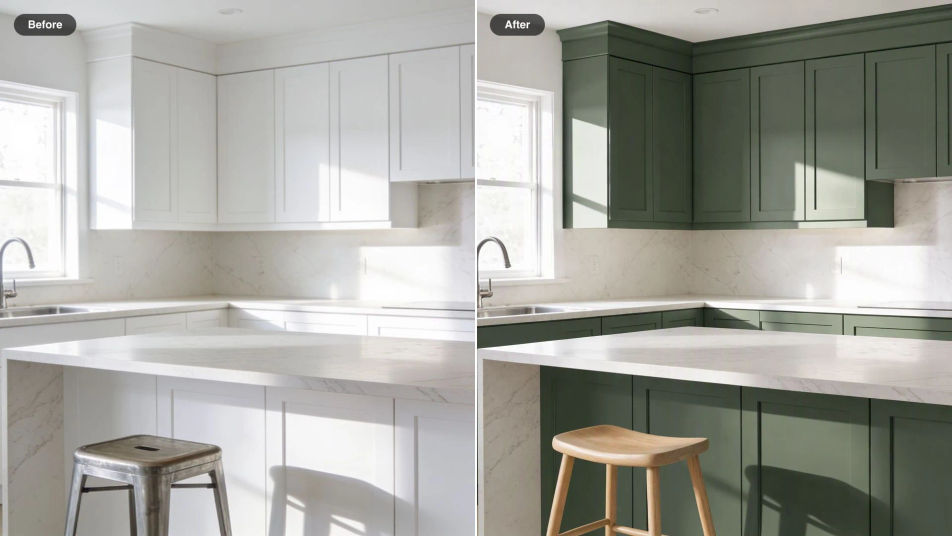
Before and after of a white kitchen, the cabinets recolored deep green, a metal stool swapped for oak, and a fern added

Several edits in one pass

Recolor the cabinets, swap a stool, and add a plant in one request, while the rest of the kitchen stays exactly as shot.
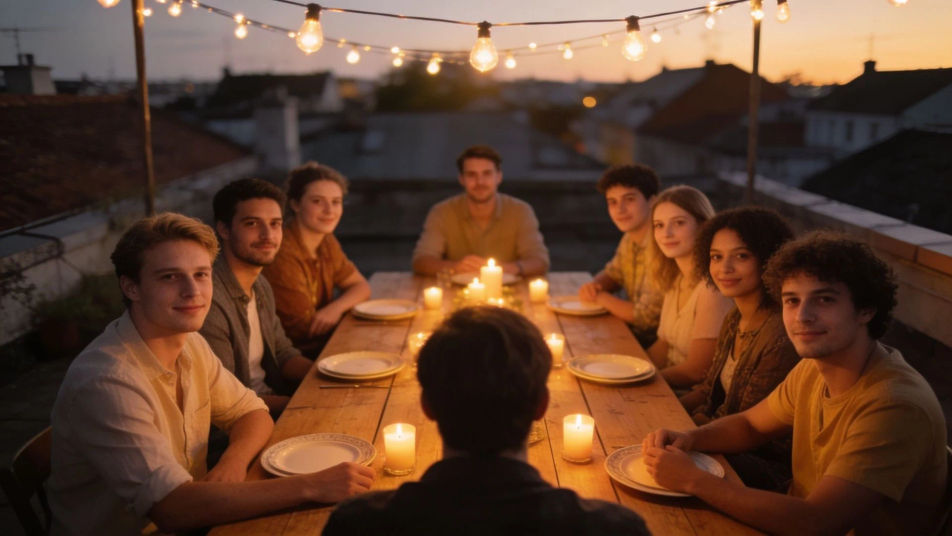
A rooftop dinner at dusk with eight friends around a long table, each guest in a distinct seat under string lights

Crowded scenes, all placed

Give each person in a busy scene a box, so faces, poses, and props land where you planned them instead of drifting.
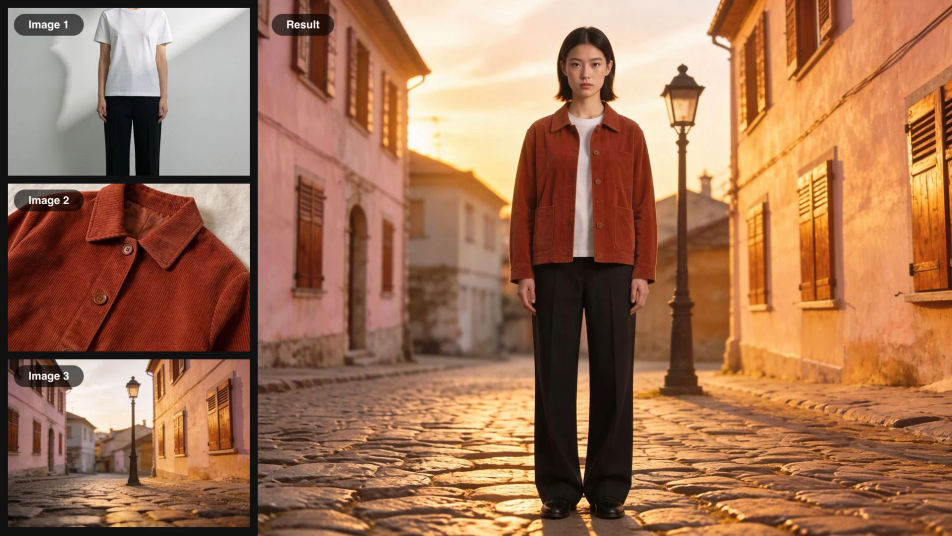
A portrait, a rust corduroy jacket, and a cobbled street as inputs, combined into one full-length lookbook photo

Lookbooks from references

Dress a model in the jacket from one photo and stand them on the street from another, a lookbook built from real pieces.
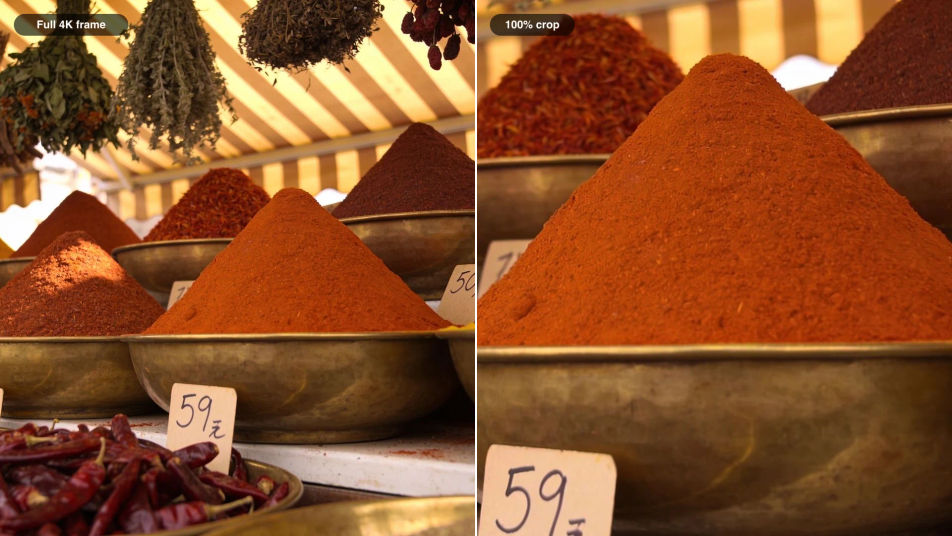
A wide 4K photo of a spice market stall beside a close crop of the same frame showing grains of saffron and paprika

Detail that survives a crop

A 4K frame holds enough detail to cut a hero image, a thumbnail, and a print crop from the same render.

Prompt examples
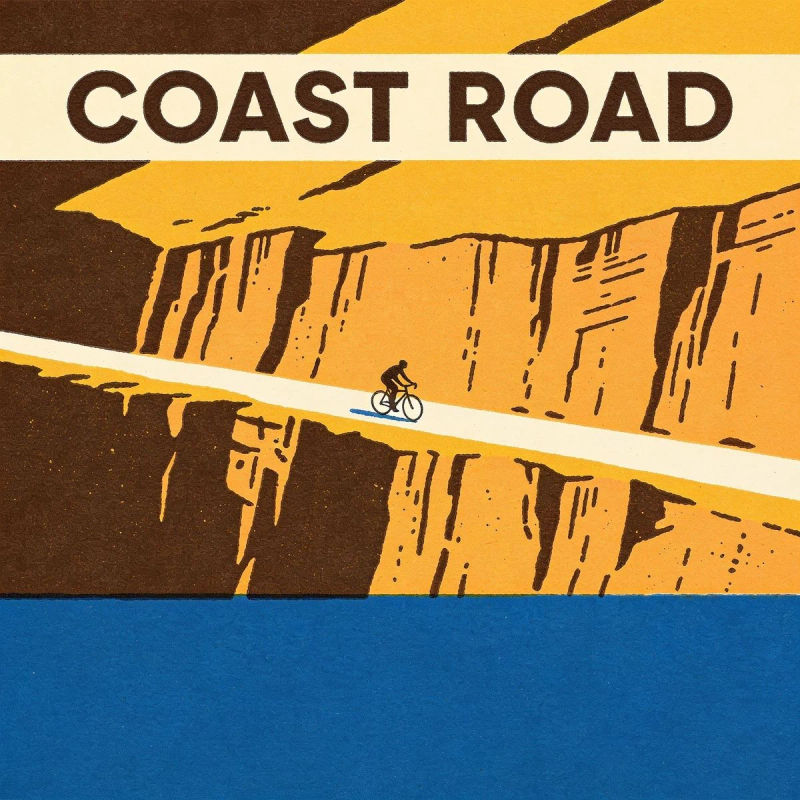
Layout

Layout

Title band at the top, a lone cyclist mid-frame, sea along the bottom

Edit prompt
Recolor

Recolor

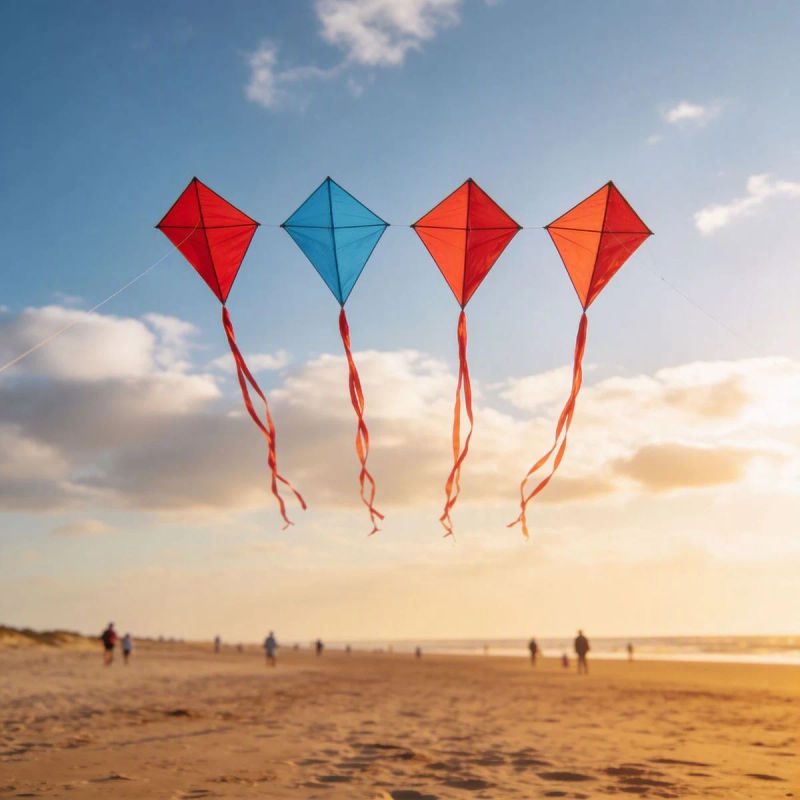
Change only the second kite to #2E86AB, keep the others and the sky

Edit prompt
Combine

Combine

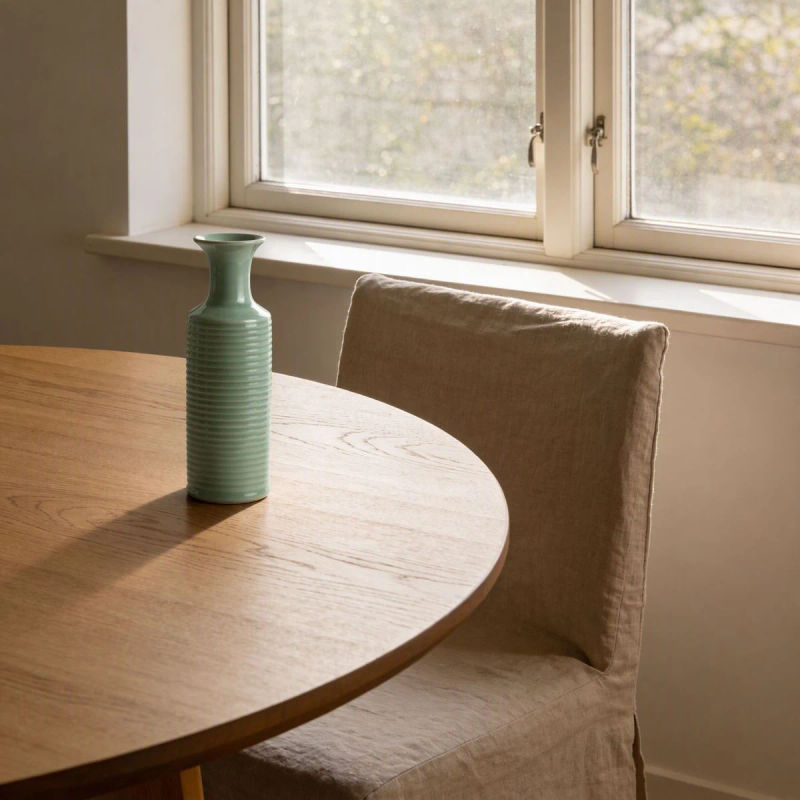
Put the vase from image 2 on the table in image 1, lit by the window

Edit prompt
Text

Text

Add the words OPEN LATE in white sans-serif on the shop window

Edit prompt
Remove

Remove

Remove the parked scooter, keep the shop front and the street

Edit prompt
Move

Move

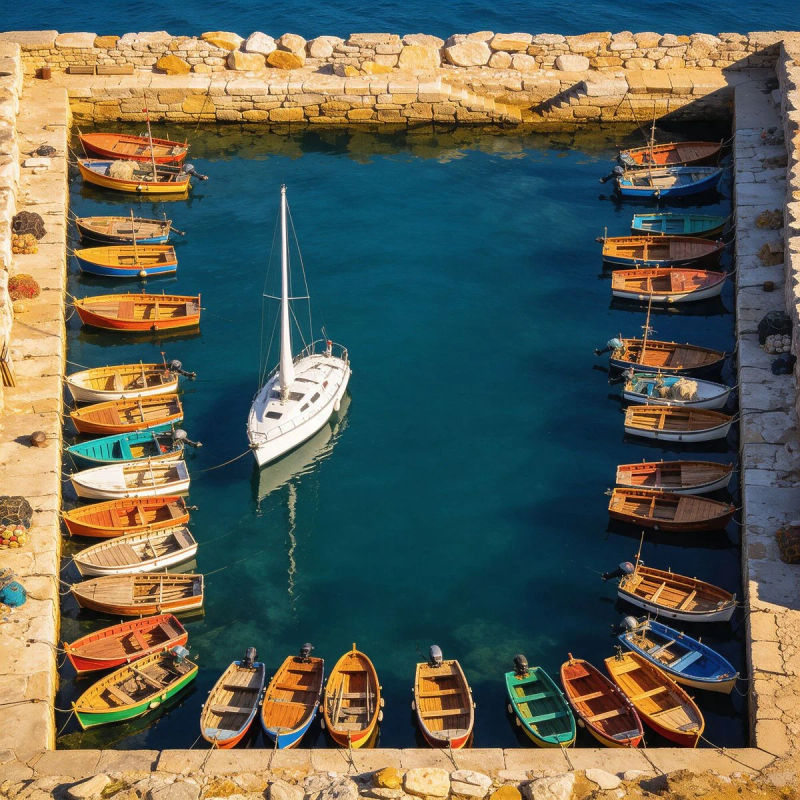
Move the sailboat into the left third, keep the harbor exactly as is

Edit prompt

Overview

Flux 3 Image is the image side of Black Forest Labs' Flux 3, released on October 1, 2026 through Black Forest Labs' API and playground. It generates and edits from one endpoint, and Black Forest Labs builds it around control over every pixel: bounding boxes for layout, edits that leave untouched areas alone, up to 10 references, and native 4K. Details are on Black Forest Labs' Flux 3 Image page and in its Flux 3 Image docs.

What Flux 3 Image does differently

Most image models take position from the prompt's wording, so "a dog in her lap" lands wherever the model decides. Flux 3 Image also takes coordinates. Each element gets an id, a box, and a description, and an edit can keep, move, add, or remove elements row by row. That suits work where placement is the brief: covers, panels, product sets, and group scenes.

Flux 3 Image on Morphic

Flux 3 Image is coming to Morphic. Until then, Flux 2 Pro from Black Forest Labs is live for image generation, and GPT Image 2.5 and Seedream 5.0 Pro handle multi-reference edits with up to 10 images, all on one Canvas where you can compare results side by side.

Simple pricing

Get started for free today, with the option to upgrade or cancel anytime.

Basic

$19/ month
billed as $0 per year

2400 monthly credits

1 user only

All models

Workflows

Standard

$24/ month
billed as $0 per year

3625 monthly credits

1 user only

All models

Workflows

Pro

$45/ month
billed as $0 per year

6350 shared monthly credits

1 user

+ up to 4 more at extra cost

All models

Workflows

Max

$170/ month
billed as $0 per year

24650 shared monthly credits

1 user

+ up to 9 more at extra cost

All models

Workflows

Enterprise

For higher limits

Custom

pricing and billing terms

High-volume credits
Custom seat limits
All models
Workflows
Pricing Gradient

Free

For playing around

$0

forever free

Up to 20 credits
1 user only
Limited models
Workflows

FAQs

What is Flux 3 Image?
Flux 3 Image is the image part of Black Forest Labs' Flux 3 model, released on October 1, 2026. It generates and edits images from one endpoint, and its focus is control: you can place every element with a bounding box, edit one element while the rest stays untouched, combine up to 10 reference images, and render up to 4K.
How is Flux 3 Image related to Flux 3?
Flux 3 is one multimodal model trained on images, video, and audio together. Black Forest Labs released its video side on August 4, 2026 and its image side, Flux 3 Image, on October 1, 2026. They share the same underlying model but are separate products with separate endpoints.
What are bounding boxes in Flux 3 Image?
A bounding box tells the model where an element goes. You write a caption that names each element with a short id, then a list of rows giving each one a box as top, left, bottom, right on a 0 to 1000 grid and a description. The grid is the same at any aspect ratio, and boxes can overlap or nest.
Does Flux 3 Image have a mask or an edit mode?
No. There is no mask, edit mode, or strength setting. You send the image and write the change as an instruction. When a change must hit one exact object or region, you add box rows that mark each element as kept, moved, new, or removed.
How many reference images does Flux 3 Image accept?
Up to 10 per request, each between 256 × 256 pixels and 16 megapixels. Refer to them by position, image 1, image 2 and so on, and say what each one supplies: the subject, the product, the setting, or the style.
What resolution does Flux 3 Image support?
Five sizes, from a 768 px square draft through 1K, 1.5K, and 2K up to 4K, which reaches about 5456 × 3072 pixels. It offers 15 aspect ratios from 21:9 to 9:21, plus an auto setting that follows your first reference image.
Is Flux 3 Image open source?
Not yet. Black Forest Labs offers a commercial weights license for companies that want to run it themselves, and says an open-weights version is coming in the following weeks.
Were the images on this page made with Flux 3 Image?
No. Flux 3 Image is not on Morphic yet, so every example here was made on Morphic with the image models live today: single images were generated first, then edited or combined with the prompt shown. They illustrate the kinds of layouts and edits Flux 3 Image is built for.
When is Flux 3 Image coming to Morphic?
Flux 3 Image is coming to Morphic. Until it lands, Flux 2 Pro from Black Forest Labs is live for image generation, and multi-reference editing runs today on GPT Image 2.5 and Seedream 5.0 Pro, which both accept up to 10 reference images.