Seed Audio 1.5 AI audio generator

ByteDance's full-scene audio model. Dialogue, music and effects in layers.

Every audio model

One workspace

Scenes, not just voices

A late-night diner counter with one steaming mug and rain on the window
Late-night diner
[Diner at 2 a.m., a fridge hums, rain outside.] Waitress (50s, kind): "Coffee's on the house tonight, hon." Driver (tired, grateful): "You're an angel. Long road tonight."
0:00
0:12
Edit prompt
A hand unzipping a tent door at first light onto a misty mountain lake
Camping ad
[Warm acoustic guitar builds.] Narrator (warm, smiling): "Weekend plans? Pack light. We've got the tent." [0:08] The music swells and a tent zipper closes.
0:00
0:12
Edit prompt
Two wolves on a snowy ridge at blue hour with a lantern in the snow
Game moment
[Snowy mountain pass, howling wind, tense low strings.] Scout (urgent whisper): "Wolves. Two of them. Don't move." [0:06] A low growl, close by.
0:00
0:12
Edit prompt
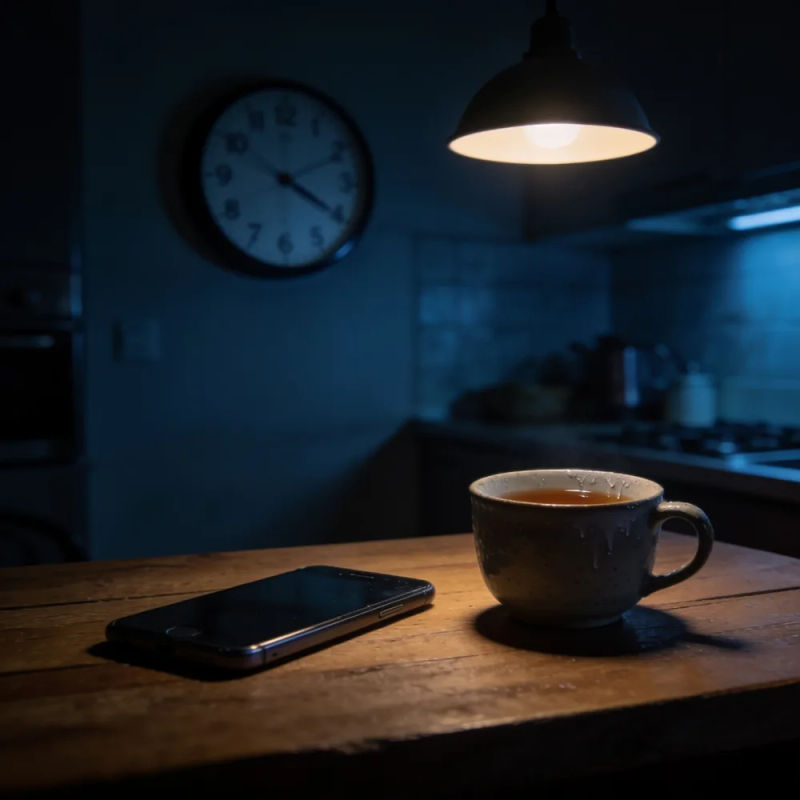
A dim kitchen at night with a wall clock, a phone face down and a cold cup of tea
Short drama
[Kitchen, late evening, a clock ticks, soft piano.] Mother (quiet, hurt): "You didn't call." Son (defensive, then soft): "I was busy, Mom, I... I know. I'm sorry."
0:00
0:12
Edit prompt
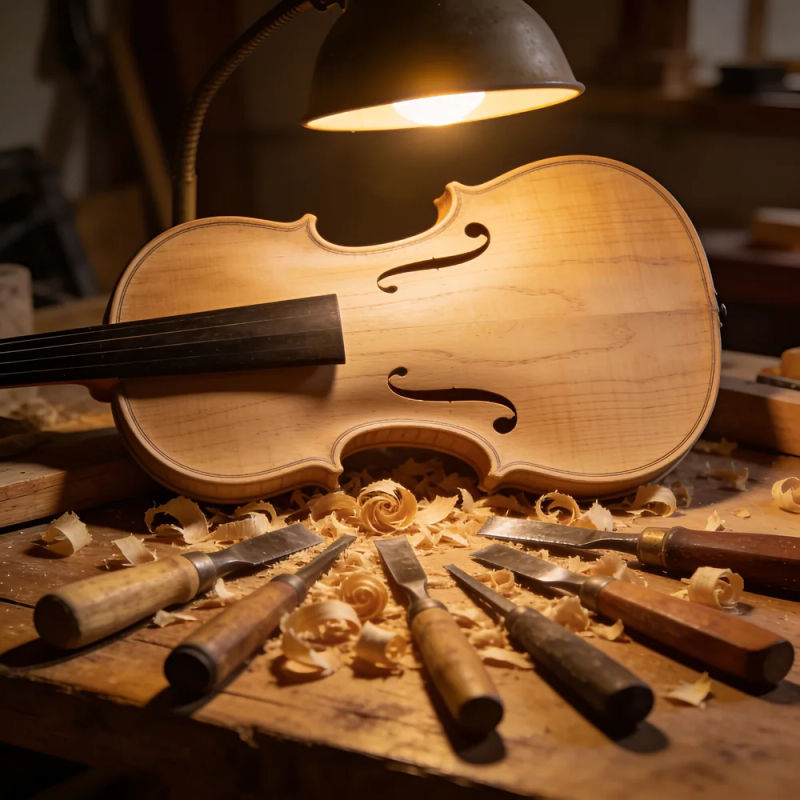
An unfinished violin body on a workbench with carving tools and wood shavings
Craft documentary
[Workshop at night, a lamp hums, a chisel shaves wood, a solo violin far off.] Narrator (warm, hushed): "Every violin starts as a block of spruce... and a lot of patience."
0:00
0:12
Edit prompt
Two pairs of bare feet in wet sand as a wave pulls back at sunset
Brazilian Portuguese
[Beach at sunset, gentle waves, soft bossa nova guitar.] Narrator (relaxed, warm, Brazilian Portuguese): "O sol já está indo embora... fica mais um pouco."
0:00
0:12
Edit prompt

Key features

Make scene audio in three steps

  1. 01

    Open Morphic

    Sign up and start creating on a free-flowing, infinite visual Canvas.

  2. 02

    Write the scene

    Describe the place, cast the voices and write the lines. Add voice references or a video when you have them.

  3. 03

    Generate, then edit by track

    Dialogue, ambience, effects and music come back separately, so you fix one layer and keep the rest.

What Seed Audio 1.5 generates

A whole scene from one prompt

Voices, room sound, effects and score arrive together and already balanced, so a café, a storm or a stadium sounds like a place rather than a voice over silence.

Three translucent waveforms in amber, silver and teal merging into one form

Dubs that follow the picture

Add a finished cut and Seed Audio 1.5 writes the dub, score and effects to match the action. Translate the dialogue and keep the original music and effects.

A glowing rectangular frame of light with waves rippling from its lower edge

Separate tracks for the edit

Dialogue, ambience, effects and music come back as their own tracks. Turn the music down, mute an effect or replace one line without touching the rest.

Four glowing glass strips in amber, teal, silver and rose floating apart in haze

Six-minute scenes

A drama scene, a podcast segment or a narrated chapter fits in one generation, with up to six voices cast from reference clips.

A long horizon line of soft light stretching into depth like a slow waveform

All on Morphic

Your complete audio stack

Simple pricing

Get started for free today, with the option to upgrade or cancel anytime.

Basic

$19/ month
billed as $0 per year

2400 monthly credits

1 user only

All models

Workflows

Standard

$24/ month
billed as $0 per year

3625 monthly credits

1 user only

All models

Workflows

Pro

$45/ month
billed as $0 per year

6350 shared monthly credits

1 user

+ up to 4 more at extra cost

All models

Workflows

Max

$170/ month
billed as $0 per year

24650 shared monthly credits

1 user

+ up to 9 more at extra cost

All models

Workflows

Enterprise

For higher limits

Custom

pricing and billing terms

High-volume credits
Custom seat limits
All models
Workflows
Pricing Gradient

Free

For playing around

$0

forever free

Up to 20 credits
1 user only
Limited models
Workflows

FAQs

What is the Seed Audio 1.5 AI audio generator?
It is ByteDance's Seed Audio 1.5 model for full-scene audio. One prompt returns dialogue, music, ambience and sound effects as separate tracks, up to six minutes long, and a video input lets the sound follow a finished cut for dubbing and sound design.
Is the Seed Audio 1.5 AI audio generator free?
Morphic has a free tier, so you can start making audio with no payment. When Seed Audio 1.5 arrives on Morphic it runs on the same credits as the other audio models. Paid plans add more credits for longer scenes.
Can I use Seed Audio 1.5 online?
Yes. Everything runs in the browser on Morphic, with nothing to install. Write the scene, generate, and the audio lands on your Canvas next to your images and video.
When is Seed Audio 1.5 coming to Morphic?
Seed Audio 1.5 is coming soon. Until it lands, Seed Audio 1.0 is live on Morphic for full scenes, alongside ElevenLabs and Lyria. The samples on this page were made on Morphic with ElevenLabs voices and sound effects and Lyria music, mixed into scenes.
How do the separate tracks work?
Seed Audio 1.5 returns dialogue, ambience, effects and music as their own tracks instead of one mixed file, and can split dialogue per voice. You can turn one layer down, mute it, or replace a single line without regenerating the rest of the scene.
Can Seed Audio 1.5 dub a video?
Yes. Add a video and the model writes voice-over, music, effects and ambience that follow the action. It can also translate the dialogue into another language and keep the original effects and music. Have a fluent speaker review the result before you publish.
How long can a Seed Audio 1.5 generation be?
Up to six minutes in one generation, three times the two-minute limit of Seed Audio 1.0. That covers a full drama scene, a podcast segment or a narrated chapter in one pass.
Can I clone a voice with Seed Audio 1.5?
You can add up to six reference clips to set the voices in a scene, as long as you have the rights to them. ByteDance's limits block imitating a real person's voice without their permission.

You might also like