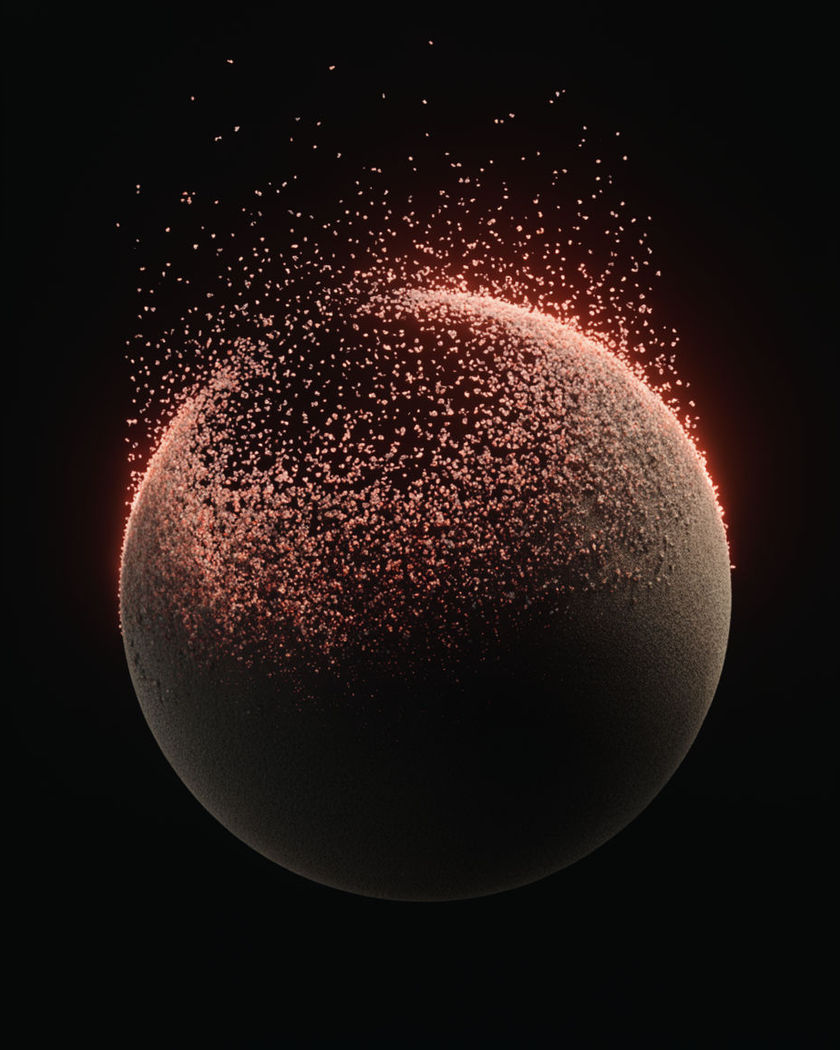
AI disintegration effect

Disintegration generated as one shot: a figure crumbling into dust from the fingertips up, a statue lifting off as ash, petals peeling from a dress.

A dark matte sphere in black space with its surface lifting away as thousands of tiny on a black ground

Disintegration effect examples

Crowd drifting away

Use this prompt

One by one the figures break into dust; the square and buildings stay. a wide shot of people standing in an empty square, one by one each figure breaking into grey dust that drifts to the right and thins out, the square and buildings untouched, overcast light

Blank sheet to ash

Use this prompt

Edges glow orange and flake into ash that swirls upward. a wide shot of a folded blank sheet of paper on a desk, its edges glowing orange and flaking into black ash that lifts and swirls upward, until only a smear of ash remains, no readable writing

Dress into petals

Use this prompt

The hem peels into white petals on the wind; the woman above the waist stays. a woman in a long white dress standing in a meadow, the dress peeling away from the hem into white petals that blow away on the wind, the woman above the waist unchanged, warm afternoon light

Hand to dust, cup intact

Use this prompt

The hand drifts away from the wrist forward while the cup drops whole. a hand holding a ceramic cup, the hand breaking into grey dust from the wrist forward and drifting away, the cup dropping to the table intact, plain kitchen light

Figure to dust

Use this prompt

The body breaks up from the fingertips to the head; the road stays. a person standing still on a plain road, their body breaking into fine grey dust starting at the fingertips and rising up the arms and shoulders to the head, the dust drifting right and thinning to nothing, road and sky untouched

Face into particles

Use this prompt

Skin lifts off as glowing points that drift up; the eyes go last. a close portrait of a person against black, the skin lifting off as thousands of tiny glowing particles that drift upward and fade, the eyes staying last before they go too, slow push in

Car into particles

Use this prompt

The body streams away from the rear as small metallic particles. a wide shot of an unmarked car on a runway, its body breaking up from the rear into a stream of small metallic particles that trail behind and fade, the front bumper going last

Statue to ash and embers

Use this prompt

The surface flakes into black ash with orange edges; the plinth stays solid. a stone bust on a plinth in a dark room, its surface flaking into black ash with orange ember edges, the flakes lifting upward and dying out, the plinth staying solid

Forest into leaves

Use this prompt

Trees dissolve from the canopy down into red and gold leaves. a wide autumn forest, the trees dissolving from the canopy down into thousands of red and gold leaves that blow across the frame, until only bare ground remains, low sun

Tree to sand

Use this prompt

Leaves and branches pour off as sand from the top down; the trunk goes last. a lone tree on a dune, its leaves and branches turning to fine sand that pours off in the wind from the top down, the trunk going last, the sand streaming right

Generate your own disintegration effect

Pick a starting point, edit anything you like, then generate it in Morphic.

Generate

Simple pricing

Get started for free today, with the option to upgrade or cancel anytime.

Basic

$9/ month
billed as $0 per year

1100 monthly credits

1 user only

All models

Workflows

Standard

$24/ month
billed as $0 per year

3625 monthly credits

1 user only

All models

Workflows

Pro

$45/ month
billed as $0 per year

6350 shared monthly credits

1 user

+ up to 4 more at extra cost

All models

Workflows

Pro Max

$170/ month
billed as $0 per year

24650 shared monthly credits

1 user

+ up to 9 more at extra cost

All models

Workflows

Enterprise

For higher limits

Custom

pricing and billing terms

High-volume credits
Custom seat limits
All models
Workflows
Pricing Gradient

Free

For playing around

$0

forever free

Up to 20 credits
1 user only
Limited models
Workflows

FAQs

Where can I make disintegration effect videos with AI?
You can generate disintegration videos in your browser on Morphic. Open the Text to Video tool, describe the subject, what it breaks into and which way it drifts, and Morphic renders the break-up as one continuous shot. No particle systems, masks or overlay packs are involved.
What is the disintegration effect?
The disintegration effect is a subject breaking apart into small pieces, usually dust, ash, petals or glowing particles, that drift away until nothing is left, while the rest of the scene stays as it was. It is used for disappearances, transformations and dramatic endings.
How do I write a prompt for a disintegration effect video?
Name four things: what the subject turns into, where the break-up starts, the direction the pieces drift, and what stays whole. "Breaking into grey dust from the fingertips up, drifting right and thinning to nothing, the road untouched" gives Morphic the full arc in one line.
Can I choose what the subject disintegrates into?
Yes. Dust, sand, black ash with ember edges, petals, leaves and glowing particles all render as distinct looks. The material sets the mood, so a wedding dress into petals and a statue into ash feel very different even with the same camera and timing.
Does the background stay intact while the subject disintegrates?
Yes, if you say so. Add a line such as "road and sky untouched" or "the plinth staying solid". That contrast between the untouched scene and the breaking subject is what sells the effect, so it is worth naming the element that must survive.
Can I disintegrate a product or a person from a photo?
Yes. Upload the image as the start frame in Image to Video and describe the break-up in the prompt. Starting from a still keeps the subject recognisable before it goes, which is the moment the effect depends on.