Sideline routine
A squad performing a synchronized sideline routine under stadium floodlights, crisp unison arm motion and pom-poms, the crowd a bright blur, a dynamic wide shot.
Edit prompt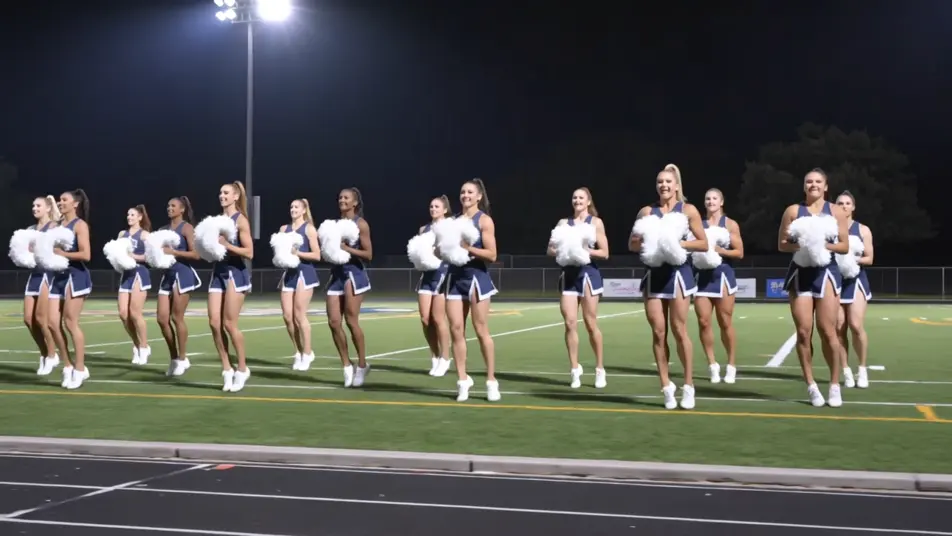
Direct cheer-squad energy in your browser with Morphic's cheerleader AI video generator. Generate a captain leading a sideline routine under floodlights, a flyer launched atop a pyramid, or a tumbler tearing across the mat. Hold one squad design with Character Lineup, then score with Music.
A squad performing a synchronized sideline routine under stadium floodlights, crisp unison arm motion and pom-poms, the crowd a bright blur, a dynamic wide shot.
Edit promptA squad building a pyramid and launching a flyer to the top against a bright sky, controlled power and clean lines, a low hero angle craning up the formation.
Edit prompt
A tumbler tearing across the mat in a fast tumbling pass, strong controlled flips, bright gym light, a tracking shot following the motion down the line.
Edit prompt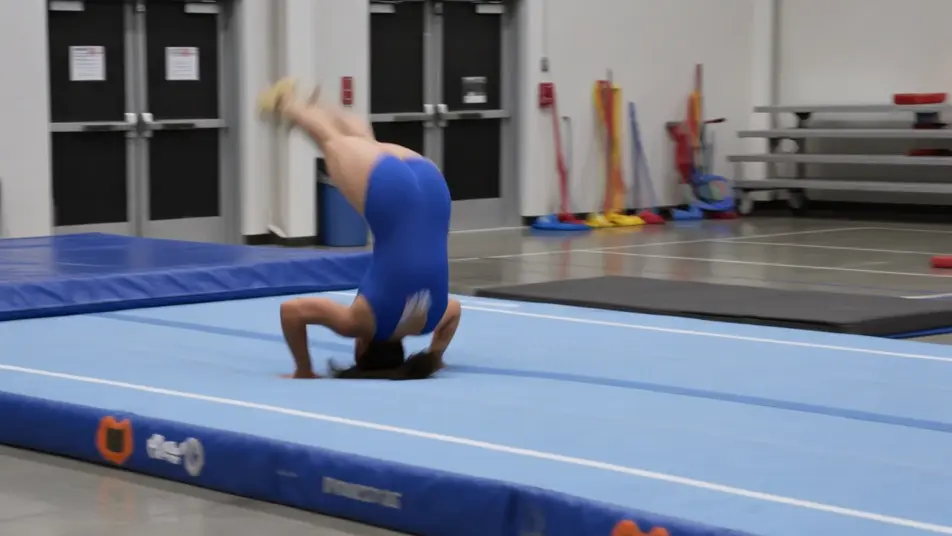
A full squad firing up a packed pep rally on a gym floor, banners and bleachers full of students, bright light and confetti, a lively sweeping wide shot.
Edit prompt
Write the cheerleader scene you want, in plain words.
Morphic generates a cinematic, frame-ready clip on your canvas in seconds.
Tweak the prompt, regenerate variations, then download or share the shot.
Cinematic time-freeze short film for any scene

Dramatize any text conversation into a cinematic multi-shot video.
One image to a 9-scene cinematic video.
Drop in a photo of yourself. Get a 12-second cinematic movie with animation and a matched soundtrack.

Share a scene description with character references. Get a full storyboard with shot angles and mood.

Feed in a single image. Get 9 cinematic beats laid out as a 3x3 storyboard grid.
Mascot AI Videos
Generate mascot videos with Morphic. Sports, brand, festival, retro-cartoon, and e-sports mascot archetypes with stadium, ad, and parade scene prompts.
Punk Rocker AI Videos
Generate punk rocker videos with Morphic. Mohawk frontman, bassist, drummer, and riot-grrrl archetypes with basement-show, stage-dive, and alley scene prompts.
Cartoon AI Videos
Create cartoon videos with Morphic. 2D, 3D, storybook, and squash-and-stretch styles, full character consistency, and prompt-led scenes in your browser.
Cyborg AI Videos
Generate cyborg videos with Morphic. Combat unit, augmented human, android, and street-tech archetypes with neon-alley, lab, and skyline scene prompts.
Get started for free today, with the option to upgrade or cancel anytime.
Basic
2400 monthly credits
1 user only
All models
Workflows
Standard
3625 monthly credits
1 user only
All models
Workflows
Pro
6350 shared monthly credits
1 user
All models
Workflows
Max
24650 shared monthly credits
1 user
All models
Workflows
Enterprise
For higher limits
Custom
pricing and billing terms

Free
For playing around
$0
forever free