Stacked up at the breach point
Tight night-vision-green shot of an operator stack pressed along a wall to a doorway, IR lasers threading the dark, the lead's hand frozen in a signal, handheld camera breathing with the team before the go.
Edit prompt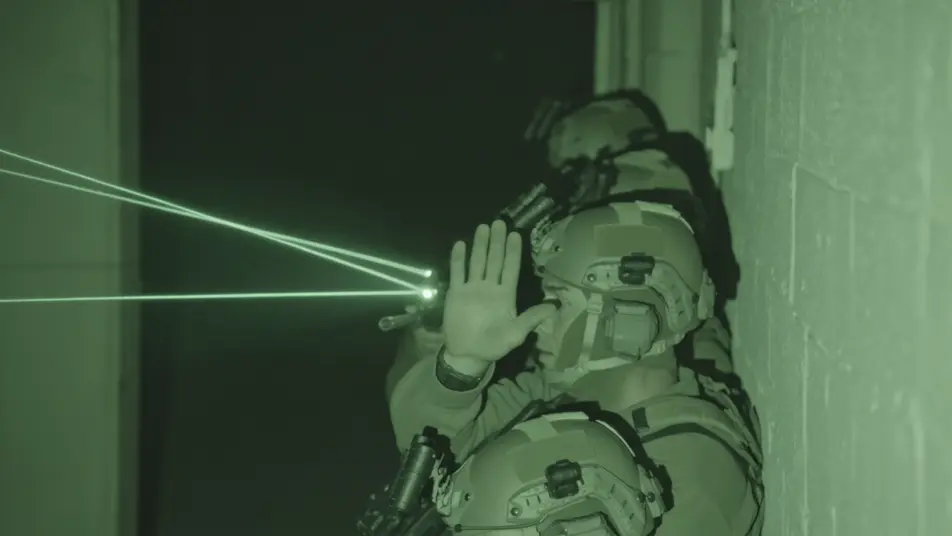
Run the night raid in your browser with Morphic's special forces AI video generator. Generate an operator stack pressed against a breach point, a fast-rope insert from a helicopter, or a dive team surfacing under a moonless sky. Score with Music, add radio comms with Speech, then stitch it together.
Tight night-vision-green shot of an operator stack pressed along a wall to a doorway, IR lasers threading the dark, the lead's hand frozen in a signal, handheld camera breathing with the team before the go.
Edit promptLow looking-up shot of operators fast-roping from a hovering helicopter into swirling dust, rotor wash flattening the grass, figures sliding down the rope in silhouette against a pale night sky.
Edit prompt
Water-level shot of a combat dive team breaking the surface one by one, rebreather bubbles dispersing, masks and weapons rising from the black water, a faint shoreline glow in the deep distance.
Edit prompt
Wide rooftop silhouette of a sniper team on a parapet under a thin crescent moon, the suppressed muzzle tracking slowly, the city laid out dark below, slow drift-in toward the prone shooter.
Edit prompt
Write the special forces scene you want, in plain words.
Morphic generates a cinematic, frame-ready clip on your canvas in seconds.
Tweak the prompt, regenerate variations, then download or share the shot.
Cinematic time-freeze short film for any scene

Dramatize any text conversation into a cinematic multi-shot video.
One image to a 9-scene cinematic video.
Drop in a photo of yourself. Get a 12-second cinematic movie with animation and a matched soundtrack.

Share a scene description with character references. Get a full storyboard with shot angles and mood.

Feed in a single image. Get 9 cinematic beats laid out as a 3x3 storyboard grid.
Spy Thriller AI Videos
Create powerful AI Spy Thriller videos with our Spy Thriller video generator. Find unique, cinematic Spy Thriller scenes for any project in seconds.
Cold war thriller AI Videos
Create powerful AI Cold war thriller videos with Morphic. Generate unique, cinematic Cold war thriller scenes for any project in seconds.
War Film AI Videos
Create powerful AI War Film videos with our War Film video generator. Find unique, cinematic War Film scenes for any project in seconds.
Air combat AI Videos
Create powerful AI Air combat videos with Morphic. Generate unique, cinematic Air combat scenes for any project in seconds.
Get started for free today, with the option to upgrade or cancel anytime.
Basic
2400 monthly credits
1 user only
All models
Workflows
Standard
3625 monthly credits
1 user only
All models
Workflows
Pro
6350 shared monthly credits
1 user
All models
Workflows
Max
24650 shared monthly credits
1 user
All models
Workflows
Enterprise
For higher limits
Custom
pricing and billing terms

Free
For playing around
$0
forever free