Midnight crime-scene under patrol lights
A residential street at midnight, yellow tape across a low brick wall, two patrol cars with rotating red-and-blue lights washing the houses, a forensic tech in a paper suit just inside the tape.
Edit prompt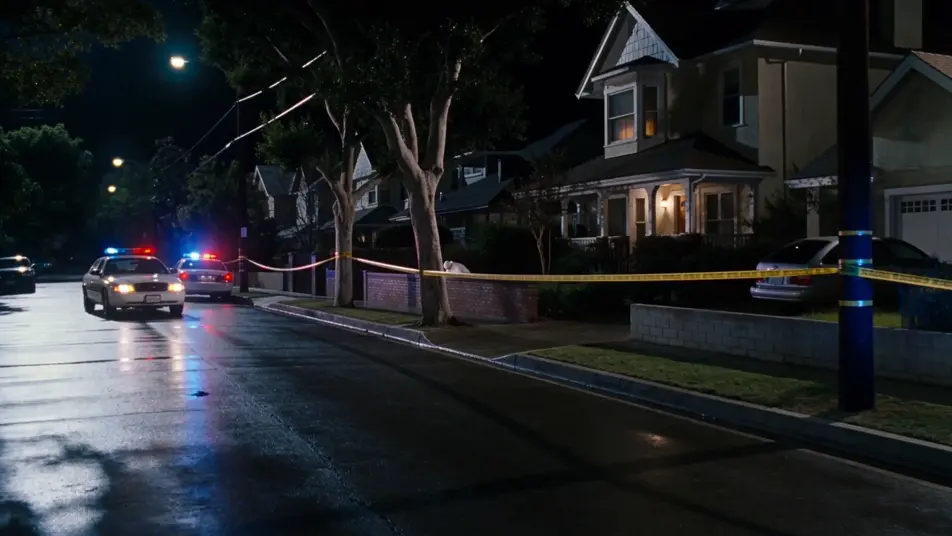
Direct a procedural sleuth in your browser with Morphic's detective AI video generator. Generate a midnight crime-scene tape or an interrogation across a steel table, add narration and score with Speech and Music, and stitch a detective short on the Canvas.
A residential street at midnight, yellow tape across a low brick wall, two patrol cars with rotating red-and-blue lights washing the houses, a forensic tech in a paper suit just inside the tape.
Edit promptA basement precinct room with a wall-spanning case board of photos, red string, and pinned notes, a single overhead fluorescent bulb buzzing, the lead detective stepping back to take it in.
Edit prompt
A small interrogation room with a steel table, two chairs, a one-way mirror on the far wall, the detective leaning forward on his hands, the suspect across with a glass of water and cuffs.
Edit prompt
A narrow back alley after midnight, wet brick and a single hanging bulb above a fire-escape, the detective and the hooded informant meeting at the back of a closed Chinese restaurant.
Edit prompt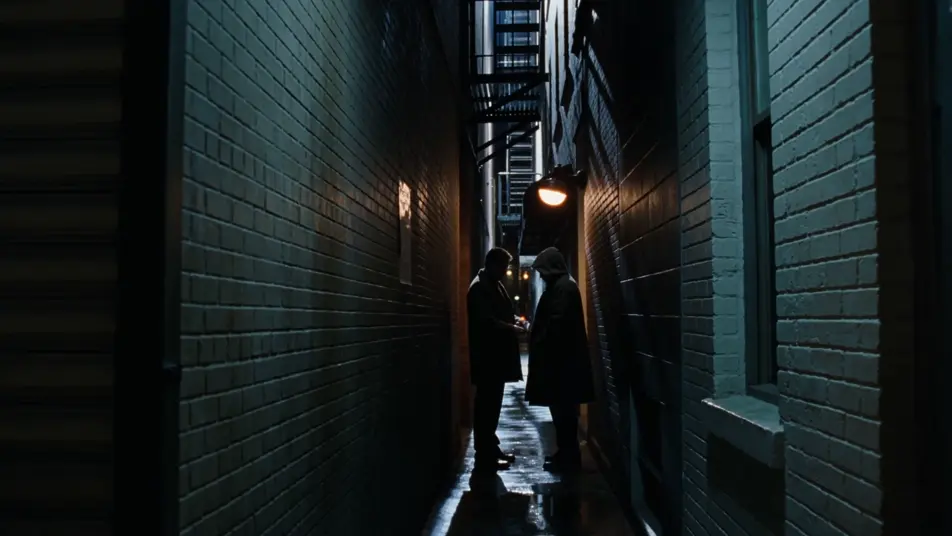
Write the detective scene you want, in plain words.
Morphic generates a cinematic, frame-ready clip on your canvas in seconds.
Tweak the prompt, regenerate variations, then download or share the shot.
Cinematic time-freeze short film for any scene

Dramatize any text conversation into a cinematic multi-shot video.
One image to a 9-scene cinematic video.
Drop in a photo of yourself. Get a 12-second cinematic movie with animation and a matched soundtrack.

Share a scene description with character references. Get a full storyboard with shot angles and mood.

Feed in a single image. Get 9 cinematic beats laid out as a 3x3 storyboard grid.
Sherlock Holmes AI Videos
Create Sherlock Holmes scenes, 221B Baker Street, Moriarty, the Reichenbach duel, the Hound of the Baskervilles, and Watson narration with Morphic. Generate Victorian detective videos from a single prompt.
Film Noir AI Videos
Create powerful AI Film Noir videos with our Film Noir video generator. Find unique, cinematic Film Noir scenes for any project in seconds.
Neo-noir AI Videos
Generate neo-noir videos with Morphic across four director-coded modes: wet-neon, sun-blown LA, comic chiaroscuro, and corporate-night.
Spy Thriller AI Videos
Create powerful AI Spy Thriller videos with our Spy Thriller video generator. Find unique, cinematic Spy Thriller scenes for any project in seconds.
Get started for free today, with the option to upgrade or cancel anytime.
Basic
2400 monthly credits
1 user only
All models
Workflows
Standard
3625 monthly credits
1 user only
All models
Workflows
Pro
6350 shared monthly credits
1 user
All models
Workflows
Max
24650 shared monthly credits
1 user
All models
Workflows
Enterprise
For higher limits
Custom
pricing and billing terms

Free
For playing around
$0
forever free