Black Friday Countdown Video

Generate a Black Friday countdown video in Morphic's AI video generator: ticking numbers over a product shot, a bold "sale ends in..." graphic, or a looping urgency clip sized for stories, reels or an email header. This is a rendered video clip you add your own offer to, not a live interactive timer — cut it together on Compose and post it everywhere your sale needs urgency.

Countdown graphics you can generate

Countdown sequences you can stage

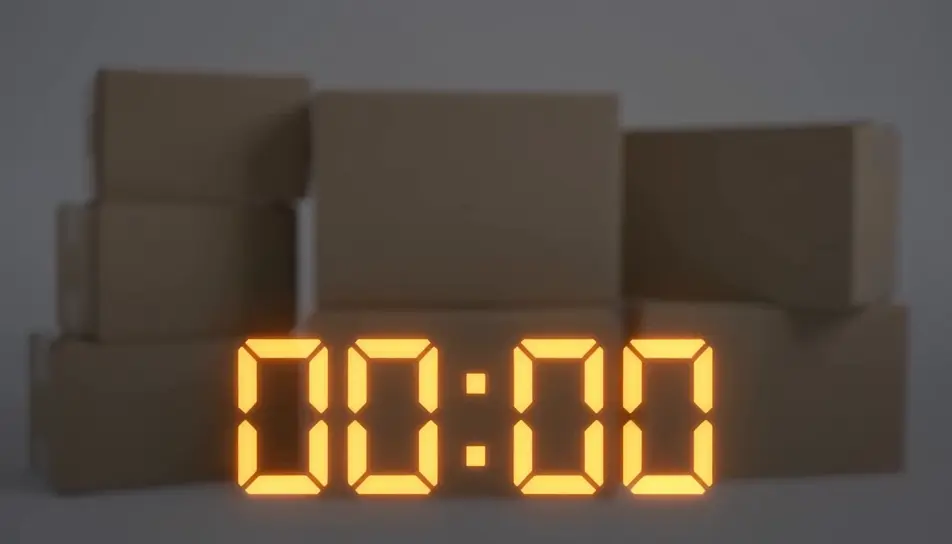
Countdown over product shot

A large ticking countdown overlaid on a soft-focus product arrangement, the numbers sharp against the blurred background.

编辑提示词
Full-screen urgency loop for stories

A vertical, loopable countdown graphic built for a story placement, numbers ticking center-frame with a pulsing background glow.

编辑提示词

Email header countdown bar

A wide, short countdown bar with ticking digits and a thin progress line beneath, designed to sit at the top of an email.

编辑提示词
Countdown handoff to offer card

The countdown ticks down to zero, then wipes to reveal a blank offer card ready for the store's own text and price.

编辑提示词
三步制作Black Friday countdown video视频

  1. 一

    描述你的场景

    用简单的话写下你想要的Black Friday countdown video场景。

  2. 二

    生成视频

    Morphic 在几秒内于画布上生成电影级片段。

  3. 三

    优化并分享

    调整提示词,重新生成,满意后即可下载或分享。

简单定价

今天就免费开始,随时可以升级或取消。

Basic

$19/ 月
账单金额为 $228 每年

2400 每月 信用

1 个用户

所有模型

工作流

Standard

$24/ 月
账单金额为 $288 每年

3625 每月 信用

1 个用户

所有模型

工作流

Pro

$45/ 月
账单金额为 $540 每年

6350 共享 每月 信用

1 用户

+ 最多 4 人额外付费可增加

所有模型

工作流

Max

$170/ 月
账单金额为 $2040 每年

24650 共享 每月 信用

1 用户

+ 最多 9 人额外付费可增加

所有模型

工作流

Enterprise

更高的限制

自定义

定价和账单条款

大容量信用
自定义席位限制
所有模型
工作流
Pricing Gradient

Free

供随意体验

$0

永久免费

最多 20 积分
仅1个用户
部分模型
工作流

常见问题

Can I generate a real, live Black Friday countdown timer with Morphic?
No. Morphic generates video clips — a rendered countdown graphic you can post as a story, reel or email header — not an interactive, live-ticking timer widget that counts down in real time on a page. If you need an actual live timer, that's a different tool; Morphic is for the motion-graphic clip around your sale.
What should a Black Friday countdown video actually show?
Something that reads as urgency in one glance: bold numbers ticking down, a short "sale ends soon" phrase, or a progress ring draining. Keep it to one idea per clip so it still works muted and scrolled past quickly in a feed.
How do I add my own offer and product to the clip?
Generate the countdown graphic on its own, then composite your product shot, logo and price on top of it using your usual design or editing tool, or cut the two together on Morphic's Compose. The countdown clip is the motion layer underneath, and your offer and branding sit over it.
How do I make one in Morphic?
Open the Text to Video tool, describe the countdown treatment, the background and one accent color, and Morphic generates the clip in minutes. Resize or re-cut it for stories, reels or a wide email-header crop on Compose.
Can I make different versions for stories, reels and email?
Yes. Generate the countdown concept once, then use Compose to re-crop it to a vertical story, a square or vertical reel, and a wide email-header bar, so the same look runs consistently across every placement.
Does the countdown need to show an actual number of days?
No — you can generate a clip with ticking digits as a motion treatment without wiring it to a real countdown. Pair it with your own copy, like "ends Sunday", wherever you post or send it.