وضع تركيز الفيديو
يتيح لك وضع التركيز على الفيديو على Morphic إجراء تعديلات على أي فيديو تعتمد على الأوامر باستخدام الذكاء الاصطناعي. صف التغيير الذي تريده، وسيطبقه Morphic بشكل متسق عبر جميع الإطارات.
إليك شرحًا سريعًا حول كيفية استخدام وضع تركيز الفيديو في Morphic:
- قم بتحميل فيديو أو إنشائه على اللوحة
- حدد الفيديو الذي تريد تعديله
- انقر على «Edit video» ضمن «Details» > «Tools» في الشريط الجانبي الأيمن أو في قائمة النقر بزر الماوس الأيمن على الفيديو. ينضم الفيديو إلى «References» فوق شريط الطلب
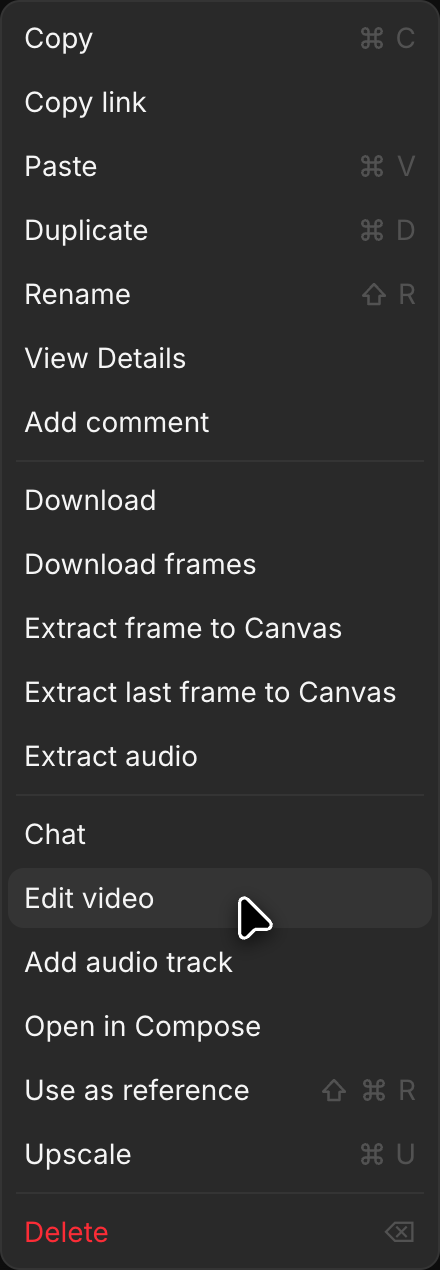
- انقر على محدد الوضع في أسفل يسار شريط الطلب واختر «Text/Image to Video»
- انقر على محدد النموذج، وقد يكون مضبوطًا على نموذج آخر، واختر نموذجًا يعدّل الفيديو. يفتح النموذج الذي له عدة إصدارات قائمة قصيرة عند تمرير المؤشر فوقه. مرّر المؤشر فوق «Morphic» واختر «Morphic Edit» لإجراء تعديلات سريعة في مكانها مع الحفاظ على طول المقطع. ومرّر المؤشر فوق «Kling» واختر «Kling 4.0» لتعديل مقاطع حتى 30 ثانية مع الحفاظ على انتقالاتها بين اللقطات وحركتها
- اكتب مطالبة تصف التغيير الذي تريد إجراءه (على سبيل المثال، "غيّر لون الحصان إلى الأبيض" أو "غيّر الخلفية إلى مشهد شتوي ثلجي")
- انقر على الزر الأزرق في شريط الطلب
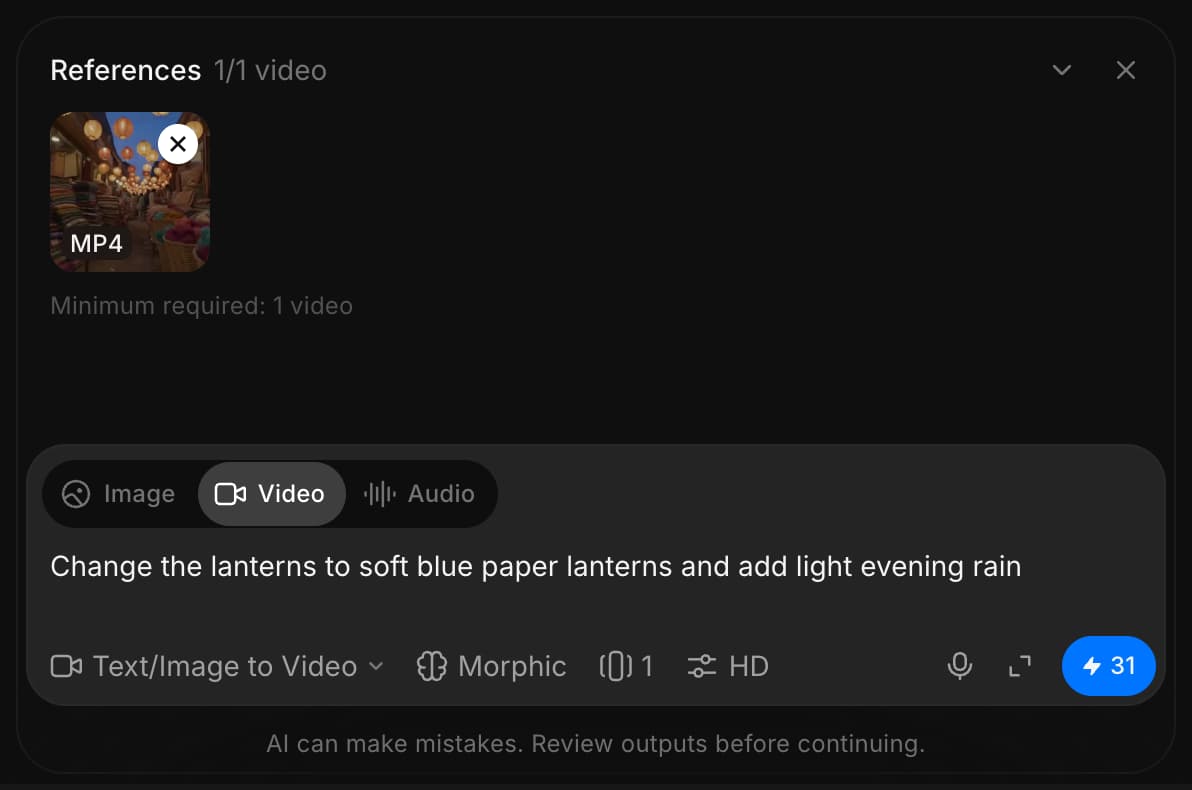
يقوم Morphic بتحويل الفيديو بناءً على مطالبتك ويطبّق التغيير بشكل متسق عبر جميع الإطارات.
هذه هي طريقة استخدام وضع تركيز الفيديو في Morphic. إنها طريقة سريعة لإجراء تعديلات مدعومة بالذكاء الاصطناعي مثل استبدال الشخصيات، وتغيير البيئات، وضبط الإضاءة، أو إزالة العناصر غير المرغوب فيها.
إذا واجهت أي مشكلة أو كانت لديك أي أسئلة، فلا تتردد في التواصل معنا. يسعدنا مساعدتك. اكتب لنا على support@morphic.com.