Storyboarding mithilfe visueller Referenzen
Diese Methode ist nützlich, wenn das Storyboard bestimmten Charakteren, Umgebungen oder visuellen Stilen folgen soll.
Hier ist eine kurze Anleitung, wie du auf Morphic mithilfe visueller Referenzen Storyboards erstellst:
- Gehe zu Copilot auf Morphic
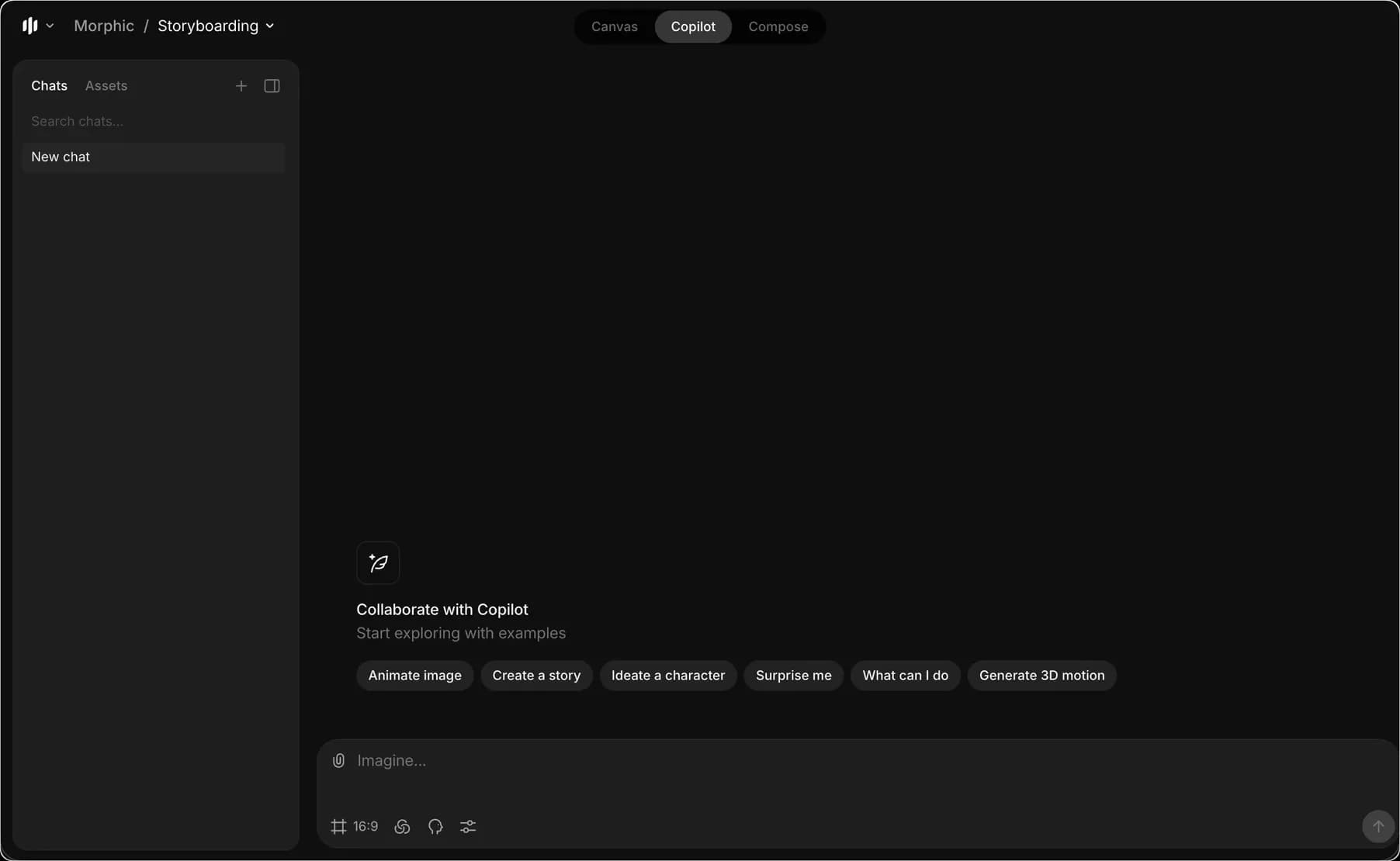
- Referenzbilder hochladen
a. Du kannst bis zu 7 Bilder für Charaktere, Umgebungen oder den Aufnahmestil hochladen - Schreibe einen Prompt, um mit dem Welpen und dem Jungen aus den Referenzbildern und deinem Skript ein Storyboard zu erstellen
- Optional kannst du Details wie Aktionen, Stimmung, Kamerawinkel und die Verwendung der Referenzen hinzufügen.
- Klicke auf den blauen Pfeil, um dein Storyboard zu erstellen
Copilot erstellt Storyboard-Frames, die sowohl zu deiner Textbeschreibung als auch zu den hochgeladenen visuellen Referenzen passen. So kannst du auf Morphic Storyboards mithilfe visueller Referenzen erstellen. Das ist nützlich, wenn deine Storyboard-Frames bestimmten Charakteren, Umgebungen oder visuellen Stilen folgen sollen.
Wenn Sie Probleme haben oder Fragen haben, können Sie sich gerne an uns wenden. Wir helfen Ihnen gerne. Schreiben Sie uns an support@morphic.com.
Storyboarding mithilfe eines Skripts
Diese Methode ist nützlich, wenn Sie möchten, dass Copilot eine Geschichte generiert, oder wenn Sie bereits ein Skript haben und es als Storyboard-Frames visualisieren möchten.
Storyboarding mithilfe eines Rasters
Storyboarding mit Gittern unterteilt eine Szene in mehrere Frames zur Abdeckungsplanung. So können Sie verschiedene Kamerainstellungen erkunden und dabei Motiv, Umgebung und Beleuchtung konsistent halten.