Extend video
How to make a shot longer than one generation allows, by extending the clip with Seedance 2.5 or continuing from one of its frames.
Every video model on Morphic has a maximum clip length. To make a longer shot or carry a scene on, extend the clip you already have with Seedance 2.5, or start a new clip from one of its frames and join the clips in Compose.
Extend with Seedance 2.5
Seedance 2.5 continues a clip past its last frame, keeping the character, motion and style. It can also generate the moment before the first frame.
- On the Canvas, click the mode picker at the bottom left of the prompt bar, hover over 'Video', then click 'Reference to Video'
- Click the model picker, hover over 'Seedance', and select 'Seedance 2.5'
- Click the 'References' box and add the clip you want to extend. See Reference to Video for where a reference can come from
- Click the settings button, such as 'SD · 16:9 · On · 5s · Auto · High'. Set 'Task Type' to 'Extend', and set 'Duration' to the length of the finished clip, the original plus the new footage. To add 5 seconds to a 5-second clip, pick 10s
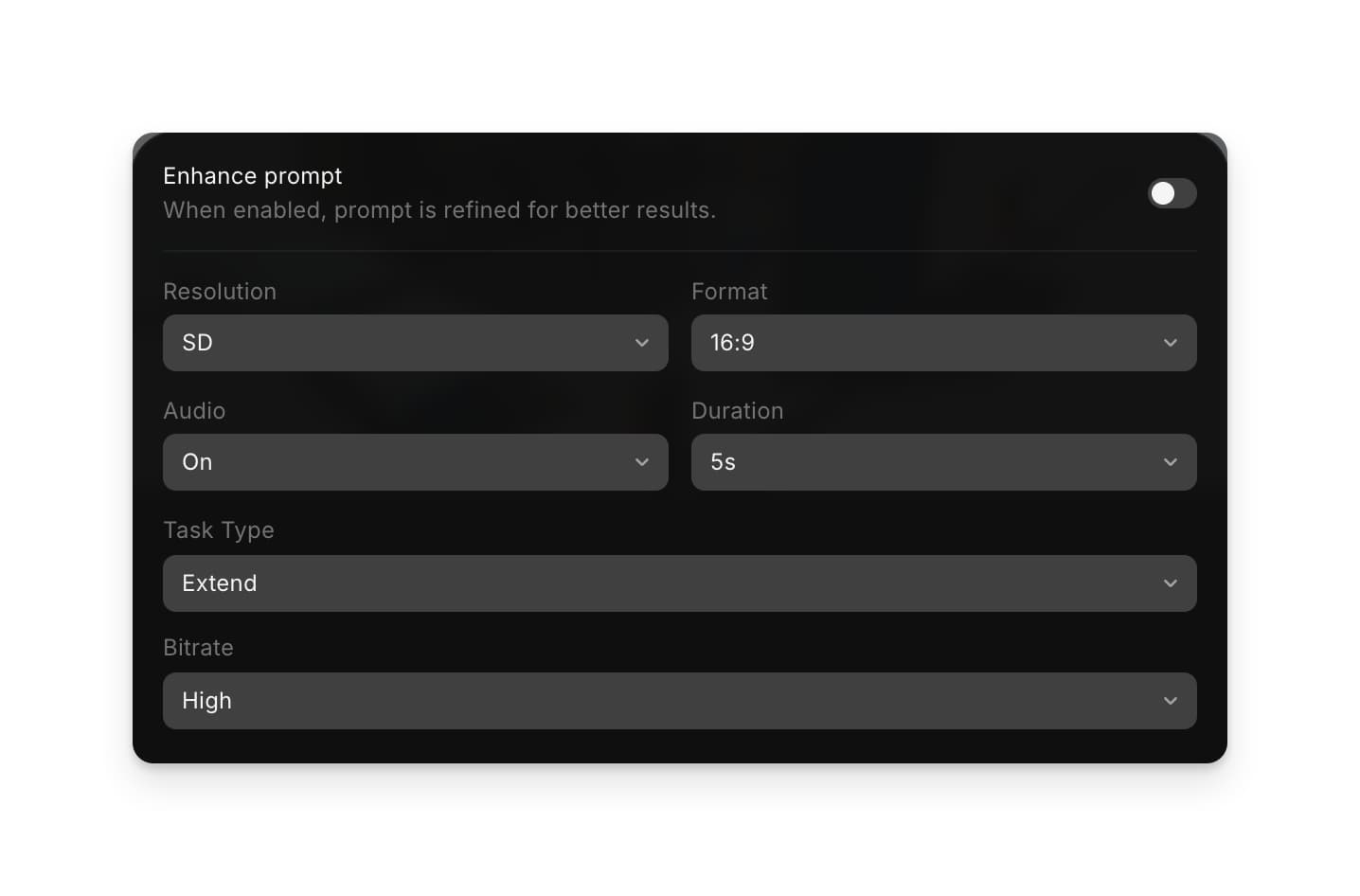
- Write the prompt with extend or continue, and name the clip with @, for example
Extend @Video 1 forward: the rider crests the hill and slows as the town comes into view - Click the blue button in the prompt bar. It shows what the clip will cost
The result is one clip with the original and the new footage, in the aspect ratio of the clip you attached. To add footage before the clip instead, say so: Continue the 5 seconds before @Video 1.
Continue from a frame
This works with any video model, so you can switch model or change direction at the cut.
- Right-click the clip on the Canvas and choose 'Extract last frame to Canvas'. To continue from an earlier moment, select the clip, scrub the playhead to the frame you want, then right-click and choose 'Extract frame to Canvas'
- Select the extracted frame and run Image to Video with it as the start frame. Describe what happens next, for example
she keeps walking at the same pace and turns toward the window - Repeat from the end of each new clip until the scene is as long as you need
Here's a quick tutorial on how to extract a frame from a video on Morphic:
Join the clips
Clips made from frames are separate videos. Put them together in Compose:
- Open Compose
- Drag the clips from the 'Assets' tab onto the timeline, in order
- Click 'Export' at the top right. See Export a video
Tips
- Use Extend when the shot has to flow with no visible join. Continue from a frame when you want to steer each next clip yourself.
- Give each new clip one action, and say where everyone is when it starts, like
he stays seated on the left, she stands by the door holding the envelope - Keep the same model, aspect ratio and references across clips so the character and look stay the same.
- In Copilot, ask for it in plain language, for example "extend this clip by 5 seconds".
That's how you extend video on Morphic. Use it whenever a shot or scene needs to run longer than one generation.
If you have any trouble or have any questions, feel free to reach out. We're happy to help. Write to us at support@morphic.com.