Why change an outfit with AI
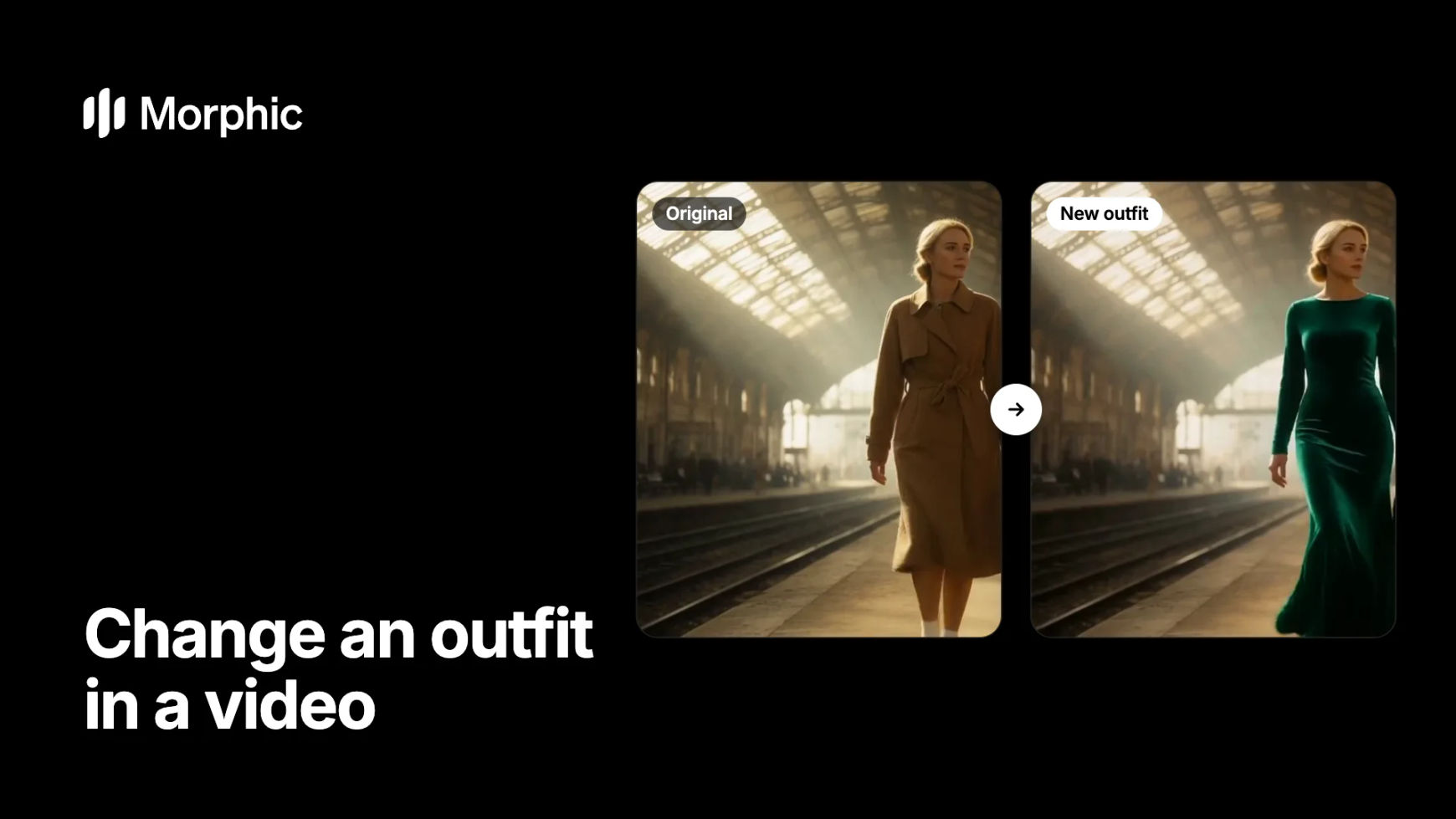
A wardrobe note after the shoot used to mean a reshoot or days of frame-by-frame work. Describe the new outfit in plain words and Morphic applies it across every frame: the fabric moves with the person and catches the same light, while their face, movement and the scene stay as filmed.
Video outfit change examples
One sentence per edit. The walk, the gestures and the location come from the original shot.
Original
New outfit
The camel trench coat becomes a floor-length emerald velvet gown. The skirt moves with her stride; the station, the travellers and the sunbeams stay as shot.
How to change an outfit in a video in Morphic
Open video to video and add the clip
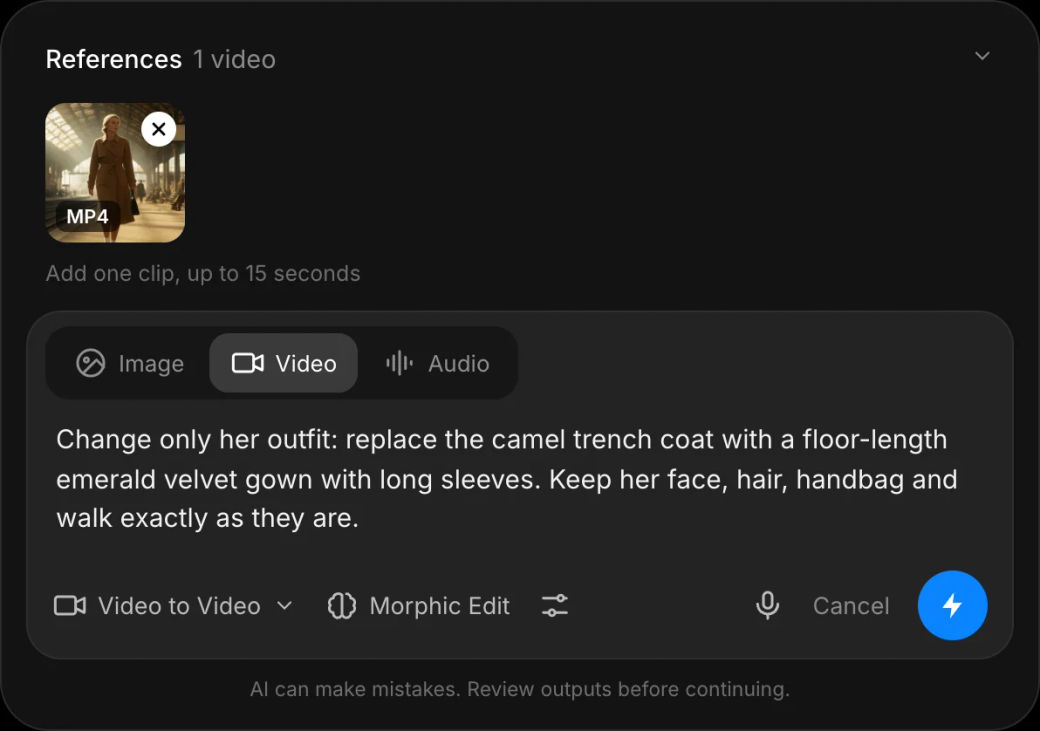
Open the video to video tool and add the shot, up to 15 seconds. A clip where the clothing is clearly visible, well lit and not hidden behind objects gives the cleanest edit.
Describe the new outfit and what stays
Name the garment, the colour, the fabric and the cut, then say what must not change, for example "Change only her outfit: replace the trench coat with an emerald velvet gown. Keep her face, hair and walk."
Compare versions and keep the best
Generate a few versions, watch the moments with the most movement, and keep the one where the fabric holds together. The edit keeps the clip's length, so it drops straight back into your cut.
Changing wardrobe across a whole campaign? Let's build your custom workflow.
For fashion brands, agencies and studios. Tell us about your footage, looks and markets, and we'll design a custom video editing workflow with you that applies every wardrobe change consistently, shot after shot.
How to write an outfit prompt that holds
- Be specific about the garment. "Emerald velvet evening gown with long sleeves" beats "a nice dress". Colour, fabric and length give the model something concrete to draw.
- Say "change only". Starting with "Change only the outfit" and listing what stays protects the face, the hair and the background.
- Match the movement. A long skirt on a fast run or a stiff coat in a dance can look odd. Pick clothes that suit the motion in the shot.
- Keep accessories in mind. Name bags, jewellery or hats you want kept or removed, or the model will decide for you.
- One change per pass. Change the outfit first, then make other edits in a second pass for cleaner results.
Change the outfit, or change the whole person?
| Goal | Use | What stays |
|---|---|---|
| New clothes, same person | Outfit edit in video to video | The face, the movement, the scene |
| A different person | Morphic Recast | The performance, camera and soundtrack |
| A new setting | Change the background | The person and their movement |
| A quick outfit-swap clip for social | Outfit swap video | Your idea, generated from scratch |
FAQs
Yes. In Morphic you describe the new outfit and the edit is applied across every frame of the shot. The person's face, movement and the scene stay as filmed, so there is no reshoot and no masking.
The edit follows the original motion, so a skirt swings with the stride and a jacket moves with the shoulders. Clothes that suit the movement in the shot look most natural.
Each edit works on one clip of up to 15 seconds and keeps its length. Edit a longer sequence shot by shot, then assemble it on the Compose timeline.
It should not. Say "change only the outfit" and list what stays, such as the face and hair, to keep the edit focused on the clothes.
Yes. Describe the person by what is visible, such as "the woman on the left in the trench coat", so only their clothes change.
Describe clothing generically by colour, fabric and cut. Avoid naming brands or logos unless you own the rights to them.