Why change a video's background with AI
Sometimes the performance is right and the place is wrong. Describe the new setting and Morphic replaces the background across every frame, with your subject, their movement and the camera kept as filmed. The light on the subject shifts to match, so the scene reads as if it was shot there.
Video background change examples
One sentence per edit. The person, the performance and the camera move come from the original shot.
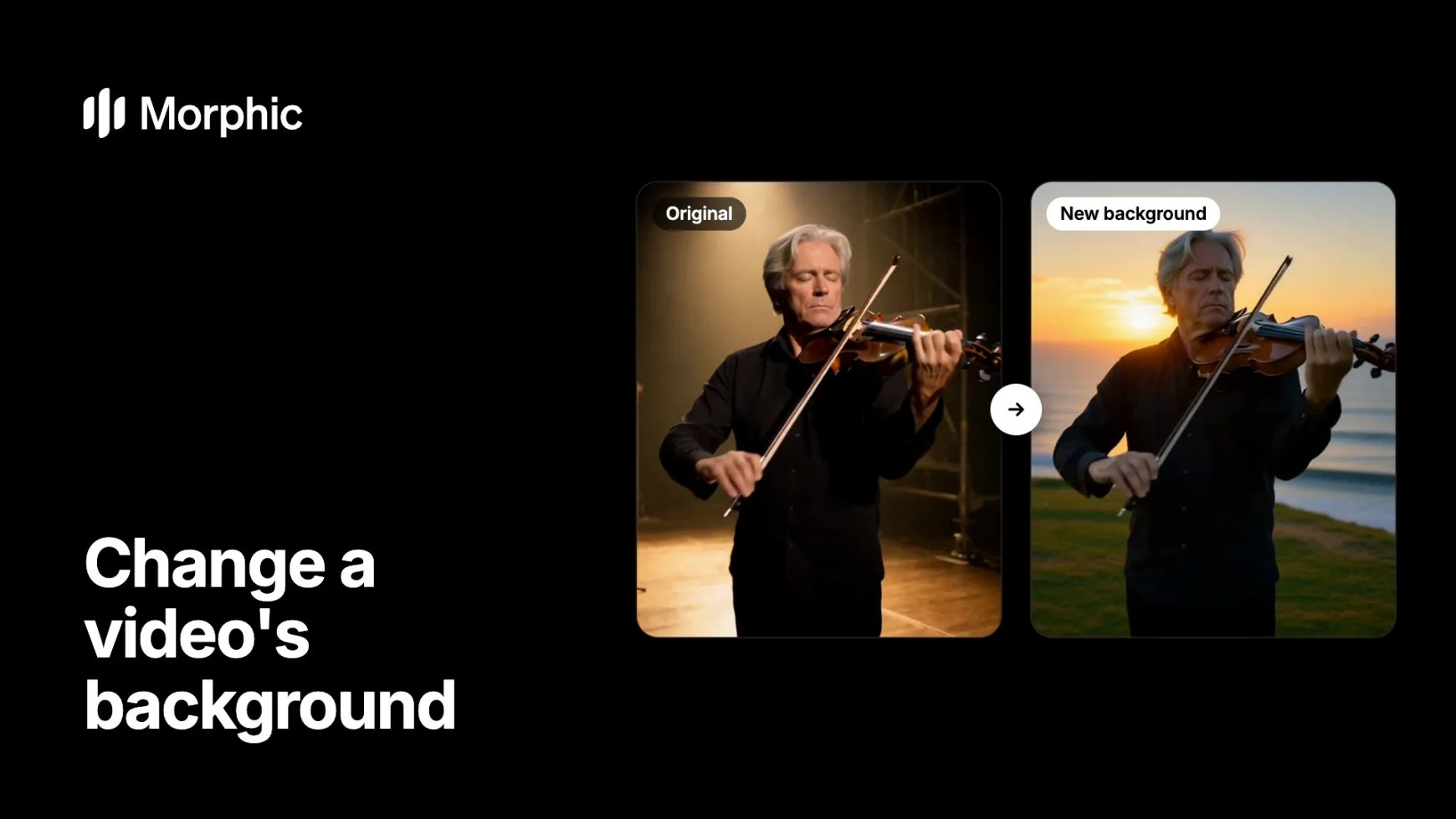
Original
New background
An empty theatre stage becomes a clifftop above the sea at golden sunset. The violinist, the bow strokes and the slow push-in stay as shot, with warm light now on his face.
How to change a video's background in Morphic
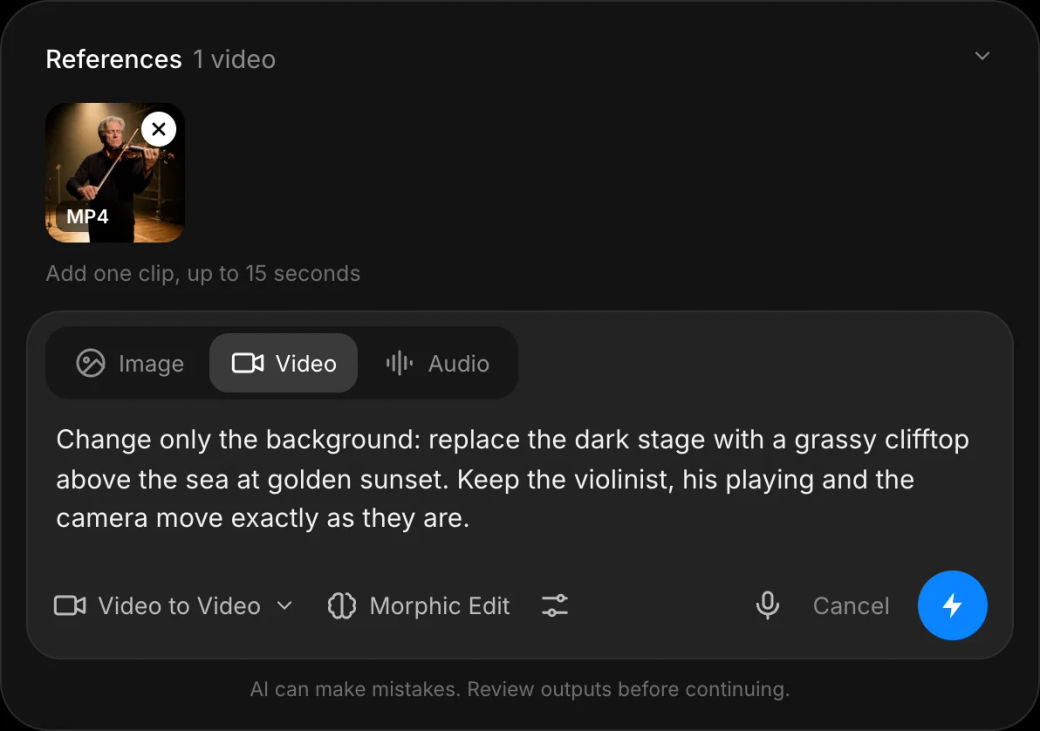
Open video to video and add the clip
Open the video to video tool and add the shot, up to 15 seconds. A subject with clear edges against the background, such as a figure in a spotlight or a person by a window, gives the cleanest change.
Describe the new setting and what stays
Describe the place, the time of day and the light, then say what must not change, for example "Change only the background: replace the dark stage with a sea clifftop at sunset. Keep the violinist and the camera move."
Compare versions and keep the best
Generate a few versions and check the edges of the subject, especially hair and moving hands. Keep the version where the subject and the new place sit together naturally.
Moving lots of footage to new locations? Let's build your custom workflow.
For studios, agencies and brands. Tell us about your footage and the settings you need, and we'll design a custom video editing workflow with you that changes backgrounds consistently across every shot.
How to write a background prompt that holds
- Describe the light, not just the place. "At golden sunset, warm low sun behind him" helps the subject's lighting match the new setting.
- Say "change only the background". Then list what stays, so the subject, their clothing and the camera are protected.
- Keep the camera move in mind. A push-in or a pan shows more of the background over time, so describe a setting that works from every angle in the shot.
- Match the scale. A close-up by a window suits a view through the glass; a wide shot needs a full environment.
- Change one thing at a time. Swap the background first, then adjust the weather or the time of day in a second pass if needed.
Which background tool fits the job?
| Goal | Use | What you get |
|---|---|---|
| A new setting behind a moving subject | Background edit in video to video | The same shot in a new place |
| Remove the background entirely | Video background remover | The subject on its own |
| A new background for a photo | AI background changer | A still image in a new setting |
| New people in the same setting | Morphic Recast | The same scene with a new cast |
Want the whole clip to change, not just the background? Video to video can move a scene to a new location, time of day or look in one pass.
FAQs
Yes. In Morphic you describe the new setting and it replaces the background across every frame, with the subject kept as filmed. The footage does not need to be shot against a green screen.
The edit adjusts the light to suit the new setting, so a sunset background brings warmer light onto the subject. Describing the light in your prompt helps it match.
Each edit works on one clip of up to 15 seconds and keeps its length. Change a longer sequence shot by shot, then assemble it on the Compose timeline.
Yes. The camera move comes from the original shot, and the new background is drawn to follow it.
Yes. Describe exactly what changes, such as "only the view through the train window", and list what stays, so the rest of the frame is left as shot.
Short, well-lit shots with a clear subject. Busy foregrounds, motion blur and subjects that blend into the background make the edges harder to keep clean.