What Flux 3 Image adds
Flux 3 Image, released by Black Forest Labs on October 1, 2026, generates and edits from one endpoint. It adds four controls, and the rest of this guide takes them one at a time. Black Forest Labs documents each in its Flux 3 Image docs.
| Control | What it does | Reach for it when |
|---|---|---|
| Bounding boxes | Places each element on a 0 to 1000 grid | Position is part of the brief |
| Edit instructions | Changes what you name, keeps the rest | One detail is wrong |
| Up to 10 references | Combines images by their position | A real product, person, or room must appear |
| Up to 4K output | Five sizes from a 768 px draft to 4K | The image goes to print or gets cropped |
How to write a Flux 3 Image prompt
Describe the medium, the subject, the setting, the light, and the framing, in that order. Say what should be there rather than what should not: "an empty street" works better than "a street with no cars".
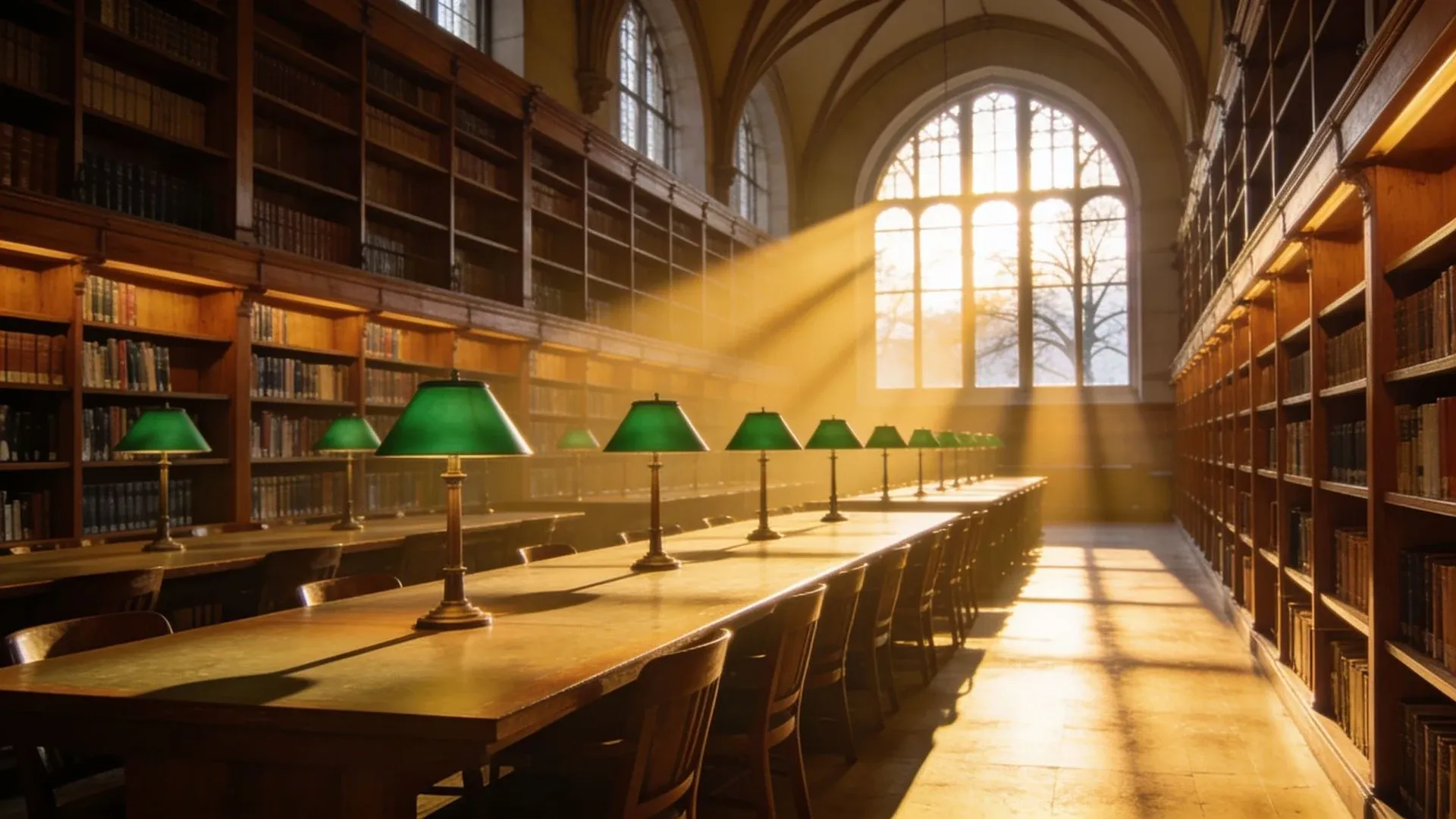
An editorial photograph of an empty public reading room: tall oak shelves along both walls, long tables with green-shaded lamps, low winter sun falling through high arched windows in long beams. Wide shot at eye level, 35mm, quiet and warm.
Layout prompts with bounding boxes in Flux 3 Image
A layout prompt has two parts: a caption that tags each element with a short id, then one row per id with a box and a description. Boxes run top, left, bottom, right, from 0 to 1000 on each axis, so the same numbers work at any aspect ratio. Set the aspect ratio first, and give each block of text its own row.
| Part | What goes in it | Example |
|---|---|---|
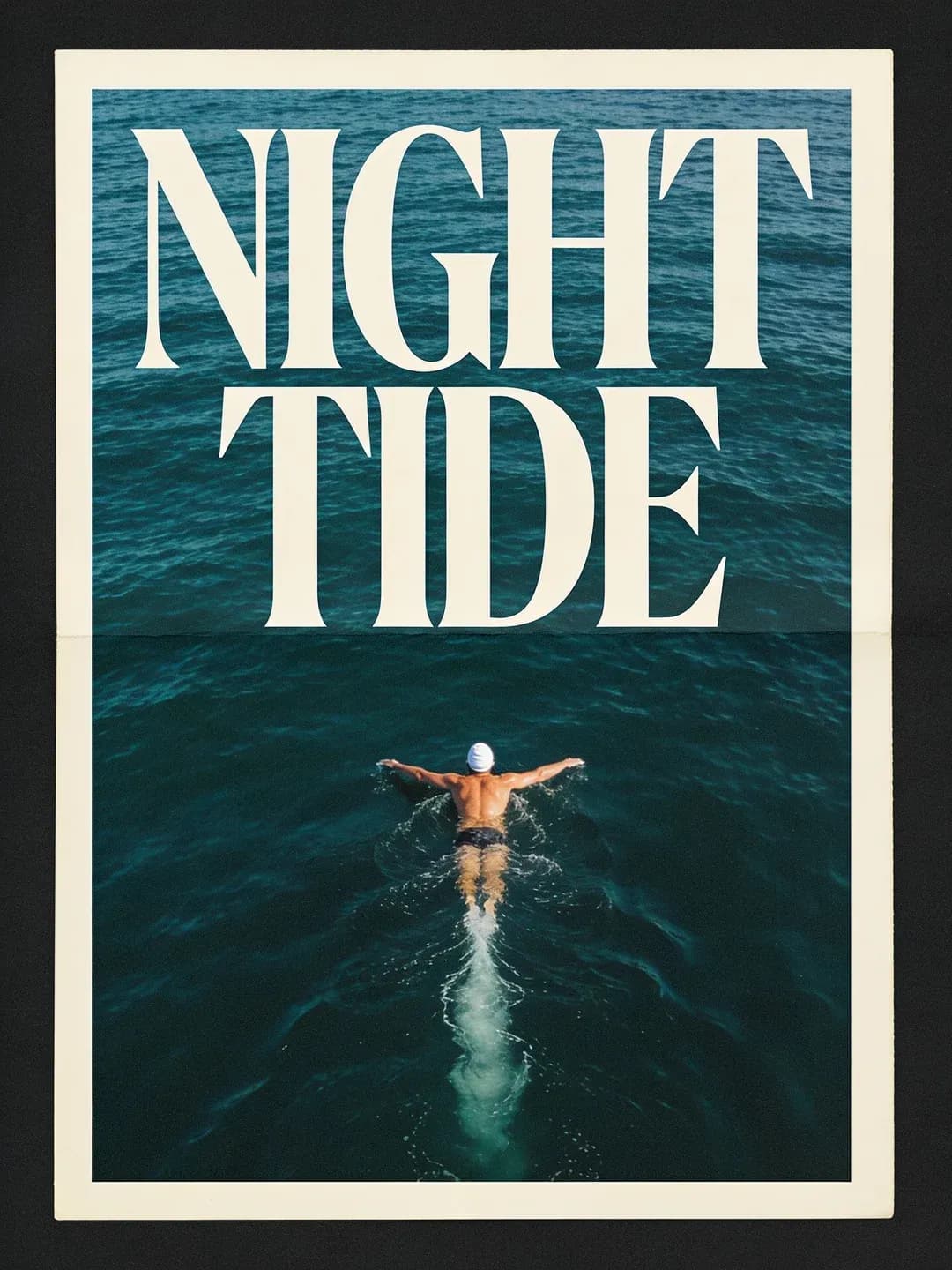
| Caption | The scene, with an id after each element | A swimmer <swimmer_1> under a title <title_1> |
| id | Short, lowercase, numbered | swimmer_1, title_1 |
| bbox | Top, left, bottom, right on 0 to 1000 | [620, 380, 900, 620] |
| desc | Look, color, pose, and exact words | Text reading "NIGHT TIDE" in cream capitals |
Editing with Flux 3 Image: one instruction, three parts
There is no mask or edit mode. Send the image and write the change as an instruction: name the target, give the change, then list what stays. When the exact value matters, write it: a hex code for a color, the words in quotes for text.
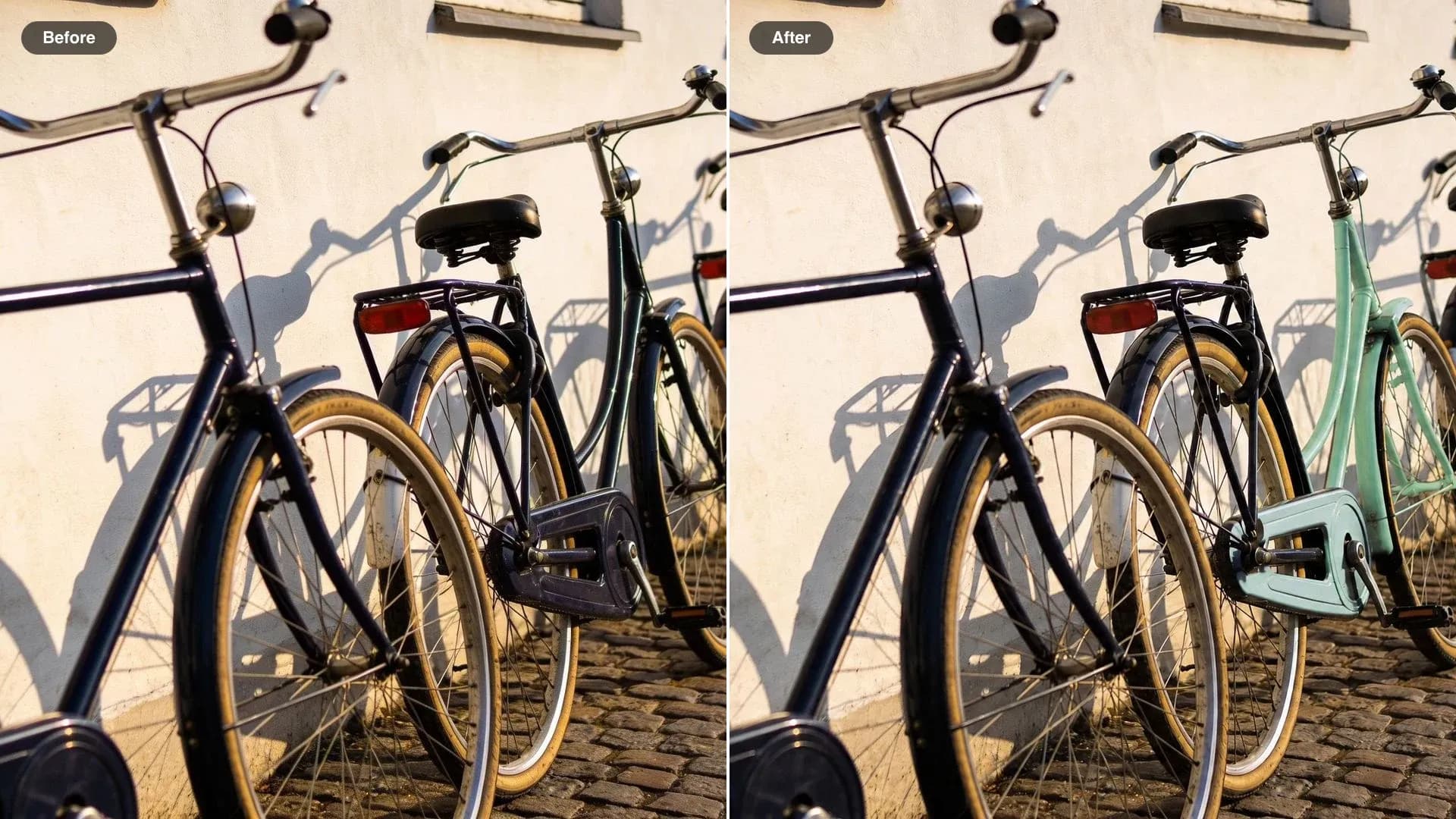
Change the frame of the third bicycle from the left to mint green #98D7C2. Keep the other three bicycles, the white wall, the cobblestones, the shadows and the framing exactly the same.
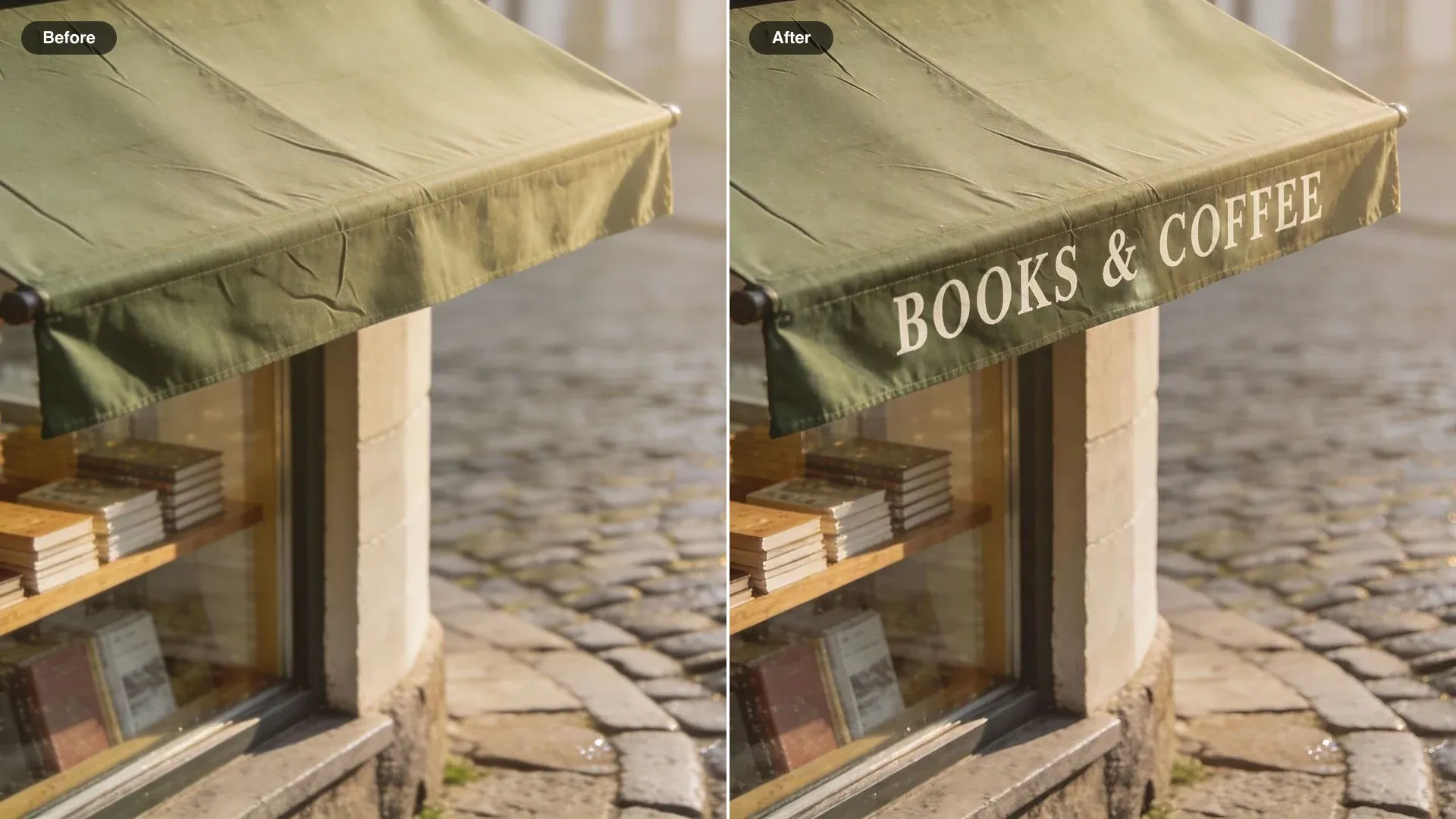
Change the awning text to "BOOKS & COFFEE" in white serif capitals, centered on the awning. Keep the shop front, the window display and the street exactly the same.
Combining up to 10 references in Flux 3 Image
Refer to each image by its position and give it one job. Flux 3 Image reads them in order, and the output takes the shape of image 1 unless you set an aspect ratio.
| Role | What it supplies | How to say it |
|---|---|---|
| Setting | The room or place everything goes into | the living room in image 1 |
| Product | An object whose shape and finish must hold | the armchair from image 2 |
| Material | A color, fabric, or texture | upholstered in the fabric from image 3 |
| Subject | A person or animal to keep recognizable | the woman in image 4 |
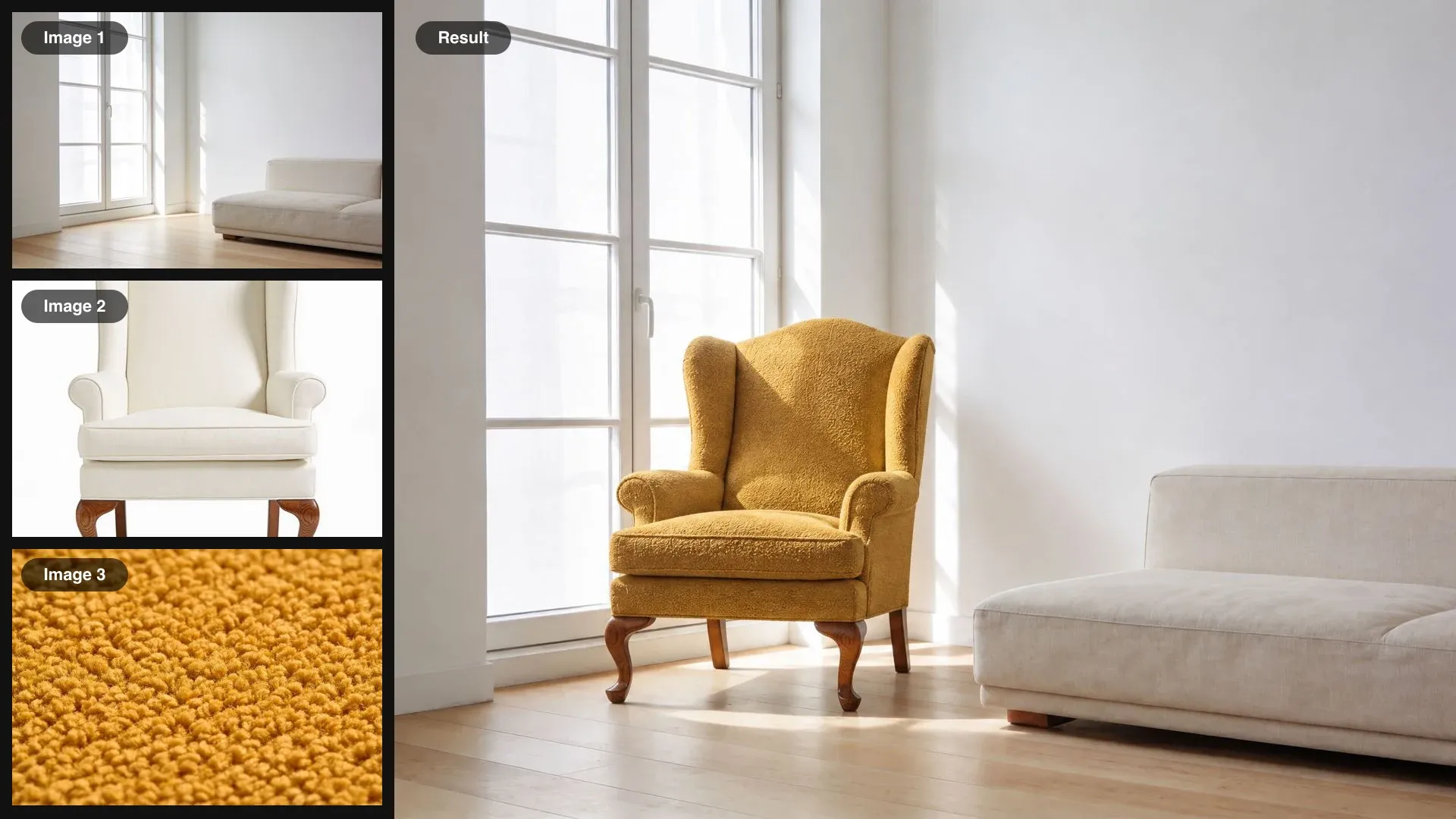
Place the armchair from image 2 by the window in the living room from image 1, upholstered in the mustard fabric from image 3. Light it from the window on the left so it matches the room. Keep the room exactly as it is.
Edit box by box: keep, move, new, remove
When an edit must hit one exact element, describe the source image with rows too. Each row says where an element is now and where it should end up, which tells the model what to keep, what to move, and what to make new.
| Row | How to write it | Effect |
|---|---|---|
| Keep | Same box before and after | Stays exactly where it is |
| Move | Old box, then a new box | Moves or resizes the element |
| New | No source, a target box and a description | Adds, replaces, or recolors in that box |
| Remove | Its box, then no target | Takes it out and fills the space |
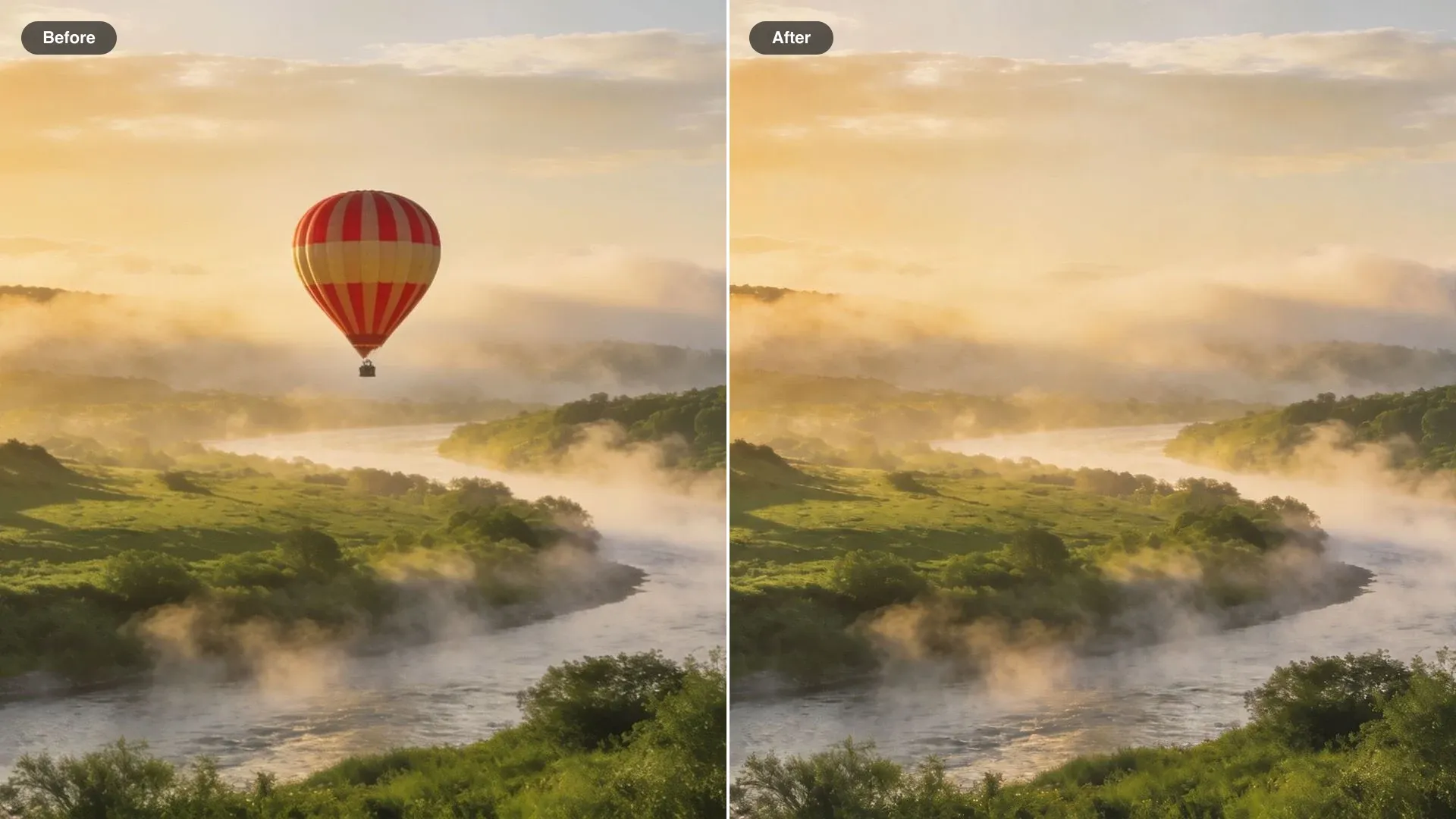
In image 1, move the striped hot-air balloon from the center of the sky to the upper left. Keep the valley, the river, the morning mist and the light exactly the same.
Flux 3 Image resolution, aspect ratio, and grounding
Draft small, finish large. A new resolution is a new generation, so the composition can shift between a draft and the final.
| Setting | Options | What to do |
|---|---|---|
| Resolution | 768 px square, 1K, 1.5K, 2K, 4K | Test at 768 px, finish at 2K or 4K |
| Aspect ratio | 15 ratios, 21:9 to 9:21, plus auto | Pick it before drawing boxes |
| Auto ratio | Follows image 1, else square | Leave it on for edits |
| Grounding | Web and image search, on by default | Turn it off for faster drafts |
| Open weights | Commercial license now, open later | Watch Black Forest Labs for the release |
FAQs
Describe the medium, the subject, the setting, the light, and the framing, in that order, and phrase everything positively: "an empty street" rather than "no cars". Make the prompt and the aspect ratio agree; a wide frame needs something to fill its width.
Each box is four numbers, top, left, bottom, right, on a 0 to 1000 grid that stays the same at any aspect ratio. Tag each element in the caption with an id such as swimmer_1, then add one row per id with its box and a description.
No. Start with a written instruction. Add box rows when several similar objects match the wording, when a change needs an exact position or size, or when you want to move or remove one specific element.
By position: image 1, image 2, and so on, up to 10. Give each one a role, such as the setting, the product, or the material, and say how they fit together.
Yes. Quote the words and name the case, color, typeface style, and alignment. In a layout prompt, give each block of text its own row and box.
Draft at the 768 px square size while you work on the prompt, then render the keeper at 2K or 4K. The 1K default suits most web images.
Yes. Flux 3 Image is live on Morphic, listed as Flux 3 in the image model picker, so every prompt in this guide runs on it directly. The examples on this page were made before it arrived, with other image models on Morphic.