Ideogram 4.5 vs Ideogram 4.0: what changed
Ideogram 4.0 is a generator; Ideogram 4.5, released on September 30, 2026, is an editor first. Ideogram describes it on its Ideogram 4.5 page as built so repeated edits stop adding artifacts, pixel shifts, and color changes.
| Ideogram 4.0 | Ideogram 4.5 | |
|---|---|---|
| Built for | Generating images with accurate text | Editing an image over many rounds |
| Untouched areas | Re-rendered with each change | Copied exactly from your source |
| Control inputs | Layout boxes and a 16-color palette | A mask and up to 4 reference images |
| Text in images | Renders new text | Rewrites and translates existing text |
| Open weights | Public | Announced as coming soon |
How to write an Ideogram 4.5 edit prompt
Name the one change, then name what must stay. Ideogram 4.5 already keeps untouched pixels, but the keep line stops the change from spreading to nearby objects.
| Write this | Why it matters | Example |
|---|---|---|
| The target | Points at one object, not the scene | The bicycle frame |
| The change | One concrete new state | Sunflower yellow |
| What stays | Fences the edit in | Keep the basket, wall, and shadows |
| The framing | Stops a re-crop | Keep the framing exactly the same |
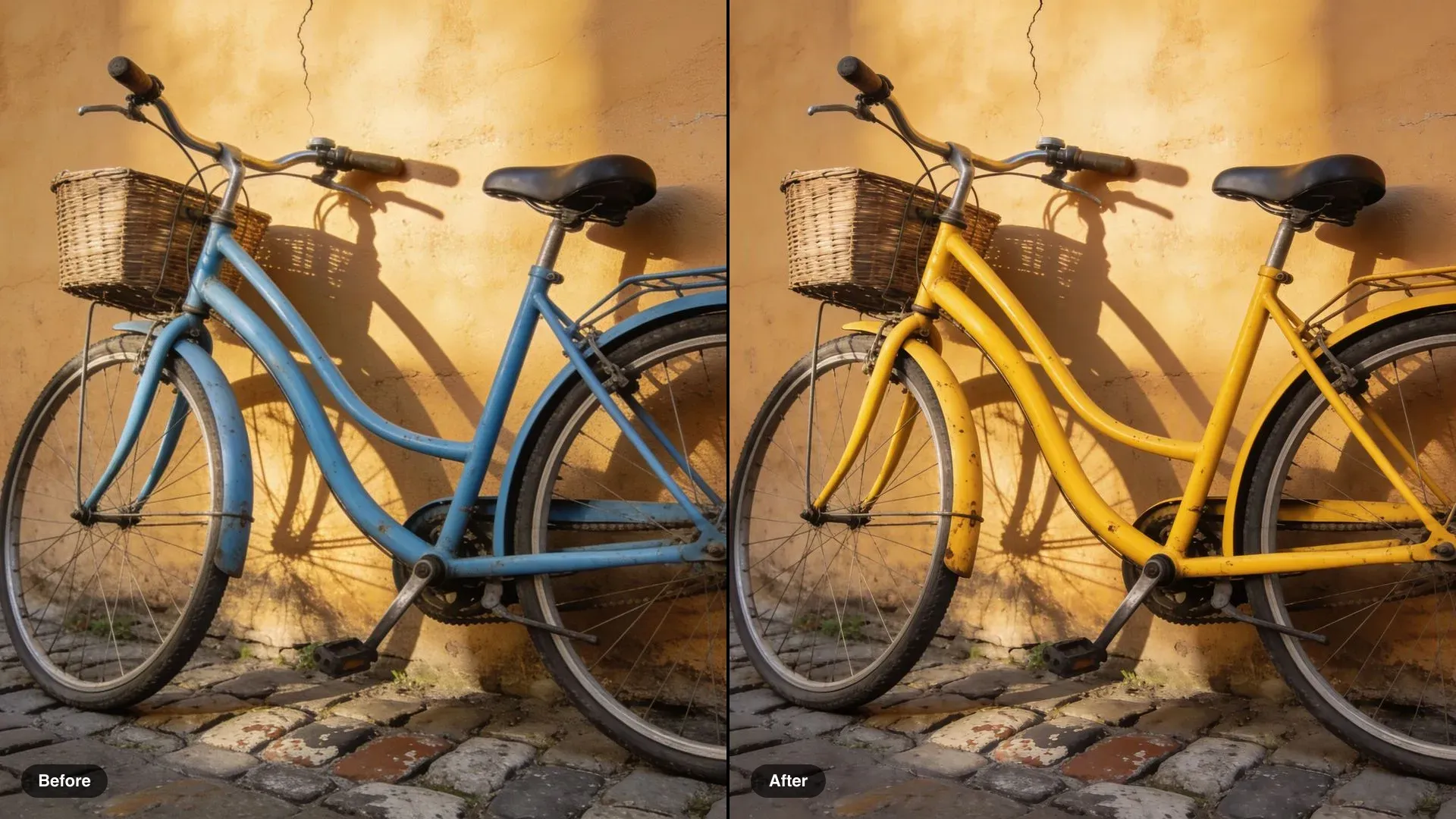
Change the bicycle frame to sunflower yellow. Keep the basket, the wall, the cobblestones, the shadows and the framing exactly the same.
Multi-turn editing in Ideogram 4.5: one change per turn
Split a big brief into small rounds and run each on the last result. One change per turn is easier to check, easier to undo, and it is the way of working Ideogram 4.5 is built for.
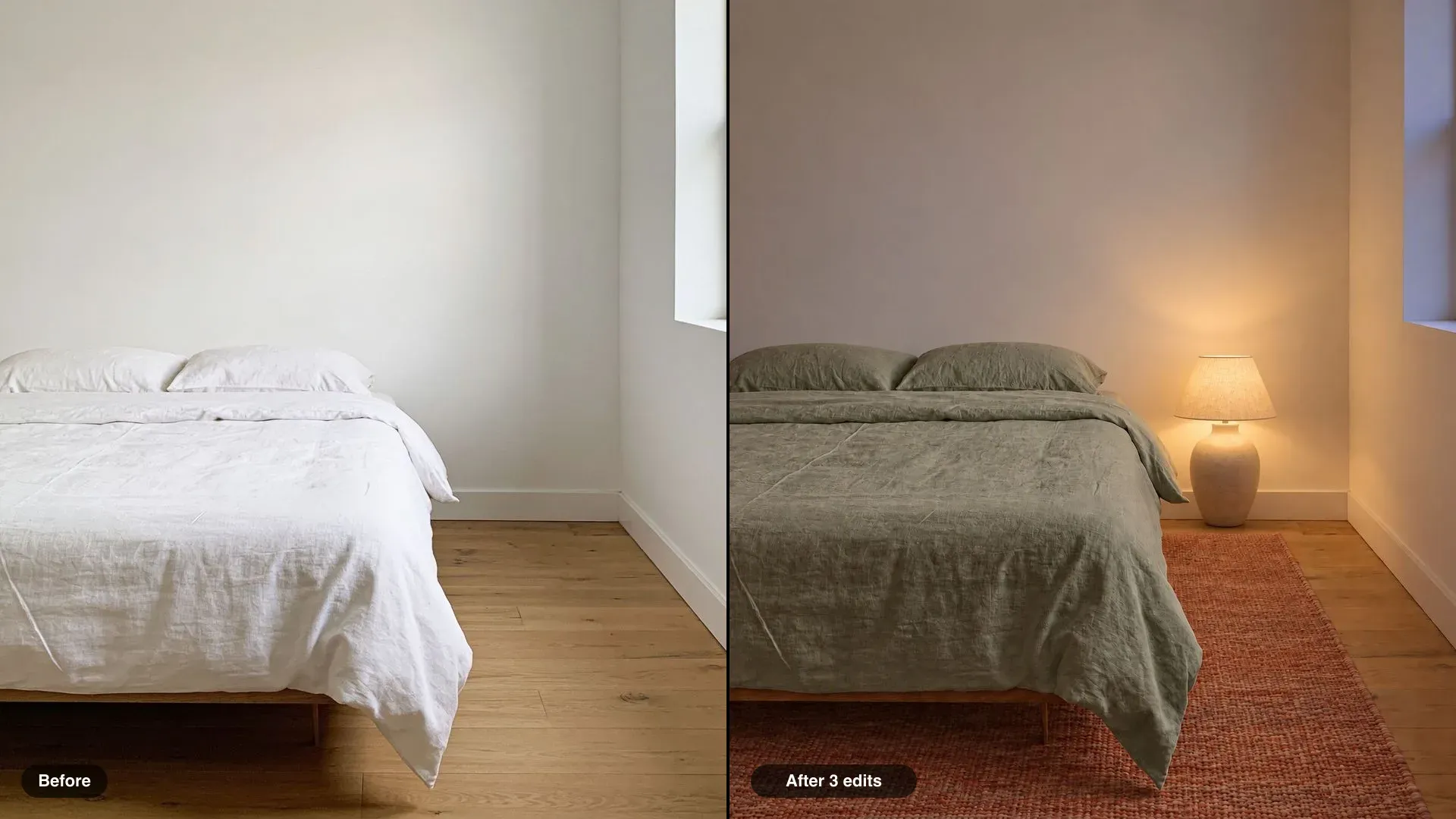
Add a woven wool rug in faded terracotta under the bed. Keep everything else exactly the same.
Masks and reference images in Ideogram 4.5
A mask says where; a reference says what. Use a mask when the prompt alone could touch the wrong object, and a reference when words cannot pin down a color or pattern.
| Input | Limit | Use it for |
|---|---|---|
| Mask | Same size as your image | Black where the edit goes, white where it must not |
| Reference images | Up to 4, or 3 with a mask | A swatch, a pattern, a product, a material |
| Source image | Up to 25 MB, 1:6 to 6:1 | The photo, render, or scan you are editing |
Editing text and lettering with Ideogram 4.5
Quote the new words exactly and say the lettering stays the same. Ideogram 4.5 can rewrite or translate text on signs, labels, covers, and posters while keeping the typeface, size, and position.
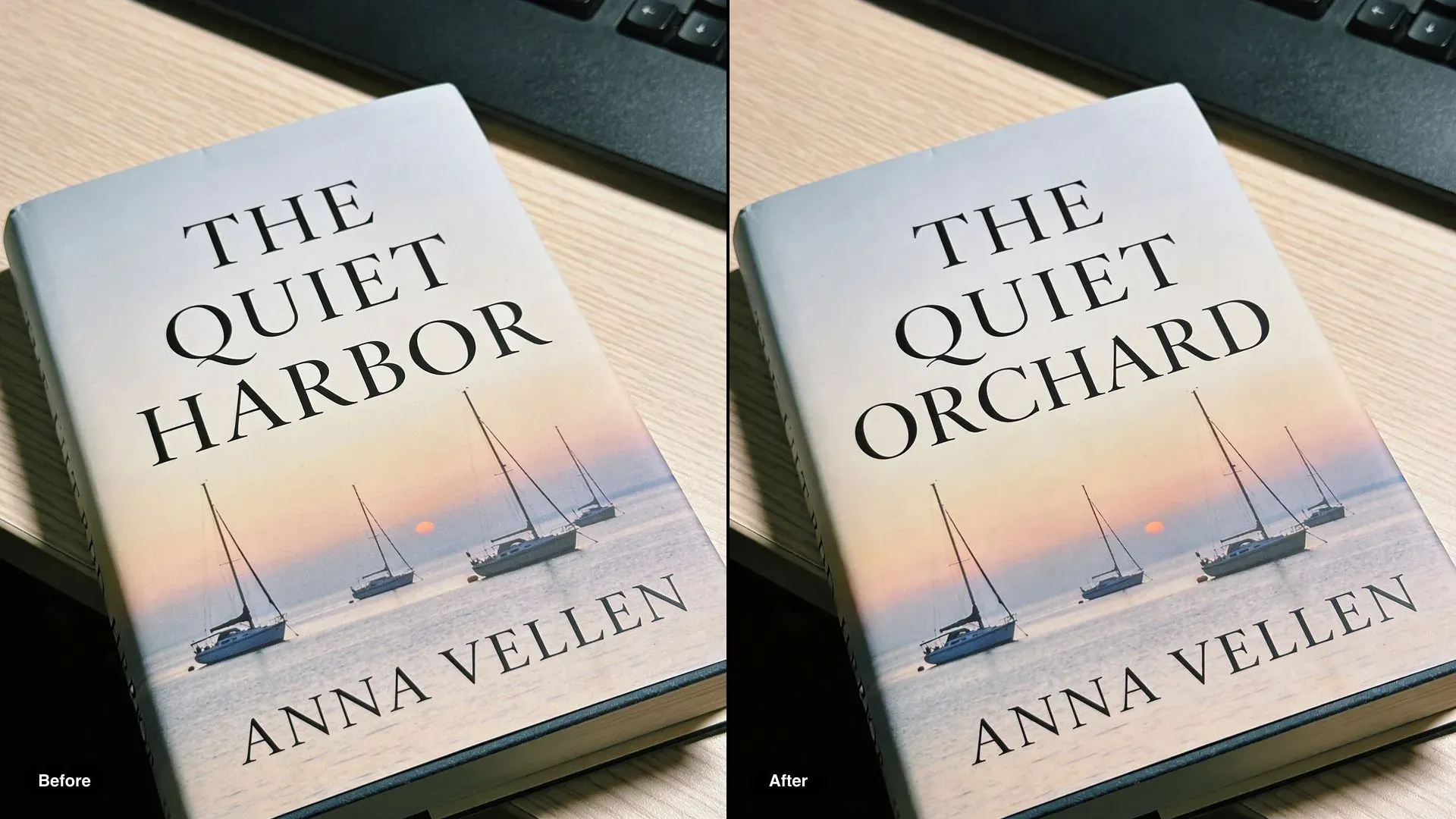
Change the title to THE QUIET ORCHARD in exactly the same serif lettering, size and position. Keep the illustration, the author line and everything else the same.
Restoration and sketch to image with Ideogram 4.5
Both are edits that must keep a subject exact. For old photos, fix damage in stages and keep the faces; for sketches, keep the proportions and angle while the material changes.
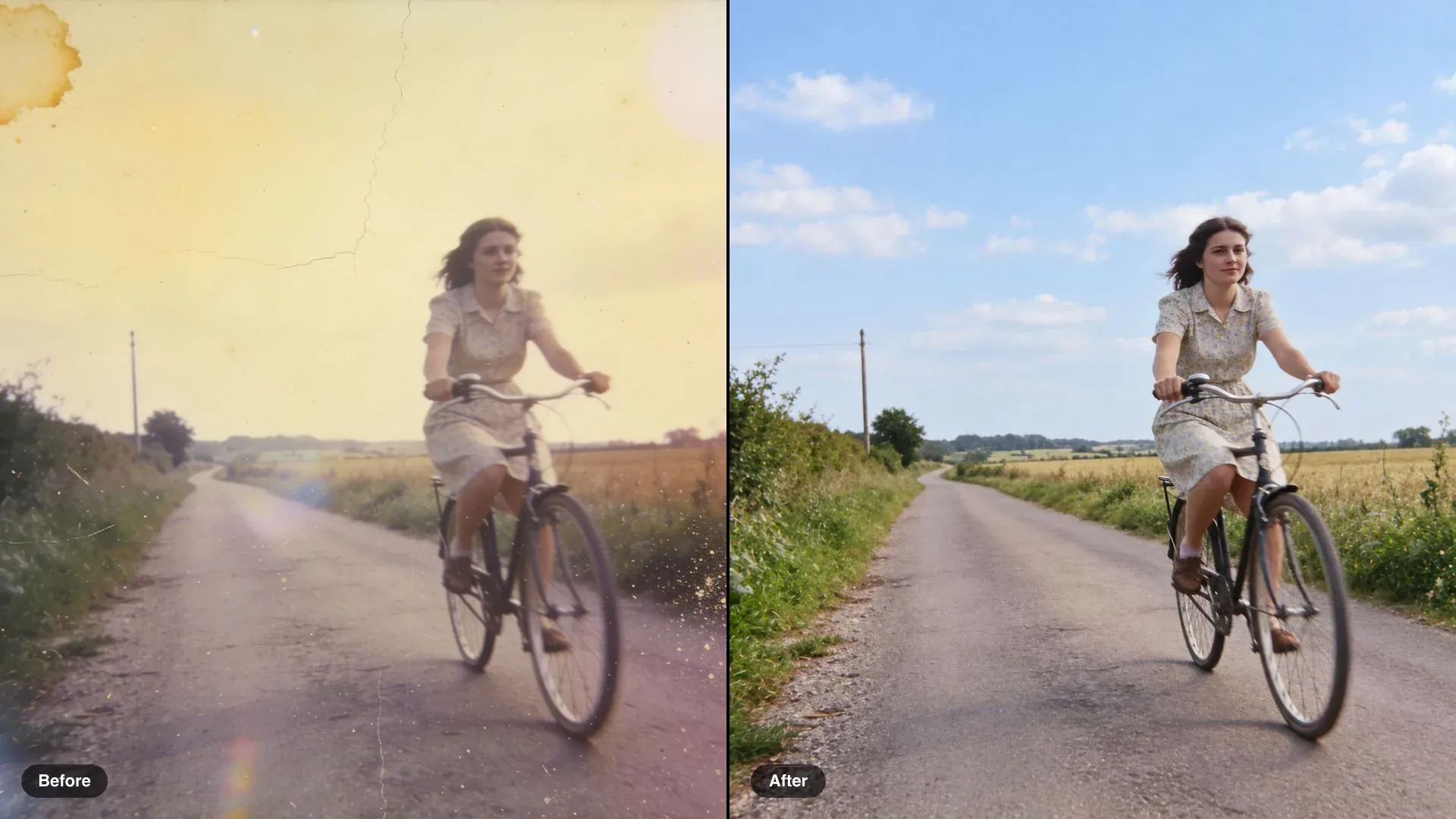
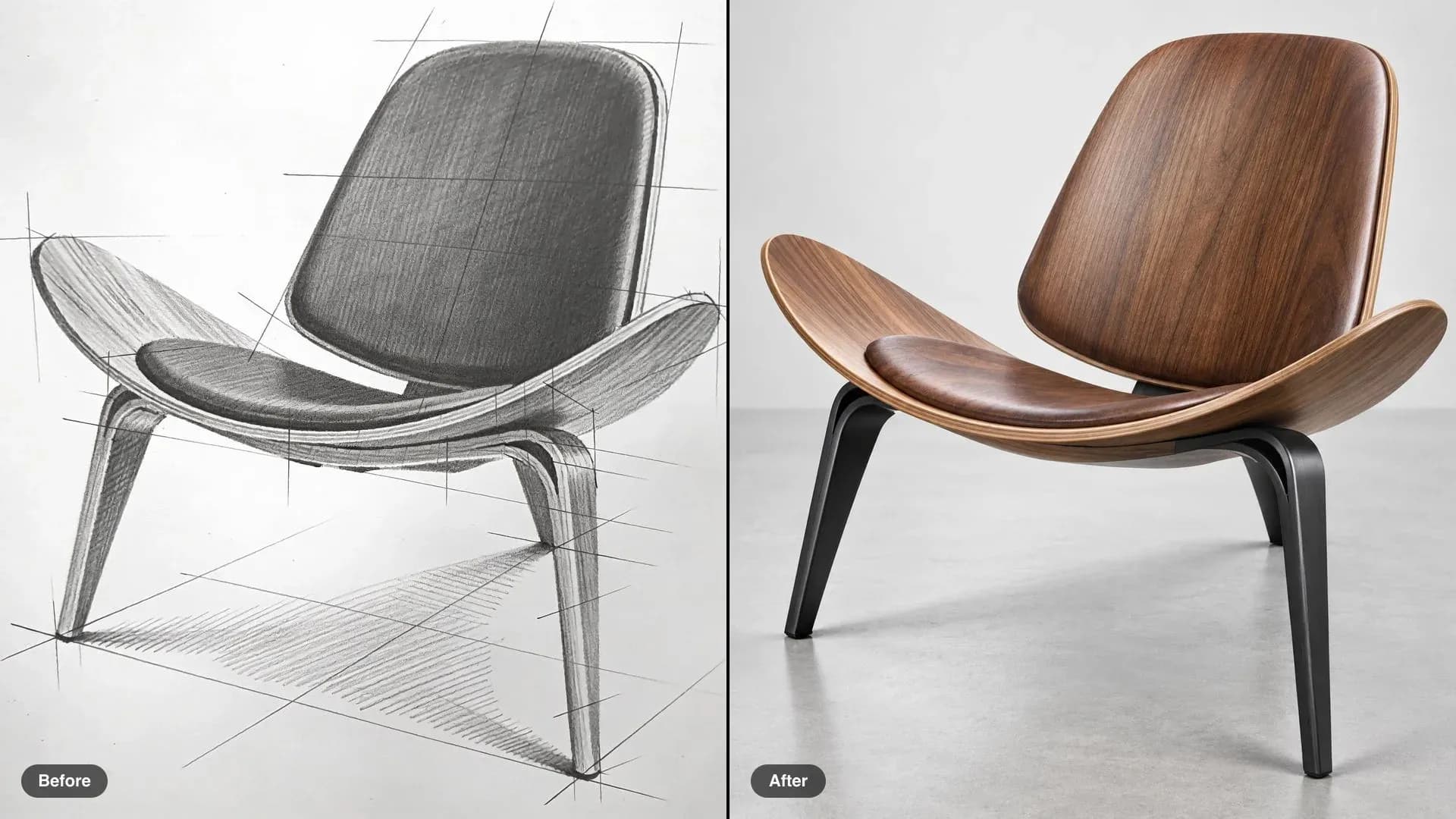
Restore the photograph: remove the cracks, stain, dust and scratches, and bring back natural colour. Keep the woman, her face, her pose, the bicycle and the lane exactly as they are.
Ideogram 4.5 quality levels and limits
Draft on a low level, finish on high. Every level returns native 2K output.
| Feature or limit | What it means | What to do |
|---|---|---|
| Quality levels | Four, from very low to high | Test edits low, run the keeper high |
| Very large images | Edit a crop, then stitch it back | Crop the detail, keep its edges |
| Aspect ratio | Sources from 1:6 to 6:1 | Crop panoramas inside that range |
| References with a mask | Drops from 4 to 3 | Keep the strongest three |
| Open weights | Announced, not yet released | Use Ideogram 4.0 weights for now |
FAQs
Name one target, one change, and what must stay, for example: change the bicycle frame to sunflower yellow, keep the basket, the wall and the shadows. Add "keep the framing exactly the same" so the image is not re-cropped.
Usually not. Run one change per turn on the last result. Ideogram 4.5 is built so turns do not add artifacts or color drift, and single changes are easier to check and undo.
Upload a mask the same size as your image: black marks the area to edit and white the area to keep. It needs both black and white areas. With a mask you can add up to 3 reference images.
Up to 4 per edit, or 3 when a mask is included. Give each one a job, such as the pattern, the color, or the product, and say in the prompt which image carries what.
Yes. Quote the translated words exactly, including accents, and ask for the same lettering, size, and layout. It works on signs, labels, covers, and posters.
Ideogram 4.0 is a generation model with public weights. Ideogram 4.5 focuses on editing: untouched pixels are copied from the source, masks and up to 4 references guide the change, and repeated edits stay clean. Weights for 4.5 are announced but not yet released.
Yes. Ideogram 4.5 is live on Morphic, so every edit prompt in this guide runs on it directly. The examples on this page were made before it arrived, with other image editing models on Morphic.