What FLUX Video Upscale does
FLUX Video Upscale is Black Forest Labs' video upscaler, built on FLUX 3. It enlarges a clip to 2x or 3x, up to 4K, and rebuilds the fine detail a plain resize cannot: skin, stubble, grain, fabric and foliage. The original audio carries through. BFL announced a full upgrade on October 23, 2026, and says the new version costs less than Topaz Astra 2 and runs about twice as fast.
Every frame in this guide comes from clips made with FLUX 3 Max on Morphic and upscaled with FLUX Video Upscale on Morphic. Each comparison shows the same crop at full size: the original enlarged with a standard resize, against the upscaled result.
 FLUX Video Upscale 3x
 Standard resize
FLUX Video Upscale examples: what creative mode changes
BFL offers a precise mode that keeps the source as it is and a creative mode that rebuilds fine detail; Morphic runs creative. In order: a 360p market clip at 3x gains embroidery the small file never held; a stoneware bottle at 3x comes back sharper, with its speckles slightly redrawn, so check labels and logos; a portrait at 2x keeps the same face, with firmer wrinkles and stubble.
 FLUX 3x
 360p
360p FLUX 3x
 Resized
 FLUX 2x
 Resized
2x or 3x: how to pick the scale
The scale multiplies your source, so the source decides where you land. Output tops out at 4K, and anything larger is over the size limit.
| Source | At 2x | At 3x |
|---|---|---|
| 360p | 720p | 1080p |
| 720p | 1440p (2K) | 2160p (4K) |
| 1080p | 2160p (4K) | Over the size limit |
| 1440p | Over the size limit | Over the size limit |
For a 720p generation, 3x is the one-step route to 4K and 2x is a lighter step to 2K. For a 1080p master, 2x gets you to 4K. The two clips below are the same aerial shot from a 720p source, at 2x and at 3x, each cropped at full size: standard resize on the left, FLUX Video Upscale on the right.
2x: 720p to 1440p
3x: 720p to 4K
How to upscale a video with FLUX Video Upscale, step by step
- 01
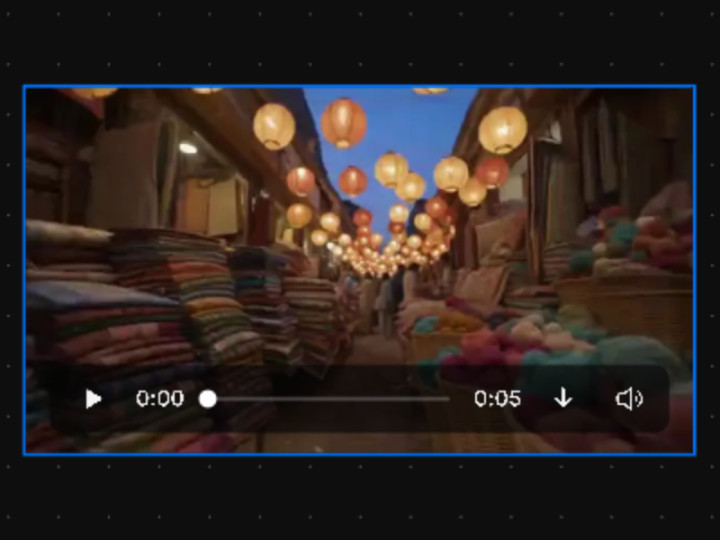
Select the clip
Put a generated or uploaded clip on the canvas and click it. MP4, up to 20 seconds and 50 MB.
- 02
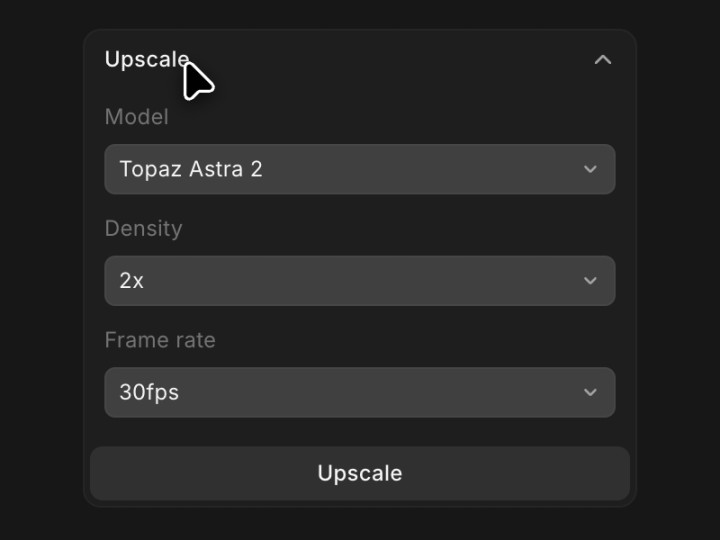
Open Upscale
In the Details panel on the right, open the Upscale section.
- 03
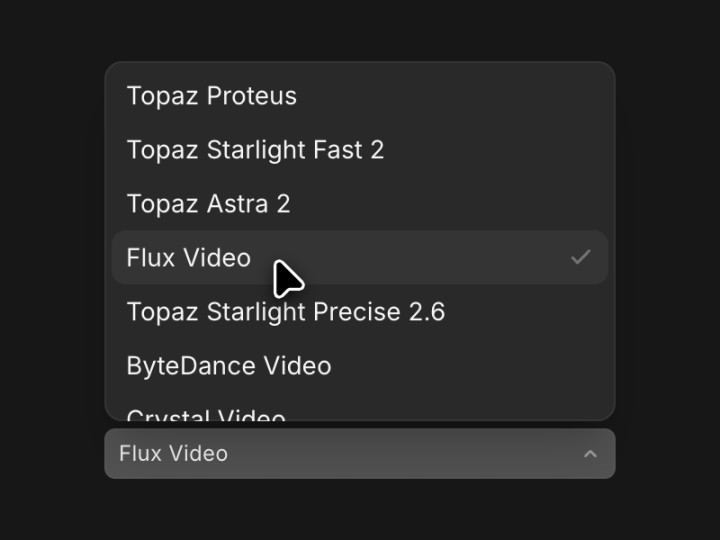
Choose Flux Video
Pick Flux Video in the Model list. Topaz and Crystal sit beside it.
- 04
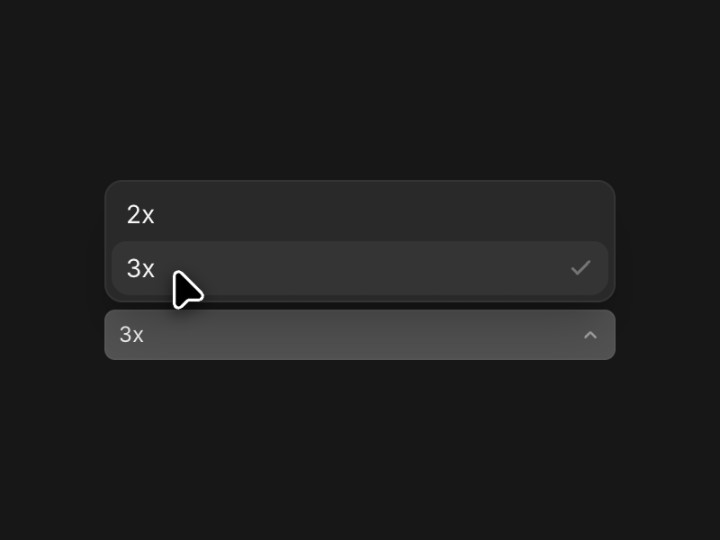
Pick 2x or 3x
Density is the scale: 3x takes 720p to 4K, 2x takes 1080p to 4K.
- 05
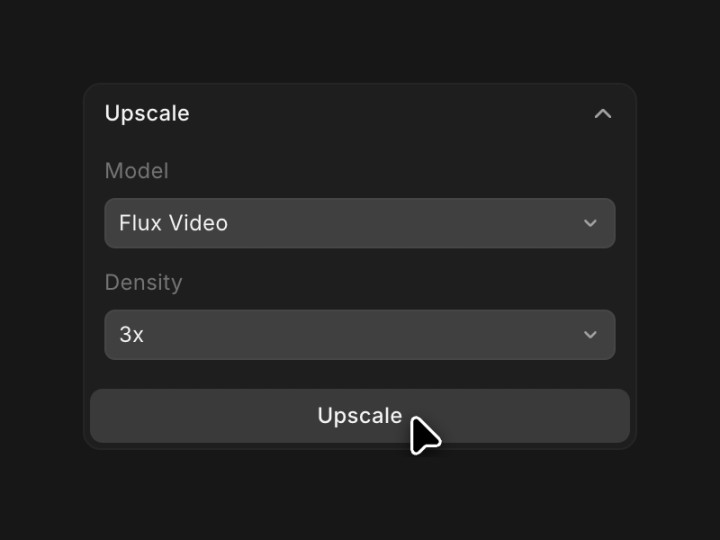
Click Upscale
The upscaled clip lands next to the original, with the audio intact.
- 06
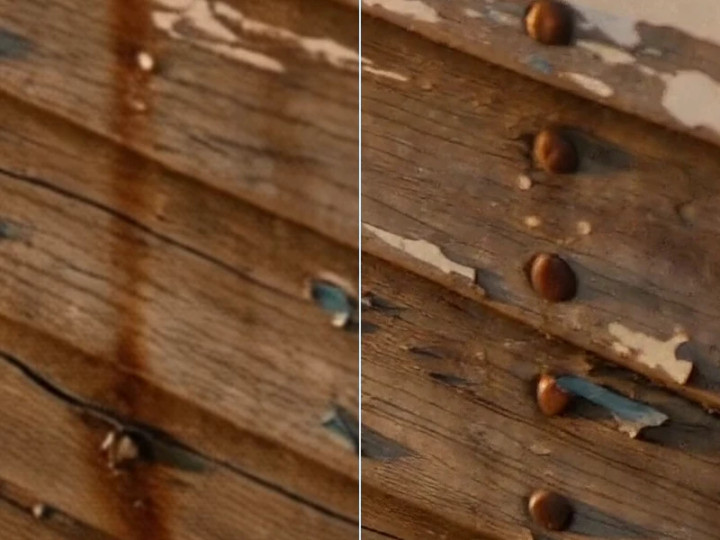
Compare the result
Zoom into faces, labels and fine patterns before you publish.
Prefer the chat? Ask Copilot, for example: upscale this clip 3x with Flux Video.
How to upscale AI-generated video to 4K
Most video models render at 720p or 1080p, so 4K delivery is a second step. Generate the shot first, settle the action and the sound, then upscale only the take you keep.
- Generate at 720p or 1080p with any video model on Morphic, such as FLUX 3 Max or FLUX 3.
- Keep the clip to 20 seconds or less. Split a longer edit into parts and upscale each.
- Upscale with Flux Video: 3x from 720p, 2x from 1080p.
- Check faces and fine patterns, then export or place the clip in your edit.
A 720p FLUX 3 Max clip taken to 4K at 3x: standard resize on the left, FLUX Video Upscale on the right
FLUX Video Upscale settings and limits
- Scale: 2x or 3x, chosen per clip.
- Output: up to 4K.
- Input: MP4, up to 20 seconds and 50 MB. BFL lists 2560 x 1440 as the largest input it accepts.
- Audio: the original track is kept.
- Mode: creative on Morphic.
- Where: the Upscale panel on the canvas, or Copilot in the chat.
- Plans: paid plans. The cost depends on clip length and output resolution; see pricing.
FAQs
Yes. Black Forest Labs says it can upscale any video. Upload your own MP4 to Morphic and upscale it the same way as a generated clip.
Yes. The original track carries through. Our 2x test clip with a spoken line came back with the line still in sync.
Morphic runs FLUX Video Upscale in creative mode, which rebuilds fine detail and can redraw small things such as a printed pattern. Check faces, labels and logos closely, and keep the original if a detail must stay exact.
Not in one pass. Split the clip into parts of 20 seconds or less, upscale each, and join them in your edit.
Let the source decide. 3x takes a 720p clip to 4K; 2x takes a 1080p clip to 4K, or a 720p clip to 2K. Output tops out at 4K, and anything larger is over the size limit.
FLUX Video Upscale is available on Morphic's paid plans. The cost depends on the length of the clip and the output resolution; the pricing page has the current plans.