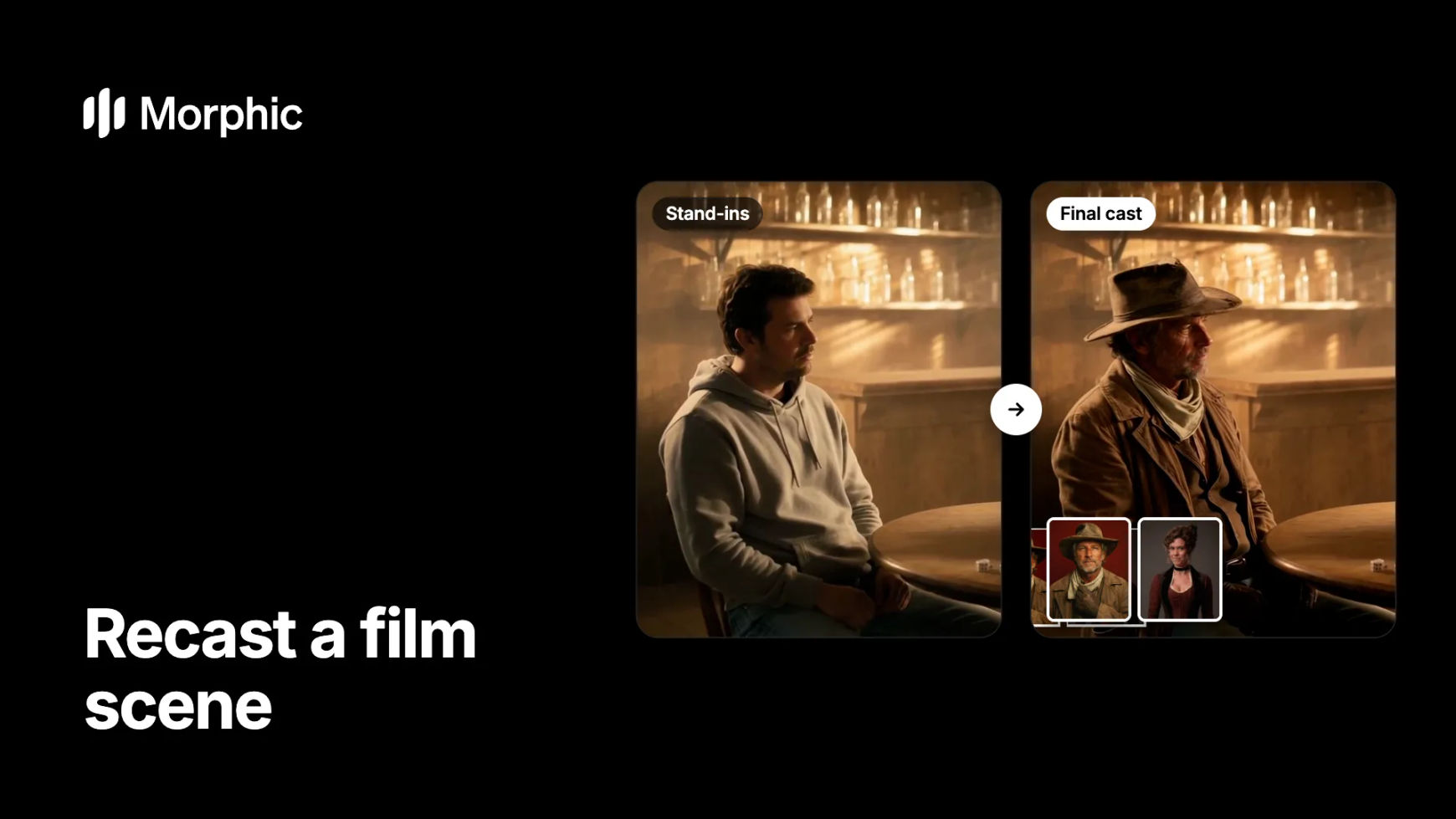
Why recast a film scene
Directors block a scene long before the final cast and costumes exist, so the footage is right but the people are not. Morphic Recast swaps the stand-ins for your final characters, in costume, and keeps the blocking, timing, camera and light. The result is pitch, previz or test footage that looks like the planned film.
Film scene recast examples
Rehearsal footage with stand-ins, recast into the characters the scene was written for.
Stand-ins
Final cast
Two stand-ins at a card table become a gunslinger and a card dealer from two costume photos. The card play, the dust in the light and the slow dolly stay as shot, and the crew member in the foreground is left alone.
How to recast a film scene in Morphic
Shoot or generate the blocking
Capture the scene with stand-ins, on location or on a rough set, or block it as previz and generate it. Keep each shot under 30 seconds and make sure every person you plan to replace is clearly visible.
Prepare one costume photo per character
For each final character, use one clear, front-facing photo in full costume and make-up. The costume in the photo is what appears in the scene, so dress the photo the way the character should look on screen.
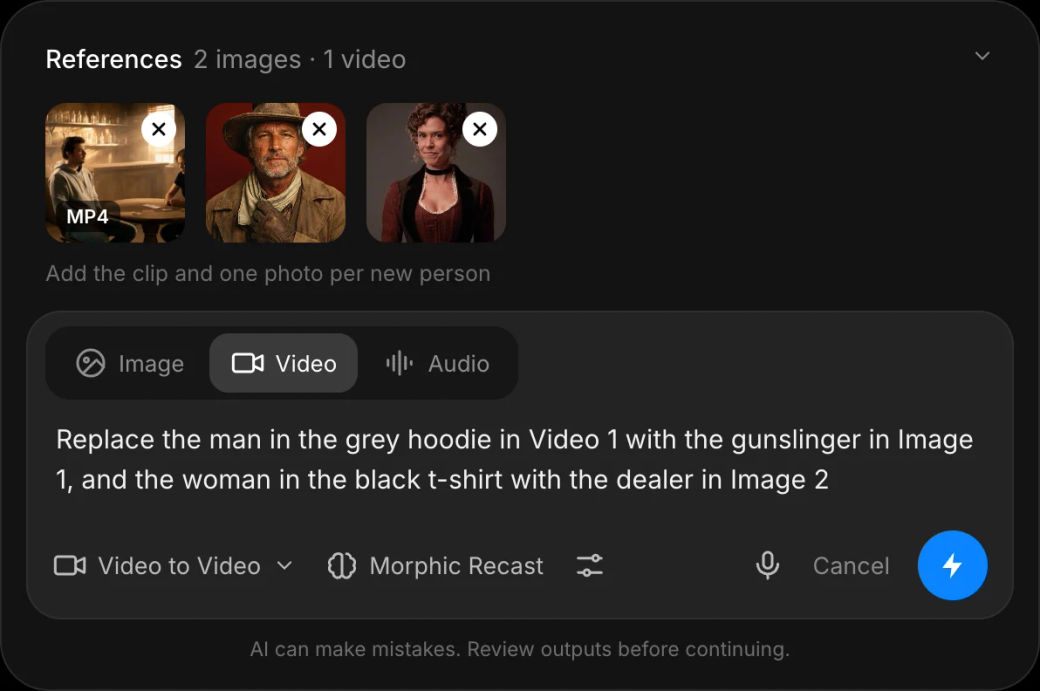
Name each swap and recast
Open Morphic Recast, add the shot and the photos, and say who replaces whom, for example "Replace the man in the grey hoodie in Video 1 with the gunslinger in Image 1, and the woman in the black t-shirt with the dealer in Image 2". Anyone you do not name, such as crew in frame, stays as shot.
Recasting previz or pitch footage at scale? Let's build your custom workflow.
For film studios, production companies and agencies. Tell us about your scenes, characters and deadlines, and we'll design a custom recast workflow with you, from stand-in footage to a finished pitch or previz cut.
Where a film scene recast helps most
- Pitch decks and sizzles. Show investors the scene with the intended characters instead of a crew member in a hoodie.
- Previz that looks like the film. Keep the blocking from your previz pass and see it with real-looking characters.
- Costume and casting tests. Try two costume looks or two actors on the same take before the shoot day.
- Pickups and continuity. Match a stand-in pickup shot to the principal character so the edit reads cleanly.
What carries over, and what to plan for
| Carries over from the stand-in footage | Plan for it in the photo or the shot |
|---|---|
| The blocking, timing and every move | Costume, hair and make-up come from the photo |
| The camera move, lens and framing | Props held in hand should already be in the shot |
| The location, light and atmosphere | Very dark or blurred faces give the model less to work with |
| The soundtrack | New dialogue is a separate pass, such as lip sync |
For a recast that changes only the look of a scene, not the people, use video to video. For movement on a character that has no footage yet, see AI motion transfer.
FAQs
Yes. Morphic Recast swaps each stand-in for the character in a photo you provide, in that character's costume, and keeps the blocking, timing, camera, light and soundtrack of the original shot.
Yes. Add one photo per character and name each swap by what is visible, such as clothing or position. Only the people you name change; crew or extras in frame stay as shot.
From the photo. The recast character appears as they look in the photo, so use a photo in full costume and make-up. If you want to keep the stand-in's clothing, say so in the prompt.
It is built for exactly that: pitch footage, previz and tests that show the intended characters in your real blocking. For final footage, plan the shoot with the cast you choose.
Up to 30 seconds per shot. Recast a sequence shot by shot, then cut it together on the Compose timeline.
Only with that person's permission. For pitch work before casting, use generated characters you create in Morphic.