Design Fauvism art in your browser with Morphic's Fauvism AI image generator. Paint a green-shadowed face or a red-trunked tree in wild non-naturalistic colour and bold flat patches, lock the arbitrary palette with Style Transfer, then animate any still with Image to Video.

Fauvism subjects you can compose

Fauvism compositions you can design

Harbour view in arbitrary colour

A Fauvist harbour scene, the sea built from short energetic strokes of turquoise, violet, and pure pink, a magenta-hulled boat with a yellow sail, the far hills a flat band of orange, the sky cadmium-green, white canvas flickering between the loaded strokes.

Edit prompt
Harbour view in arbitrary colour

Riverbank with red trees

A Fauvist riverbank, trees with vermilion trunks and pink-and-yellow foliage daubs, the river a flat sweep of cobalt cut by violet reflections, the bank a bold patch of emerald, joyful non-naturalistic colour with visible energetic brushwork and no shading.

Edit prompt
Riverbank with red trees

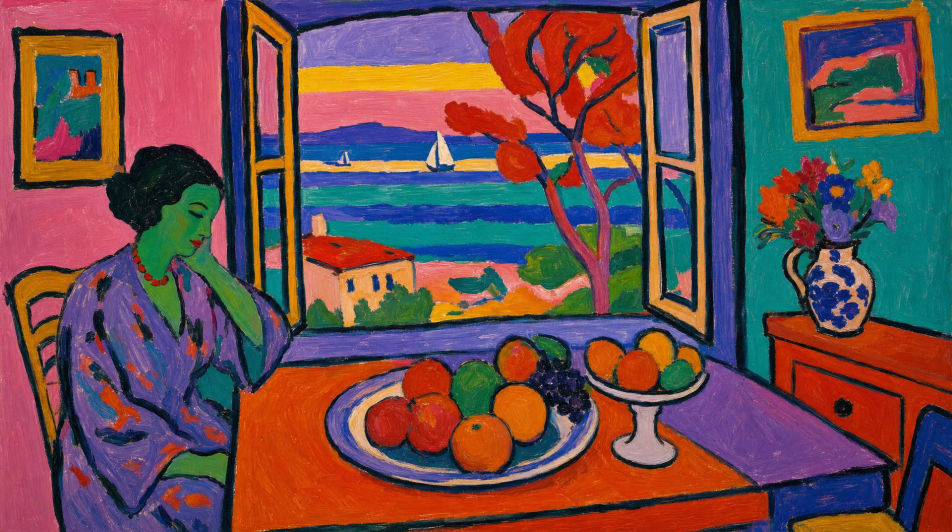
Interior with open window

A Fauvist interior looking through an open window, the room walls flat patches of pink and turquoise, a table of fruit in arbitrary cadmium-orange and violet, the sea beyond reduced to loose horizontal stripes of pure saturated colour, dark contour lines, no perspective shading.

Edit prompt
Interior with open window

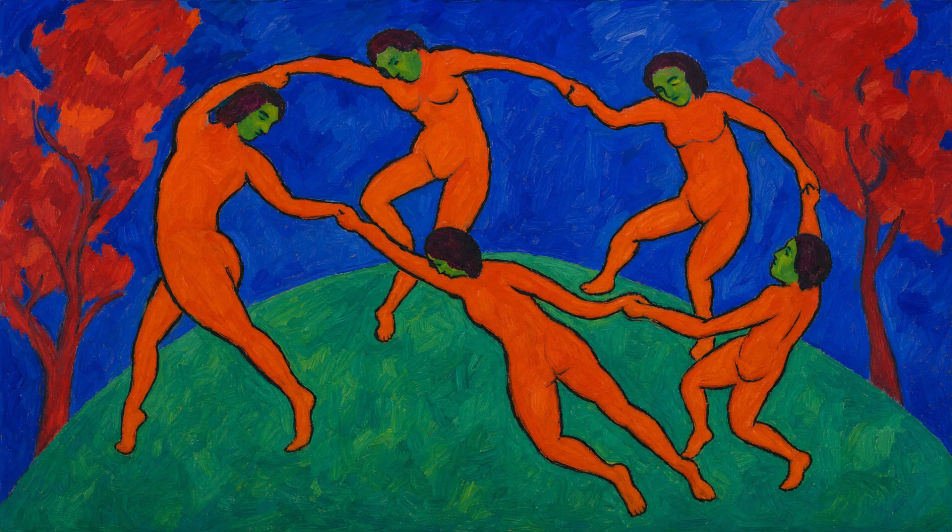
Dance circle on a hill

A Fauvist circle of dancing figures on a hilltop, each body a flat brick-orange silhouette ringed by a dark contour, the hill a band of viridian, the sky a band of cobalt, expressive distortion in the linked arms, pure unmodulated patches throughout.

Edit prompt
Dance circle on a hill

Make Fauvism in three steps

  1. 01

    Describe your Fauvism

    Describe the Fauvism you want, in plain words.

  2. 02

    Generate the image

    Morphic generates a clean, ready-to-publish image on your canvas in seconds.

  3. 03

    Refine your Fauvism

    Tweak the prompt, regenerate variations, then download or share the frame.

Related workflows

You might also like

Simple pricing

Get started for free today, with the option to upgrade or cancel anytime.

Basic

$0/ month
billed as $0 per year

900 monthly credits

1 user only

All models

Workflows

Standard

$0/ month
billed as $0 per year

3200 monthly credits

1 user only

All models

Workflows

Pro

$0/ month
billed as $0 per year

6200 shared monthly credits

1 user

+ up to 4 more at extra cost

All models

Workflows

Pro Max

$0/ month
billed as $0 per year

24000 shared monthly credits

1 user

+ up to 9 more at extra cost

All models

Workflows

Enterprise

For higher limits

Custom

pricing and billing terms

Unlimited credits
Custom seat limits
All models
Workflows
Pricing Gradient

Free

For playing around

$0

forever free

Up to 20 credits
1 user only
Limited models
Workflows

FAQs

Where can I make Fauvism art with AI?
You can create Fauvism images directly in your browser on Morphic. Open the Image tool, describe the wild arbitrary palette, the bold flat patches, and the energetic visible brushwork, and Morphic produces the composition. No installs and no specialist software needed.
What defines Fauvism for an AI prompt?
Four locked-in choices: wild non-naturalistic saturated colour (green faces and red trees are fine), bold flat patches with little blending, visible energetic brushwork, and loose dark contour lines. Name all four and the look lands as Fauvism rather than a generic bright painting.
What is the difference between Fauvism and Impressionism in AI prompts?
Impressionism still chases natural light with broken, optically mixed colour. Fauvism throws naturalism out and uses arbitrary saturated hues in flat bold patches. Name "arbitrary non-naturalistic colour, flat patches, no atmospheric light" and the look reads as Fauvist, not Impressionist.
How do I keep a Fauvism series feeling like one collection?
Use the Style Transfer workflow to lock the arbitrary palette and the flat-patch brushwork before producing more pieces, then reference that style card in every prompt. A portrait series or a harbour series stays consistent in colour temperament across the whole run.
Can I turn Fauvism compositions into animated video?
Yes. The Image to Video tool animates any still you generate, and a gentle drift of the loaded brushstrokes or a slow shift between saturated patches suits the register. Pair with the Music tool for a lively, colourful score.
Do I need any prior painting experience to make Fauvism art?
No. Morphic runs in your browser and you direct it with plain-language prompts. Anyone who can describe a green-striped face, a red tree, and flat patches of pure colour can produce a Fauvist composition. Brushes and oils are not required.