Design pointillism art in your browser with Morphic's Pointillism AI image generator. Build luminous park and river scenes from tiny distinct dots of pure unmixed colour that blend in the eye, lock the systematic dab look with Style Transfer, then animate any still with Image to Video.

Pointillism subjects you can compose

Pointillism compositions you can design

Sunday afternoon in the park

A luminous park lawn with strollers, parasols, and a small dog, the whole scene built from tiny distinct dots of pure unmixed colour blending optically into sunlight and shade, no blended brushstrokes, systematic uniform dotting, calm composed figures, a serene ordered leisure afternoon.

Edit prompt
Sunday afternoon in the park

River bathers at midday

A grassy riverbank with seated bathers, the water a shimmer of blue, green, and rose dots mixing in the eye, sunlit grass built from orange and violet points side by side, no smeared paint, systematic dotting throughout, luminous midday light, calm and ordered composition.

Edit prompt
River bathers at midday

Harbour with sailboats

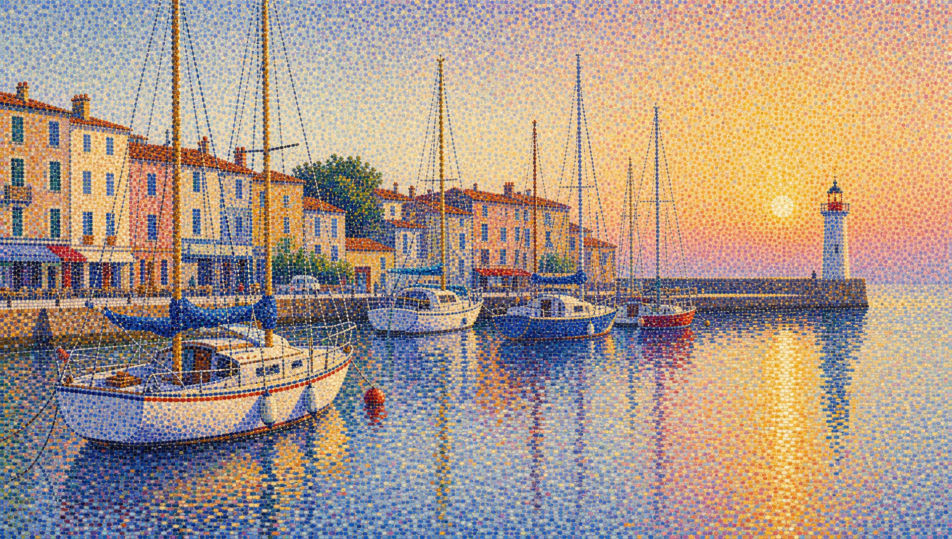
A calm harbour with moored sailboats, the sky and water rendered in tiny separate dots of pure colour blending into luminous haze, hulls built from dense points, reflections a weave of warm and cool dabs, no blended strokes, systematic uniform dotting, a serene ordered marine scene.

Edit prompt
Harbour with sailboats

Boulevard at dusk

A tree-lined boulevard at dusk built from tiny dots of pure colour, gaslamp glow made of warm yellow and orange points against cool blue dabs, strollers reduced to dense dotted silhouettes, no blended brushwork, systematic dotting, optical mixing carrying the luminous failing light, calm and ordered.

Edit prompt
Boulevard at dusk

Make Pointillism in three steps

  1. 01

    Describe your Pointillism

    Describe the Pointillism you want, in plain words.

  2. 02

    Generate the image

    Morphic generates a clean, ready-to-publish image on your canvas in seconds.

  3. 03

    Refine your Pointillism

    Tweak the prompt, regenerate variations, then download or share the frame.

Related workflows

You might also like

Simple pricing

Get started for free today, with the option to upgrade or cancel anytime.

Basic

$0/ month
billed as $0 per year

900 monthly credits

1 user only

All models

Workflows

Standard

$0/ month
billed as $0 per year

3200 monthly credits

1 user only

All models

Workflows

Pro

$0/ month
billed as $0 per year

6200 shared monthly credits

1 user

+ up to 4 more at extra cost

All models

Workflows

Pro Max

$0/ month
billed as $0 per year

24000 shared monthly credits

1 user

+ up to 9 more at extra cost

All models

Workflows

Enterprise

For higher limits

Custom

pricing and billing terms

Unlimited credits
Custom seat limits
All models
Workflows
Pricing Gradient

Free

For playing around

$0

forever free

Up to 20 credits
1 user only
Limited models
Workflows

FAQs

Where can I make pointillism art with AI?
You can create pointillism images directly in your browser on Morphic. Open the Image tool, describe the tiny distinct dots, the optical colour mixing, and the luminous leisure scene, and Morphic produces the composition. No installs and no specialist software needed.
What defines pointillism for an AI prompt?
Four locked-in choices: tiny distinct dots of pure unmixed colour, optical mixing where colours blend in the eye rather than on the canvas, systematic uniform dotting, and a luminous calm leisure subject. Name all four for the Seurat look to land rather than a generic stippled texture.
What is the difference between pointillism and divisionism?
Pointillism uses small, round, uniform dots applied systematically. Divisionism, the colour-science basis behind it, uses larger, more directional separated strokes of complementary colour. Name "tiny uniform round dots, optical mixing" and the look reads as pointillism rather than divisionism.
How do I keep a pointillism series feeling like one collection?
Use the Style Transfer workflow to lock the dot size, the pure-colour palette, and the optical-mixing register before producing additional pieces, then reference that style card in every prompt. A park series or a riverside set stays consistent in dabbing and luminosity across the run.
Can I turn pointillism compositions into animated video?
Yes. The Image to Video tool animates any still you generate, and a gentle drift across the dotted surface or a slow shimmer on the water suits the calm register. Pair with the Music tool for a light, pastoral score.
Do I need any prior painting experience to make pointillism art?
No. Morphic runs in your browser and you direct it with plain-language prompts. Anyone who can describe tiny pure-colour dots, optical mixing, and a luminous park scene can produce a pointillism composition. A fine round brush and months of patient dabbing are not required.