Halloween party invitation templates you can make your own

Design a Halloween party invitation in Morphic's Image tool with your party name, date and address written straight onto the card. Pick a look, from gold-foil gothic to pastel ghosts or a 1950s sock hop, check the lettering, then download the invite to print, email or send in a group chat.

Halloween party invitation styles you can design

Halloween party invitation formats you can send

Printed card by candlelight

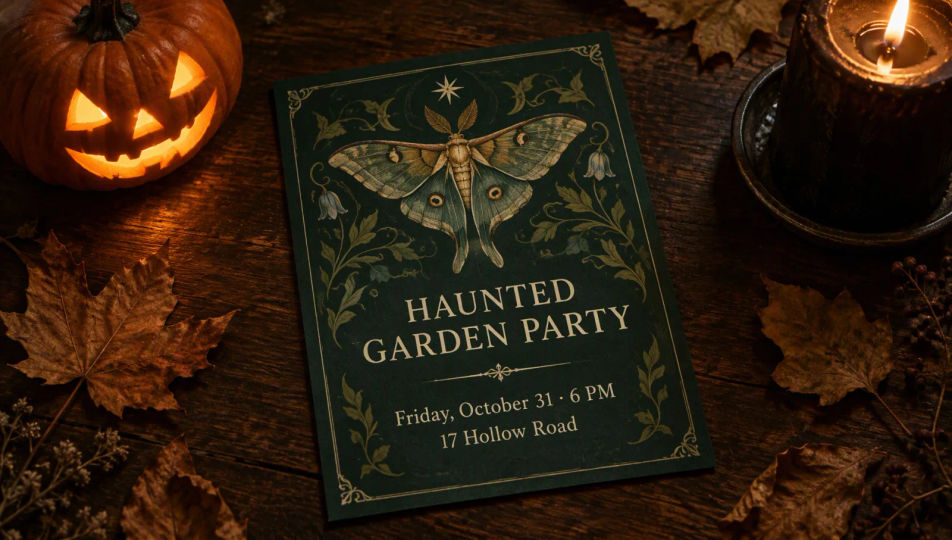
A deep green Halloween party invitation with a moth illustration reading "HAUNTED GARDEN PARTY", "Friday, October 31 · 6 PM", "17 Hollow Road", photographed on a dark table beside a lit jack-o'-lantern and a black candle.

Edit prompt
Printed card by candlelight

Email invitation header

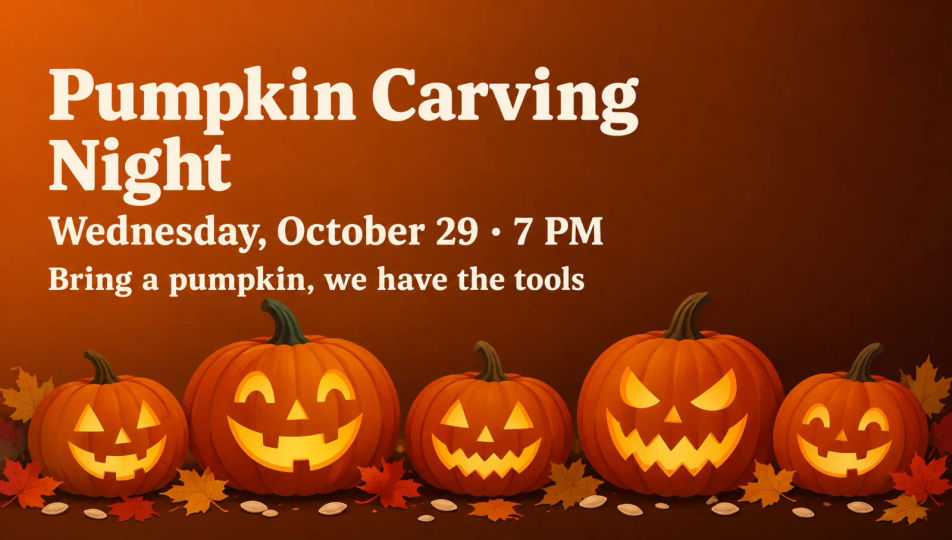
A wide Halloween email header with a row of carved pumpkins along the bottom of a burnt-orange gradient and the text "Pumpkin Carving Night", "Wednesday, October 29 · 7 PM", "Bring a pumpkin, we have the tools".

Edit prompt
Email invitation header

Art Deco costume ball

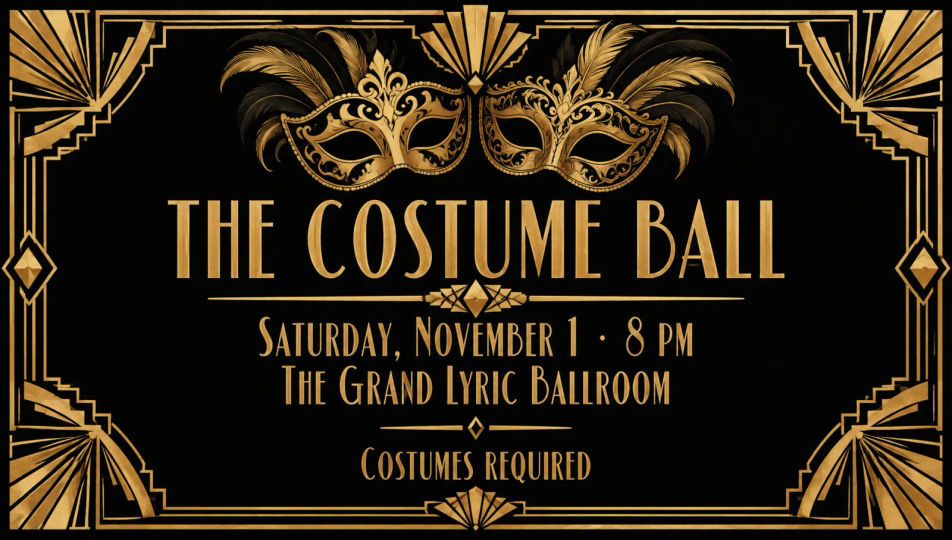
A black and antique gold Art Deco invitation with fan borders and two ornate masks, lettered "THE COSTUME BALL", "Saturday, November 1 · 8 PM", "The Grand Lyric Ballroom", "Costumes required".

Edit prompt
Art Deco costume ball

Office Halloween lunch

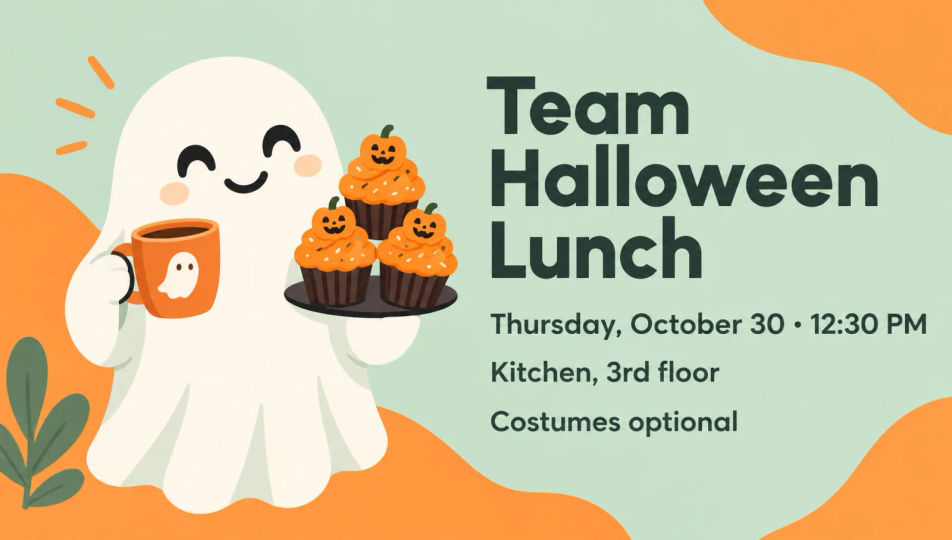
A flat mint and orange invite with a friendly ghost holding coffee and pumpkin cupcakes, reading "Team Halloween Lunch", "Thursday, October 30 · 12:30 PM", "Kitchen, 3rd floor", "Costumes optional".

Edit prompt
Office Halloween lunch

Make Halloween party invitation in three steps

  1. 01

    Describe your image

    Describe the Halloween party invitation you want, in plain words.

  2. 02

    Generate the image

    Morphic generates a clean, ready-to-publish image on your canvas in seconds.

  3. 03

    Refine and share

    Tweak the prompt, regenerate variations, then download or share the frame.

Simple pricing

Get started for free today, with the option to upgrade or cancel anytime.

Basic

$19/ month
billed as $0 per year

2400 monthly credits

1 user only

All models

Workflows

Standard

$24/ month
billed as $0 per year

3625 monthly credits

1 user only

All models

Workflows

Pro

$45/ month
billed as $0 per year

6350 shared monthly credits

1 user

+ up to 4 more at extra cost

All models

Workflows

Max

$170/ month
billed as $0 per year

24650 shared monthly credits

1 user

+ up to 9 more at extra cost

All models

Workflows

Enterprise

For higher limits

Custom

pricing and billing terms

High-volume credits
Custom seat limits
All models
Workflows
Pricing Gradient

Free

For playing around

$0

forever free

Up to 20 credits
1 user only
Limited models
Workflows

FAQs

How do I make a Halloween party invitation with AI?
Open the Image tool on Morphic, describe the style and artwork, and put each line of your party details in quotation marks. Morphic designs the card with your text on it, ready to check, refine and download.
How do I get the text on a Halloween party invitation spelled correctly?
Write every line in quotation marks exactly as it should read, keep each line short, and say "no other text". Read the finished card letter by letter before you send it, and regenerate or fix any line on the Canvas if a word comes out wrong.
What should a Halloween party invitation include?
The party name, the date and start time, the address, and whether costumes are required or optional. Add an RSVP name or a short line about what to bring if it helps, and leave the rest of the card to the artwork.
Can I make a Halloween party invitation for kids?
Yes. Ask for round smiling ghosts, friendly pumpkins, pastel colors and a bubbly typeface. Keep the wording short and add a start and end time so parents know when to collect their little monsters.
Can I print a Halloween party invitation or send it by text?
Yes. Download the invite in HD and print it as a card, or share the image in a group chat, an email or a social post. Choose a tall frame for phones and printed cards and a wide frame for email headers.
Can I make matching Halloween party invitations and decorations?
Yes. Save the invitation look as a style reference and add it to your next prompts, so the place cards, a welcome sign and a social post share the same palette and lettering.