Multi-modal

Gemini Omni Flash 1.2

by Google DeepMind

Google's video model, now fifteen seconds long.
Edit the whole take for 30% less a second.
Gemini Omni Flash 1.2

Key features

Technical specifications

Gemini Omni

Third Omni Flash release; model id gemini-omni-1.2-flash

3 to 15s

Whole seconds, 10s by default; extensions reach 30s

Up to 4K

360p and 720p native, 1080p and 4K upscaled

$0.07 a second

At 720p; about 30% below Omni Flash 1.1

6 images

Three per character for up to two characters, plus 3s clips

Native

Dialogue, effects, and music in the same pass

16:9, 9:16

Switchable on a finished take through a follow-up

SynthID

Invisible provenance mark on every generated clip

Use cases
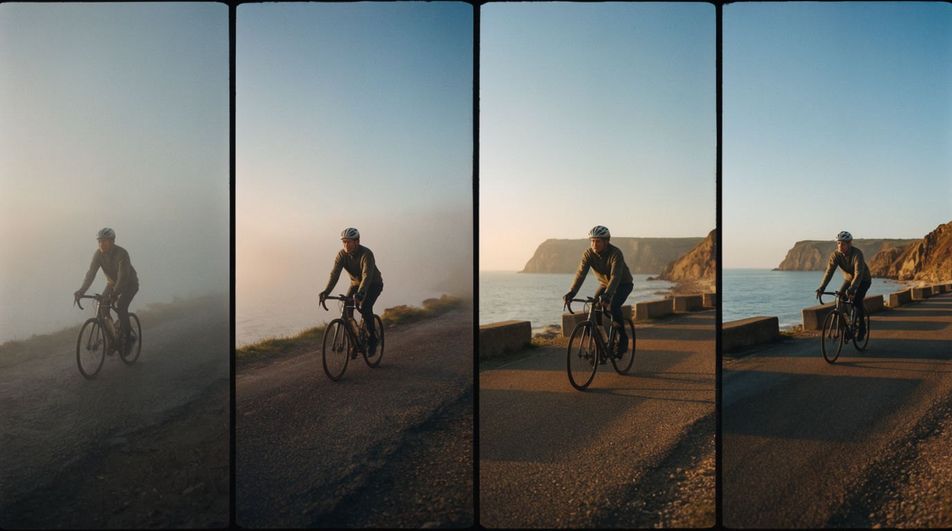
Four-panel filmstrip of a lone cyclist riding a coast road from dawn mist into full sunlight

Fifteen-second takes

A whole beat in one generation: the approach, the turn, the arrival, instead of a ten-second fragment you have to extend.
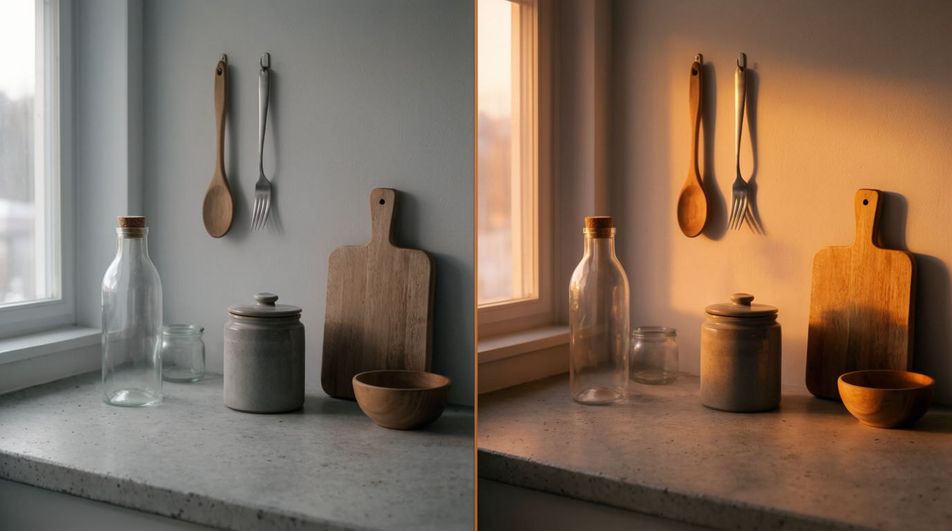
Split frame of the same kitchen windowsill, grey morning light on the left and warm dusk on the right

Edits you type

Hand it the take and say the change: relight the room, swap the jar, rewrite the label. The rest of the frame holds.
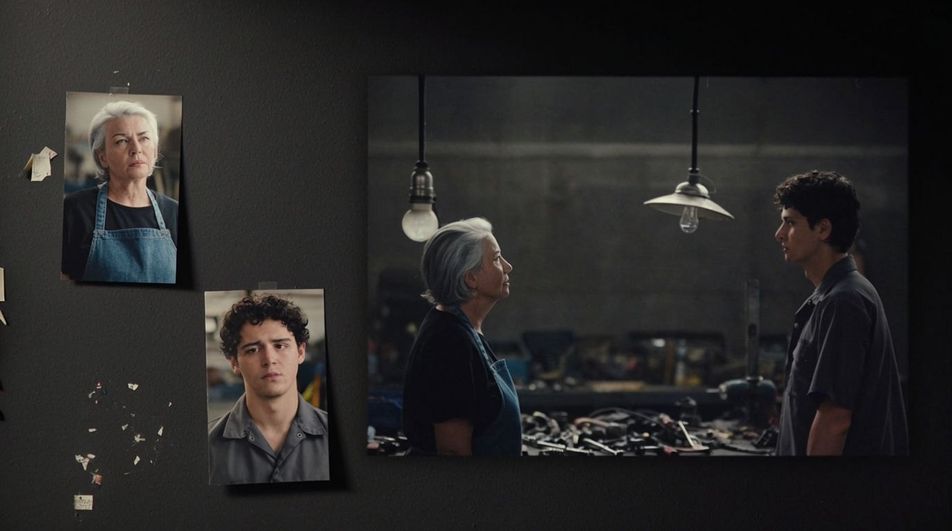
Reference cards of two invented presenters pinned beside the finished two-shot of them talking across a workbench

Two characters, both held

Three photos each of two people pin both faces and wardrobes, so a two-hander stays recognisable from first take to last edit.

The same market stall shot shown as a wide landscape frame beside a vertical crop of it

One take, both ratios

Ask for the vertical cut once the landscape one is approved. The ratio becomes a follow-up instruction, not a second generation.

Two invented colleagues mid-conversation across a cafe table in late afternoon light

Scenes with two voices

Write both parts and the lines come back in the right mouths, lip-synced, in voices that survive the edits that follow.

A ribbed amber bottle with an invented wordmark on its label under a soft studio key light

Packaging that holds

Your own carton goes in as a reference, and its typography survives the turn of the camera instead of dissolving into lookalikes.

Prompt examples

Fifteen-second beat

Fifteen seconds in one shot: a lamplighter walks a canal at dusk

Edit prompt

Two speakers

Two colleagues disagree about a recipe, warm kitchen, overlapping lines

Edit prompt

Camera move

One unbroken crane move from a wet street up to a lit window

Edit prompt

On-screen text

A hand-painted sign reads COLD BREW, letter by letter

Edit prompt

Product turn

A ribbed glass jar turns slowly on dark linen, label readable

Edit prompt

Sound-led shot

Close on a kettle coming to the boil, every tick and rattle audible

Edit prompt

Overview

Gemini Omni Flash 1.2, which Google writes as Gemini Omni 1.2 Flash, is the third release of Google DeepMind's multimodal video model, announced on 5 November 2026. The shape of the model has not changed: a prompt, images, or short clips go in, and video with synchronised audio comes out, after which follow-up prompts keep working on the same take. What changed is how much of a scene fits in one generation and how little it costs to get there.

What's new in Gemini Omni Flash 1.2

A single generation now runs up to fifteen seconds, set in whole seconds from three, where 1.1 stopped at ten. Conversational editing covers the whole clip, so swapping a product, changing the weather, or asking for the vertical version are all follow-ups on an approved take. References are organised around people: six images per request, up to three of them for each of two characters. And Google lists 720p at about $0.07 a second, roughly 30% below the 1.1 rate, with 360p drafts cheaper again.

The quieter gains are in what holds still. Google describes steadier faces, garments, packaging typography, and colour through a shot, fewer involuntary cuts inside a continuous camera move, more natural dialogue with clearer lip sync, and conditioning for more than one speaker. Three things are named as unfinished: fast sports action, scripts that change direction quickly, and complex physics.

Fifteen seconds changes what you write

Ten seconds is a fragment, so a 1.1 prompt tended to describe one gesture and lean on extension for the rest. Fifteen seconds is a beat with a beginning and an end, which means the prompt can carry a small structure: the approach, the turn, the arrival. Extension still exists for scenes that run past that, in turns of three to ten seconds up to thirty in total, reading the final ten seconds of the clip as its context. The practical difference is how often you need it.

Gemini Omni Flash 1.2 and Morphic

Gemini Omni Flash 1.2 is not in the Morphic catalogue yet. Gemini Omni Flash 1.1 is, in the video model picker next to Veo 3.1, Seedance 2.5, Kling, and the rest, so the family's prompt shape and native audio are available to work with today, with the same brief able to run through several models and land side by side on the Canvas. Every example on this page was made on Morphic with the closest live model, not with 1.2, and Google has said requests to 1.1 on its own API route to 1.2 from 3 December 2026. For the prompt mechanics, read the Gemini Omni Flash 1.2 guide, copy a starting point from the Gemini Omni Flash 1.2 prompt library, see what changed in the 1.2 versus 1.1 comparison, or open the Gemini Omni Flash 1.2 AI video generator.

Simple pricing

Get started for free today, with the option to upgrade or cancel anytime.

Basic

$19/ month
billed as $228 per year

2400 monthly credits

1 user only

All models

Workflows

Standard

$24/ month
billed as $288 per year

3625 monthly credits

1 user only

All models

Workflows

Pro

$45/ month
billed as $540 per year

6350 shared monthly credits

1 user

+ up to 4 more at extra cost

All models

Workflows

Max

$170/ month
billed as $2040 per year

24650 shared monthly credits

1 user

+ up to 9 more at extra cost

All models

Workflows

Enterprise

For higher limits

Custom

pricing and billing terms

High-volume credits
Custom seat limits
All models
Workflows
Pricing Gradient

Free

For playing around

$0

forever free

Up to 20 credits
1 user only
Limited models
Workflows

FAQs

What is Gemini Omni Flash 1.2?
Gemini Omni Flash 1.2, written by Google as Gemini Omni 1.2 Flash, is the third release of Google's multimodal video model, announced on 5 November 2026. It generates video with synchronised native audio from text, images, and reference clips, and it edits and extends that footage through plain-language follow-ups. Version 1.2 takes a single generation to fifteen seconds, applies edits across the whole clip, and cuts the per-second price by about 30%.
What is new in Gemini Omni Flash 1.2 compared with 1.1?
Four things carry the release. A single generation now runs up to fifteen seconds instead of ten, set in whole seconds with ten as the default. Conversational editing works across the full clip, including switching its aspect ratio. Reference handling is reorganised around characters, with three images each for up to two people. And the price drops: Google lists 720p at about $0.07 a second against roughly $0.10 for 1.1.
How long can a Gemini Omni Flash 1.2 video be?
A single generation runs 3 to 15 whole seconds, with ten seconds as the default. First-to-last-frame interpolation and each extension turn run 3 to 10 seconds, and extension takes a clip to 30 seconds in total. Extension appends to the end only, reading the final ten seconds of the clip as its context, so it cannot prepend footage or stretch the middle.
How much does Gemini Omni 1.2 Flash cost?
Google's published rate is about $0.07 for a second of 720p video, which puts a fifteen-second clip near $1.04 and a ten-second clip near $0.70. A 360p draft is roughly $0.023 a second, 1080p around $0.104, and 4K around $0.209, both of those produced as upscales. Those are the provider's API rates; Morphic bills in credits on its own plans.
What resolution does Gemini Omni Flash 1.2 output?
Four options, in 16:9 or 9:16: 360p, 720p as the default, and 1080p or 4K produced by upscaling the generation. The working pattern that falls out of the pricing is to iterate at 360p, lock the take at 720p, then ask for the delivery resolution once, rather than paying 4K rates on every attempt.
How does conversational editing work in Gemini Omni Flash 1.2?
Each follow-up edits the previous result instead of starting over, and the model keeps the scene between turns, now across the full fifteen seconds rather than a shorter window. Short instructions work best: name the single change and say to keep everything else the same. Swapping a product, changing the weather or the lighting, and switching the aspect ratio are all follow-ups rather than new generations.
What references does Gemini Omni Flash 1.2 accept?
Up to six reference images per request, and for characters up to three images each for two people. Reference videos are capped by output length: a clip of 11 to 15 seconds takes one reference video of up to three seconds, while a 3 to 10 second clip takes up to three of them. Reference videos work on new generations only, not on edits or extensions, and any audio inside them is ignored.
Does Gemini Omni Flash 1.2 generate audio and dialogue?
Yes, sound comes back in the same pass as the picture: dialogue with lip sync, effects, ambience, and music. Google describes 1.2 as more natural in dialogue, clearer in lip sync, and able to condition on more than one speaker, so a two-hander is a reasonable ask. Write the audio into the prompt, because a prompt that says nothing about sound returns a track the model chose for you.
Can I upload my own audio or edit a voice in Gemini Omni Flash 1.2?
Not through the API as it stands. Google's launch post describes audio cues, including a short voice reference, among the model's inputs, while the developer documentation lists audio input as unsupported in the current version of the API and says voice editing is not supported either. Treat voice as something you direct in text today, and watch the docs for the input to open up.
Can I use Gemini Omni Flash 1.2 on Morphic?
Not yet. Gemini Omni Flash 1.1 is in the Morphic video catalogue today, so the family, the prompt shape, and the native audio are already there to work with, next to Veo 3.1, Seedance 2.5, and Kling on the same Canvas. Google has said that requests to 1.1 on its own API route to 1.2 from 3 December 2026, so the newer model is on a short path to everything built around the older one.
What is Gemini Omni Flash 1.2 bad at?
Google names three areas as still in development: fast sports action, scripts that change direction quickly, and complex physics. English is the fully supported language for on-screen text and dialogue, with other languages working unevenly. And editing or extending footage you uploaded yourself is unavailable in the EEA, Switzerland, and the UK.