Image generation
Coming soon

Kling Image 4.0

by Kling

Kling's image model for cinematic stills.
Key art, products and storyboard frames.
Kling Image 4.0

Key features

Every image on this page was made on Morphic with Kling Image 4.0.

Technical specifications

2K or 4K

1440p or 2160p on Morphic

Up to 10

Cited as @Image1 to @Image10

Auto + 8

From 9:16 to 21:9

21,000 chars

Room for a full creative brief

Use cases
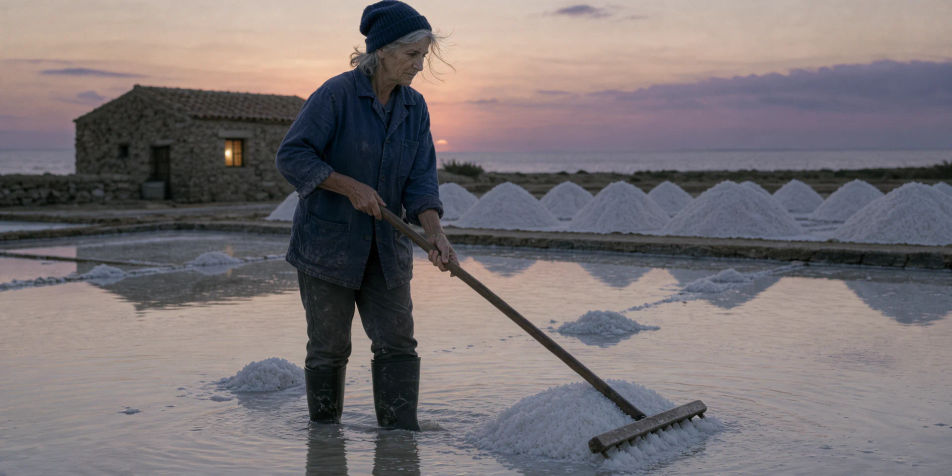
A salt harvester raking a flooded salt pan at dusk, salt heaps and a stone hut with one lit window behind her

4K key art

Poster-grade frames at 4K, sharp enough to crop for a banner, a thumbnail or a print.
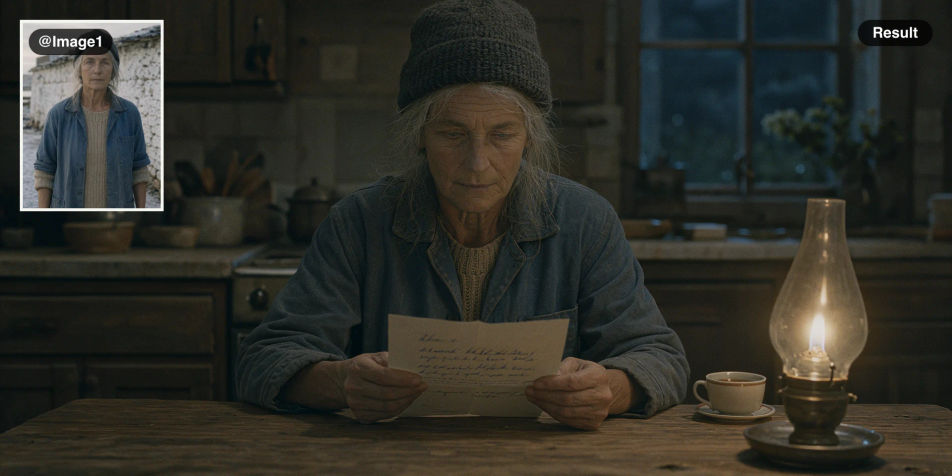
A portrait of the salt harvester as the reference, and the same woman reading a letter at a lamplit kitchen table

One character, every scene

Add a portrait as @Image1 and place the same face, hair and clothes in a new scene.
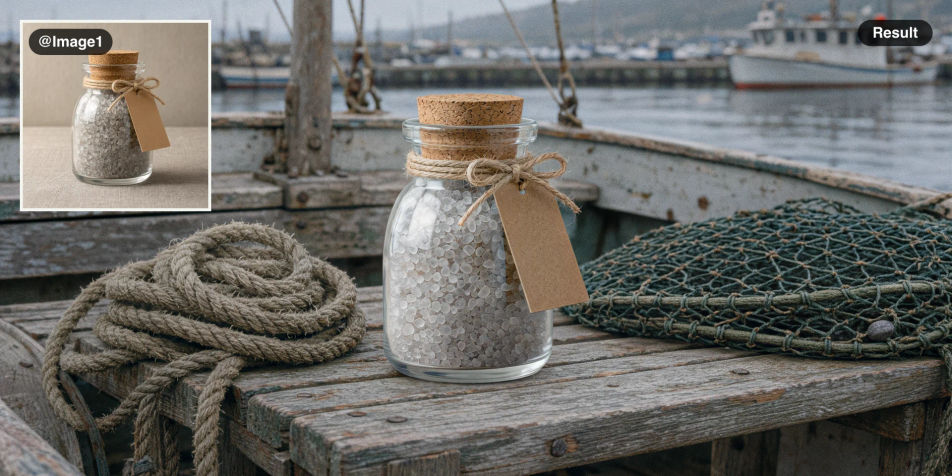
A glass jar of sea salt on a plain background as the reference, and the same jar on the bench of a weathered wooden boat

Product shots from photos

One plain product photo becomes a styled scene, with its shape and finish intact.
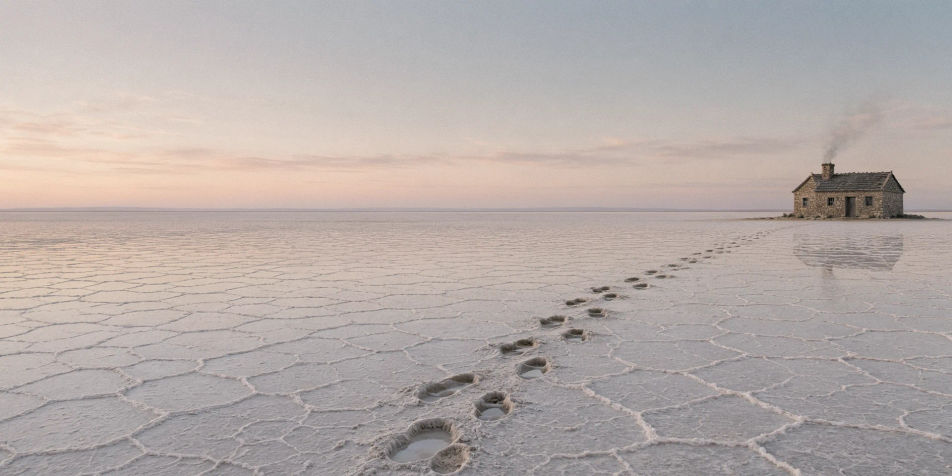
An ultrawide view of white salt flats at first light with a single stone cottage and a line of footprints

Ultrawide frames

21:9 establishing shots with cinema proportions, for storyboards and pitch decks.
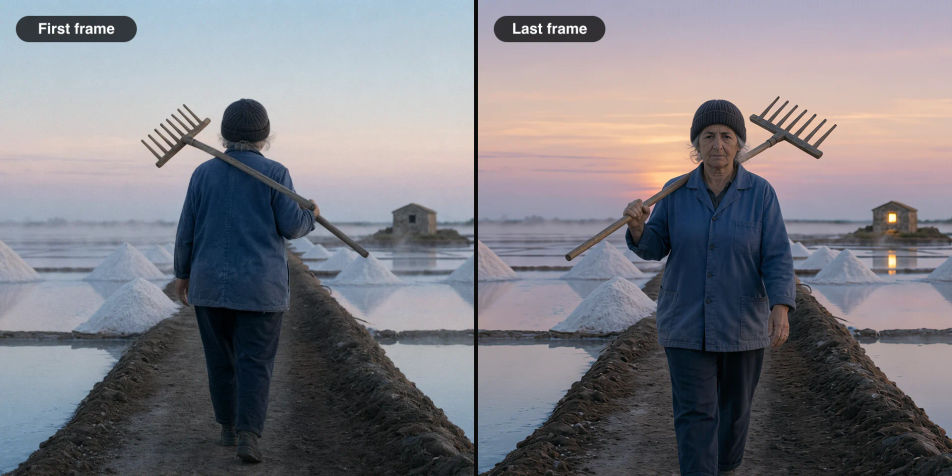
Two frames side by side: the harvester walking out to the salt pans at dawn, and the same woman walking home at dusk

First and last frames

Open and close a shot with the same character, then animate both with Kling 4.0.
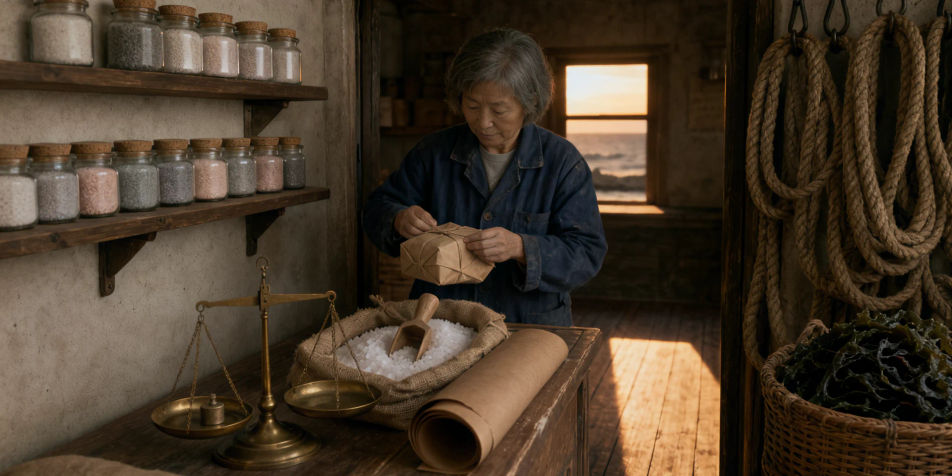
The inside of a small salt shop with shelves of corked jars, a brass scale and a sack of salt on the counter, and a woman wrapping a parcel

Busy scenes, all in place

Describe a room object by object, and each one lands where you put it.

Prompt examples

Portrait

Portrait

Film still, salt harvester at dusk, wind in her grey hair, 85mm, muted colour

Edit prompt
Product

Product

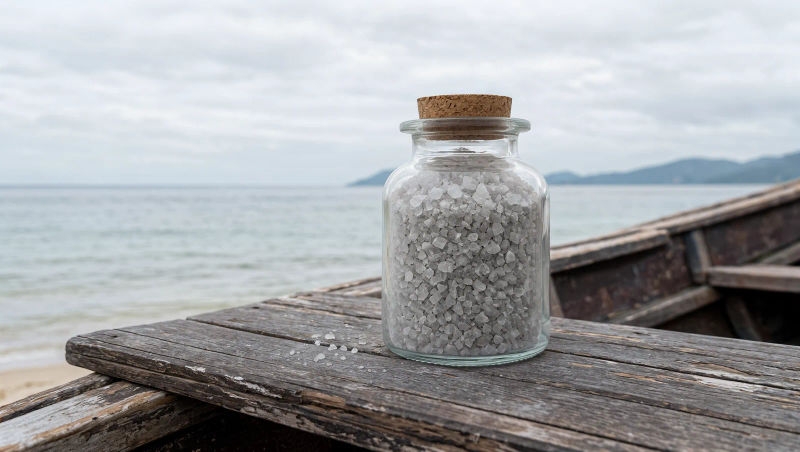
Corked jar of grey sea salt on a weathered boat bench, overcast, no label

Edit prompt
Title card

Title card

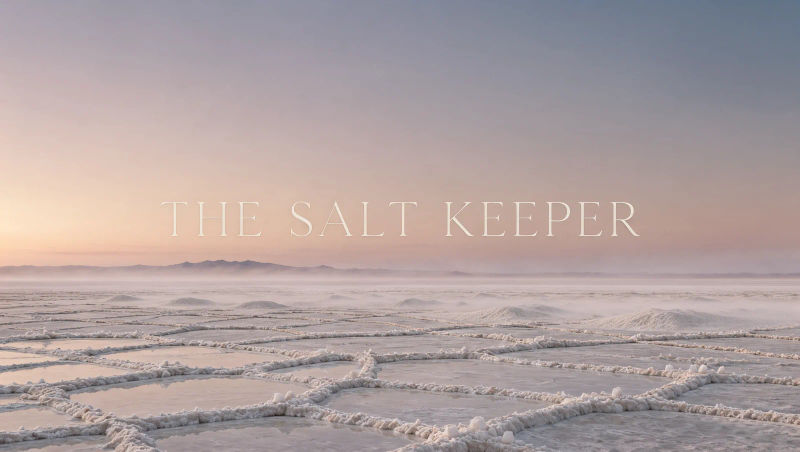
Opening title card, THE SALT KEEPER in thin serif over salt flats at dawn

Edit prompt
Interior

Interior

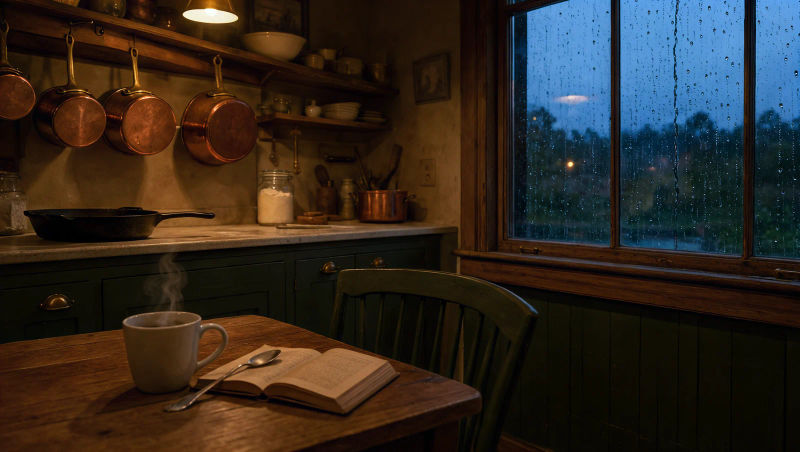
Lamplit cottage kitchen at blue hour, copper pots, rain on the window, 35mm

Edit prompt
Macro

Macro

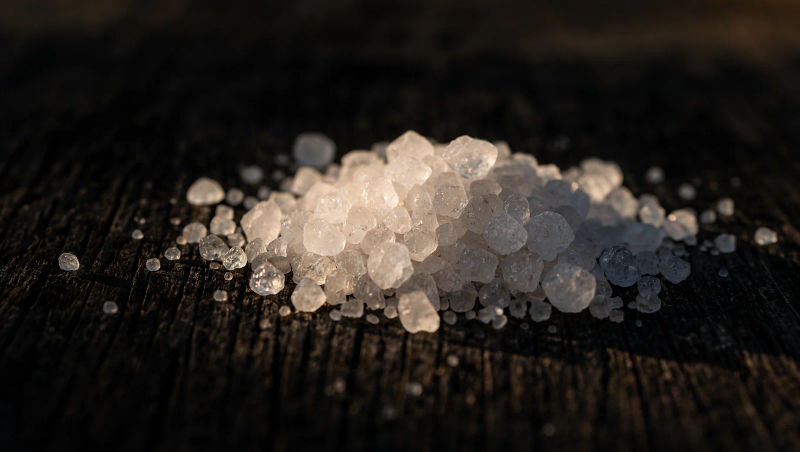
Macro of salt crystals forming on dark wood, low side light, shallow focus

Edit prompt
Illustration

Illustration

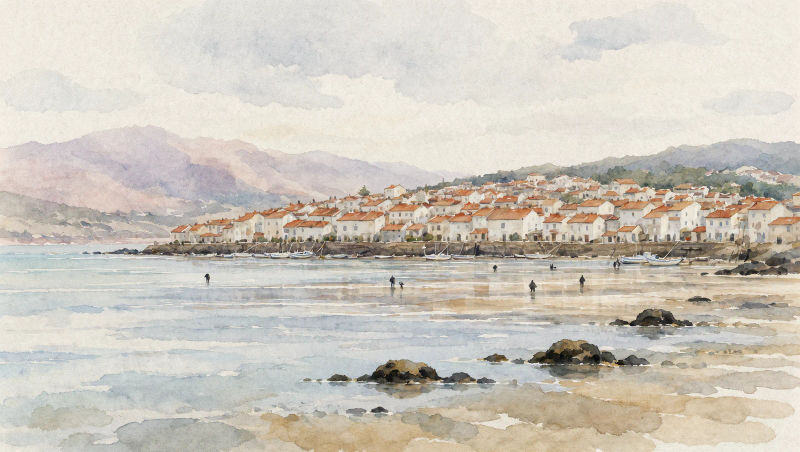
Watercolor of a coastal salt town at low tide, soft paper grain, muted

Edit prompt

Overview

Kling Image 4.0 is Kling's new image model and the still-image partner to Kling 4.0 video. It renders at 2K or 4K from a text prompt, or from up to 10 reference images of your characters, products and places, which you point at in the prompt as @Image1, @Image2 and so on.

What Kling Image 4.0 does differently

It is built for long, specific briefs. A prompt can describe a whole scene object by object, in English or other languages, and the references keep a face, a product or a location the same from one image to the next. Name the lens and the light and the result reads like a film still, and nine aspect ratios, from 9:16 to 21:9, cover a key art poster, a product shot and a storyboard frame from the same brief.

Kling Image 4.0 on Morphic

Kling Image 4.0 is coming soon to the image model list in Copilot and on the Canvas, on every plan. Make your stills, then animate them with Kling 4.0 without leaving the project, or run the same prompt on other image models and keep the best. For prompt structure, read the Kling Image 4.0 guide, or start making images in the Kling Image 4.0 AI image generator.

Simple pricing

Get started for free today, with the option to upgrade or cancel anytime.

Basic

$19/ month
billed as $228 per year

2400 monthly credits

1 user only

All models

Workflows

Standard

$24/ month
billed as $288 per year

3625 monthly credits

1 user only

All models

Workflows

Pro

$45/ month
billed as $540 per year

6350 shared monthly credits

1 user

+ up to 4 more at extra cost

All models

Workflows

Max

$170/ month
billed as $2040 per year

24650 shared monthly credits

1 user

+ up to 9 more at extra cost

All models

Workflows

Enterprise

For higher limits

Custom

pricing and billing terms

High-volume credits
Custom seat limits
All models
Workflows
Pricing Gradient

Free

For playing around

$0

forever free

Up to 20 credits
1 user only
Limited models
Workflows

FAQs

What is Kling Image 4.0?
Kling Image 4.0 is Kling's new image model, from the team behind the Kling video models. It makes still images at 2K or 4K from a text prompt, or from up to 10 reference images of the people, products and places you want in the picture.
Is Kling Image 4.0 on Morphic?
Kling Image 4.0 is coming soon to Morphic, on every plan, Free included. Once it opens, pick it in Copilot or on the Canvas and run the same prompt on other image models side by side to keep the best result.
How do reference images work in Kling Image 4.0?
Add up to 10 images and refer to them by the order you added them: @Image1 for the first, @Image2 for the second. For example: put the jar from @Image2 on the table in @Image1. Images you add but do not name still guide the result.
What resolution does Kling Image 4.0 make?
2K or 4K. On Morphic that is 1440p or 2160p, with 2K as the default. Choose 4K when the image will be printed, cropped hard, or shown on a large screen.
Which aspect ratios does Kling Image 4.0 support?
Nine: 16:9, 9:16, 1:1, 4:3, 3:4, 3:2, 2:3, 21:9 and auto. Auto picks the shape from your prompt and your reference images, which is handy when you are matching an existing photo.
Can Kling Image 4.0 put text in an image?
Yes. Write the words in capitals inside the prompt and it sets short titles cleanly. On posters, say the title is the only text, or it may add credits and dates of its own.
How long can a Kling Image 4.0 prompt be?
Very long: up to 21,000 characters on Morphic, in English or other languages. That is room for a full brief, with the cast, the setting, the light, the lens and every prop on the shelf.
How is Kling Image 4.0 related to Kling 4.0?
Kling 4.0 is Kling's video model and Kling Image 4.0 is its image model. They work well together: make the first frame, the last frame or a set of keyframes with Kling Image 4.0, then animate them with Kling 4.0 on the same Canvas.
Were the images on this page made with Kling Image 4.0?
Yes. Every example on this page was generated on Morphic with Kling Image 4.0, from the prompt shown on its card. Some use cases started from reference images that were also made with Kling Image 4.0.