ChatGPT Images 2.6
by OpenAI
OpenAI's image model, released November 2026.
Animated GIFs, SVG export, faster drafts.
Key features
Technical specifications
Nov 4, 2026
In ChatGPT and Codex, on every plan.
Two
Flare for speed, Sunburst for detail and steadier edits.
Up to 4K
Up to 3840px on the long edge, 1:3 to 3:1.
Three levels
Low, medium or high. High is the default.
Use cases
Looping mascots
A brand character that kneads, waves or bounces on repeat, for social posts, stickers and app moments.
Product loops
One still with steam, light or flour dust moving through it: a scroll-stopping loop without a video shoot.
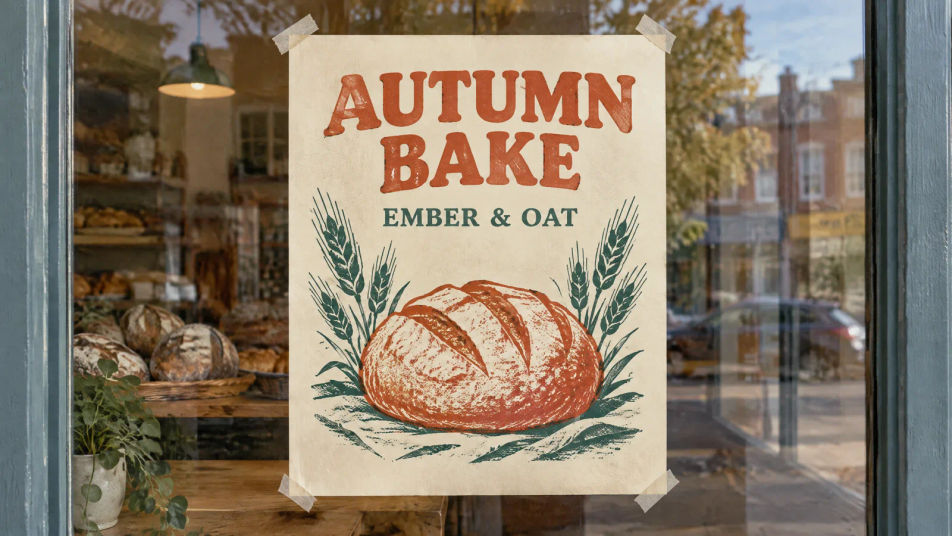
Posters and layouts
OpenAI says Flare lays out posters and other professional visuals better. Quote every word you want printed.
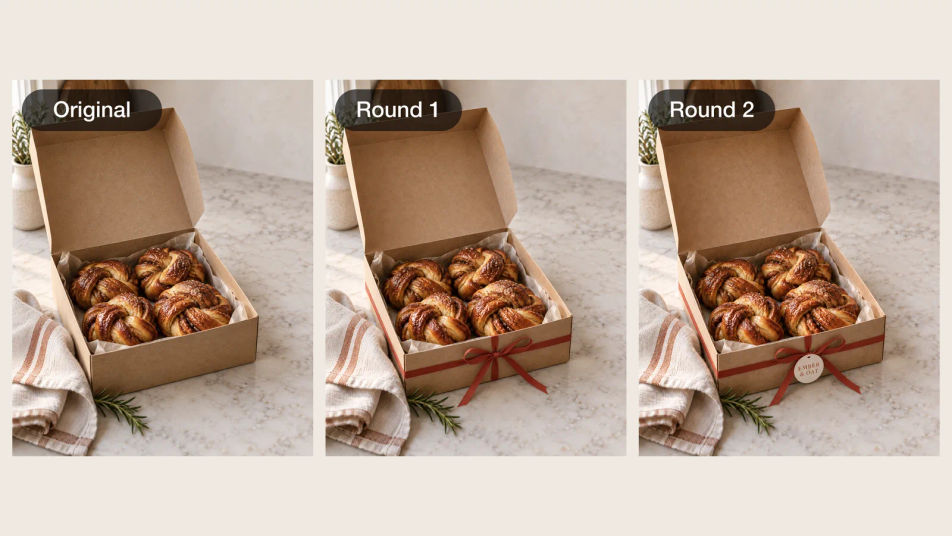
Edits that hold
Change one thing per round and keep the rest. Sunburst is the model OpenAI built for steadier edits.
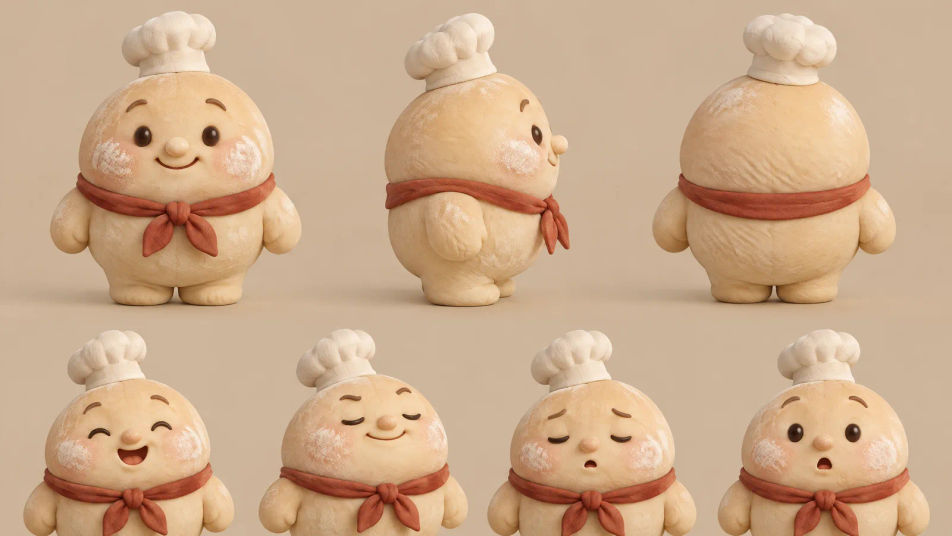
Reusable characters
Build a reference sheet once, then reuse it in every new scene so the face and outfit stay the same.
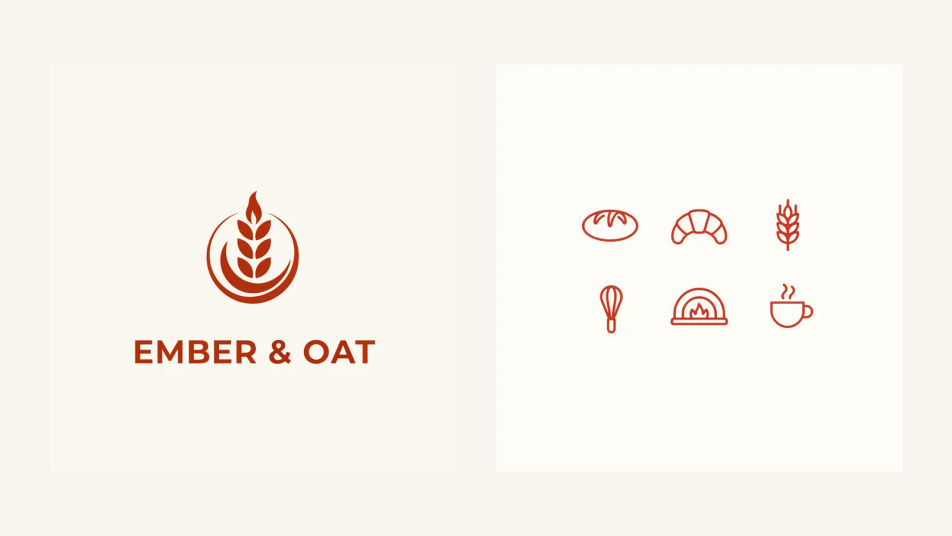
Logos and icons as SVG
Flat marks and icon sets that need to scale. On Morphic, make them as SVG with Ideogram Vector.
Prompt examples
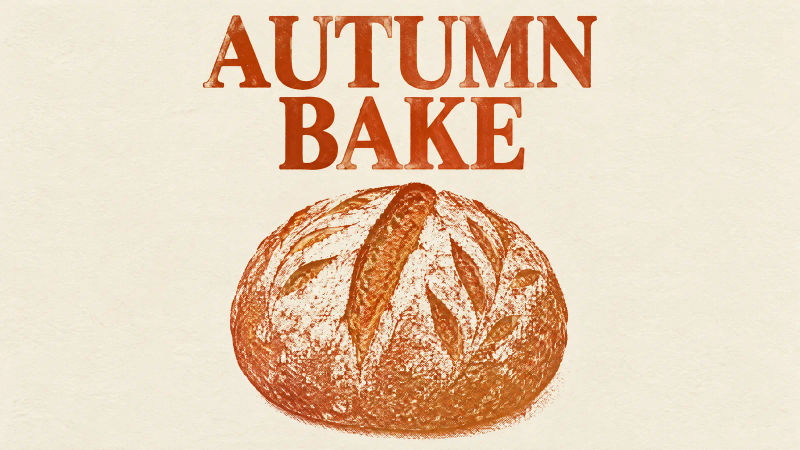
Riso poster
Riso poster, AUTUMN BAKE in rust serif, a scored loaf on cream paper, no other text
Edit prompt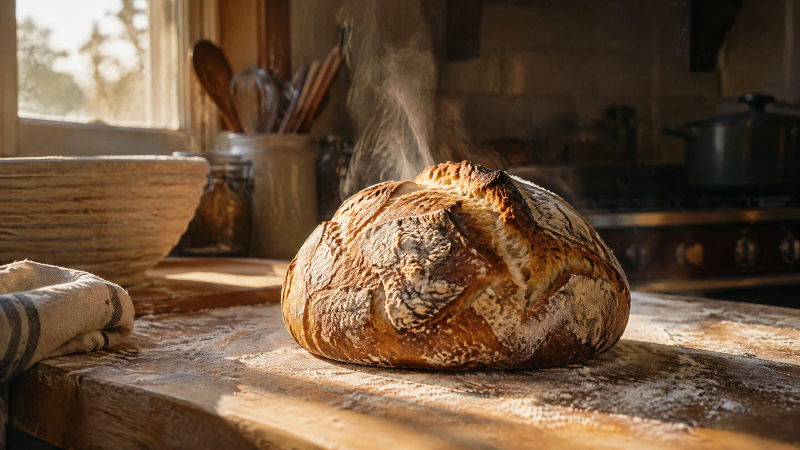
Bakery still
Sourdough loaf on a floured oak bench, dawn window light, rising steam, film look
Edit prompt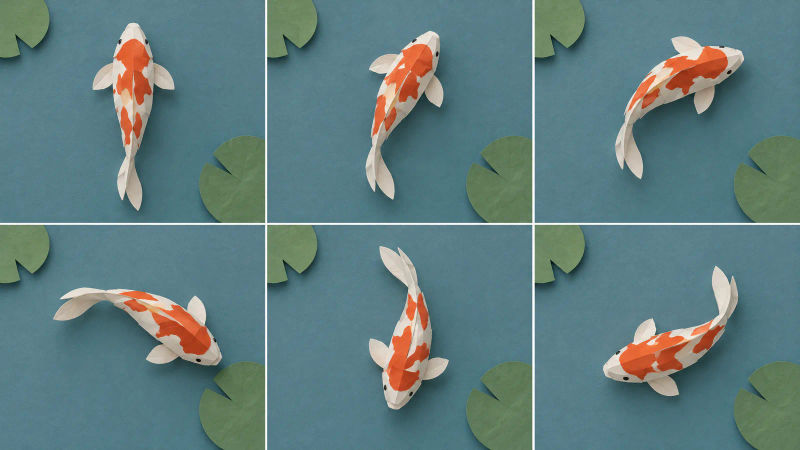
Loop frames
Sprite sheet, 6 equal frames in a 3x2 grid: a papercraft koi swimming a slow circle
Edit promptOverview
ChatGPT Images 2.6, also written GPT Image 2.6, is the image model OpenAI released on November 4, 2026. It runs in ChatGPT on every plan and in Codex, as two models: GPT-Image-2.6 Flare and GPT-Image-2.6 Sunburst.
The headline change is motion: it can return a short looping GIF from a prompt or from an image you upload. Around that, OpenAI added generation it measures as 50% faster than before, a complexity setting for how much the model plans a scene, SVG export, image markup that shows where an edit goes, and saved reference images in ChatGPT that you call back by name.
GPT-Image-2.6 Flare or Sunburst
Flare is the fast model, able to return an image in about six seconds at low quality, with better layouts for posters and product shots. Sunburst takes longer for more detail and holds characters and products steadier across a chain of edits. Start with Sunburst when the image has to be exact, then test whether Flare clears the same bar faster.
ChatGPT Images 2.6 vs 2.5
The size limits, the five quality tiers and the prices carry over from 2.5. The gain is in what the model can return and how much control you get. On image quality alone, 2.6 has not yet pulled ahead: on Arena's preliminary blind-vote scores, read on November 5, 2026, both 2.6 models sat just behind their 2.5 versions.
ChatGPT Images 2.6 and Morphic
ChatGPT Images 2.6 is not in the Morphic catalog yet. GPT Image 2.5 Flare and Sunburst are, on the paid plans, for generating and for editing with up to 10 reference images. The examples on this page were made on Morphic with the closest live model to each 2.6 feature: GPT Image 2.5 for stills and edits, Ideogram Vector for the vector art, and MiniMax H3 Max Turbo for the loops. For prompting tips, read the ChatGPT Images 2.6 guide, copy a starting point from the ChatGPT Images 2.6 prompt library, or open the GPT Image 2.6 AI image editor.
Simple pricing
Get started for free today, with the option to upgrade or cancel anytime.
Basic
2400 monthly credits
1 user only
All models
Workflows
Standard
3625 monthly credits
1 user only
All models
Workflows
Pro
6350 shared monthly credits
1 user
All models
Workflows
Max
24650 shared monthly credits
1 user
All models
Workflows
Enterprise
For higher limits
Custom
pricing and billing terms

Free
For playing around
$0
forever free
FAQs
SAM 3.1
Meta
Meta's Segment Anything model. Track any subject as a mask that follows it.
Seed Audio 1.5
ByteDance
ByteDance's full-scene audio model. Dialogue, music and effects, as separate tracks.
FLUX Video Upscale
Black Forest Labs
Black Forest Labs' video upscaler. Up to 4K, with fine detail rebuilt and the sound kept.
Ideogram Vector
Ideogram
Ideogram's model for vector art. Logos, icons and illustrations as SVG files.