Every video model
Slideshows you can build
Build a slideshow in three steps
- 01
Open Morphic
Sign up and start creating on a free-flowing, infinite visual canvas.
- 02
Animate each photo
Upload your shots and turn each still into motion: a slow push, pan, or drift.
- 03
Assemble over music
Order the clips on Compose, lay a music bed underneath, and export the sequence.
Use cases
A travel reel that actually moves
A folder of holiday photos plays flat as a set of stills. Animate each one with a slow push or a drift across the frame and the trip reads like footage you shot, not a carousel. Set the run to a track and it becomes a reel worth posting rather than a gallery to swipe.

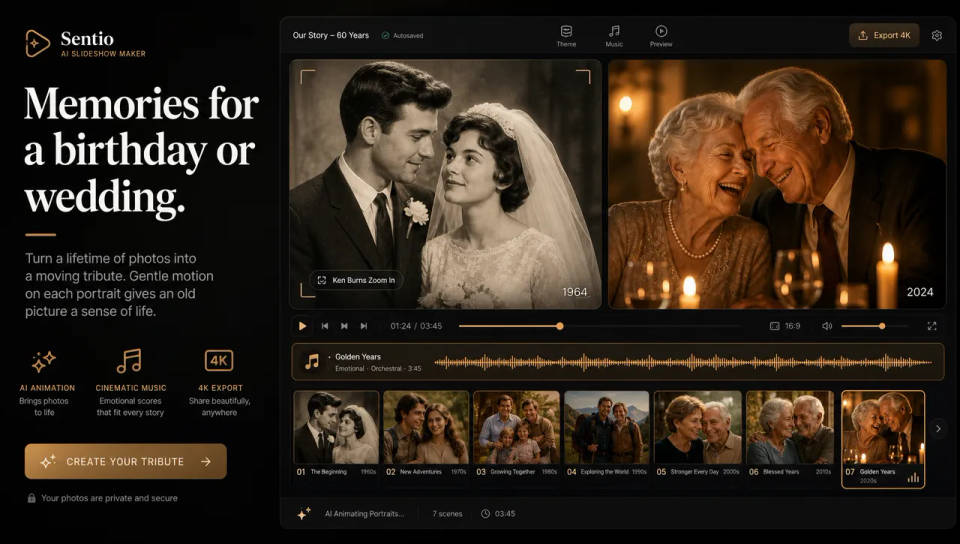
Memories for a birthday or wedding
Turn a lifetime of photos into a moving tribute for a birthday, anniversary, or wedding. Gentle motion on each portrait gives an old picture a sense of life, and a warm music bed carries the mood across the whole piece. It plays on a screen at the party far better than a slide deck.
Product and portfolio showcases
Show a product line or a body of work as a series of animated shots rather than a static grid. A subtle zoom on each item holds the eye a beat longer, and a clean instrumental bed keeps it feeling considered. One sequence works across a landing page, a pitch, and a social post.

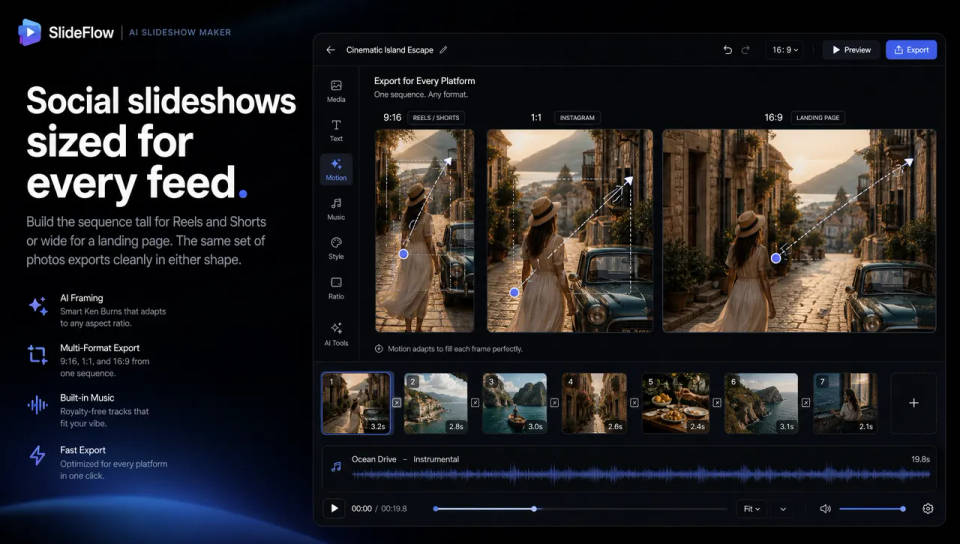
Social slideshows sized for every feed
Build the sequence tall for Reels and Shorts or wide for a landing page, and animate each shot to fill the frame. Because the motion lives inside each clip, the same set of photos exports cleanly in either shape without redoing the whole edit.
Dance your character
Upload a character image and make it dance in any style.
Time-freeze effect
Cinematic time-freeze short film for any scene
Cinematic scene
One image to a 9-scene cinematic video.
Put yourself in a movie
Drop in a photo of yourself. Get a 12-second cinematic movie with animation and a matched soundtrack.
Renovation timelapse
Photo of any real-estate becomes a cinematic renovation timelapse video with construction SFX and music.
Motion transfer
Pair a character image with a reference video. Your character picks up that exact motion.
All on Morphic
Models
Kling 3.0, Hailuo 2.3, Seedance 2.0, Veo 3.1, and more. Swap models to find the motion that suits each shot.
Image to video
Turn a single still into a moving shot with a push, pan, or drift, the animation each slide is built from.
Montage maker
Cut several animated clips into one paced sequence when you want a tighter edit than a straight slideshow.
Music and sound
Generate an original score with text-to-music and lay it under the sequence as the bed that ties it together.
