Face in the tube glow
Close shot of a face lit only by a curved CRT screen, scanlines rippling across their skin and phosphor bloom washing the eyes, dark room, static frame so the flicker and glow carry the mood.
Edit prompt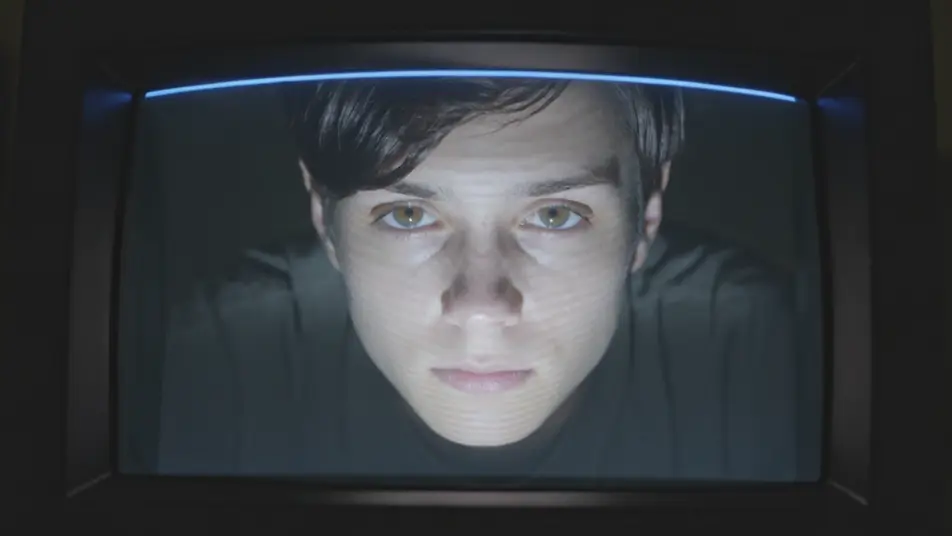
Direct the full CRT effect in your browser with Morphic's CRT AI video generator, from glowing scanlines to curved glass and phosphor bloom. Generate a face lit by a curved screen ribbed with scanlines, or a title card blooming in soft phosphor. Sync a synth pulse to the flicker with Music, then stitch the shots on the Canvas.
Close shot of a face lit only by a curved CRT screen, scanlines rippling across their skin and phosphor bloom washing the eyes, dark room, static frame so the flicker and glow carry the mood.
Edit promptLocked shot of a glowing title blooming in soft phosphor on a dark curved screen, a refresh bar rolling up the frame and fine scanlines throughout, deep black surround, no camera move so the tube reads clean.
Edit prompt
Medium shot of a figure hunched before a bank of old monitors whose curved glass and RGB phosphor grids glow in the dark, warm flicker on their face, slow push-in past the humming screens.
Edit prompt
Wide of a dim living room where a tube set flickers with signal noise and a rolling bar, its blue-white glow the only light, gentle drift toward the screen as the picture jitters and rolls.
Edit prompt
Write the crt scanline effect scene you want, in plain words.
Morphic generates a cinematic, frame-ready clip on your canvas in seconds.
Tweak the prompt, regenerate variations, then download or share the shot.
Cinematic time-freeze short film for any scene

Dramatize any text conversation into a cinematic multi-shot video.

Generate a professional film title card from scratch, with optional cinematic animation.
Photo of any real-estate becomes a cinematic renovation timelapse video with construction SFX and music.
One image to a 9-scene cinematic video.
Drop in a photo of yourself. Get a 12-second cinematic movie with animation and a matched soundtrack.
AI Glitch Effect videos
Generate AI glitch videos with Morphic. Block corruption, signal dropout, RGB tears, and paste-ready glitch prompts that run end to end in your browser.
AI chromatic aberration
Generate AI chromatic aberration videos with Morphic. RGB split, color fringing, edge ghosting, and paste-ready prompts that run end to end in your browser.
AI VFX videos
Generate AI VFX videos with Morphic. Explosions, energy effects, sci-fi destruction, particles, and creature shots from a prompt. No green screen, no compositing.
AI Morph videos
Generate AI morph videos with Morphic. Smooth morph transitions, shape-shifting reveals, face-aging morphs, and beat-synced morph-cut prompts that just run.
Get started for free today, with the option to upgrade or cancel anytime.
Basic
2400 monthly credits
1 user only
All models
Workflows
Standard
3625 monthly credits
1 user only
All models
Workflows
Pro
6350 shared monthly credits
1 user
All models
Workflows
Max
24650 shared monthly credits
1 user
All models
Workflows
Enterprise
For higher limits
Custom
pricing and billing terms

Free
For playing around
$0
forever free