A portrait with fine 35mm grain
A close portrait carries a delicate even grain and gentle warm halation, skin and eyes holding their detail while the whole frame gains an analog breath, soft key light steady through a slow push-in.
Edit prompt
Direct an analog film-grain look in your browser with Morphic's film grain effect AI video generator. Generate a fine 35mm sheen over a portrait or heavy 16mm grain across a rain-soaked street. Lean into the mood with Music, then stitch the grainy shots into one sequence on the Canvas.
A close portrait carries a delicate even grain and gentle warm halation, skin and eyes holding their detail while the whole frame gains an analog breath, soft key light steady through a slow push-in.
Edit promptA handheld shot of a wet night street wears coarse, lively grain, muted colors and softened edges giving a raw documentary feel, neon smearing in the puddles as the camera drifts alongside a passerby.
Edit prompt
A high-contrast monochrome alley holds deep blacks and bright highlights with grain riding the shadows, a lone figure crossing the frame under a single hard light for a timeless, newsprint-edged mood.
Edit prompt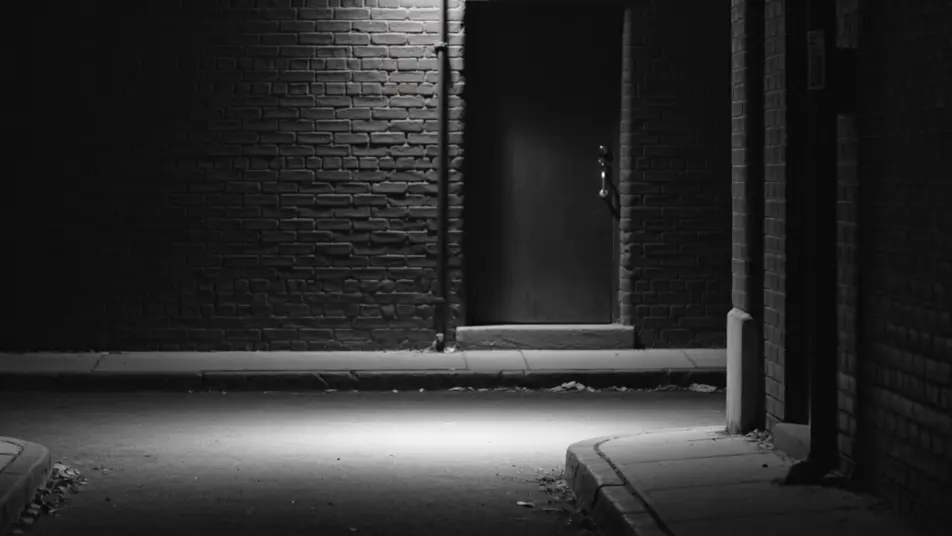
A wide field glows with warm vintage-stock grain, faded golden color and soft focus edges lending a decades-old nostalgia, tall grass swaying as the camera drifts low through the late afternoon light.
Edit prompt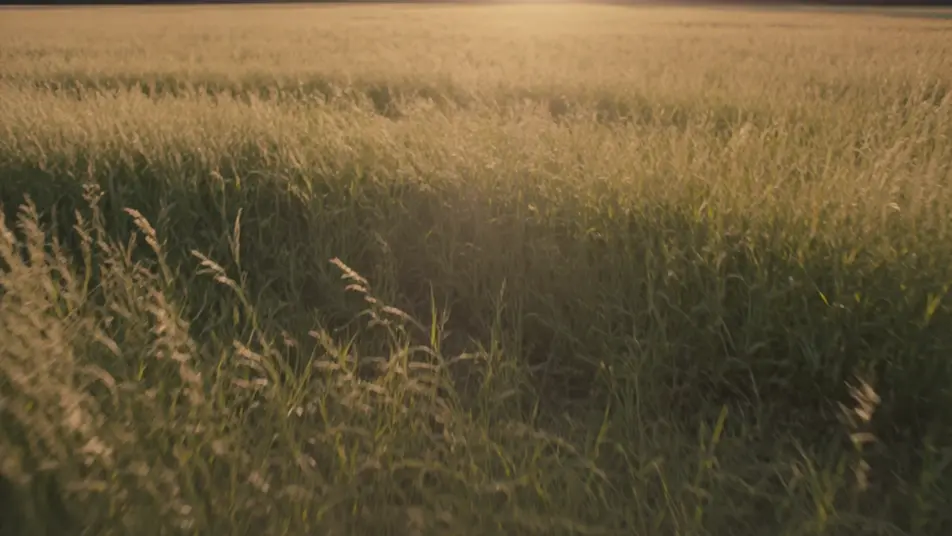
Write the film grain effect scene you want, in plain words.
Morphic generates a cinematic, frame-ready clip on your canvas in seconds.
Tweak the prompt, regenerate variations, then download or share the shot.

Dramatize any text conversation into a cinematic multi-shot video.
Cinematic time-freeze short film for any scene

Generate a professional film title card from scratch, with optional cinematic animation.
One image to a 9-scene cinematic video.
Drop in a photo of yourself. Get a 12-second cinematic movie with animation and a matched soundtrack.
Photo of any real-estate becomes a cinematic renovation timelapse video with construction SFX and music.
AI Video Colorization videos
Colorize video with AI on Morphic. Add believable color to black-and-white footage, control the palette, and keep skin, sky, and fabric tones consistent.
AI Video Restoration videos
Restore video with AI on Morphic. Remove scratches, noise, and flicker, stabilize shaky clips, and revive degraded footage while keeping its original character.
AI VFX videos
Generate AI VFX videos with Morphic. Explosions, energy effects, sci-fi destruction, particles, and creature shots from a prompt. No green screen, no compositing.
AI Morph videos
Generate AI morph videos with Morphic. Smooth morph transitions, shape-shifting reveals, face-aging morphs, and beat-synced morph-cut prompts that just run.
Get started for free today, with the option to upgrade or cancel anytime.
Basic
2400 monthly credits
1 user only
All models
Workflows
Standard
3625 monthly credits
1 user only
All models
Workflows
Pro
6350 shared monthly credits
1 user
All models
Workflows
Max
24650 shared monthly credits
1 user
All models
Workflows
Enterprise
For higher limits
Custom
pricing and billing terms

Free
For playing around
$0
forever free