A silent-era iris-in on a face
A fully black frame opens as a circle grows from the center to reveal a smiling face in soft warm light, the vignette edge crisp in the vintage style. Locked framing, steady circular expansion.
Edit prompt
Direct classic iris wipes in your browser with Morphic's iris wipe AI video generator. Generate a circle opening on a new scene or closing to a pinpoint, a silent-era iris-in on a smiling face, or a storybook iris-out. Score the swell with Music, then stitch a vintage sequence on the Canvas.
A fully black frame opens as a circle grows from the center to reveal a smiling face in soft warm light, the vignette edge crisp in the vintage style. Locked framing, steady circular expansion.
Edit promptA wide of a small figure waving farewell in a meadow as the circle slowly closes around them to a black pinpoint, the surrounding frame darkening evenly. Static shot, gentle iris collapse for a chapter close.
Edit prompt
A tight circle isolates a flickering candle flame in an otherwise black frame, then the iris widens to reveal a dim, cluttered study around it. Warm low light, slow circular open.
Edit prompt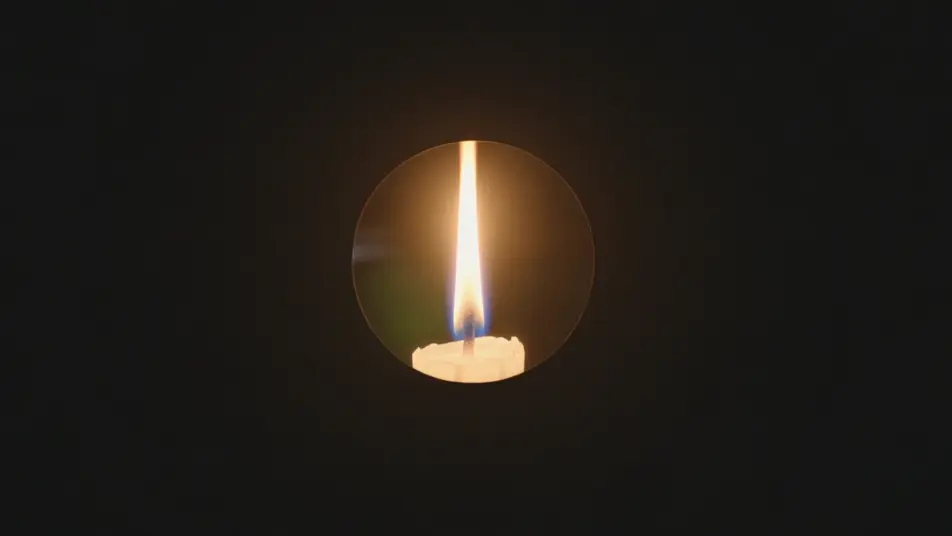
A sepia-tinted iris opens from a corner onto a bustling cobblestone street, the warm vintage border ringing the reveal. Held wide framing, unhurried off-center expansion for a period feel.
Edit prompt
Write the iris wipe scene you want, in plain words.
Morphic generates a cinematic, frame-ready clip on your canvas in seconds.
Tweak the prompt, regenerate variations, then download or share the shot.

Dramatize any text conversation into a cinematic multi-shot video.
Cinematic time-freeze short film for any scene

Generate a professional film title card from scratch, with optional cinematic animation.
Photo of any real-estate becomes a cinematic renovation timelapse video with construction SFX and music.
One image to a 9-scene cinematic video.
Drop in a photo of yourself. Get a 12-second cinematic movie with animation and a matched soundtrack.
AI Star Wipe videos
Generate AI star wipe videos with Morphic. Retro star-shaped transitions, sparkly starbursts, and campy wipe reveals timed to a music sting that just run.
AI Cross Dissolve videos
Generate AI cross dissolve videos with Morphic. Soft fades between shots, dreamlike overlaps, and time-passing dissolves timed to music that just run.
AI VFX videos
Generate AI VFX videos with Morphic. Explosions, energy effects, sci-fi destruction, particles, and creature shots from a prompt. No green screen, no compositing.
AI Morph videos
Generate AI morph videos with Morphic. Smooth morph transitions, shape-shifting reveals, face-aging morphs, and beat-synced morph-cut prompts that just run.
Get started for free today, with the option to upgrade or cancel anytime.
Basic
2400 monthly credits
1 user only
All models
Workflows
Standard
3625 monthly credits
1 user only
All models
Workflows
Pro
6350 shared monthly credits
1 user
All models
Workflows
Max
24650 shared monthly credits
1 user
All models
Workflows
Enterprise
For higher limits
Custom
pricing and billing terms

Free
For playing around
$0
forever free