Isekai fantasy AI Videos

Direct the crossing-over moment in your browser with Morphic's isekai fantasy AI video generator. Generate an ordinary office worker pulled through a glowing portal mid-commute, or a bewildered newcomer in modern clothes stumbling into a medieval market square. Pair the footage with the Speech and Music tools to add a sweeping arrival score and inner-monologue narration, then stitch the full isekai fantasy short in the Canvas.

Isekai fantasy characters you can create

Isekai fantasy scenes you can direct

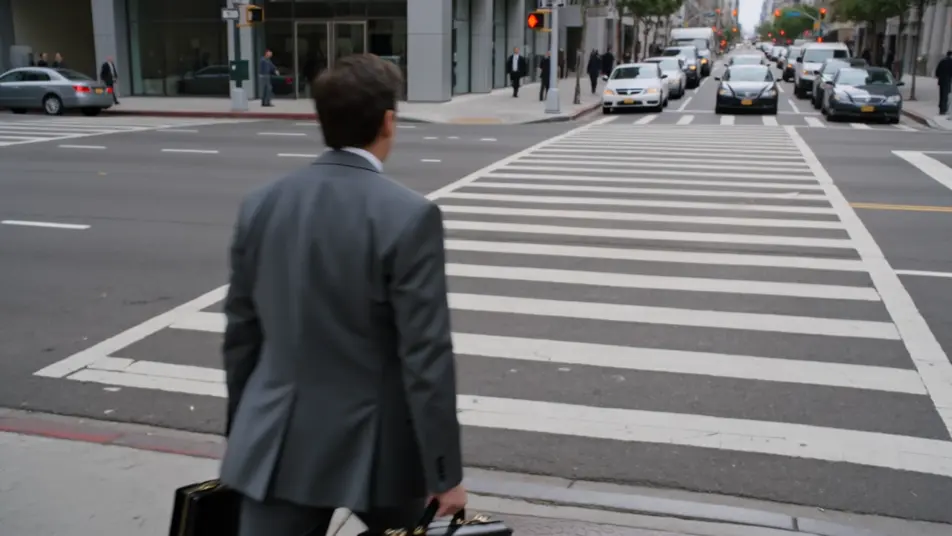
Pulled through the portal mid-commute

A grey city crosswalk at rush hour, a swirling portal of golden light tearing open in front of the everyman, papers and briefcase scattering as the body is drawn forward, the modern street stretching and dissolving behind, fast push-in into the light.

Edit prompt
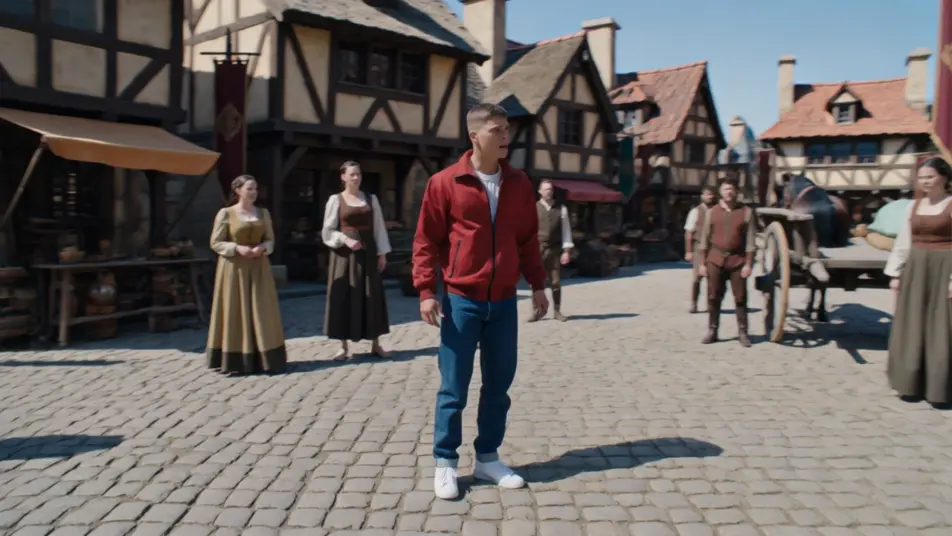
First steps in the medieval square

A sunlit cobblestone market square of timber-framed shops and horse carts, the newcomer in modern clothes turning slowly in disbelief as locals stare, banners and a distant castle on the hill, slow 360 orbit around the bewildered arrival.

Edit prompt

The summoning array ignites

A vast throne-room floor inscribed with a glowing summoning array, light surging up the runes as the everyman materializes at the center mid-fall, the princess and court recoiling in the rune-light, slow crane move rising over the circle.

Edit prompt

Forest-crossroads meeting at dawn

A misty forest crossroads at dawn, the otherworld guide extending a hand to the newcomer as drifting glyphs of a strange language hover in the air, dappled gold light through the canopy, slow dolly in on the meeting hands.

Edit prompt

Make isekai fantasy videos in three steps

  1. 01

    Describe your isekai fantasy scene

    Write the isekai fantasy scene you want, in plain words.

  2. 02

    Generate the video

    Morphic generates a cinematic, frame-ready clip on your canvas in seconds.

  3. 03

    Refine your isekai fantasy video

    Tweak the prompt, regenerate variations, then download or share the shot.

Related workflows

You might also like

Simple pricing

Get started for free today, with the option to upgrade or cancel anytime.

Basic

$0/ month
billed as $0 per year

900 monthly credits

1 user only

All models

Workflows

Standard

$0/ month
billed as $0 per year

3200 monthly credits

1 user only

All models

Workflows

Pro

$0/ month
billed as $0 per year

6200 shared monthly credits

1 user

+ up to 4 more at extra cost

All models

Workflows

Pro Max

$0/ month
billed as $0 per year

24000 shared monthly credits

1 user

+ up to 9 more at extra cost

All models

Workflows

Enterprise

For higher limits

Custom

pricing and billing terms

Unlimited credits
Custom seat limits
All models
Workflows
Pricing Gradient

Free

For playing around

$0

forever free

Up to 20 credits
1 user only
Limited models
Workflows

FAQs

What is isekai fantasy?
Isekai fantasy is a subgenre about an ordinary person transported out of daily life into another world. On screen it reads through the crossing-over beat (a portal tearing open, a summoning array igniting, waking in a new body), a sharp contrast between the everyday origin and the fantasy destination (modern clothes in a medieval square, a commuter pulled into a rune circle), and a moment of bewildered arrival. The portal-crossing is the heart of the genre.
How do I make isekai fantasy videos with AI?
Make isekai fantasy videos in your browser on Morphic with the Text to Video tool. Describe the crossing-over moment, the world the hero lands in, and a camera move, and Morphic generates the clip. No installs or specialist software are needed, and you can refine the prompt and regenerate until the isekai fantasy portal-crossing lands.
How do I write a good isekai fantasy video prompt?
Name the crossing-over beat, the ordinary-to-fantasy contrast, and a camera move, keeping one foot in each world. A strong isekai fantasy prompt reads like "a golden portal tearing open on a rush-hour crosswalk as an office worker is drawn in, papers scattering, the modern street dissolving behind, fast push-in into the light." The jump between worlds should be the subject of the shot.
What isekai fantasy scenes work best for AI video?
Isekai fantasy scenes built around the portal-crossing and the bewildered arrival work best for AI video, such as an office worker pulled through a portal mid-commute, a newcomer in modern clothes taking first steps in a medieval square, a summoning array igniting under a transported hero, and a dawn meeting with an otherworld guide at a forest crossroads. Each stages the jump from the ordinary world into the new one.
How do I keep characters consistent across isekai fantasy scenes?
Use the Character Lineup workflow to lock the wardrobe and posture for each isekai fantasy character, then reference those character cards in every prompt. Morphic preserves the everyman’s rumpled office clothes and lanyard, the guide’s flowing robes, and the princess’s layered court gown across every shot so the continuity holds from the crossing-over through the new world.
Can I add music and narration to my isekai fantasy videos?
Yes, add music and narration to your isekai fantasy videos with the Music tool and the Speech tool. The Music tool generates an original sweeping arrival score that swells at the portal beat under the crossing-over and market-square scenes, and the Speech tool produces inner-monologue narration and dialogue in the voice you choose, layered onto the footage to publish a complete isekai fantasy short.
What is the best AI video generator for isekai fantasy videos?
Morphic is one of the best AI video generators for isekai fantasy videos. It runs in your browser: describe a scene in plain language and the Text to Video tool generates the isekai fantasy clip, the Character Lineup workflow keeps your cast consistent across shots, and the Music and Speech tools add an original score and narration. You can direct, refine, and assemble a full isekai fantasy video on a single canvas with no installs.





