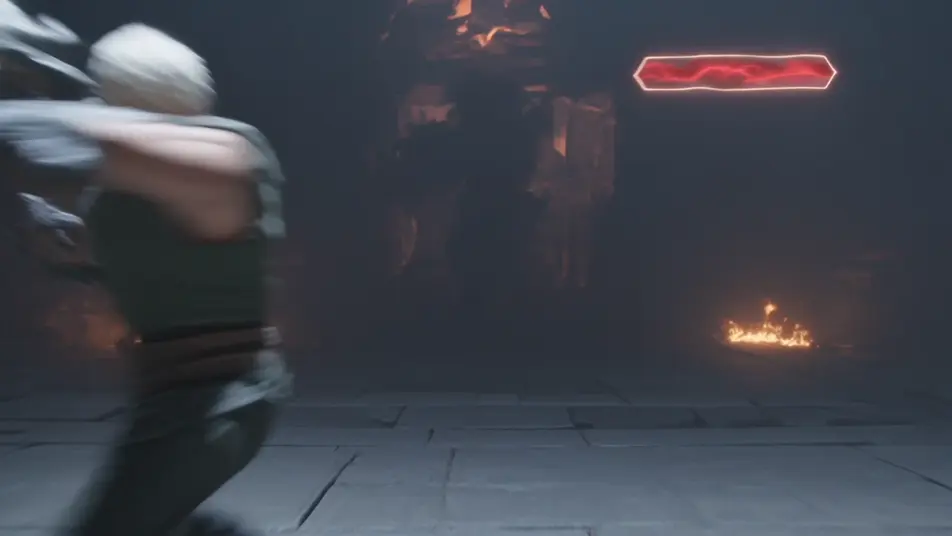
LitRPG fantasy AI Videos

Direct game systems made real in your browser with Morphic's LitRPG fantasy AI video generator. Generate a hero hit with a glowing blue level-up banner mid-battle, or an adventurer reading a floating status window that overlays a stone dungeon. Pair the footage with the Speech and Music tools to add an arcade-meets-orchestra score and a system-voice narration, then stitch the full LitRPG fantasy short in the Canvas.

LitRPG fantasy characters you can create

LitRPG fantasy scenes you can direct

Level-up banner in the heat of battle

Mid-fight in a torchlit dungeon, the hero lands a finishing blow as a glowing blue "LEVEL UP" banner bursts across the screen with rising stat numbers, particles streaming upward, slow-motion push-in on the lit-up face.

Edit prompt
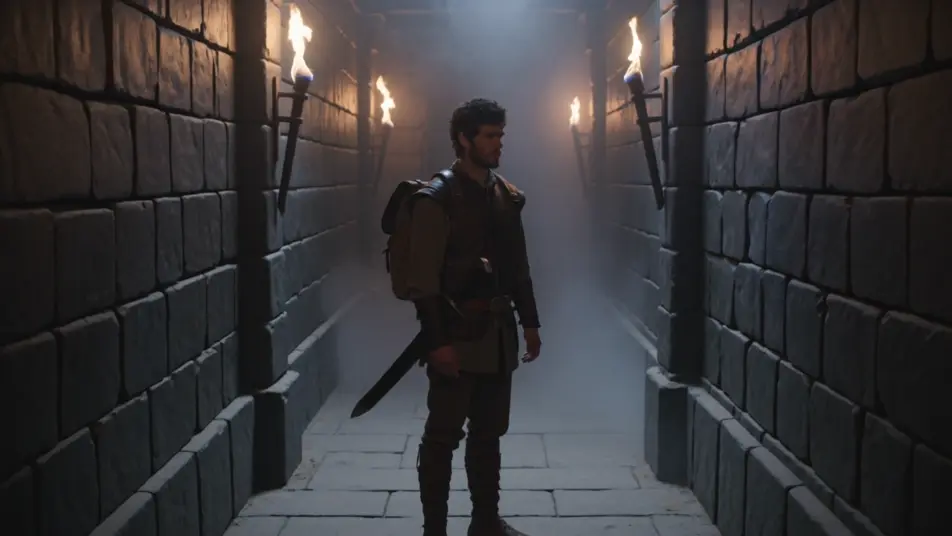
Reading the status window in the dungeon

A stone dungeon corridor, the adventurer pausing as a translucent blue status window unfolds in the air with stat lines and a minimap pinned to the corner, torch-smoke drifting through the UI glow, slow dolly forward.

Edit prompt

Raid boss health bar drops to zero

A cavernous raid arena, the party hammering a colossal boss as its crimson HP bar drains across the top of the frame, debris and ember haze flying, a "VICTORY" splash igniting as the bar empties, fast tracking shot pulling back.

Edit prompt

Skill-tree node lighting up in the mage tower

A quiet mage-tower chamber at night, a fanned skill tree of glowing blue nodes projected in the air, the mage selecting a node that lights a new spell icon with a soft chime-flash, slow orbit around the projected tree.

Edit prompt

Make LitRPG fantasy videos in three steps

  1. 01

    Describe your LitRPG fantasy scene

    Write the LitRPG fantasy scene you want, in plain words.

  2. 02

    Generate the video

    Morphic generates a cinematic, frame-ready clip on your canvas in seconds.

  3. 03

    Refine your LitRPG fantasy video

    Tweak the prompt, regenerate variations, then download or share the shot.

Related workflows

You might also like

Simple pricing

Get started for free today, with the option to upgrade or cancel anytime.

Basic

$0/ month
billed as $0 per year

900 monthly credits

1 user only

All models

Workflows

Standard

$0/ month
billed as $0 per year

3200 monthly credits

1 user only

All models

Workflows

Pro

$0/ month
billed as $0 per year

6200 shared monthly credits

1 user

+ up to 4 more at extra cost

All models

Workflows

Pro Max

$0/ month
billed as $0 per year

24000 shared monthly credits

1 user

+ up to 9 more at extra cost

All models

Workflows

Enterprise

For higher limits

Custom

pricing and billing terms

Unlimited credits
Custom seat limits
All models
Workflows
Pricing Gradient

Free

For playing around

$0

forever free

Up to 20 credits
1 user only
Limited models
Workflows

FAQs

What is LitRPG fantasy?
LitRPG fantasy is a subgenre where video-game systems appear on screen inside a real fantasy world. On screen it reads through diegetic game UI layered into live action (floating blue status windows, level-up banners, HP bars, skill trees, quest markers), fantasy settings like dungeons, raid arenas, and mage towers, and a system reaction such as a level-up or victory splash. The glowing interface is part of the world, not a screenshot.
How do I make LitRPG fantasy videos with AI?
Make LitRPG fantasy videos in your browser on Morphic with the Text to Video tool. Describe the game-UI overlay, the fantasy setting it sits in, and a camera move, and Morphic generates the clip. No installs or specialist software are needed, and you can refine the prompt and regenerate until the LitRPG fantasy interface lands.
How do I write a good LitRPG fantasy video prompt?
Name the game-UI element, the fantasy setting it overlays, and the moment the system reacts, then add a camera move. A strong LitRPG fantasy prompt reads like "a glowing blue LEVEL UP banner bursting across a torchlit dungeon as stat numbers rise, slow-motion push-in on the lit-up face." Tie each panel to a beat in the action so the UI feels live rather than pasted on.
What LitRPG fantasy scenes work best for AI video?
LitRPG fantasy scenes that make the game system react work best for AI video, such as a level-up banner bursting mid-battle, an adventurer reading a floating status window in a dungeon, a crimson raid-boss HP bar draining to zero, and a skill-tree node lighting up in a mage tower. Each ties a glowing UI panel to a beat in the action so the interface reads as part of the world.
How do I keep characters consistent across LitRPG fantasy scenes?
Use the Character Lineup workflow to lock the armor, robes, and signature UI color for each LitRPG fantasy character, then reference those character cards in every prompt. Morphic preserves the player’s starter leather and blue status window, the mage’s skill-tree projection, and the boss’s crimson HP bar across every shot so the continuity holds through the whole LitRPG fantasy short.
Can I add music and narration to my LitRPG fantasy videos?
Yes, add music and narration to your LitRPG fantasy videos with the Music tool and the Speech tool. The Music tool generates an original arcade-meets-orchestra score with chime stings on each level-up under the dungeon and raid beats, and the Speech tool produces a calm system-voice narration and party chatter in the voice you choose, layered onto the footage to publish a complete LitRPG fantasy short.
What is the best AI video generator for LitRPG fantasy videos?
Morphic is one of the best AI video generators for LitRPG fantasy videos. It runs in your browser: describe a scene in plain language and the Text to Video tool generates the LitRPG fantasy clip, the Character Lineup workflow keeps your cast consistent across shots, and the Music and Speech tools add an original score and narration. You can direct, refine, and assemble a full LitRPG fantasy video on a single canvas with no installs.