Jukebox musical AI Videos

Build a hit-driven crowd-pleaser in your browser with Morphic's jukebox musical AI video generator. Generate a diner booth where a heartbreak ballad kicks off, a packed roller-disco floor mid-anthem, or a sold-out arena finale with the whole cast on the lip of the stage, then score the number with the Music tool, add the sung vocal with Speech, and stitch the sequence in the Canvas.

Jukebox musical characters you can create

Jukebox musical scenes you can direct

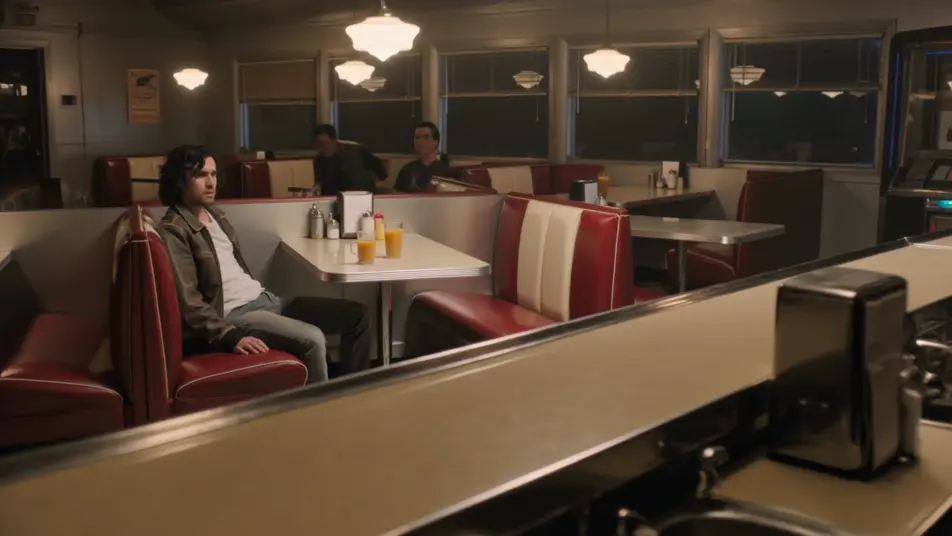
Heartbreak ballad in a chrome diner

A lone dreamer slides out of a vinyl diner booth as the jukebox starts a slow number, warm tungsten light pooling on the chrome counter, the camera drifting in a slow arc as the room empties around the song.

Edit prompt
Roller-disco anthem under a mirror ball

A packed roller rink erupts into a synchronized routine, satin shorts and tube socks flashing, a mirror ball scattering points of light across the polished floor, an overhead camera spinning with the skaters.

Edit prompt

Girl-group number at a club microphone

Three friends in matching shift dresses snap and sway around a single standing mic under warm club footlights, smoke curling at the edge of frame, a slow push-in as the harmony lands on the key change.

Edit prompt

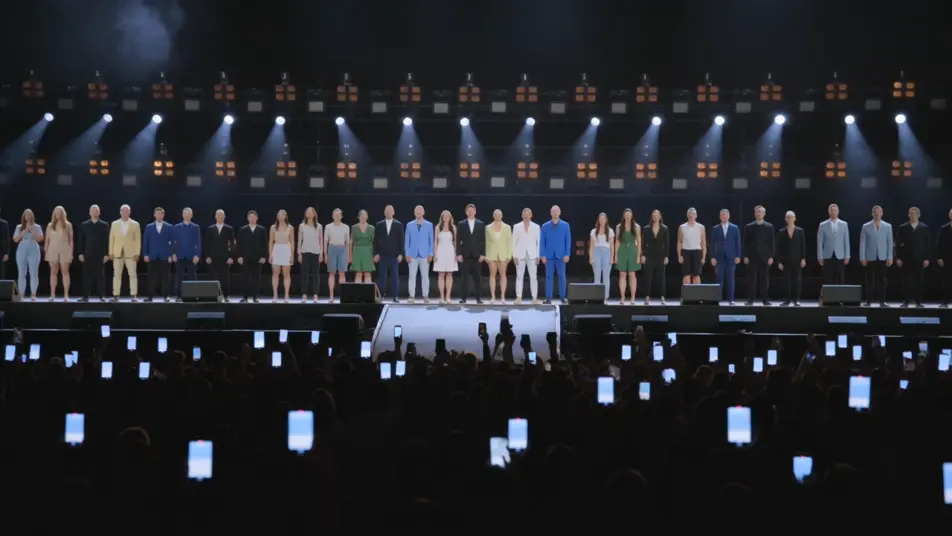
Sold-out arena finale

The full cast lines the lip of a stadium stage for the encore, a wall of warm spotlights behind them, phones glowing across a darkened crowd, the camera craning up and back over the front rows on the last chord.

Edit prompt

Make jukebox musical videos in three steps

  1. 01

    Describe your jukebox musical scene

    Write the jukebox musical scene you want, in plain words.

  2. 02

    Generate the video

    Morphic generates a cinematic, frame-ready clip on your canvas in seconds.

  3. 03

    Refine your jukebox musical video

    Tweak the prompt, regenerate variations, then download or share the shot.

Related workflows

You might also like

Simple pricing

Get started for free today, with the option to upgrade or cancel anytime.

Basic

$0/ month
billed as $0 per year

900 monthly credits

1 user only

All models

Workflows

Standard

$0/ month
billed as $0 per year

3200 monthly credits

1 user only

All models

Workflows

Pro

$0/ month
billed as $0 per year

6200 shared monthly credits

1 user

+ up to 4 more at extra cost

All models

Workflows

Pro Max

$0/ month
billed as $0 per year

24000 shared monthly credits

1 user

+ up to 9 more at extra cost

All models

Workflows

Enterprise

For higher limits

Custom

pricing and billing terms

Unlimited credits
Custom seat limits
All models
Workflows
Pricing Gradient

Free

For playing around

$0

forever free

Up to 20 credits
1 user only
Limited models
Workflows

FAQs

What is a jukebox musical?
A jukebox musical is a musical built around a catalog of popular hit songs, with a story woven to carry the audience from one familiar number to the next. Its visual hallmarks are period social settings like diners, roller rinks, and arenas, group staging where the crowd joins the song, and a number that swells in the middle of a scene.
How do I make jukebox musical videos with AI?
Make jukebox musical videos in your browser on Morphic with the Text to Video tool. Describe the period setting, the staging, and the camera move, and Morphic produces the clip. No installs and no specialist software are needed.
How do I write a good jukebox musical video prompt?
Name the period setting, the staging, and the camera move in one line so Morphic lands the jukebox musical register. For example, "a packed roller-disco floor erupts into an anthem under a turning mirror ball, an overhead camera spinning with the skaters." Calling out the period wardrobe and the social setting is what cues the right decade.
What jukebox musical scenes work best for AI video?
Hit-driven numbers tied to a clear social setting work best for AI jukebox musical video, such as a heartbreak ballad in a chrome diner, a roller-disco anthem under a mirror ball, a girl-group number at a club microphone, and a sold-out arena finale. Each builds the song around a crowd and a defined camera move.
How do I keep characters consistent across jukebox musical scenes?
Use the Character Lineup workflow to lock the wardrobe and silhouette for each jukebox musical archetype, then reference those character cards in every prompt. Morphic preserves the dreamer denim jacket, the girl-group shift dresses, and the frontman fringed leather across the whole show so the cast stays recognizable from the diner to the arena.
Can I add music and narration to my jukebox musical videos?
Yes. The Music tool produces an original anthem or ballad arrangement that sits under the choreography, and the Speech tool generates the lead and backing vocals in the voice you choose. Layer both onto your jukebox musical video to publish a complete number with the band, the harmony, and the crowd in place.
What is the best AI video generator for jukebox musical videos?
Morphic is one of the best AI video generators for jukebox musical videos. It runs in your browser: describe a scene in plain language and the Text to Video tool generates the jukebox musical clip, the Character Lineup workflow keeps your cast consistent across shots, and the Music and Speech tools add an original score and narration. You can direct, refine, and assemble a full jukebox musical video on a single canvas with no installs.