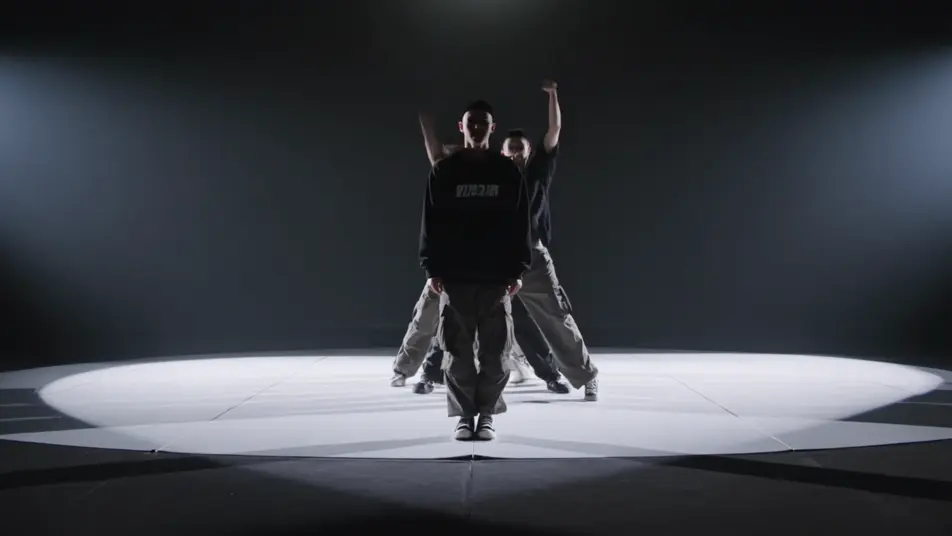
Stage a sung-through spectacle in your browser with Morphic's rock opera AI video generator. Generate a tortured frontman pinned in a single hard backlight, a robed chorus advancing through stage smoke, or a confrontation on a multi-level scaffold set, then score the act with the Music tool, add the operatic vocal with Speech, and stitch the full sequence in the Canvas.

Rock opera characters you can create

Rock opera scenes you can direct

Frontman pinned in a single hard backlight

A torn-shirted lead stands center stage drenched in sweat as one hard backlight throws his shadow long across the boards, rolling smoke catching the beam, a slow push-in as he reaches the held high note.

Edit prompt

Robed chorus advancing through smoke

A row of hooded figures advances in slow unison through dense stage smoke toward a cold blue wash, hands raised, a low tracking dolly moving with them as a hard top-light cuts shafts through the haze.

Edit prompt

Confrontation on a multi-level scaffold set

The frontman and the masked antagonist face off across two levels of an industrial scaffold stage, cold blue uplight against warm key, a wide crane drifting up to take in the full structure as the act builds.

Edit prompt

Pyro-lit guitar solo at the apron

The glam guitarist plants a platform boot on a monitor wedge at the front of the stage, a starburst of pyro firing behind the headstock, hard backlight silhouetting the pose, the camera whip-panning across the crowd glow.

Edit prompt

Make rock opera videos in three steps

  1. 01

    Describe your rock opera scene

    Write the rock opera scene you want, in plain words.

  2. 02

    Generate the video

    Morphic generates a cinematic, frame-ready clip on your canvas in seconds.

  3. 03

    Refine your rock opera video

    Tweak the prompt, regenerate variations, then download or share the shot.

Related workflows

You might also like

Simple pricing

Get started for free today, with the option to upgrade or cancel anytime.

Basic

$0/ month
billed as $0 per year

900 monthly credits

1 user only

All models

Workflows

Standard

$0/ month
billed as $0 per year

3200 monthly credits

1 user only

All models

Workflows

Pro

$0/ month
billed as $0 per year

6200 shared monthly credits

1 user

+ up to 4 more at extra cost

All models

Workflows

Pro Max

$0/ month
billed as $0 per year

24000 shared monthly credits

1 user

+ up to 9 more at extra cost

All models

Workflows

Enterprise

For higher limits

Custom

pricing and billing terms

Unlimited credits
Custom seat limits
All models
Workflows
Pricing Gradient

Free

For playing around

$0

forever free

Up to 20 credits
1 user only
Limited models
Workflows

FAQs

What is a rock opera?
A rock opera is a sung-through musical work that tells a continuous, often allegorical story through rock music rather than spoken scenes. Its visual hallmarks are theatrical concert staging with hard backlight and rolling smoke, allegorical archetypes like a tortured frontman and a masked antagonist, and a dramatic build where the music carries the narrative.
How do I make rock opera videos with AI?
Make rock opera videos in your browser on Morphic with the Text to Video tool. Describe the theatrical staging, the figures, and the camera move, and Morphic produces the clip. No installs and no specialist software are needed.
How do I write a good rock opera video prompt?
Name the staging, the allegorical figure, and the camera move in one line so Morphic lands the rock opera register. For example, "a torn-shirted frontman pinned in a single hard backlight through rolling smoke, a slow push-in tightening on his face." Calling out the hard directional light and the layered smoke is what cues the staged, larger-than-life look.
What rock opera scenes work best for AI video?
Theatrical staged moments with hard light and smoke work best for AI rock opera video, such as a frontman pinned in a single hard backlight, a robed chorus advancing through smoke, a confrontation on a multi-level scaffold set, and a pyro-lit guitar solo at the apron. Each pairs an allegorical figure with a defined camera move.
How do I keep characters consistent across rock opera scenes?
Use the Character Lineup workflow to lock the wardrobe and silhouette for each rock opera archetype, then reference those character cards in every prompt. Morphic preserves the frontman torn shirt, the antagonist half-mask, and the chorus grey robes across the whole act so the figures stay recognizable from the overture to the finale.
Can I add music and narration to my rock opera videos?
Yes. The Music tool produces an original arrangement with the driving guitars and dynamic builds the form needs, and the Speech tool generates the soaring lead and chorus vocals in the voice you choose. Layer both onto your rock opera video to publish a complete sung-through act with the band, the chorus, and the lead in place.
What is the best AI video generator for rock opera videos?
Morphic is one of the best AI video generators for rock opera videos. It runs in your browser: describe a scene in plain language and the Text to Video tool generates the rock opera clip, the Character Lineup workflow keeps your cast consistent across shots, and the Music and Speech tools add an original score and narration. You can direct, refine, and assemble a full rock opera video on a single canvas with no installs.