Back-room sit-down at a red-sauce restaurant
A private back room of a checkered-tablecloth restaurant under a single low pendant, the boss at the head of a long table, capos seated along, cigar smoke pooling under the bulb.
Edit prompt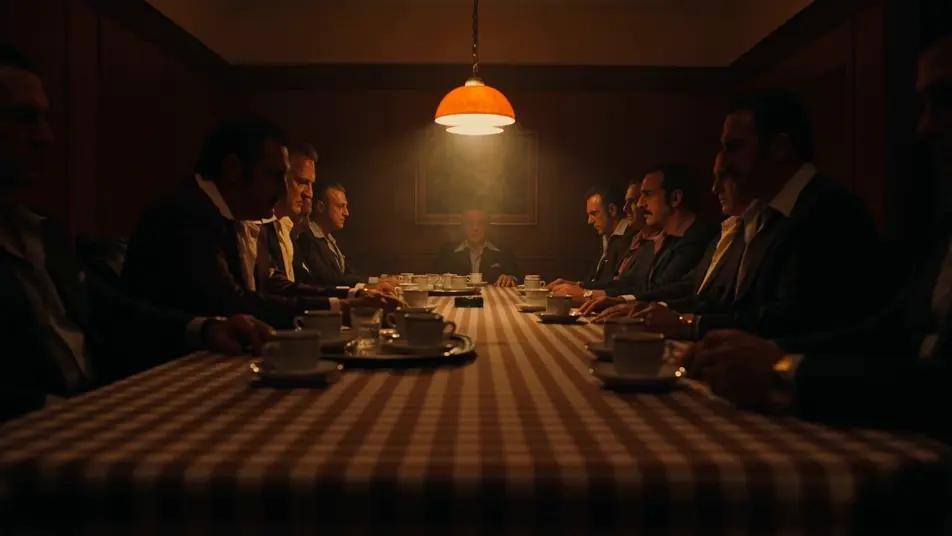
Direct the family in your browser with Morphic's mob gangster AI video generator. Generate a back-room red-sauce sit-down or a social-club booth in cigar smoke, layer a whispered confession with the Speech and Music tools, and cut a mob short on the Canvas.
A private back room of a checkered-tablecloth restaurant under a single low pendant, the boss at the head of a long table, capos seated along, cigar smoke pooling under the bulb.
Edit promptThe deep booth of a neighbourhood social club, vinyl banquettes, a tray of espresso cups, cigar smoke thick under the wall sconces, a hand-bag of cash open between two figures.
Edit prompt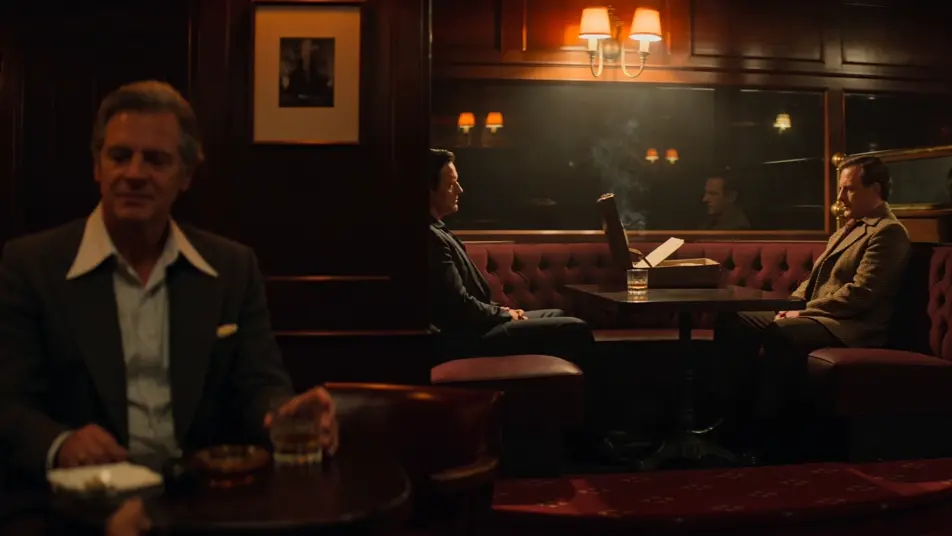
The interior of a black Lincoln town car crossing a long suspension bridge at night, the city lights cycling across the windshield, the boss and the consigliere in the back seat.
Edit prompt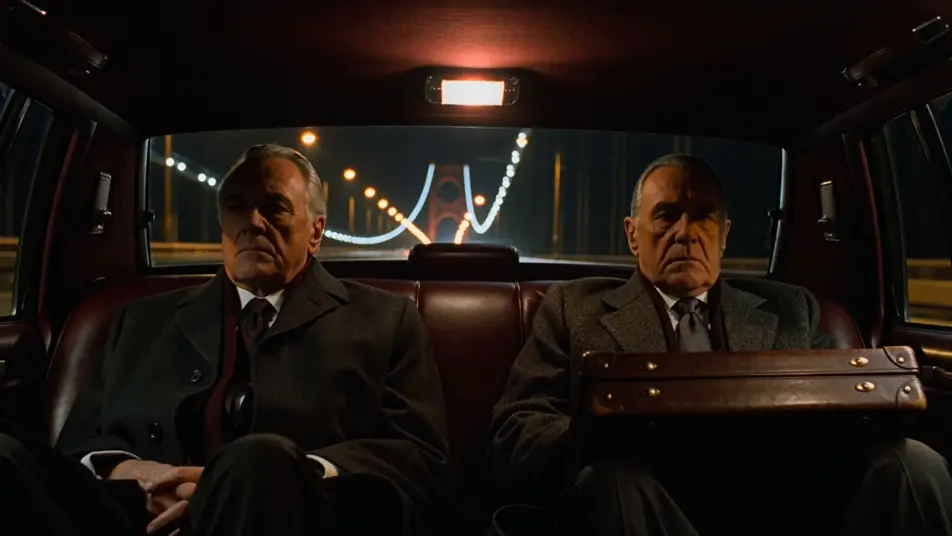
A long wedding reception under a banquet hall chandelier, the boss rising with a glass at the head table, the family arrayed around him, soft warm light and floral centrepieces.
Edit prompt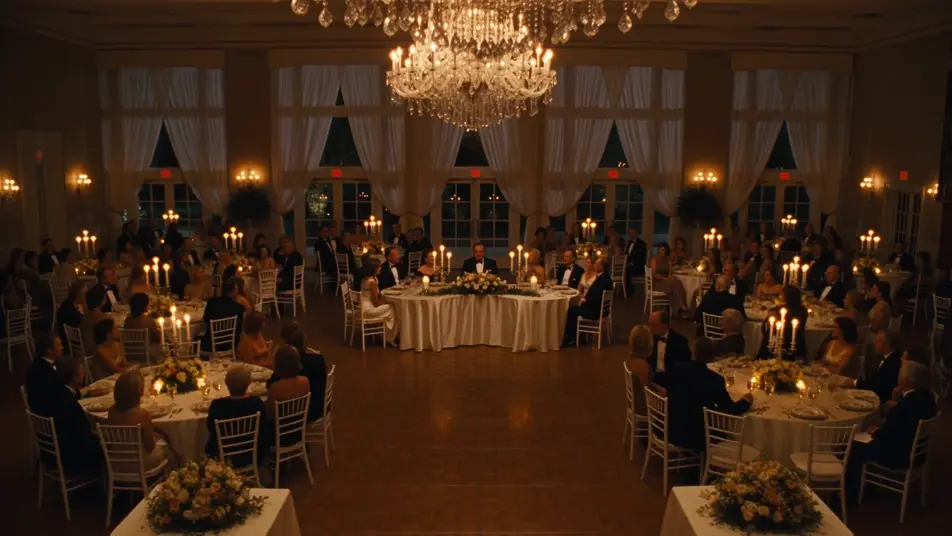
Write the mob gangster scene you want, in plain words.
Morphic generates a cinematic, frame-ready clip on your canvas in seconds.
Tweak the prompt, regenerate variations, then download or share the shot.
Cinematic time-freeze short film for any scene

Dramatize any text conversation into a cinematic multi-shot video.
One image to a 9-scene cinematic video.
Drop in a photo of yourself. Get a 12-second cinematic movie with animation and a matched soundtrack.

Share a scene description with character references. Get a full storyboard with shot angles and mood.

Feed in a single image. Get 9 cinematic beats laid out as a 3x3 storyboard grid.
Heist AI Videos
Create powerful AI Heist videos with our Heist video generator. Find unique, cinematic Heist scenes for any project in seconds.
Film Noir AI Videos
Create powerful AI Film Noir videos with our Film Noir video generator. Find unique, cinematic Film Noir scenes for any project in seconds.
Neo-noir AI Videos
Generate neo-noir videos with Morphic across four director-coded modes: wet-neon, sun-blown LA, comic chiaroscuro, and corporate-night.
Detective AI Videos
Create powerful AI Detective videos with our Detective video generator. Find unique, cinematic Detective scenes for any project in seconds.
Get started for free today, with the option to upgrade or cancel anytime.
Basic
2400 monthly credits
1 user only
All models
Workflows
Standard
3625 monthly credits
1 user only
All models
Workflows
Pro
6350 shared monthly credits
1 user
All models
Workflows
Max
24650 shared monthly credits
1 user
All models
Workflows
Enterprise
For higher limits
Custom
pricing and billing terms

Free
For playing around
$0
forever free