A day-and-night street comparison
A vertical split holds the same quiet street on both sides, left in bright afternoon and right in blue-lit night, matching camera moves gliding down each panel, clean center seam, slow parallel dolly.
Edit prompt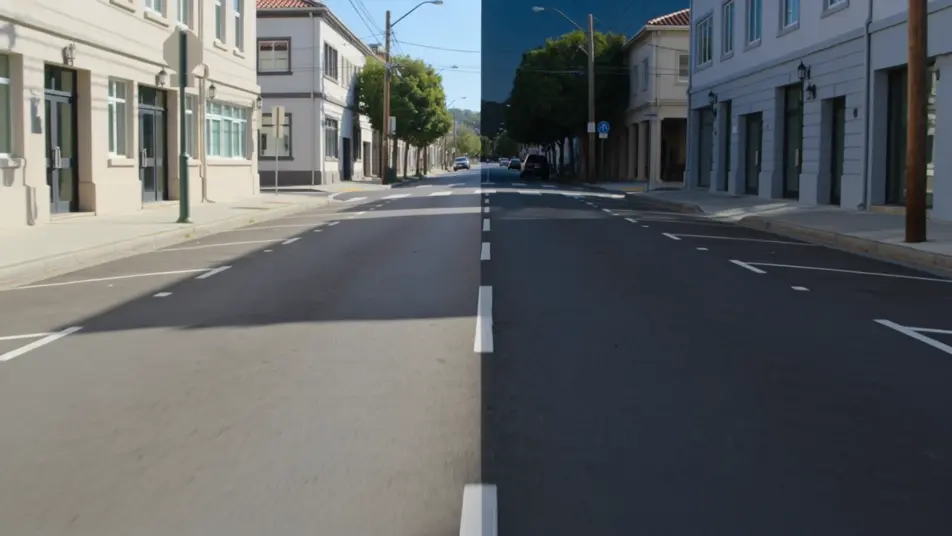
Direct multi-panel split-screen shots in your browser with Morphic's split screen AI video generator. Generate a before-and-after transformation running side by side, or a four-panel grid of reactions moving in sync. Hit every panel on the beat with Music, then stitch the sequence on the Canvas.
A vertical split holds the same quiet street on both sides, left in bright afternoon and right in blue-lit night, matching camera moves gliding down each panel, clean center seam, slow parallel dolly.
Edit promptA two-by-two grid of four different city corners all bathed in the same warm sunset, foot traffic and light moving in each cell, panels timed to breathe together, locked-off framing on every quarter.
Edit prompt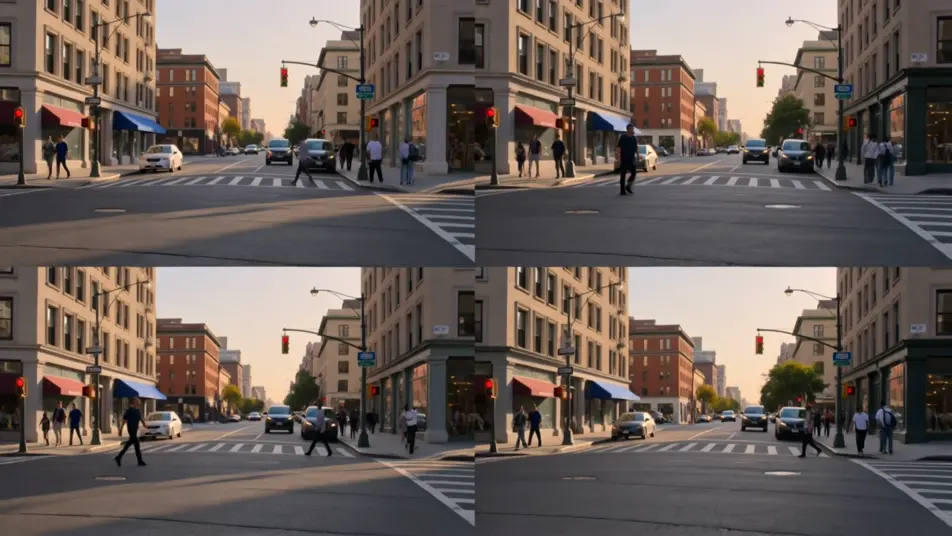
A horizontal stacked split shows a weathered facade on top and its restored version below, soft even daylight across both, a slow push-in on each panel revealing the matching detail, still seam.
Edit prompt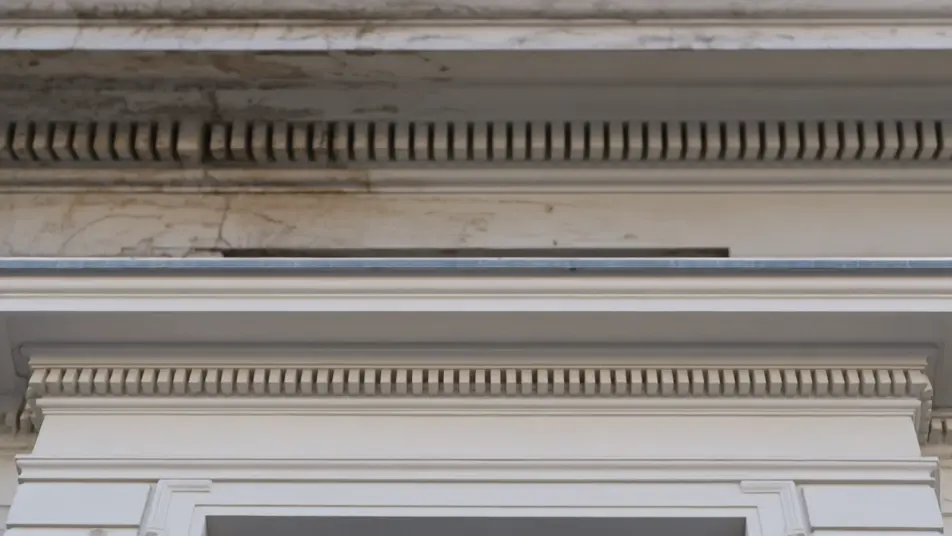
A vertical split places two figures in separate rooms who appear to speak across the seam, warm interior light on each side, gentle handheld sway in both panels, center line holding the frame together.
Edit prompt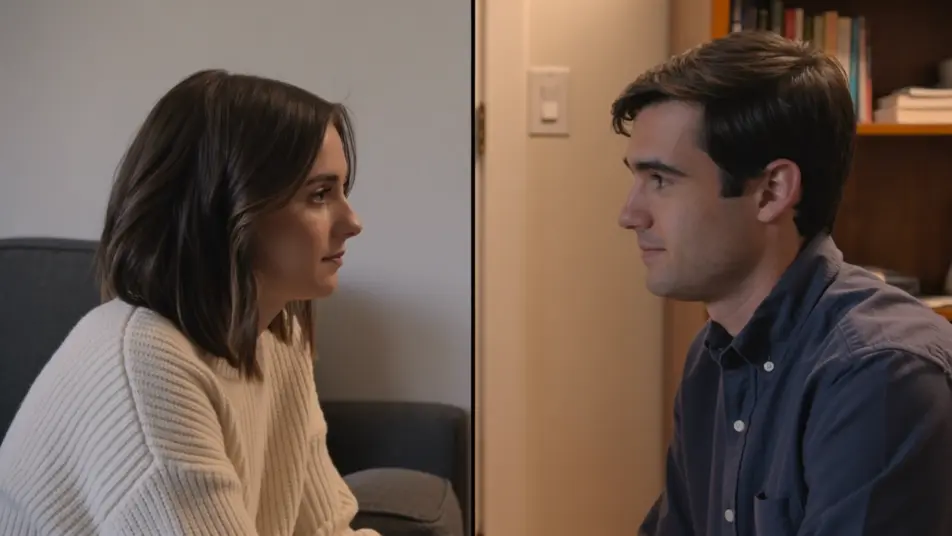
Write the split screen scene you want, in plain words.
Morphic generates a cinematic, frame-ready clip on your canvas in seconds.
Tweak the prompt, regenerate variations, then download or share the shot.

Dramatize any text conversation into a cinematic multi-shot video.
Cinematic time-freeze short film for any scene
Restyle any video in a completely new visual style. Every frame transforms, all motion stays intact.

Generate a professional film title card from scratch, with optional cinematic animation.
Photo of any real-estate becomes a cinematic renovation timelapse video with construction SFX and music.
One image to a 9-scene cinematic video.
AI mirror effect
Generate AI mirror effect videos with Morphic. Vertical symmetry, water reflections, mirror worlds, and kaleidoscopic flips from a single prompt.
Whip pan
A whip pan whips the camera sideways into a blur to hide a cut. See how to use it as a transition and animate one from a prompt in Morphic.
AI VFX videos
Generate AI VFX videos with Morphic. Explosions, energy effects, sci-fi destruction, particles, and creature shots from a prompt. No green screen, no compositing.
AI POV videos
Make AI POV videos with Morphic. Direct immersive first-person walks, action beats, and daily-life moments at eye level. Example scenes, no editing experience needed.
Get started for free today, with the option to upgrade or cancel anytime.
Basic
2400 monthly credits
1 user only
All models
Workflows
Standard
3625 monthly credits
1 user only
All models
Workflows
Pro
6350 shared monthly credits
1 user
All models
Workflows
Max
24650 shared monthly credits
1 user
All models
Workflows
Enterprise
For higher limits
Custom
pricing and billing terms

Free
For playing around
$0
forever free