
可绘制的数字绘画角色
可构图的数字绘画场景
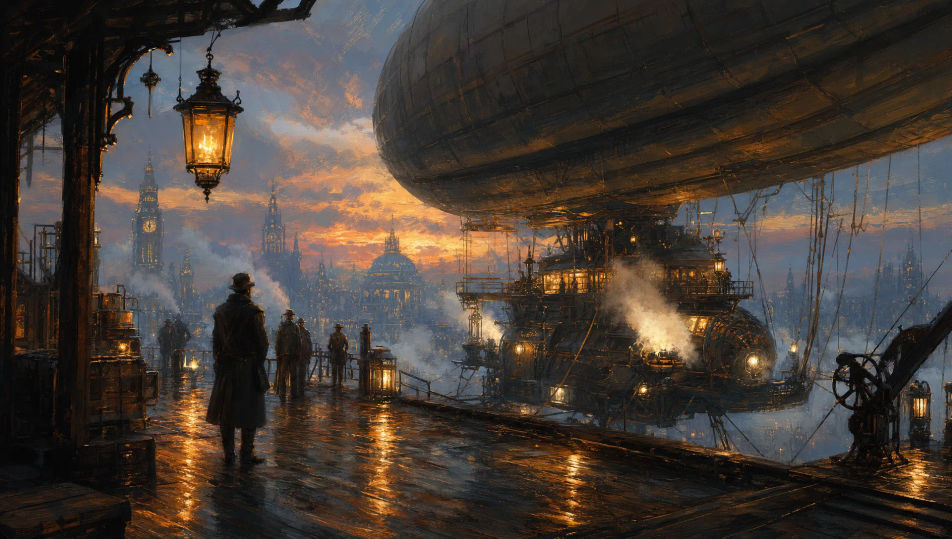


三步制作数字绘画
- 一
描述你的图像
用简单的话描述你想要的数字绘画。
- 二
生成图像
Morphic 在几秒内于画布上生成可直接发布的图像。
- 三
优化并分享
调整提示词,重新生成,满意后即可下载或分享图像。

你可能也喜欢
简单定价
今天就免费开始,随时可以升级或取消。
Basic
$19/ 月
账单金额为 $0 每年2400 每月 信用
1 个用户
所有模型
工作流
Standard
$24/ 月
账单金额为 $0 每年3625 每月 信用
1 个用户
所有模型
工作流
Pro
$45/ 月
账单金额为 $0 每年6350 共享 每月 信用
1 用户
+ 最多 4 人额外付费可增加
所有模型
工作流
Max
$170/ 月
账单金额为 $0 每年24650 共享 每月 信用
1 用户
+ 最多 9 人额外付费可增加
所有模型
工作流
Enterprise
更高的限制
自定义
定价和账单条款
大容量信用
自定义席位限制
所有模型
工作流

Free
供随意体验
$0
永久免费
最多 20 积分
仅1个用户
部分模型
工作流
常见问题
在哪里能用AI制作数字绘画图像?
你可以直接在Morphic的浏览器里制作数字绘画。打开Image工具,描述主体和场景并写清笔触与光线,Morphic就会生成作品。无需安装,也无需专业软件。
可以生成哪些数字绘画风格?
人物与环境的绘画感概念艺术、强大气透视的哑光绘景、随性色彩研究、厚涂的角色肖像等。本页主打绘画传统而不是照片级CG或矢量插画,先点名想要的样貌,Morphic才会留在那条线上。
它和一般的AI图像页面有什么不同?
这里的数字绘画指概念艺术家和绘景师常用的绘画感技法,可见的笔触、层叠的色彩、绘画感的边缘。如果你要照片级渲染、3D外观或矢量插画,它们在另外的页面。点名笔触能让结果留在这种风格里。
怎样让多张作品里的数字绘画角色保持一致?
在生成前用Character Lineup工作流锁定每个人物的脸、服装和标志性道具,然后在每条提示词里引用这些角色卡。Morphic会让悬崖、王座厅和飞船等场景的角色设定保持下去,让整组系列读起来像同一批作品。
怎样写提示词,让笔触可见而不是照片级?
直接点名笔触。用"绘画感笔触方向清晰"、"金属上的厚涂高光"、"绘画感大气透视"或"随性色彩研究"这样的短语。被点名的笔触会告诉Morphic把刻度停在绘画一侧。
能把数字绘画变成视频吗?
可以。打开Image to Video工具,上传静帧,描述想要的动作(云层从寺院前飘过、码头上灯笼摇晃、神圣光柱扫过王座等)。Morphic基于原图生成动画,所以绘画感笔触都得以保持。